


Zato Blog: Microsoft Dataverse with Python and Zato Services
Microsoft Dataverse with Python and Zato Services

Overview
Microsoft Dataverse is a cloud-based data storage and management platform, often used with PowerApps and Dynamics 365.
Integrating Dataverse with Python via Zato enables automation, API orchestration, and seamless CRUD (Create, Read, Update, Delete) operations on any Dataverse object.
Below, you'll find practical code examples for working with Dataverse from Python, including detailed comments and explanations. The focus is on the "accounts" entity, but the same approach applies to any object in Dataverse.
Connecting to Dataverse and retrieving accounts
The main service class configures the Dataverse client and retrieves all accounts. Both thehandleandget_accountsmethods are shown together for clarity.
Let's check more examples - you'll note they all follow the same pattern as the first one.
Retrieving an Account by ID
Retrieving an account by name
Creating a new account
Updating an existing account
Deleting an Account
API path vs. PowerApps UI table names
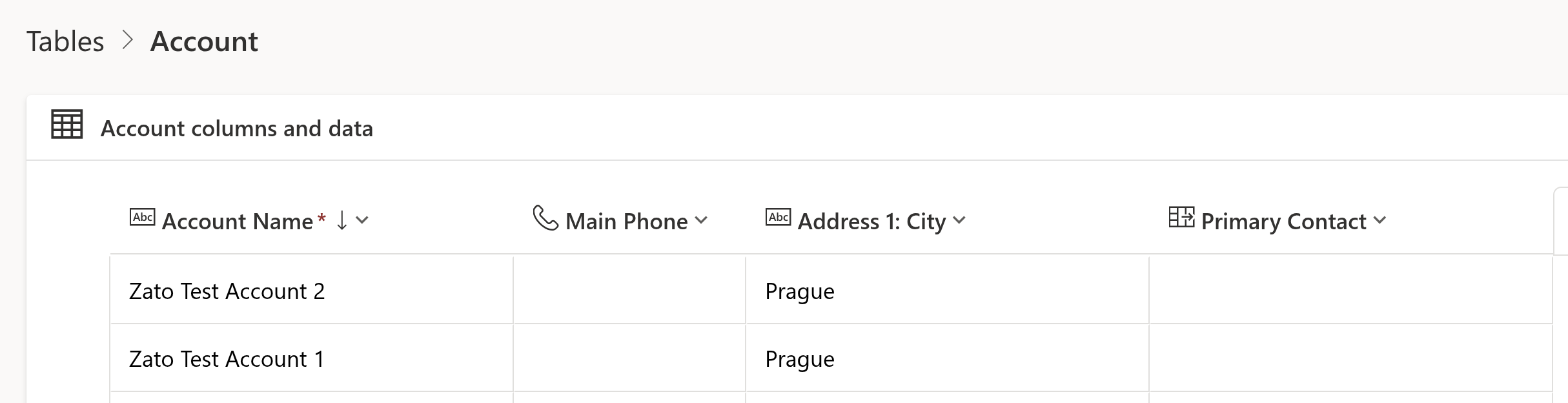
A detail to note when working with Dataverse APIs is that the names you see in the PowerApps or Dynamics UI are not always the same as the paths expected by the API. For example:
- In PowerApps, you may see a table calledAccount.
- In the API, you must use the pathaccounts(lowercase, plural) when making requests.
This pattern applies to all Dataverse objects: always check the API documentation or inspect the metadata to determine the correct entity path.
Working with other Dataverse objects
While the examples above focus on the "accounts" entity, the same approach applies to any object in Dataverse: contacts, leads, opportunities, custom tables, and more. Simply adjust the API path and payload as needed.
Full CRUD Support
With Zato and Python, you get full CRUD (Create, Read, Update, Delete) capability for any Dataverse entity. The methods shown above can be adapted for any object, allowing you to automate, integrate, and orchestrate data flows across your organization.
Summary
This article has shown how to connect to Microsoft Dataverse from Python using Zato, perform CRUD operations, and understand the mapping between UI and API paths. These techniques enable robust integration and automation scenarios with any Dataverse data.
More resources
➤Microsoft 365 APIs and Python Tutorial
➤ PythonAPI integration tutorials
➤What is an integration platform?
➤Python Integration platform as a Service (iPaaS)
➤What is an Enterprise Service Bus (ESB)? What is SOA?
➤Open-source iPaaSin Python
