January 9th, 2026
Plotly Studio
New Features
Batch Chart Generation
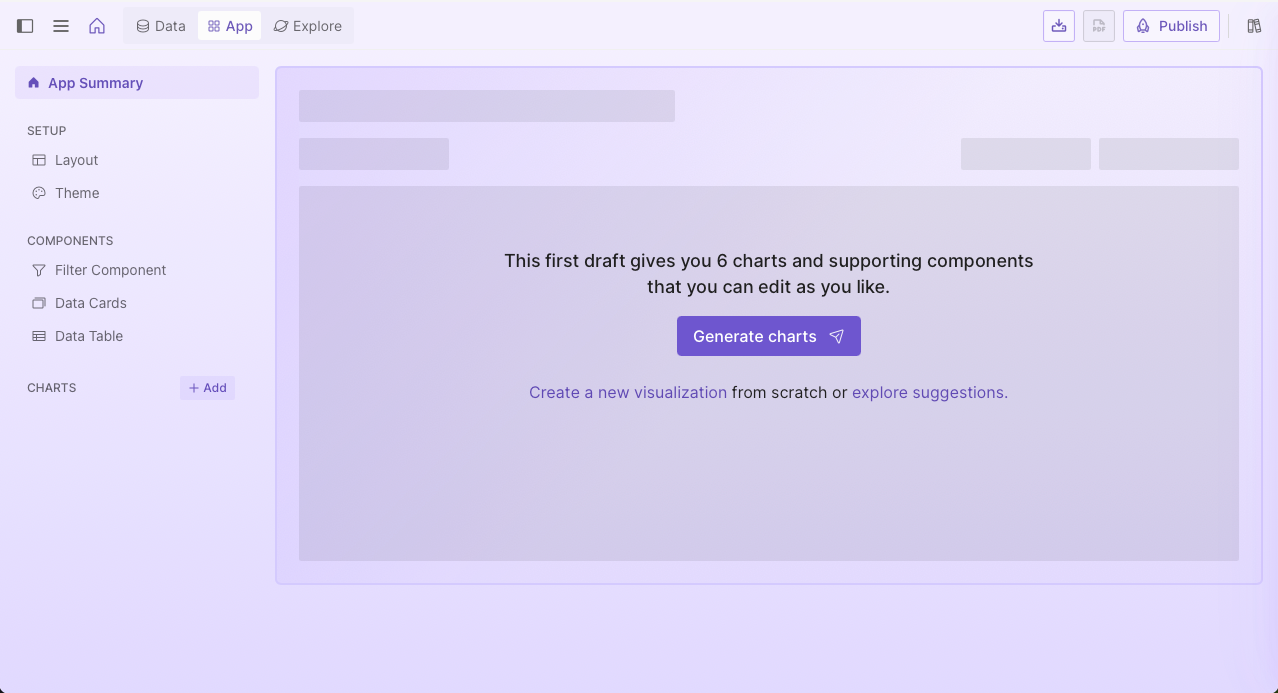
Users can now generate a set of six charts simultaneously when starting a new project. This allows for immediate app generation for users who want quick visualization recommendations.
Version Information Modal
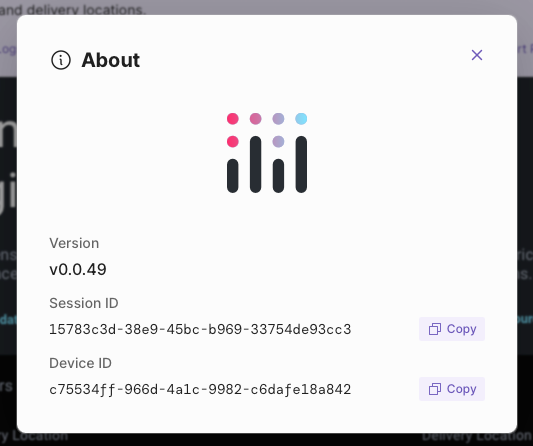
A new About modal is accessible from the global menu. This provides a central location to view the current application version, session ID, and device ID, simplifying the process of identifying diagnostic information for support requests.
Improvements
Performance And System Stability
The underlying environment has been updated to support Python 3.13.11. Additionally, authentication libraries have been refreshed to ensure better security and compatibility with modern login standards.
January 2nd, 2026
Plotly Studio
New Features
Preview Logs
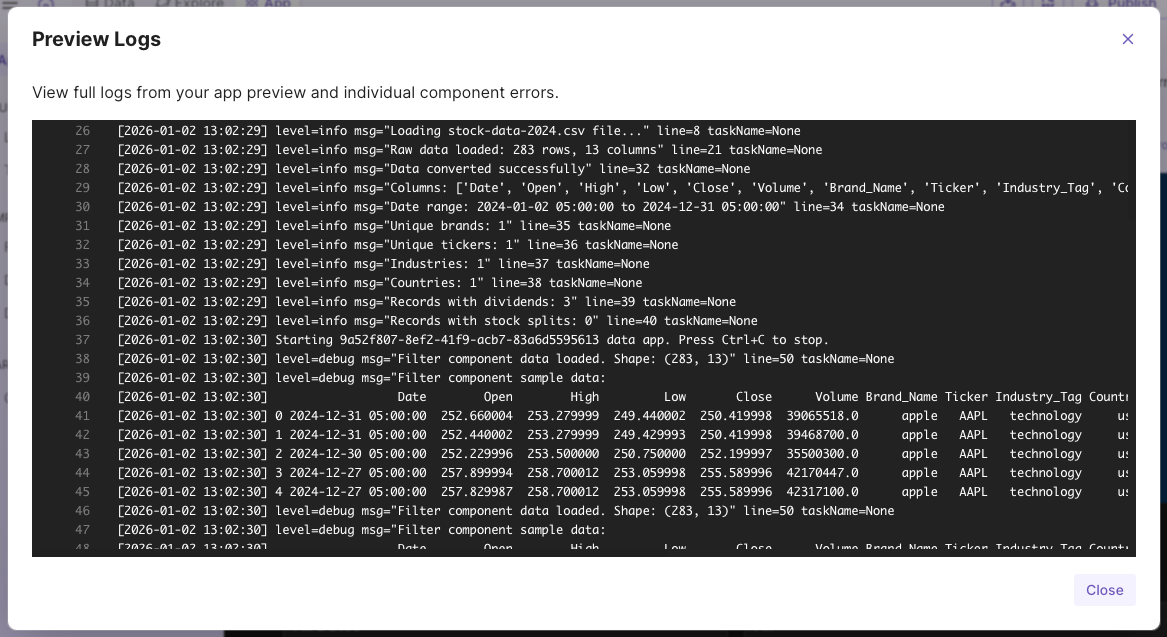
The application preview logs are now accessible within the Plotly Studio interface. This feature allows you to view system information during application startup and includes updated error handling to ensure a smoother display experience.
Improvements & Fixes
Legacy Project Compatibility
Resolved a startup failure that affected projects created in older versions of the software. This fix ensures that older projects missing specific component metadata now load correctly in the current version.
January 2nd, 2026
Plotly Studio
New Features
Project Duplication
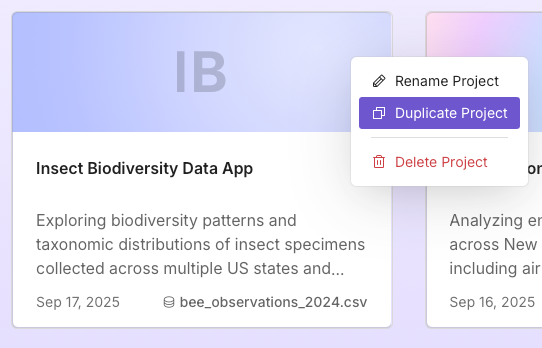
A new option on the home screen allows for the duplication of existing projects. This feature creates a full copy of a project, including all data view configurations and conversation history.
Toggle Public Sharing
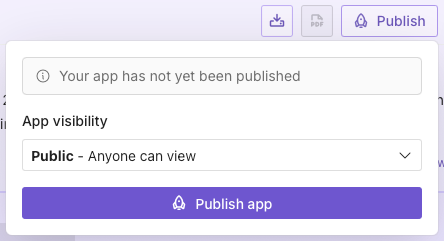
Users can now control the visibility of their published applications directly within the application. A new toggle in the settings interface allows for switching between private and public modes, ensuring consistent privacy management with Plotly Cloud.
Improvements
Enhanced Application Startup Speed
The initialization process has been optimized to reduce startup times. Subsequent launches of the application now occur significantly faster due to improved caching strategies and more efficient library loading.
December 19th, 2025
Plotly Cloud

Thank you to the Plotly Studio, Plotly Cloud, and Dash community for adoption and excitement around Plotly Cloud! We’re really excited with the product and to see the great apps published over the first 6 months of Cloud — but that’s for another post. Let’s take a look at the most exciting new features in Cloud from this fall.
Looking forward to the new year, we’re laser-focused on our goal to make it more accessible, more efficient, and more fun to publish and share your Plotly Studio and Dash apps.
This fall, we’ve been focused on a few key priorities:
Better sharing with the community and with your colleagues
Deeper ecosystem integration with Dash and Plotly Cloud
Expanded support for publishing Dash apps without code or file changes
As we close out the year, we’re excited for our next frontier: Organization support for Plotly Cloud. Organization support is rolling out in early access in January, and we want your feedback. You’ll see a demonstration of the new functionality at the end of this update, and if you think you’re a good fit for the early access program, please reach out to learn about how you can get involved.
Happy holidays, and happy building 🚧 🏗️ with Dash and Plotly Studio.
📣 Plotly Cloud apps now wake automatically on view
Previously in Plotly Cloud, apps would shut down after 7 days on the free tier. Unfortunately, this made sharing apps with colleagues and showcasing apps with the community difficult or impossible, as the apps would become unavailable after just a few days.
We’re now introducing app wake directly in apps, so when you share an app on LinkedIn, Slack, or Microsoft Teams, you don’t need to worry about the app shutting off and becoming inaccessible to your viewers.
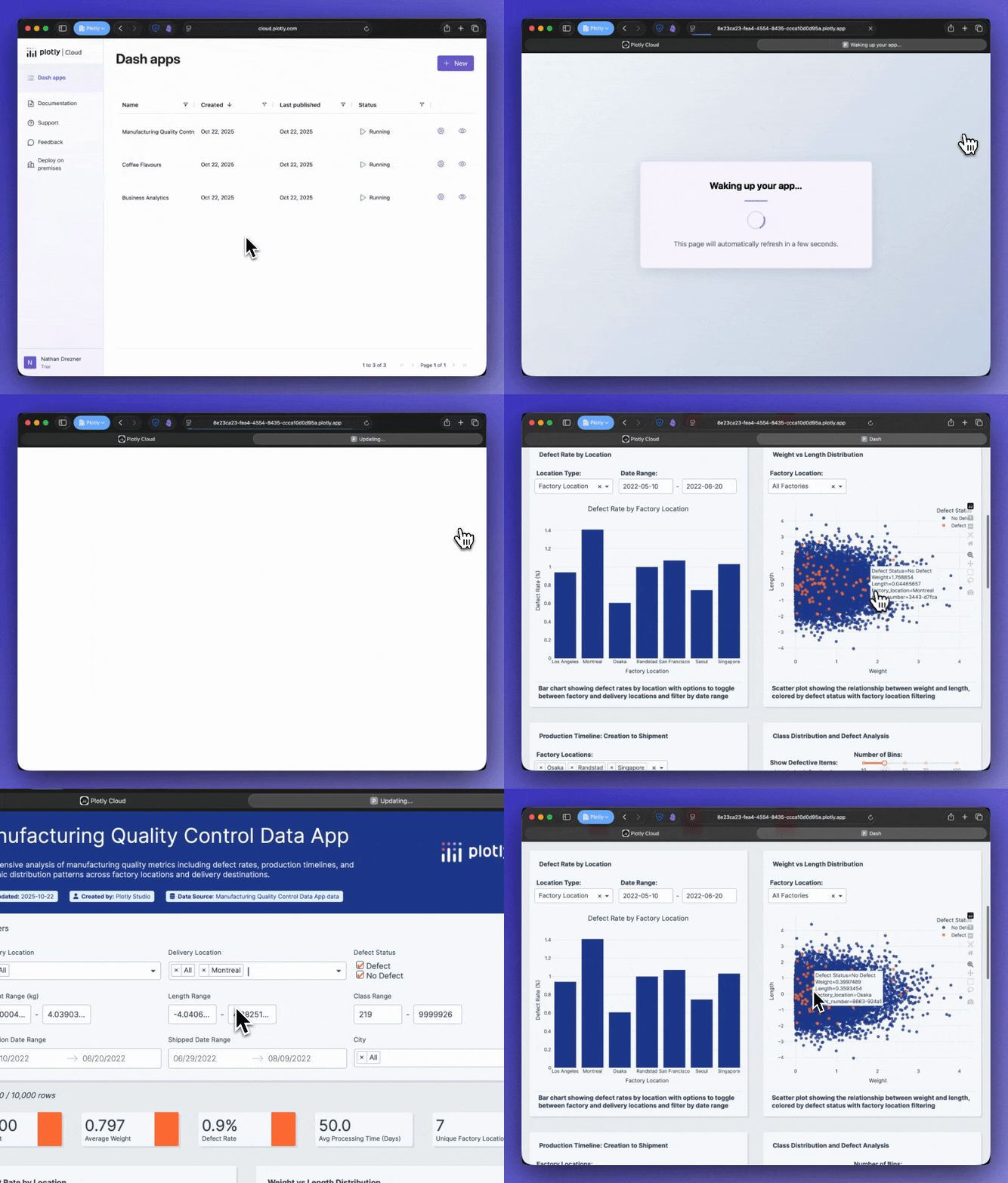
We’re really excited to open the doors for better social and community sharing for Plotly Studio and Dash projects shared on Cloud.
📣 Publish to Cloud, directly from Dash
If you’re working in Dash locally, you can now publish to Cloud right from the developer tools. Get started with:
pip install "dash[cloud]"to add the Plotly Cloud extension. Once added, you can log in and manage your app deployments as you develop, keeping your live app in sync with your development flow. You can keep track of app status, quickly jump to app settings, and access the live app without leaving your development environment.
📣 “It just works” publishing
A core goal of Cloud is that if a Dash app works locally, it should work on Cloud with no code changes.
We’re working hard to make this vision a reality, and have introduced a handful of improvements this fall.
Custom entry points
It’s now possible in Cloud to pick your main file with drag+drop upload. This means if you’re working on an app with a non-standard entry point, it’s easy to configure that during your app upload step.
Your entry point is the name of the file you use to run your app — for example, when running python app.py, app.py is the entry point.
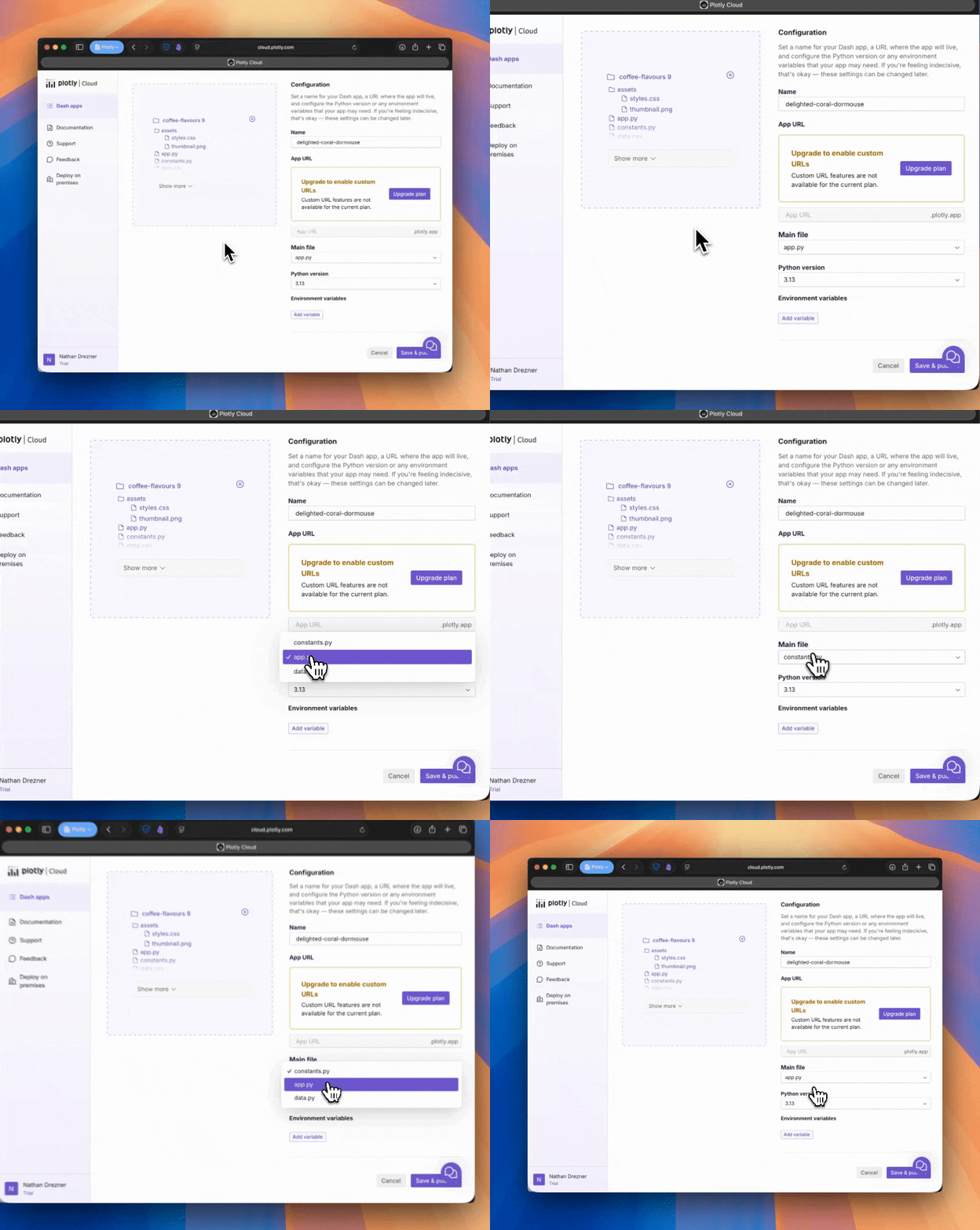
If you’re publishing with the devtools, Dash will automatically detect and set the correct entrypoint when publishing to Cloud, so you don’t need to think about it.
Automatic requirements detection
It’s no longer necessary to add a requirements.txt file to your app — if you upload the app file, Cloud will detect the dependencies for your app based on the import statements in the top of the file. This means you can quickly take a prototype and publish and share without having to manage dependencies.
Of course, pinned dependencies are crucial for many projects: If you use a requirements.txt, it will be recognized and used, and we now also support pyproject.toml for modern dependency specification.
Pick the path that suits your project best, and Cloud will manage the rest.
No code changes in your app to bring it to Cloud
We’ve added other quality of life improvements, like dropping the requirement to explicitly define a server variable in your app code, avoiding a common (and easily forgotten) code change required before publishing Dash apps.
As we bring the dream of seamless publishing of Dash apps closer to reality, we’re always looking for ways to improve. If you found your app “worked on your machine” but failed in Cloud, leave us feedback — hopefully we can ensure it just works the next time you upload, no code changes required.
Leave us feedback at roadmap.plotly.com.
Looking ahead: Organization support in Cloud
As we head into the holidays, the Plotly team has been hard at work building the next stage of Plotly Cloud: Organization support. We’ll be entering the new year with organization support in early access, and we’re looking for your feedback to help improve it before we launch into general availability.
Here’s a demonstration:
Plotly Cloud -- EA Public Demo - Watch Video
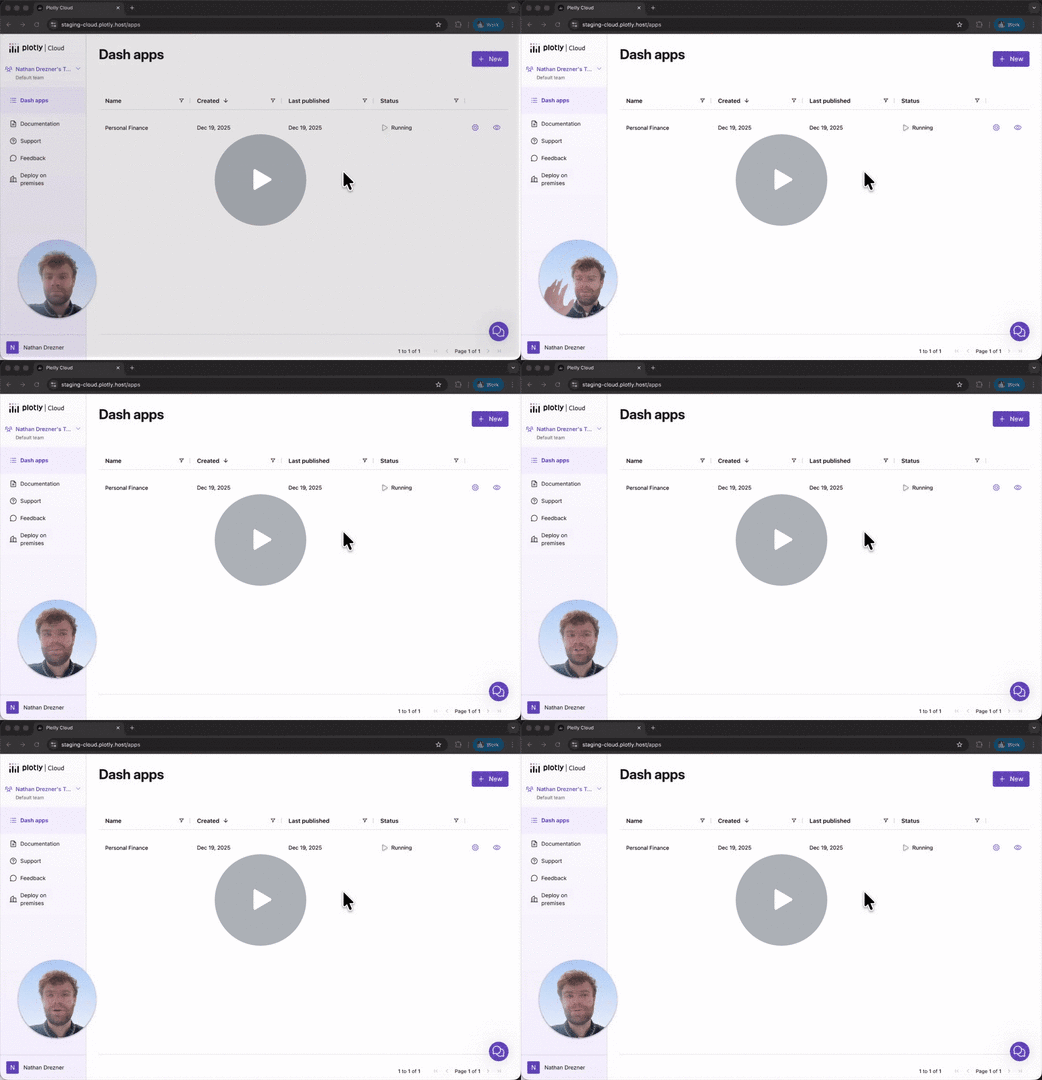
If you’d like to try out organization support before it launches publicly, reach out to Nathan Drezner, Product manager for Plotly Cloud, at nathan@plot.ly for more information. We can’t wait to see the kinds of collaboration organization support enables in Cloud and Studio.
December 17th, 2025
Plotly Studio
New Features
Data Sources: Connect to virtually any data source—remote databases, data warehouses, object storage, APIs, and even local files—using an intuitive, chat-based workflow. Credentials are stored and transmitted securely. Prepare, clean, join, and transform data that powers your apps.
PDF Report Generation: Generate and export PDF reports directly from Studio projects. This tool allows for the export of project data and visualizations into a professional document format with customizable page layouts and content options.
Live Support Integration: A new live support option is available via the global navigation menu.
Project Navigation: Project pages have been reorganized with a new tabbed interface. Users can navigate between Data, Explore, and App views using the top navigation bar, providing a cleaner workspace and a more intuitive organizational structure.
Draft Project Persistence: Partially created projects are now saved and visible within the project list. Users can select these drafts to resume the setup process, which will redirect them to the data chat for completion.
Improvements
Validation Performance: The initial project validation process has been significantly optimized. Processing times for the first validation have been reduced from a previous range of 15-25 seconds to less than 1 second.
Cross-Platform Deployment: Compatibility between different operating systems has been improved to ensure that Plotly Studio applications generated on Windows environments deploy correctly to Plotly Cloud.
More Reliable Project Previews: Backend improvements have simplified how the application manages project previews, resulting in a more reliable experience.
December 8th, 2025
Plotly Studio
Data module backward compatibility
Improved handling of older data modules: We've resolved issues that prevented the correct use of older data modules, ensuring backward compatibility for your existing projects.
User interface
Clearer loading experience: We’ve updated confusing button text on the loading page for a better user experience.
Improved export documentation: Projects exported from Plotly Studio now include a more helpful README file with clearer instructions.
December 5th, 2025
Plotly Studio

This release focuses on providing a smoother deployment experience, improving the stability of the application, and enabling new functionality for users on Dash Enterprise.
Improvements and Fixes
Publishing and Deployment
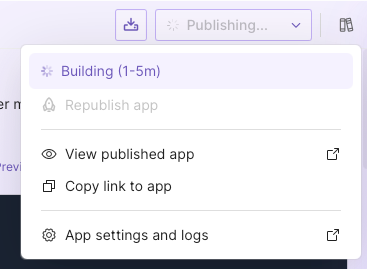
Enhanced Publishing Experience: The publish button now clearly indicates the current action (e.g., "Publishing..."), and you can access logs immediately via inline links if an error occurs.
Data View Support for Dash Enterprise (Closed Beta): We added core support for deploying apps that utilize the Data Views feature to Dash Enterprise, including necessary credential and AI proxy configurations.
Project Cleanup: Virtual environments associated with projects are now automatically cleaned up when a project is deleted, ensuring your file system remains tidy.
Stability and Performance
Resolved White Page Loading Issues: Fixed an issue where users could occasionally encounter a white page during application loading by adding a loading screen and preloading certain images.
Improved App Preview Functionality: Fixed an issue where app and component previews did not always start correctly, particularly when initiated from the suggestions page.
Internal & Maintenance Notes
We implemented a comprehensive set of new rules to improve the accessibility of our user interface components.
Various internal dependencies were updated, including core frameworks and development tools, to ensure better security and performance.
December 3rd, 2025
Plotly Studio
Release Highlights
Faster Startup: Returning users will notice a significantly faster startup time as we’ve streamlined our initial checks.
Improved Data Processing: Critical fixes have been deployed for Parquet file handling, ensuring more reliable data ingestion and analysis.
Improvements and Fixes
User Experience
Optimized Startup Performance: Preflight system checks now run less frequently, meaning returning users will see the application launch much faster.
Enhanced Login Flow: Authentication failures will now reliably redirect you to the login page for a smoother recovery.
Data Views Enhancements (Closed Beta)
We released Data Views as an early access feature starting in v0.0.43! The early access program is invite-only as we gather feedback and polish the feature until it’s GA. Reach out to us if you’d like to be considered for inclusion in the program, and stay tuned for more news on feature!
The following features are available in closed beta and may not be visible to all users.
Reset Conversation: Added a simple way to reset your Data View conversations, clearing all messages and artifacts to start fresh.
Drag & Drop File Support: You can now drag and drop files directly into the Data View chat interface.
Improved SQL Handling: Better support for complex SQL queries ensures more accurate parsing and execution.
General Improvements and Fixes
Reliable Parquet File Processing: Fixed critical issues that were causing errors and template problems when working with Parquet files.
Stable Background Tasks: We’ve ensured that when you delete conversations, associated background tasks are properly cancelled, improving system stability.
MacOS Compatibility: Added native support for Intel-based MacOS hardware.
Plotly Update: Updated our charting library (Plotly.py) to fix issues with how heatmap hover templates were displayed when the heatmap has null values.
System Stability: Addressed several low-level issues that were causing timeouts and orphaned processes for a more robust application overall.
