
A media player with more features than you can imagine
There are certain features that you would come to expect any media player to possess, but PMPlayer definitely takes the cake when it comes to the features it offers you. Certainly, simple but powerful media players like VLC Media Player or GOM Player are still the go-to programs for most people, but PMPlayer is an alternative media player that can compete with these big boys. With the amount of features it has, it may seem like an overwhelming program, but don’t let it scare you from it. It’s actually a pretty simple program that users will get used to in a heartbeat.
Top Recommended Alternative

Functionality with Simplicity
Before getting into the player itself, let’s get the installation process out of the way really quickly. It takes a little longer than what I’d consider to be quick, but it’s by no means a long wait. That said, there are no additional processes involved which is a good thing.
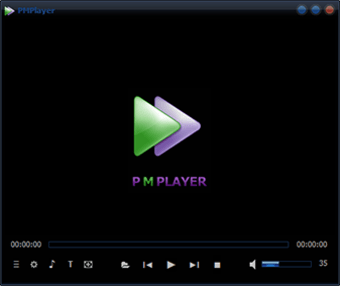
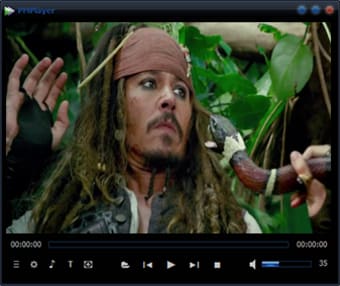
Once installed, the user will be taken directly to the interface of the player. It’s quite simple as it features only the viewing area with a handful of command icons beneath it. Don’t let the simplicity fool you, however. Hidden in the options icon are the multitude of features that you can do with the PMPlayer. You can also click on the lightning icon beside the options icon to take you to the Quick Access menu.
The Quick Access Menu
The Quick Access menu is actually the best way to navigate through this program. The menu is a 4x5 grid of 20 square icons that each lead to a specific command or settings. The grid looks great and each icon represents the settings that it leads to pretty well. The only minor criticism I have is that the icons are not rendered in the exact same style. Some are cartoon while others are realistic.
The contents of the Quick Access menu vary wildly. There are the common commands such as Open Files, Playlist, Screen Capture, and more. There are also advanced settings for video and audio, media publishing, and subtitles. Then there are the additional features like Direct Video Call, Motion Detection, and Auto Translation among others,
This is not even mentioning what other settings you can play around when you click on the icons.
All of these features can be accessed from the options icon which is both a good and bad thing. It’s good because it makes the interface less crowded, but it’s also bad because you have to go through a lot of menus to find the one that you want. I wouldn’t have minded a toolbar, but the Quick Access menu fulfills that need with ease so it cancels out that problem in my opinion.
Lots to Offer
The PMPlayer has a lot of good to offer. It’s a shame that so few people actually know about it and even fewer people use it. I’d say give it a shot because it’s a player that’s made to really impress if it’s given a chance to shine.








.png)