

A lot of the time in database land, our queries are I/O constrained. As such, performance work often involves reducing the number of page reads. Indexes are a prime example, but they don’t solve every issue (a couple of which we’ll now explore).
The way Postgres handles consistency while serving concurrent queries is by maintaining multiple row versions in both the main part of a table (the “heap”) as well as in the indexes (docs). Old row versions take up space, at least until they are no longer needed, and the space can be reused. This extra space is commonly referred to as “bloat”. Below we’ll look into both heap bloat and index bloat, how they can affect query performance, and what you can do to both prevent and respond to issues.
In pgMustard, we originally called tips around this “Bloat Likelihood”, but we learned that bloat isn’t the only way queries can end up reading more data than necessary. Another is to do with data locality—for example if a query needs to read several rows that all happen to be on a single page, that’s quicker than if those rows are each on separate pages. We’ll look into this below too. As such, the tips in pgMustard are now titled “Read Efficiency”.
These read efficiency issues can be tricky to spot, especially without looking at the buffer numbers reported in EXPLAIN ANALYZE and pg_stat_statements, so I don’t see them discussed much. However, they are relatively common in slow query plans that I see, so I thought it might be worth writing about.
Bloat
To demonstrate bloat issues, let’s create a simple table and populate it with some data:
CREATE TABLE read_efficiency_demo (
   id bigint GENERATED BY DEFAULT AS IDENTITY PRIMARY KEY,
   text1 text NOT NULL,
   text2 text NOT NULL,
   text3 text NOT NULL);

INSERT INTO read_efficiency_demo (text1, text2, text3)
   SELECT
      md5(random()::text),
      md5(random()::text),
      md5(random()::text)
   FROM generate_series(1, 1_000_000);

VACUUM ANALYZE read_efficiency_demo;
In a moment we’ll manufacture some bloat by updating each row, but (even with its conservative default settings) autovacuum might be a good little daemon and clean up behind the scenes as we go, so to keep it simple and for demonstration purposes only, let’s disable it (please please please don’t do this in production).
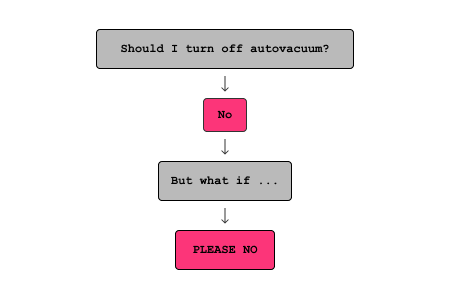
A handy flowchart I made (and shared) a little while ago.
ALTER SYSTEM SET autovacuum = off;

SELECT pg_reload_conf();
Let’s check how much heap and index space our initial 1 million rows take up:
SELECT pg_size_pretty(pg_relation_size('read_efficiency_demo')) heap_space,
       pg_size_pretty(pg_relation_size('read_efficiency_demo_pkey')) index_space;

heap_space  | 135 MB
index_space | 21 MB
Let’s get a baseline for the buffers read and execution time of a query on this table:
EXPLAIN (ANALYZE, BUFFERS, SERIALIZE)
SELECT * FROM read_efficiency_demo;

                                                             QUERY PLAN
------------------------------------------------------------------------------------------------------------------------------------
 Seq Scan on read_efficiency_demo  (cost=0.00..27242.00 rows=1000000 width=107) (actual time=0.037..47.737 rows=1000000.00 loops=1)
   Buffers: shared hit=17242
 Planning Time: 0.121 ms
 Serialization: time=134.561 ms  output=118165kB  format=text
 Execution Time: 233.598 ms
So to read the entire table we’re hitting 17242 buffers (those are 8 KB pages, so unsurprisingly about 135 MB), and the total execution time is about 230ms.
Now if we update every row, we expect 1 million new row versions to be added to both the heap and the index. By running this 9 times, we can see both the heap and the index get roughly 10x bigger:
UPDATE read_efficiency_demo
   SET id = id + 1_000_000;

-- Run the above 9 times

SELECT pg_size_pretty(pg_relation_size('read_efficiency_demo')) heap_space,
       pg_size_pretty(pg_relation_size('read_efficiency_demo_pkey')) index_space;

heap_space  | 1347 MB
index_space | 255 MB
Let’s run the same query again:
EXPLAIN (ANALYZE, BUFFERS, SERIALIZE)
SELECT * FROM read_efficiency_demo;

                                                              QUERY PLAN
---------------------------------------------------------------------------------------------------------------------------------------
 Seq Scan on read_efficiency_demo  (cost=0.00..267356.17 rows=9814117 width=107) (actual time=78.955..967.435 rows=1000000.00 loops=1)
   Buffers: shared hit=119782 read=49433
   I/O Timings: shared read=643.876
 Planning Time: 5.525 ms
 Serialization: time=106.633 ms  output=118165kB  format=text
 Execution Time: 1116.107 ms
The total buffers have increased almost 10x (119782 + 49433 = 1692150) and the execution time has increased almost 5x. Admittedly, some of the timing slowdown is due to having to read some data either from disk or the OS cache. However, that can naturally happen when things get bloated, so it doesn’t feel too unfair to me.
This example query only did a sequential scan of our table, therefore only reading data from the heap. Let’s quickly look at an index example before looking at options for fixing the issue.
-- Gather stats to help the planner pick an index scan
ANALYZE read_efficiency_demo;

EXPLAIN (ANALYZE, BUFFERS, SERIALIZE)
SELECT text1 FROM read_efficiency_demo where id < 9_001_000;

                                                                         QUERY PLAN
------------------------------------------------------------------------------------------------------------------------------------------------------------
 Index Scan using read_efficiency_demo_pkey on read_efficiency_demo  (cost=0.42..221.08 rows=723 width=33) (actual time=29.460..29.547 rows=999.00 loops=1)
   Index Cond: (id < 9001000)
   Index Searches: 1
   Buffers: shared hit=24623
 Planning:
   Buffers: shared hit=24595
 Planning Time: 74.871 ms
 Serialization: time=0.032 ms  output=38kB  format=text
 Execution Time: 29.657 ms
So, focusing only on the buffer reads from the index scan for now, you can see that it scanned 24623 pages to read 999 rows.
We can fix the index bloat by reindexing, using the keyword concurrently to do so without locking the table:
REINDEX INDEX CONCURRENTLY read_efficiency_demo_pkey;
If we check the sizes again, we can see that the index is back to where we started, but the heap size has not changed:
SELECT pg_size_pretty(pg_relation_size('read_efficiency_demo')) heap_space,
       pg_size_pretty(pg_relation_size('read_efficiency_demo_pkey')) index_space;

heap_space  | 1347 MB
index_space | 21 MB
Now if we run that query again:
EXPLAIN (ANALYZE, BUFFERS, SERIALIZE)
SELECT text1 FROM read_efficiency_demo where id < 9_001_000;

                                                                        QUERY PLAN
----------------------------------------------------------------------------------------------------------------------------------------------------------
 Index Scan using read_efficiency_demo_pkey on read_efficiency_demo  (cost=0.42..149.08 rows=723 width=33) (actual time=0.023..0.343 rows=999.00 loops=1)
   Index Cond: (id < 9001000)
   Index Searches: 1
   Buffers: shared hit=33
 Planning:
   Buffers: shared hit=5
 Planning Time: 0.216 ms
 Serialization: time=0.114 ms  output=38kB  format=text
 Execution Time: 0.590 ms
So, focusing only on the buffer reads from the index scan, you can see that it now only needed to scan 33 pages to read the same data. As a result, the execution time has dropped significantly too.
While we could use VACUUM FULL (or CLUSTER) to completely rebuild the table and its indexes (removing all bloat), these take heavy locks, even preventing concurrent reads! As such, there are popular extensions like pg_repack and pg_squeeze that remove bloat while allowing concurrent reads and writes.
Before we move on, it is well worth noting that some amount of bloat is natural. Old row versions are needed to serve concurrent queries, and running vacuum has some cost that it helps to amortise a bit. Many systems can be perfectly healthy even with everything 2x bloated. However, a lot of databases end up with far more bloat than is healthy, and some indexes in particular can easily end up extremely bloated due to updates and deletes to parts of the index that are unlikely to be reusable.
Some common root causes are:
A long-running transaction is preventing clean up
autovacuum is struggling to keep up (and needs tuning)
autovacuum has been turned off (globally or for a table)
All of these (and more) are covered well in an excellent blog post by Cybertec.
Data locality
If you spot that the reads for a scan are excessive, it’s not guaranteed to be a bloat issue, it could also be (partly) due to how many relevant rows per page we’re getting, or to put it differently, how closely “located” the rows we need are.
To demonstrate this, let’s query the data we created earlier for one of the random text fields, that should be scattered all over the heap (and add an index, to make it at least more realistic):
CREATE INDEX text1_idx ON read_efficiency_demo (text1);

EXPLAIN (ANALYZE, BUFFERS, SERIALIZE)
SELECT id, text1 FROM read_efficiency_demo
ORDER BY text1 LIMIT 100;

                                                                      QUERY PLAN
------------------------------------------------------------------------------------------------------------------------------------------------------
 Limit  (cost=0.42..73.97 rows=100 width=41) (actual time=0.031..0.248 rows=100.00 loops=1)
   Buffers: shared hit=103
   ->  Index Scan using text1_idx on read_efficiency_demo  (cost=0.42..733404.53 rows=997277 width=41) (actual time=0.029..0.226 rows=100.00 loops=1)
         Index Searches: 1
         Buffers: shared hit=103
 Planning Time: 0.120 ms
 Serialization: time=0.045 ms  output=5kB  format=text
 Execution Time: 0.340 ms
While not super excessive, our index scan needs to read 103 pages to return 100 rows. This is worse than a row per page, partly because it’s a two-step process of looking them up in the index and then the heap, and partly because the rows are scattered randomly in the heap.
In a brand new episode of don’t-do-this-on-production, let’s bring out the sledgehammer that is CLUSTER to rebuild our entire table in the order of text1, and run that same query again:
CLUSTER read_efficiency_demo USING text1_idx;

EXPLAIN (ANALYZE, BUFFERS, SERIALIZE)
SELECT id, text1 FROM read_efficiency_demo
ORDER BY text1 LIMIT 100;

                                                                      QUERY PLAN
-------------------------------------------------------------------------------------------------------------------------------------------------------
 Limit  (cost=0.42..11.71 rows=100 width=41) (actual time=0.031..0.098 rows=100.00 loops=1)
   Buffers: shared hit=5
   ->  Index Scan using text1_idx on read_efficiency_demo  (cost=0.42..112807.32 rows=1000000 width=41) (actual time=0.029..0.075 rows=100.00 loops=1)
         Index Searches: 1
         Buffers: shared hit=5
 Planning Time: 0.121 ms
 Serialization: time=0.039 ms  output=5kB  format=text
 Execution Time: 0.183 ms
This time Postgres is able to do the same query reading only 5 pages, from the index and the heap combined. The execution time was already pretty quick, but it has also reduced by about 2x as a result.
A common way data locality issues present themselves are degrading performance of certain read queries over time. This can be especially obvious in high-write workloads, where data is initially in a natural order (by insert time) and the new row version ends up a long way away post update.
To alleviate this, Postgres does have an optimisation called HOT updates, which allows new row versions to stay on the same page, as long as the data being changed is not indexed, and that there is available space on the page. That latter condition means that another tuning tool at our disposal is the table’s fillfactor setting, which controls how full each page is packed initially (or conversely, how much space is left by default).
Unlike some database engines, Postgres does not have a way to automatically keep data in a certain order. Since CLUSTER takes such a heavy lock, again blocking even reads, the extensions I mentioned earlier (pg_repack and pg_squeeze) also have equivalent functionality with uptime-friendly locking behaviour.
If you do batch inserts, it can be very beneficial to explicitly set an order for them up front, so that your data at least starts out in a good order for your queries.
Another tool we have around maintaining good data locality is partitioning—for example in a time-partitioned data set, updating old data will stay in the original partition, and old partitions that are no longer receiving new data can even be reordered to better suit the workload (e.g. TimescaleDB’s reorder_chunk feature).
Finally, and you might consider this cheating, another option is to add a covering index (in the order you need) to serve your important query. This way, Postgres can use a super-efficient Index Only Scan, scanning the minimum possible pages. Unlike the heap, Postgres does maintain index ordering (of course), with the caveat that indexes can get bloated — which we’ve talked already!
Conclusion
If you spot a query degrading over time, and the number of buffers in the query plan looks excessive, you might have a bloat and/or data locality issue.
To detect issues:
Check the buffer numbers in EXPLAIN ANALYZE
Monitor for heap and index bloat
To remediate issues:
Repack or squeeze any heavy bloated (or locality-degraded) tables
Reindex any heavily bloated indexes (concurrently!)
To prevent further issues:
Make sure autovacuum is on
Avoid things that block autovacuum (like long-running transactions)
Tune autovacuum (to run more often)
Reindex (concurrently) any heavily bloated indexes
Try to maintain data locality for important queries
Add a covering index (and again, reindex over time)
