Free workspace browser
Rambox is a free productivity and project management browser that lets you handle multiple applications in one software environment. The browser helps you by keeping all your apps in one place. It is perfect for people, organizations, or businesses who need a lot of multitasking and switching between multiple applications.
The browser is developed by Rambox LLC, which created it to remove the need for using different tools or opening multiple tabs for project management, team communication, emails, and other online office tools or web apps. Hence, this is perfect for different types of teams, especially in marketing industries.
Great for productivity
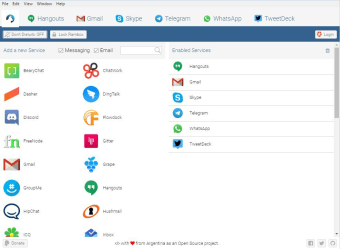
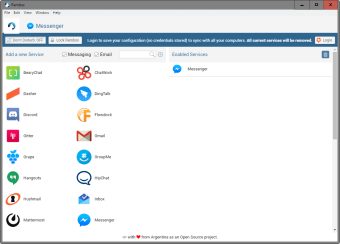
Rambox is perfect for people who use a lot of apps that are all necessary for work. With the app, you don’t have to download individual apps or open all of them in your browser because they support most web app services, like Gmail, Google Duo, Facebook, Discord, and even Android Messages. Moreover, it has other useful features like Do Not Disturb, Master Password Lock, Session Lock, and more.
While it’s called a browser, it shouldn’t be confused as a web browser. It’s specifically a program that acts as a browser that holds the apps that you need. The free version is already great for productivity, but they also have two paid versions: Pro and Enterprise. Going Pro lets you access more apps and has a work hours feature, while the Enterprise version allows for more customization.
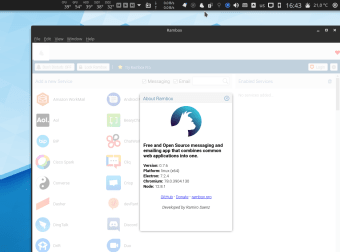
Unfortunately, while the app is great in terms of functionality, it falls short when it comes to the overall experience for first-time users and it can take a lot of getting used to. The reason being, the app doesn’t have user-friendly UI/UX design. As soon as you open the app, you’re welcomed with a bunch of apps, which seemingly expect users to immediately know what to do.
Functional app but poor design
Overall, Rambox is a great tool to help you keep your other tools organized. It’s like a toolbox that will prevent clutter and help you save storage space. This is great, since web browsers tend to freeze or lag when there are too many tabs open, especially with heavy websites like project management web apps. However functional, the app has poor UI/UX design, which can put off first-time users.