Wolfram Function Repository
Instant-use add-on functions for the Wolfram Language
Function Repository Resource:
Screenshot an entire webpage from top to bottom
ResourceFunction["FullWebImage"][url] attempts to screenshot the entire vertical page of url. | |
ResourceFunction["FullWebImage"][session] attempts to screenshot the entire vertical page of an existing session. |
| Method | "Firefox" | web browser used for page capture ("Chrome" or "Firefox") |
Capture the whole image of a page:
| In[1]:= | ![ResourceFunction["FullWebImage"]["https://wolfram.com/"]](https://www.wolframcloud.com/obj/resourcesystem/images/6ad/6adbc8f1-e9a6-45a3-a081-7f4fe8f7a37c/3ff21258cd46b4a0.png) |
| Out[1]= | 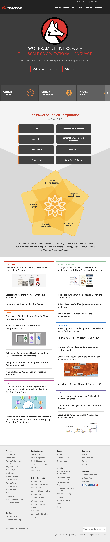 |
Screenshot a tall webpage using Firefox:
| In[2]:= | ![url = "https://en.wikipedia.org/wiki/Star_Trek";
img = ResourceFunction["FullWebImage"][url, Method -> "Firefox"];
DynamicImage@img](https://www.wolframcloud.com/obj/resourcesystem/images/6ad/6adbc8f1-e9a6-45a3-a081-7f4fe8f7a37c/02afe1c3e74bd3f0.png) |
| Out[4]= |  |
Compare to WebImage:
| In[5]:= | ![WebImage[url]](https://www.wolframcloud.com/obj/resourcesystem/images/6ad/6adbc8f1-e9a6-45a3-a081-7f4fe8f7a37c/7d95b0f402dff9cc.png) |
| Out[5]= | 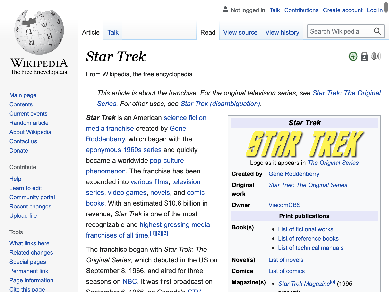 |
Paginated websites will not work:
| In[6]:= | ![ResourceFunction[
"FullWebImage"]["https://www.tumblr.com/tagged/cute+puppy?sort=top"]](https://www.wolframcloud.com/obj/resourcesystem/images/6ad/6adbc8f1-e9a6-45a3-a081-7f4fe8f7a37c/11d9eafb78705a65.png) |
| Out[6]= | 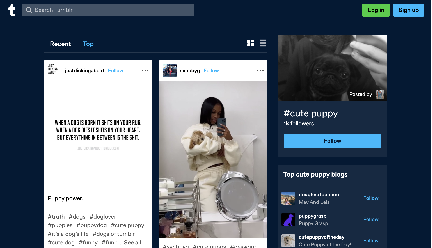 |
Websites with certain dynamic content may not work:
| In[7]:= | ![ResourceFunction["FullWebImage"]["https://www.msollami.com"]](https://www.wolframcloud.com/obj/resourcesystem/images/6ad/6adbc8f1-e9a6-45a3-a081-7f4fe8f7a37c/594010de15879bf1.png) |
| Out[7]= | 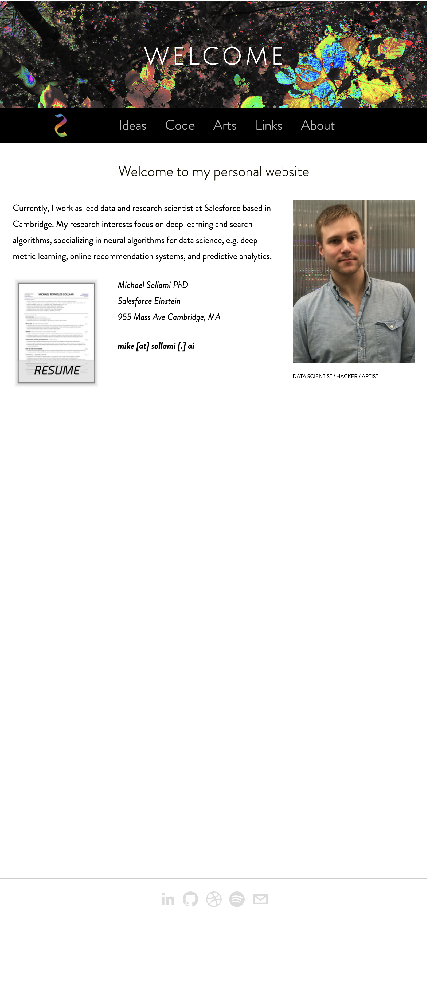 |
Wolfram Language 12.3 (May 2021) or above
This work is licensed under a Creative Commons Attribution 4.0 International License
