Wolfram Function Repository
Instant-use add-on functions for the Wolfram Language
Function Repository Resource:
Read and return an image file from disk
ResourceFunction["ImageRead"][type,file] reads file as a type image and returns the image. |
Import an image:
| In[1]:= | ![ResourceFunction["ImageRead"]["PNG", FindFile["ExampleData/spikey2.png"]]](https://www.wolframcloud.com/obj/resourcesystem/images/dc1/dc16c482-1629-4641-b190-3df24e881828/02d396aec3643dd5.png) |
| Out[1]= | 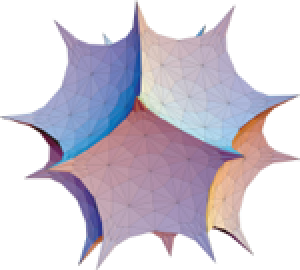 |
Export a random image as a PNG file:
| In[2]:= | ![file = Export["test.png", RandomImage[1, {1000, 1000}]]](https://www.wolframcloud.com/obj/resourcesystem/images/dc1/dc16c482-1629-4641-b190-3df24e881828/70fb401cf5ee5d77.png) |
| Out[2]= |  |
Import the file with ImageRead one hundred times, noting the elapsed time:
| In[3]:= | ![timing1 = Do[ResourceFunction["ImageRead"]["PNG", file], 100] // AbsoluteTiming // First](https://www.wolframcloud.com/obj/resourcesystem/images/dc1/dc16c482-1629-4641-b190-3df24e881828/1d9751d16136e521.png) |
| Out[3]= |  |
Repeat the same experiment with Import:
| In[4]:= | ![timing2 = Do[Import[file], 100] // AbsoluteTiming // First](https://www.wolframcloud.com/obj/resourcesystem/images/dc1/dc16c482-1629-4641-b190-3df24e881828/46016f32ca35406b.png) |
| Out[4]= |  |
Note how ImageRead is significantly faster than Import:
| In[5]:= |  |
| Out[5]= |  |
However, ImageRead only imports a file as an Image. Import provides many more options:
| In[6]:= | ![Import[file, "Elements"]](https://www.wolframcloud.com/obj/resourcesystem/images/dc1/dc16c482-1629-4641-b190-3df24e881828/1edc814306e1c6c3.png) |
| Out[6]= |  |
This work is licensed under a Creative Commons Attribution 4.0 International License

![ResourceFunction["ImageRead"]["JPEG", FindFile["ExampleData/coneflower.jpg"]]](https://www.wolframcloud.com/obj/resourcesystem/images/dc1/dc16c482-1629-4641-b190-3df24e881828/1db2dbf4f9cbf5c7.png)
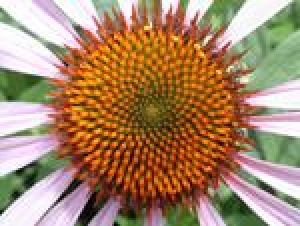
![ResourceFunction["ImageRead"]["TIFF", FindFile["ExampleData/spikey.tiff"]]](https://www.wolframcloud.com/obj/resourcesystem/images/dc1/dc16c482-1629-4641-b190-3df24e881828/52615280a4d2ca8f.png)