Wolfram Function Repository
Instant-use add-on functions for the Wolfram Language
Function Repository Resource:
Incrementally select elements in parallel from a list or infinite range that satisfy a predicate
ResourceFunction["IncrementalParallelSelect"][list,crit] computes Select[list,crit] in parallel and returns partial results when aborted. | |
Search for Mersenne primes in the range 1 to 1200:
| In[1]:= | ![ResourceFunction["IncrementalParallelSelect"][Range[1200], PrimeQ[2^Prime[#] - 1] &]](https://www.wolframcloud.com/obj/resourcesystem/images/367/3676b182-bbf8-41a0-ab7d-f0019fd55afb/49345cbb2bf9fa34.png) |
| Out[1]= |  |
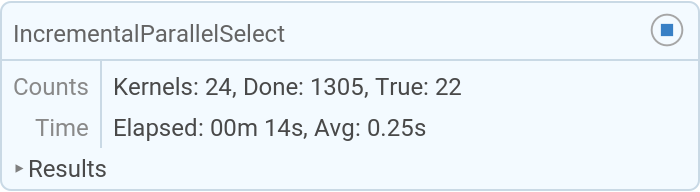
Search for Mersenne primes with no upper limit, until aborted:
| In[2]:= | ![ResourceFunction["IncrementalParallelSelect"][1, PrimeQ[2^Prime[#] - 1] &]](https://www.wolframcloud.com/obj/resourcesystem/images/367/3676b182-bbf8-41a0-ab7d-f0019fd55afb/73698a2a92ce6a32.png) |
| Out[2]= |  |
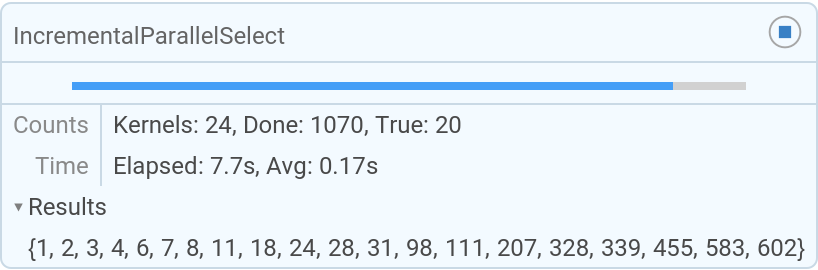
The "Results" opener in the temporary progress display allows one to see the results as they are found:
| In[3]:= | ![ResourceFunction["IncrementalParallelSelect"][Range[1200], PrimeQ[2^Prime[#] - 1] &]](https://www.wolframcloud.com/obj/resourcesystem/images/367/3676b182-bbf8-41a0-ab7d-f0019fd55afb/4a93c8ace4ce7639.png) |
| Out[3]= |  |
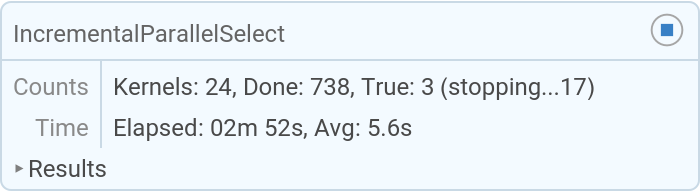
When aborting a computation with the stop button, the number of evaluations that are still running is displayed:
| In[4]:= | ![ResourceFunction["IncrementalParallelSelect"][2200, PrimeQ[2^Prime[#] - 1] &]](https://www.wolframcloud.com/obj/resourcesystem/images/367/3676b182-bbf8-41a0-ab7d-f0019fd55afb/390e6369879b8055.png) |
| Out[4]= |  |
Aborting with Evalutation ▶ AbortEvaluation terminates more quickly:
| In[5]:= | ![ResourceFunction["IncrementalParallelSelect"][1200, PrimeQ[2^Prime[#] - 1] &]](https://www.wolframcloud.com/obj/resourcesystem/images/367/3676b182-bbf8-41a0-ab7d-f0019fd55afb/14b39cd409ff68cf.png) |
| Out[5]= |  |
By default, definitions in the current context are distributed automatically:
| In[6]:= | ![remote[_] := (Pause[0.1]; PrimeQ[$KernelID])](https://www.wolframcloud.com/obj/resourcesystem/images/367/3676b182-bbf8-41a0-ab7d-f0019fd55afb/2063571eaac8792c.png) |
| In[7]:= | ![ResourceFunction["IncrementalParallelSelect"][Range[20], remote]](https://www.wolframcloud.com/obj/resourcesystem/images/367/3676b182-bbf8-41a0-ab7d-f0019fd55afb/2925b88813396e83.png) |
| Out[7]= |  |
Do not distribute any definitions of functions. In this case, the definition of local is applied only after the results are returned to the local kernel:
| In[8]:= | ![local[x_] := (Pause[0.1]; PrimeQ[$KernelID])](https://www.wolframcloud.com/obj/resourcesystem/images/367/3676b182-bbf8-41a0-ab7d-f0019fd55afb/605b8ace43df6f4b.png) |
| In[9]:= | ![ResourceFunction["IncrementalParallelSelect"][Range[20], local, DistributedContexts -> None]](https://www.wolframcloud.com/obj/resourcesystem/images/367/3676b182-bbf8-41a0-ab7d-f0019fd55afb/5dd486441dd9be0f.png) |
| Out[9]= |  |
IncrementalParallelSelect returns the same result as Select, or its parallelized, non-incremental version:
| In[10]:= | ![Parallelize[Select[Range[1200], PrimeQ[2^Prime[#] - 1] &]]](https://www.wolframcloud.com/obj/resourcesystem/images/367/3676b182-bbf8-41a0-ab7d-f0019fd55afb/34b1d387e145748d.png) |
| Out[10]= |  |
The standard parallel version cannot return partial results when aborted:
| In[11]:= | ![Parallelize[Select[Range[1200], PrimeQ[2^Prime[#] - 1] &]]](https://www.wolframcloud.com/obj/resourcesystem/images/367/3676b182-bbf8-41a0-ab7d-f0019fd55afb/0c59732d107679de.png) |
| Out[11]= |  |
This work is licensed under a Creative Commons Attribution 4.0 International License

![memorableNumber[n_] := With[{seq = IntegerString /@ Range[n]},
FromDigits@StringJoin@Join[seq, Rest[Reverse[seq]]]
]](https://www.wolframcloud.com/obj/resourcesystem/images/367/3676b182-bbf8-41a0-ab7d-f0019fd55afb/6baa114dc6ff2ce5.png)
![memorableNumber[10]](https://www.wolframcloud.com/obj/resourcesystem/images/367/3676b182-bbf8-41a0-ab7d-f0019fd55afb/5439c4b0b7dfff43.png)

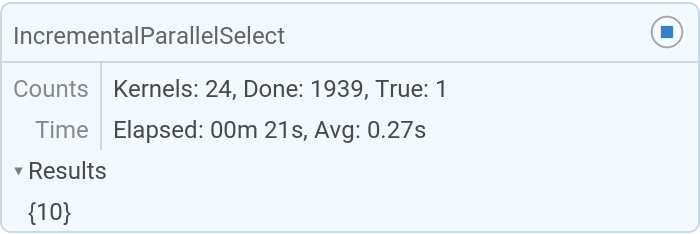
![ResourceFunction["IncrementalParallelSelect"][1, PrimeQ@*memorableNumber]](https://www.wolframcloud.com/obj/resourcesystem/images/367/3676b182-bbf8-41a0-ab7d-f0019fd55afb/63caa3df4e802dc4.png)

![Short[memorableNumber[2446]]](https://www.wolframcloud.com/obj/resourcesystem/images/367/3676b182-bbf8-41a0-ab7d-f0019fd55afb/398e4749b8bcabf9.png)
