Wolfram Function Repository
Instant-use add-on functions for the Wolfram Language
Function Repository Resource:
Create a lightweight, named column store of tabular data that is compatible with Query, Select and other SQL-like functions
ResourceFunction["TableSet"][names, data] creates a data structure with columns named names and tabular data data. |
| "ColumnNames" | list of the column names |
| "Data" | list of the data |
| "RowCount" | number of rows |
| Delete | delete a row or multiple rows |
| DeleteDuplicates | delete duplicate rows |
| Insert | add a row at a specified position |
| JoinAcross | join two ResourceFunction["TableSet"] objects by "Left", "Inner" and "Right" specifications |
| Part | return parts of the rows and columns |
| Query | perform a query using the column names as named slots |
| Select | pick out rows according to a criterion |
| TableForm | display a ResourceFunction["TableSet"] arranged in an array of rectangular cells |
| Union | return a sorted list of all the distinct elements that appear in a ResourceFunction["TableSet"] object |
Create a TableSet:
| In[1]:= | ![table = ResourceFunction["TableSet"][{"A", "B", "E"}, Partition[Range@12, 3, 1]]](https://www.wolframcloud.com/obj/resourcesystem/images/038/038ef51f-38d8-4c5e-b047-6c004caa3dba/50579b1c89a12bbe.png) |
| Out[1]= |  |
View the number of rows:
| In[2]:= | ![table["RowCount"]](https://www.wolframcloud.com/obj/resourcesystem/images/038/038ef51f-38d8-4c5e-b047-6c004caa3dba/584e6d4c4bb50c8d.png) |
| Out[2]= |  |
Insert a row:
| In[3]:= | ![table = Insert[table, Range@3, 4]](https://www.wolframcloud.com/obj/resourcesystem/images/038/038ef51f-38d8-4c5e-b047-6c004caa3dba/230de95a7a57f3e6.png) |
| Out[3]= |  |
View the updated number of rows:
| In[4]:= | ![table["RowCount"]](https://www.wolframcloud.com/obj/resourcesystem/images/038/038ef51f-38d8-4c5e-b047-6c004caa3dba/7f5c2968efbea4c6.png) |
| Out[4]= |  |
View the TableSet in TableForm:
| In[5]:= | ![TableForm[table]](https://www.wolframcloud.com/obj/resourcesystem/images/038/038ef51f-38d8-4c5e-b047-6c004caa3dba/3c9d8c7f9f4c65bf.png) |
| Out[5]= |  |
TableSet has a summary form:
| In[6]:= | ![table = ResourceFunction["TableSet"][{"A", "B", "E"}, Partition[Range@12, 3, 1]]](https://www.wolframcloud.com/obj/resourcesystem/images/038/038ef51f-38d8-4c5e-b047-6c004caa3dba/02c8c23797ed7c9b.png) |
| Out[6]= |  |
Return the column names:
| In[7]:= | ![table["ColumnNames"]](https://www.wolframcloud.com/obj/resourcesystem/images/038/038ef51f-38d8-4c5e-b047-6c004caa3dba/335eb562e6bec028.png) |
| Out[7]= |  |
Return the row count:
| In[8]:= | ![table["RowCount"]](https://www.wolframcloud.com/obj/resourcesystem/images/038/038ef51f-38d8-4c5e-b047-6c004caa3dba/1b414920800379cd.png) |
| Out[8]= |  |
Return the data in the TableSet:
| In[9]:= | ![table["Data"]](https://www.wolframcloud.com/obj/resourcesystem/images/038/038ef51f-38d8-4c5e-b047-6c004caa3dba/63582ea283ca0f1d.png) |
| Out[9]= |  |
Delete a row or rows from a TableSet:
| In[10]:= | ![deleteTable = ResourceFunction["TableSet"][{"A", "B", "E"}, Partition[Range@15, 3, 1]]](https://www.wolframcloud.com/obj/resourcesystem/images/038/038ef51f-38d8-4c5e-b047-6c004caa3dba/3875fc2da412fafa.png) |
| Out[10]= |  |
TableSet rows before deleting a row:
| In[11]:= | ![deleteTable["RowCount"]](https://www.wolframcloud.com/obj/resourcesystem/images/038/038ef51f-38d8-4c5e-b047-6c004caa3dba/258215460a2d2eea.png) |
| Out[11]= |  |
Delete row 3:
| In[12]:= | ![deleteTable = Delete[deleteTable, 3]](https://www.wolframcloud.com/obj/resourcesystem/images/038/038ef51f-38d8-4c5e-b047-6c004caa3dba/7aa66040ecf10ec3.png) |
| Out[12]= |  |
Row count after deleting row 3:
| In[13]:= | ![deleteTable["RowCount"]](https://www.wolframcloud.com/obj/resourcesystem/images/038/038ef51f-38d8-4c5e-b047-6c004caa3dba/31238759f14d7674.png) |
| Out[13]= |  |
Delete row 7 and the last row:
| In[14]:= | ![deleteTable = Delete[deleteTable, {{7}, {-1}}]](https://www.wolframcloud.com/obj/resourcesystem/images/038/038ef51f-38d8-4c5e-b047-6c004caa3dba/0d007565e143ca03.png) |
| Out[14]= |  |
Row count after deleting row 7 and the last row:
| In[15]:= | ![deleteTable["RowCount"]](https://www.wolframcloud.com/obj/resourcesystem/images/038/038ef51f-38d8-4c5e-b047-6c004caa3dba/4d74a442876a022f.png) |
| Out[15]= |  |
Delete duplicate rows:
| In[16]:= | ![deleteTable = ResourceFunction["TableSet"][{"A", "B"}, Partition[Flatten[Range /@ {4, 6}], 2]]](https://www.wolframcloud.com/obj/resourcesystem/images/038/038ef51f-38d8-4c5e-b047-6c004caa3dba/78d1ece6ae6e6b85.png) |
| Out[16]= |  |
The first two data rows are identical to the next two rows:
| In[17]:= | ![TableForm[deleteTable]](https://www.wolframcloud.com/obj/resourcesystem/images/038/038ef51f-38d8-4c5e-b047-6c004caa3dba/01932cb69a5a87d4.png) |
| Out[17]= |  |
Delete duplicate rows:
| In[18]:= | ![deleteTable = DeleteDuplicates[deleteTable];
TableForm[deleteTable]](https://www.wolframcloud.com/obj/resourcesystem/images/038/038ef51f-38d8-4c5e-b047-6c004caa3dba/49c5643a6dd0a638.png) |
| Out[13]= |  |
Add a row at a specified position:
| In[19]:= | ![insertTable = ResourceFunction["TableSet"][{"A", "B"}, Partition[Flatten[Range@6], 2]]](https://www.wolframcloud.com/obj/resourcesystem/images/038/038ef51f-38d8-4c5e-b047-6c004caa3dba/52f2682e7b7e5666.png) |
| Out[19]= |  |
Insert a row at position 3:
| In[20]:= | ![insertTable = Insert[insertTable, Range@2, 3];
TableForm[insertTable]](https://www.wolframcloud.com/obj/resourcesystem/images/038/038ef51f-38d8-4c5e-b047-6c004caa3dba/3beaf3896bd9b9c3.png) |
| Out[18]= |  |
Insert rows into position 3 and the last position:
| In[21]:= | ![insertTable = Insert[insertTable, Range@2, {{3}, {-1}}];
TableForm[insertTable]](https://www.wolframcloud.com/obj/resourcesystem/images/038/038ef51f-38d8-4c5e-b047-6c004caa3dba/4b7e216e142175d8.png) |
| Out[14]= |  |
For JoinAcross, "Outer" and KeyCollisionFunction are not implemented:
| In[22]:= | ![table1 = ResourceFunction["TableSet"][{"A", "B", "E"}, Partition[Range@10, 3, 1]];
table2 = ResourceFunction["TableSet"][{"B", "C", "D"}, Partition[Range[6, 15], 3, 1]];
Grid[{TableForm /@ {table1, table2}}
, Spacings -> {3, Automatic}
]](https://www.wolframcloud.com/obj/resourcesystem/images/038/038ef51f-38d8-4c5e-b047-6c004caa3dba/03aa0788f5fc0ff3.png) |
| Out[22]= |  |
Evaluate "Left", "Inner" and "Right" joins:
| In[23]:= | ![Function[{jspec},
Labeled[
TableForm@JoinAcross[table1, table2, "B", jspec],
jspec, Top
]] /@ {"Left", "Inner", "Right"} //
Grid[{#}, Alignment -> {Center, Top}, Spacings -> {3, Automatic}] &](https://www.wolframcloud.com/obj/resourcesystem/images/038/038ef51f-38d8-4c5e-b047-6c004caa3dba/513fbf2d296b3a6e.png) |
| Out[23]= |  |
Return parts of the rows and columns:
| In[24]:= | ![partTable = ResourceFunction["TableSet"][{"A", "B", "E"}, Partition[Range@10, 3, 1]]](https://www.wolframcloud.com/obj/resourcesystem/images/038/038ef51f-38d8-4c5e-b047-6c004caa3dba/12df35ac147fad95.png) |
| Out[24]= |  |
Return the first two rows:
| In[25]:= | ![partTable[[;; 2]]](https://www.wolframcloud.com/obj/resourcesystem/images/038/038ef51f-38d8-4c5e-b047-6c004caa3dba/6cc8872e9aa17559.png) |
| Out[25]= |  |
Return every other row:
| In[26]:= | ![partTable[[;; ;; 2]]](https://www.wolframcloud.com/obj/resourcesystem/images/038/038ef51f-38d8-4c5e-b047-6c004caa3dba/5b4e9657698e8bfb.png) |
| Out[26]= |  |
Return the last column:
| In[27]:= | ![partTable[[All, -1]]](https://www.wolframcloud.com/obj/resourcesystem/images/038/038ef51f-38d8-4c5e-b047-6c004caa3dba/5de5ae633120e8f2.png) |
| Out[27]= |  |
Use named slots to reference TableSet columns in Query:
| In[28]:= | ![queryTable = ResourceFunction["TableSet"][{"A", "B"}, Partition[RandomInteger[{1, 100}, 10^6], 2]]](https://www.wolframcloud.com/obj/resourcesystem/images/038/038ef51f-38d8-4c5e-b047-6c004caa3dba/0a2b6a4ba46e83c3.png) |
| Out[28]= | 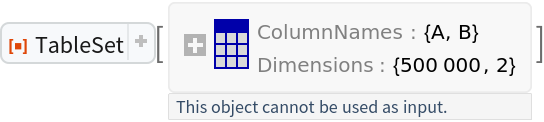 |
Query a Histogram of the sum of the columns:
| In[29]:= | ![Query[Histogram, #A + #B &]@queryTable](https://www.wolframcloud.com/obj/resourcesystem/images/038/038ef51f-38d8-4c5e-b047-6c004caa3dba/1611152f0b25ca07.png) |
| Out[29]= | 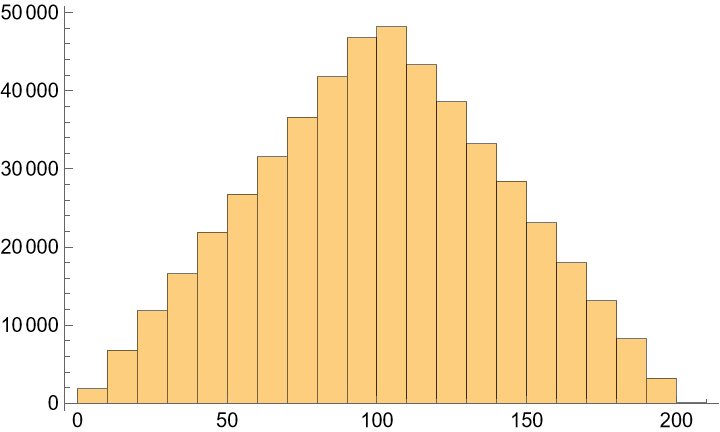 |
Add columns based on calculations on existing columns:
| In[30]:= | ![queryTable = Query[All, <|#, "Total" -> #A + #B, "Difference" -> Differences@{#A, #B}|> &]@queryTable;
queryTable["ColumnNames"]](https://www.wolframcloud.com/obj/resourcesystem/images/038/038ef51f-38d8-4c5e-b047-6c004caa3dba/509045e8da852ce1.png) |
| Out[27]= |  |
Pick out rows according to a criterion:
| In[31]:= | ![selectTable = ResourceFunction["TableSet"][{"A", "B"}, Partition[RandomInteger[{1, 100}, 10^6], 2]]](https://www.wolframcloud.com/obj/resourcesystem/images/038/038ef51f-38d8-4c5e-b047-6c004caa3dba/26377da74ca5eecf.png) |
| Out[31]= | 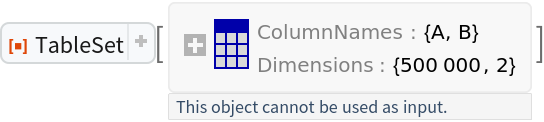 |
Select rows with column A > 4 and B < 12:
| In[32]:= | ![resultTable = Select[selectTable, #A > 4 && #B < 12 &]](https://www.wolframcloud.com/obj/resourcesystem/images/038/038ef51f-38d8-4c5e-b047-6c004caa3dba/0578f66e3c92d402.png) |
| Out[32]= | 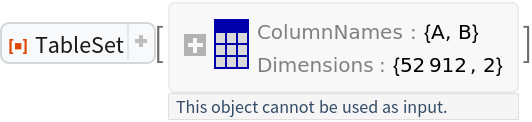 |
Compare the row count of the original and result table:
| In[33]:= | ![selectTable["RowCount"]](https://www.wolframcloud.com/obj/resourcesystem/images/038/038ef51f-38d8-4c5e-b047-6c004caa3dba/40c117cb5ffcd31f.png) |
| Out[33]= |  |
| In[34]:= | ![resultTable["RowCount"]](https://www.wolframcloud.com/obj/resourcesystem/images/038/038ef51f-38d8-4c5e-b047-6c004caa3dba/04000450af95ac31.png) |
| Out[34]= |  |
Display the TableSet arranged in an array of rectangular cells:
| In[35]:= | ![displayTable = ResourceFunction["TableSet"][{"A", "B"}, Partition[Flatten[Range@6], 2]]](https://www.wolframcloud.com/obj/resourcesystem/images/038/038ef51f-38d8-4c5e-b047-6c004caa3dba/35024790bdaec316.png) |
| Out[35]= |  |
| In[36]:= | ![TableForm[displayTable]](https://www.wolframcloud.com/obj/resourcesystem/images/038/038ef51f-38d8-4c5e-b047-6c004caa3dba/2d25c3b9e7e8d209.png) |
| Out[36]= |  |
Create TableSets with example data:
| In[37]:= | ![table1 = ResourceFunction["TableSet"][{"A", "B", "E"}, Partition[Range@10, 3, 1]];
table2 = ResourceFunction["TableSet"][{"B", "C", "D"}, Partition[Range[6, 15], 3, 1]];](https://www.wolframcloud.com/obj/resourcesystem/images/038/038ef51f-38d8-4c5e-b047-6c004caa3dba/1bd617b6bcfec56e.png) |
View TableSetobjects in TableForm:
| In[38]:= | ![Grid[{TableForm /@ {table1, table2}}
, Spacings -> {3, Automatic}
]](https://www.wolframcloud.com/obj/resourcesystem/images/038/038ef51f-38d8-4c5e-b047-6c004caa3dba/5bb0103c57d6f893.png) |
| Out[38]= |  |
Union gives the union of the rows maintaining the column names from the first table:
| In[39]:= | ![TableForm@Union[table1, table2]](https://www.wolframcloud.com/obj/resourcesystem/images/038/038ef51f-38d8-4c5e-b047-6c004caa3dba/45e3cb822d0881b0.png) |
| Out[39]= |  |
When working with large tabular data, a significant decrease in memory usage can be gained by using TableSet as compared to Dataset. For example, with a two-column table of integer values, the ByteCount difference quickly widens with the record count as the graph tooltips and the following table demonstrate:
| In[40]:= | ![aBytes = {};
dBytes = {};
tsBytes = {};
obs = Power[2, Range@24];](https://www.wolframcloud.com/obj/resourcesystem/images/038/038ef51f-38d8-4c5e-b047-6c004caa3dba/0a8102670cc53a83.png) |
Create the data:
| In[41]:= | ![Module[
{data, a}
, Scan[
Function[n
, data = Partition[RandomReal[{1, 100}, n], 2]
; a = AssociationThread[{"A", "B"}, #] & /@ data
; AppendTo[aBytes, ByteCount[a]]
; AppendTo[dBytes, ByteCount[Dataset@a]]
; AppendTo[tsBytes, ByteCount[ResourceFunction["TableSet"][{"A", "B"}, data]]];
]
, obs
]
];](https://www.wolframcloud.com/obj/resourcesystem/images/038/038ef51f-38d8-4c5e-b047-6c004caa3dba/427e56654a9bb321.png) |
Plot it:
| In[42]:= | ![ListPlot[
Tooltip[{##}, Grid@{{"Obs", ":", QuantityMagnitude@#1}, {"MB", ":", N@#2}}] & @@@ Transpose@{Quantity[obs, "Unities"], #} & /@
UnitConvert[ Quantity[{aBytes, dBytes, tsBytes}, "Bytes"], "Megabytes"]
, TargetUnits -> {"Mega", Automatic}
, PlotStyle -> {Directive[Thickness[.02], Opacity[.4]], Directive[Red, Thickness[.005]], Automatic}
, PlotLabel -> "ByteCount Comparison"
, Joined -> True
, FrameLabel -> Automatic
, PlotLegends -> {Association, Dataset, ResourceFunction[
"TableSet"]}
, Mesh -> All
, MeshStyle -> Purple
, PlotRange -> Full
, PlotTheme -> "Detailed"
, ImageSize -> Large
]](https://www.wolframcloud.com/obj/resourcesystem/images/038/038ef51f-38d8-4c5e-b047-6c004caa3dba/2886d7fc6784abdc.png) |
| Out[42]= | 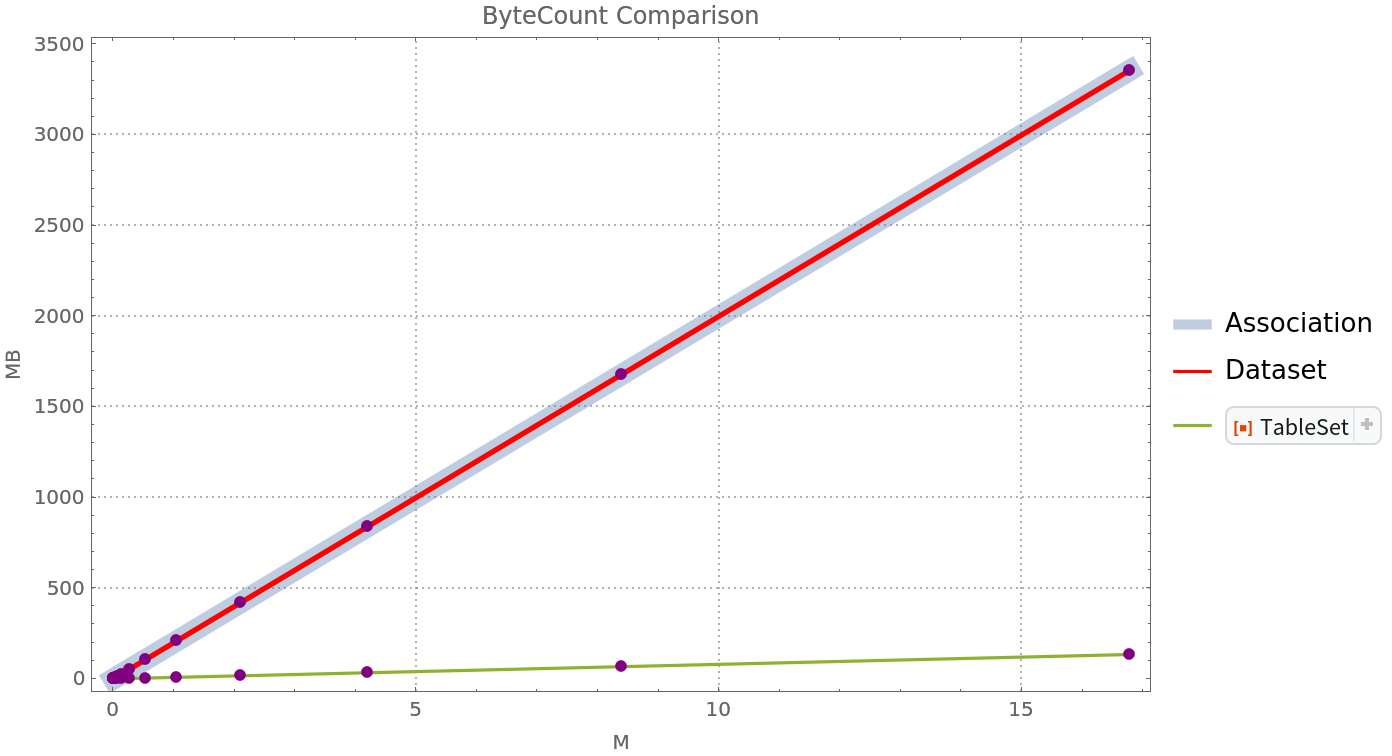 |
See the data in a table:
| In[43]:= | ![TableForm[
MapAt[UnitConvert[N@Quantity[#, "Bytes"], "Megabytes"] &, {2 ;;, All}]@{obs, aBytes, dBytes, tsBytes}[[All, -11 ;; -6]]
, TableHeadings -> {{"Records", Association, Dataset, ResourceFunction["TableSet"]}, None}
, TableAlignments -> {Decimal, Automatic}
]](https://www.wolframcloud.com/obj/resourcesystem/images/038/038ef51f-38d8-4c5e-b047-6c004caa3dba/4c50e6bd92b0378b.png) |
| Out[43]= |  |
A Query to add columns returns a TableSet:
| In[44]:= | ![queryTable = ResourceFunction["TableSet"][{"A", "B", "E"}, Partition[RandomInteger[10, 15], 3, 1]]](https://www.wolframcloud.com/obj/resourcesystem/images/038/038ef51f-38d8-4c5e-b047-6c004caa3dba/371fcdc28db2a3cd.png) |
| Out[44]= |  |
| In[45]:= | ![Query[All, <|#, "ABTotal" -> #A + #B|> &]@queryTable](https://www.wolframcloud.com/obj/resourcesystem/images/038/038ef51f-38d8-4c5e-b047-6c004caa3dba/273a76f48a754d7e.png) |
| Out[45]= |  |
However, a general query does not return a TableSet:
| In[46]:= | ![Query[GroupBy[#A - #B &]]@queryTable](https://www.wolframcloud.com/obj/resourcesystem/images/038/038ef51f-38d8-4c5e-b047-6c004caa3dba/5fb7f1e9f5f23643.png) |
| Out[46]= |  |
This work is licensed under a Creative Commons Attribution 4.0 International License
