
Описание
The most user-friendly plugin for managing author profiles. Adds a truly simple author box, support multiple authors, guest authors, and much more.
AUTHOR KIT #1 WORDPRESS AUTHOR MANAGEMENT PLUGIN
It’s time to support human-written content on your website by using Author Kit to streamline your author management.
Productivity for Authors is the goal of Author Kit. Simplifying the navigating and displaying the data in Ajax-based tables, it facilitates the management of users, posts, and authors from a single dashboard.
MAIN FEATURES
• User-friendly data table for Users, Posts, and Authors.
• Get real-time online status for every user and connect efficiently.
• Block and unblock users with just one click to secure the dashboard.
• Manage author profiles by adding details such as a bio, job title, email address, company, and much more.
• One-click switching between local avatars and gravatars.
• Pre-made templates for Post Author Meta Bylines, Author Archive Pages, and Author Bio Boxes.
• Completely editable using your favorite WordPress Customizer.
• Full display control per user and per post to display or hide bio box.
• Easily add multiple co-authors to posts with one click — even guests and subscribers.
• Create guest user accounts with just one click.
• All major social platform integrations — add social icons including new trending platforms like BlueSky and Mastodon.
• Simply install and activate to enjoy a productive and hassle-free experience; there is a lot more.
Author kit provides a truly simple author box
Author Kit lets you display a modern, responsive author box at the top or bottom of your posts. Show the author’s name, avatar, job title, company name, email, bio, and connect over 50+ social profiles — including Bluesky and Mastodon. With built-in support for guest authors and multiple co-authors per post, it’s the ideal solution for blogs, magazines, and content teams looking for flexibility and ease of use.
Full Customization Support
Enjoy a full-featured author box customization experience — all included in the free version!
• Customize width, height, and background color of the author box
• Show author name, job title, company name, email, bio, and social icons
• Toggle between circle and square icons for author social profiles
• Supports over 50+ social platforms, including Bluesky, Mastodon, LinkedIn, X (Twitter), and more
• Choose avatar size, border radius
• Add or change section heading/label, like “About the Author”, “Written by”, or custom text
• Mobile-responsive layout with adaptive styling for all screen sizes
• Change position of the author box: display at the top or bottom of posts
• Add toggle button to show/hide the author box on click
• Enable or disable the author box per post using a simple meta box toggle
• Enable or disable the author box per user from user profile settings
• Customize margins, padding, borders, and box shadow for layout refinement
• Control visibility of fields like email, job title, and company name
• Fully compatible with most WordPress themes and popular page builders like Elementor, Block Editor, WPBakery, etc.
• Built with clean code and WordPress standards for full RTL, accessibility, and translation support
Advanced Author Archive Templates
Author Kit lets you easily replace your theme’s default author archive page with a fully customizable and responsive layout .
Display a modern author profile section at the top, followed by a neat, customizable post grid layout. Perfect for blogs, magazines, and content teams.
Features:
• Instantly override your theme’s author archive template
• Show author avatar, display name, job title, company, email, and bio
• Include 50+ social profile icons — supports LinkedIn, Bluesky, Mastodon, X (Twitter), and more
• Customize the section heading (e.g. «Articles by», «Written by», or your own text)
• Full styling and layout customization:
• Customize spacing (margin/padding)
• Customize background colors, font sizes, border radius etc.
• Control visibility of specific fields: bio, job title, company name, email
• Works seamlessly with almost all modern WordPress themes
Post Meta & Author Byline
Author Kit also lets you display a clean, customizable post meta line, perfect for showing author, contributor, co-authors, and post details in a smart and flexible layout.
This feature adds a modern author byline with clickable links to each author’s archive page and optional post metadata like publish date, last updated date, and comment count — all with full styling control and live preview.
Features:
• Display a smart byline with support for single author, guest author, co-authors, and contributors
• Link author names and contributor names directly to their archive pages
• Show l meta fields like:
• Post publish date
• Last updated date
• Comment count (with link to comments section)
• Show or hide specific fields as needed — full visibility control
• Add a label before the author name (e.g. «By», «Written by», or custom text)
• Customize:
• Font size and color
• Spacing and alignment
• Link styling (hover color, underline, etc.)
• Author separator (e.g. commas, slashes, bullets)
• Fully compatible with guest authors and multi-author posts
• Works with all major WordPress themes like Astra ,Blocksy etc.
Notes
Author Kit is beginner friendly— no code required.
It’s a complete, user-friendly plugin that helps you manage authors with ease. The clean interface saves time and reduces distraction, letting you focus on what matters.
We started as bloggers
As our team and content grew, we realized there wasn’t a simple, beginner-friendly solution to manage authors on blogs, magazines, or multi-author websites.
So we decided to build the tool we wished we had — and that’s how Author Kit was born.
If you run a WordPress blog with multiple Authors, this plugin is for you.
We’re committed to improving Author Kit continuously — and your feedback plays a big role in shaping its future.
Let’s build the most intuitive and powerful author management experience for WordPress, together.
Thanks you
The Author Kit Team
Скриншоты

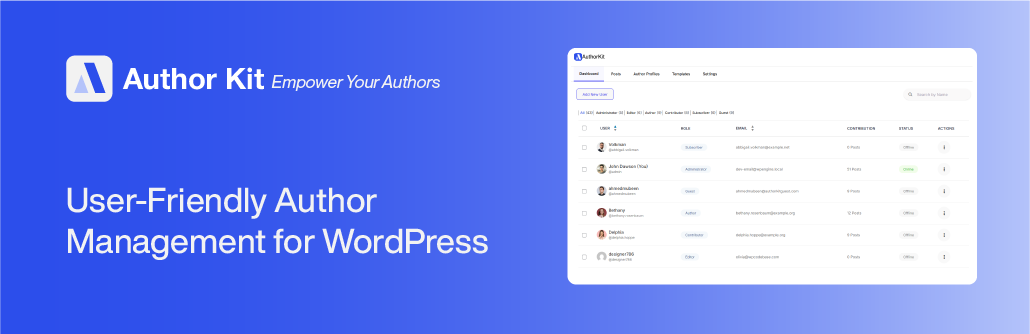
User Friendly Dashboard for user showing real-time online status and more. 
Manage posts effortlessly with Ajax based search, filtering and sorting. 
Manage Author Profile with ease, add user meta data like author bio, job title, company and much more. 
Add all major social platform links including BlueSky & Mastadon available in free version 
Premade Author Bio box, Author Archive and Byline templates with full live preview customization 
Advanced Author Archive Page with social profile links with full live preview customization 
Author Schema Enabled Author Bio Boxes to help you increase human written content signaling to search engines like Google, Bing etc. 
Add Multiple Co-authors and show them in our Advanced Byline fully compatible with all major themes


Установка
- Upload the plugin folder to
/wp-content/plugins/author-kit/or install it via the WordPress plugin installer. - Activate the plugin.
- Navigate to the «Author Kit» section in the admin menu to begin setup.
- Customize templates via Appearance > Customize > Author Kit.
Часто задаваемые вопросы
-
Yes, the plugin supports co-authors for individual posts.
-
Yes, schema.org markup is included for author bio box and archive pages.
-
Yes, you can easily display or hide the Author Bio Box for any post or user with just one click
-
Is it compatible with all themes?
-
The plugin is compatible with almost all major WordPress themes like Astra ,Blocksy, Divi , etc.
You can easily check your compatibility status by going to settings page in Author Kit Dashboard -
Is multisite supported?
-
No, currently the plugin is intended for single-site WordPress installations only.
-
The author box is only displayed on single post by default no pages..
-
Author Kit is newly launched and is continuously improving, as of now, Shortcodes, widget or blocks are not provided but with the increase in user base we are planning to add more power features and templates.
-
Does it support RTL and translation plugins?
-
Yes, it supports RTL layouts and is compatible with WPML and Polylang.
-
I want to say thanks?
-
Thank you for using Author Kit!
If you find it helpful, please consider leaving a 5-star review and sharing it with others. Your support helps us grow and improve.
Отзывы

Участники и разработчики
«Author Kit | Effortlessly Manage author profiles and add modern author bio boxes to posts» — проект с открытым исходным кодом. В развитие плагина внесли свой вклад следующие участники:
Участники
Заинтересованы в разработке?
Посмотрите код, проверьте SVN репозиторий, или подпишитесь на журнал разработки по RSS.
Журнал изменений
1.0.16 — 2025-07-10
- New: Added a help page so that user can read documentation and share their opinions and bugs with our team.
- New: Added a logging functionality in order to get log report to resolve issues.
1.0.15
Stable Release: 6, 22, 2025
