
Description
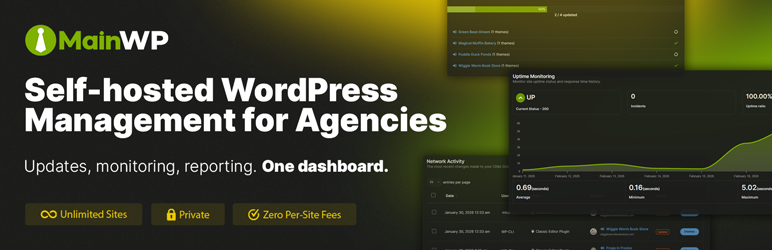
Managing multiple WordPress sites can be a time-consuming and frustrating task. The MainWP Dashboard empowers you to take back your time by allowing you to efficiently manage and secure all your WordPress sites from your own centralized Dashboard.
Designed for agencies, freelancers, and web professionals, MainWP offers comprehensive control with a privacy-first approach. Harness the power of MainWP for updates, backups, and more, ensuring your sites are always running smoothly and securely.
Features for Advanced WordPress Management:
- Centralized Updates: Keep all your WordPress sites up-to-date with single-click updates.
- Secure Backups: Implement scheduled or on-demand backups for complete site security.
- Manage both your sites and your clients with the Client Management module
- The built-in Cost Tracker allows you to easily keep track of client costs
- Private and Self-hosted: Your data stays yours, with full privacy and control.
Stop the Software as a Service (SaaS) Treadmill:
Built on WordPress’s core principles, the MainWP Dashboard plugin is uniquely positioned as the go-to solution for WordPress management. It combines ease of use with robust features and unmatched privacy.
The MainWP plugins are open-source and privacy-focused and come with their own privacy policies to ensure that the plugins do not collect any personally identifiable information (PII).
The MainWP Dashboard is extendable, allowing third-party developers to hook into it. It also provides support for CLI and has its own REST API, so anything you need or want to run your business your way can be developed for your MainWP Dashboard.
All of this makes MainWP the best non-SaaS alternative to ManageWP, InfiniteWP, WPRemote, and WP Umbrella.
Getting Started with MainWP:
MainWP is designed to be user-friendly and intuitive, even for those new to WordPress management plugins. With a straightforward setup process and a clean, organized dashboard, you’ll be able to start managing your WordPress sites efficiently in no time.
- Setting up MainWP is straightforward—install the dashboard on a private WordPress site, add the MainWP Child plugin to your other WordPress sites, and take control.
Your Guarantee of Privacy
The MainWP plugins come with their own privacy policies to ensure that the plugins do not collect any personally identifiable information (PII).
How Is MainWP Free? What’s the Catch? How Will You Continue to Pay Development Costs?
MainWP Dashboard is 100% FREE and always will be. Whether you manage 5 sites or 5,000, the core dashboard remains free.
We make money by offering MainWP Pro, which provides access to a wide range of premium add-ons. These premium add-ons are organized into two clear categories:
-
Integrations:
Add-ons in this category enable seamless connections with popular third-party services and plugins, allowing you to integrate the tools you already use directly into your MainWP Dashboard. -
Extensions:
These are custom-built, standalone add-ons developed exclusively for the MainWP Dashboard, designed to add unique and specialized functionality to enhance your WordPress management experience.
For more details, visit our Premium Add-ons page and see how our free and pro features compare at Free vs. Pro: Know the Difference.
Experience the MainWP Difference
Are you ready to take the hassle out of managing your WordPress sites? MainWP makes it easy to keep everything updated, secure, and running just the way you need it. With over 20k site owners trusting MainWP with over 700k WordPress sites, every day, you’ll quickly see how much simpler website management can be. Try it today and feel the difference for yourself!
Screenshots
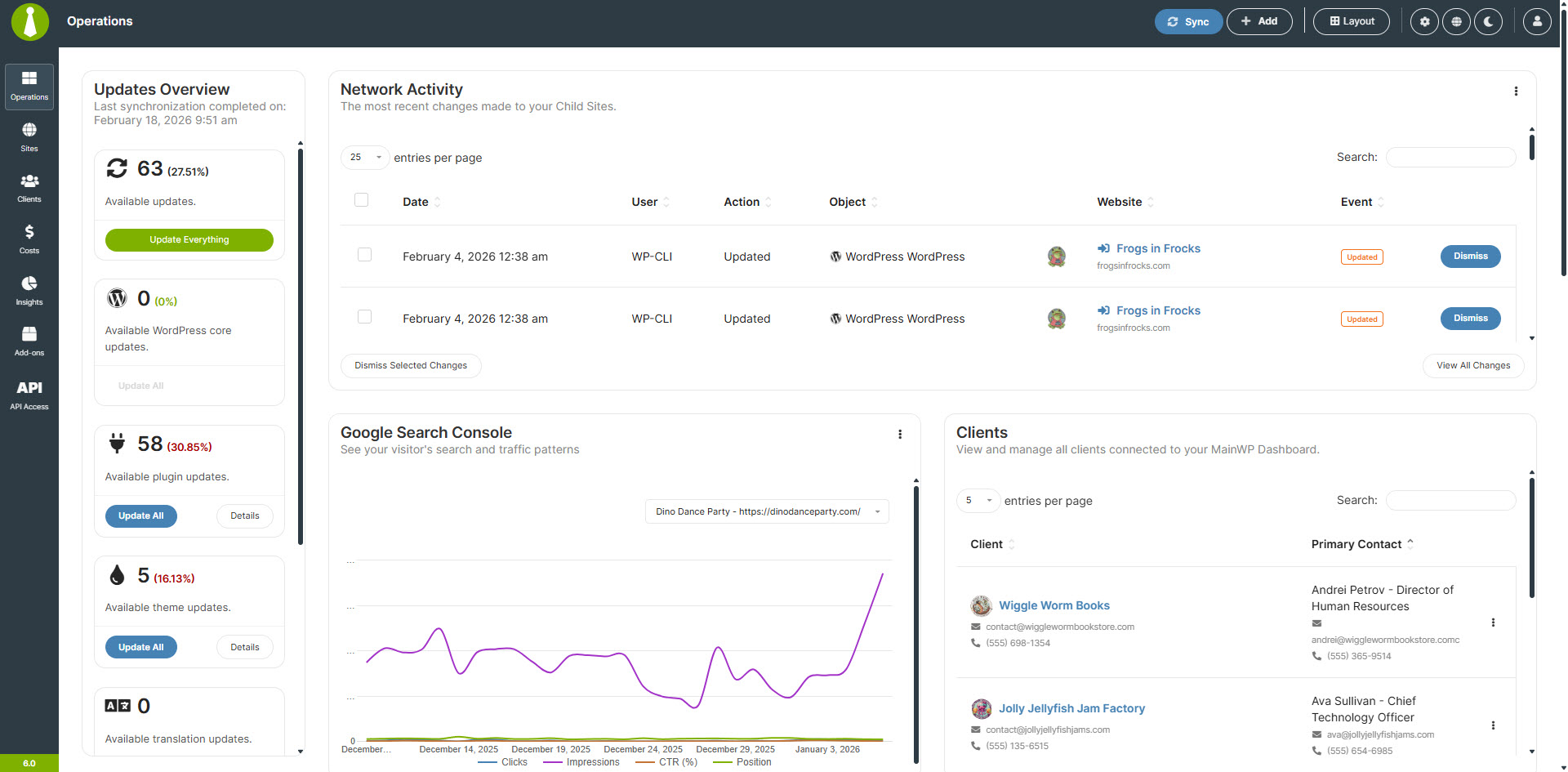
Sites – Operations 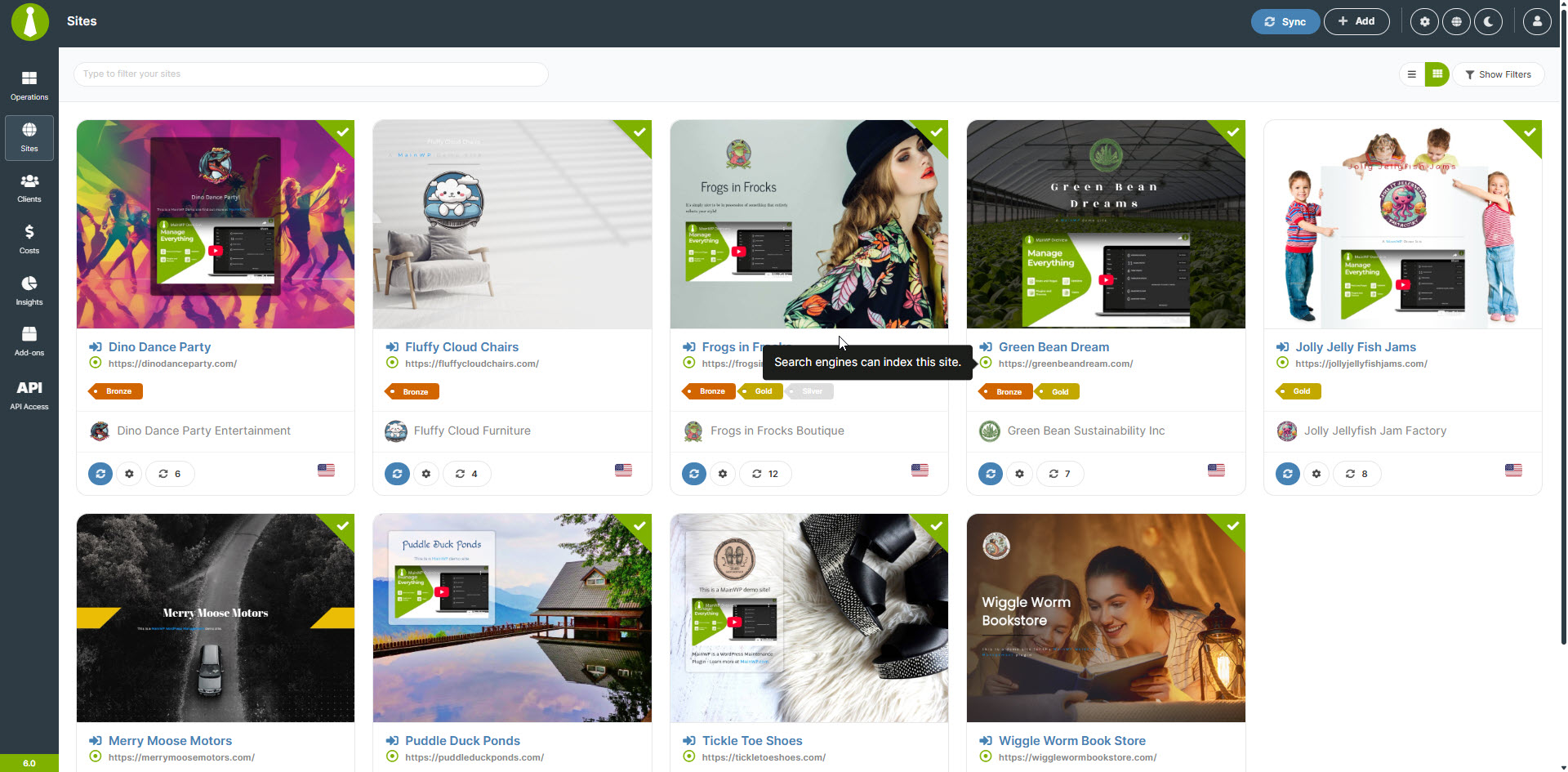
Sites – Manage Sites 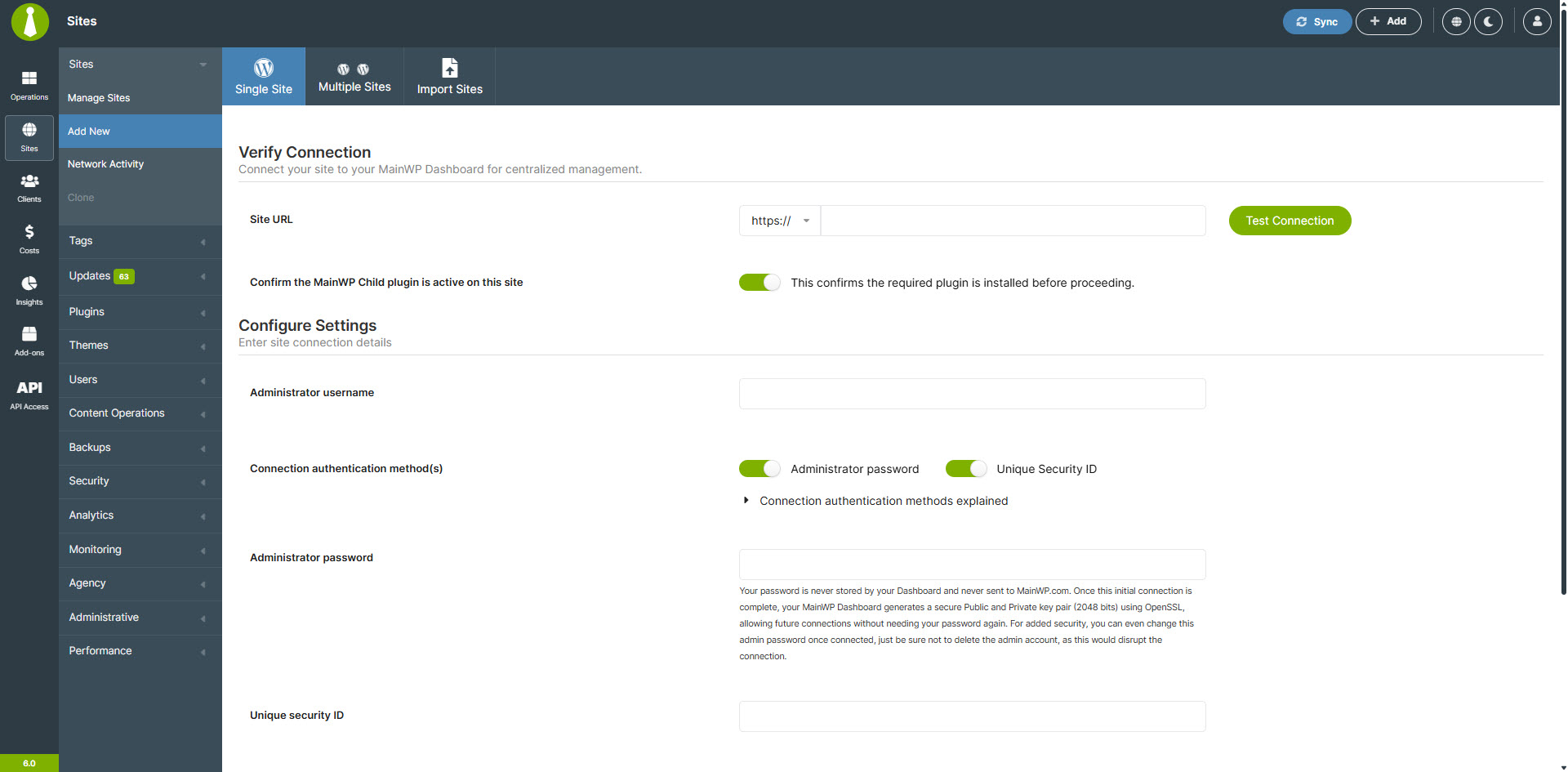
Sites – Add a New Site 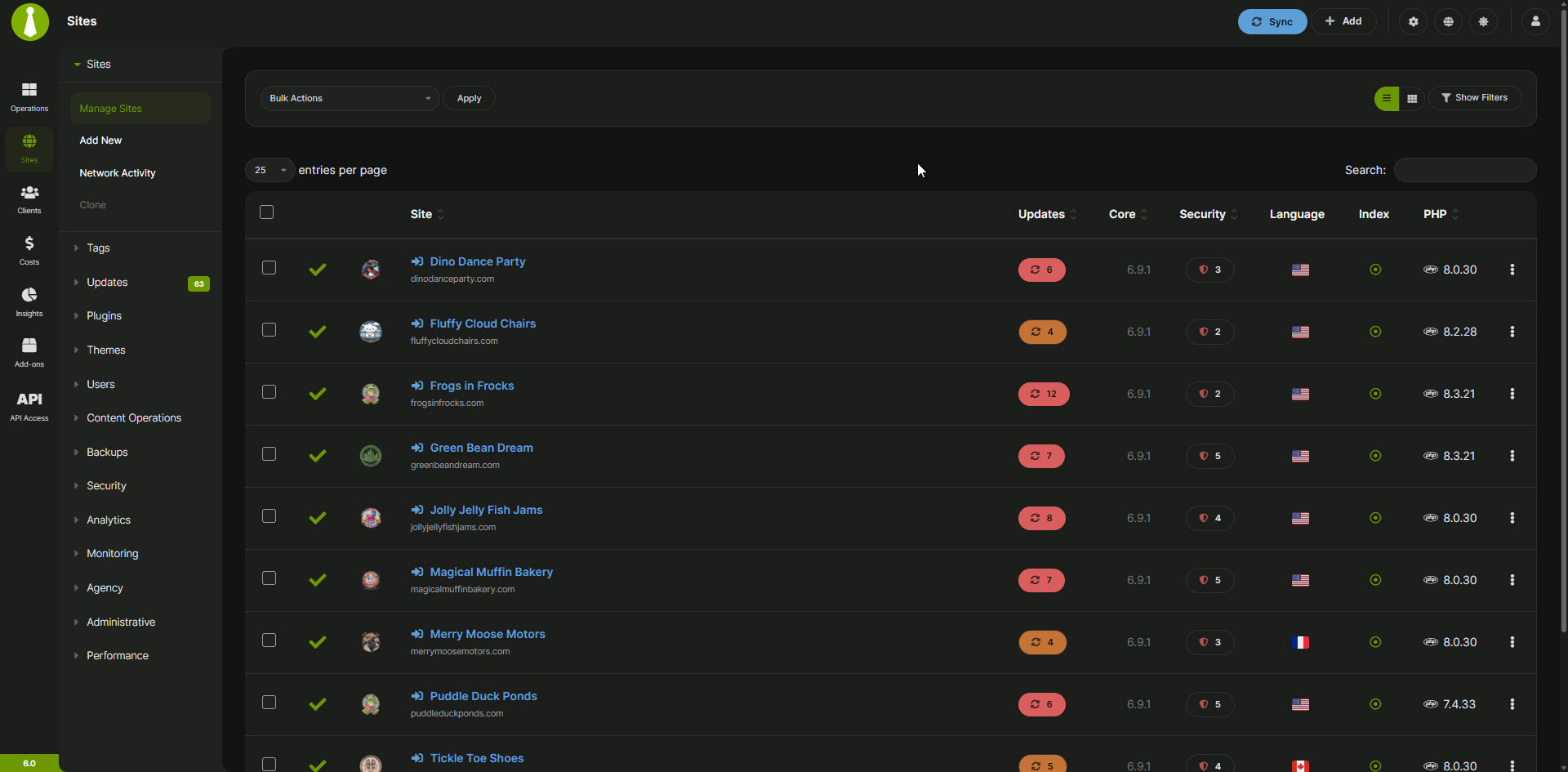
Sites – Dark Mode – Manage Sites 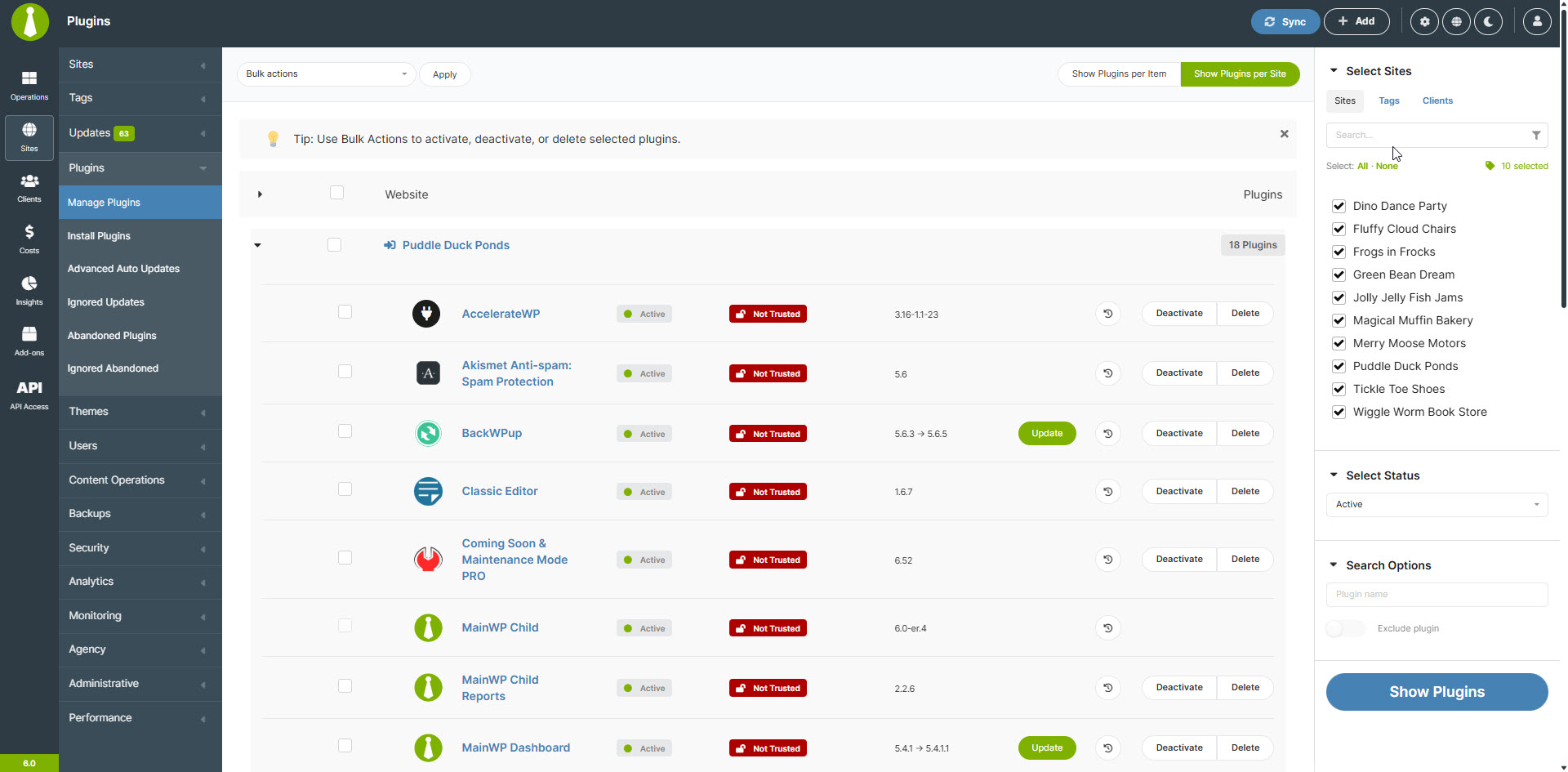
Sites – Manage Plugins 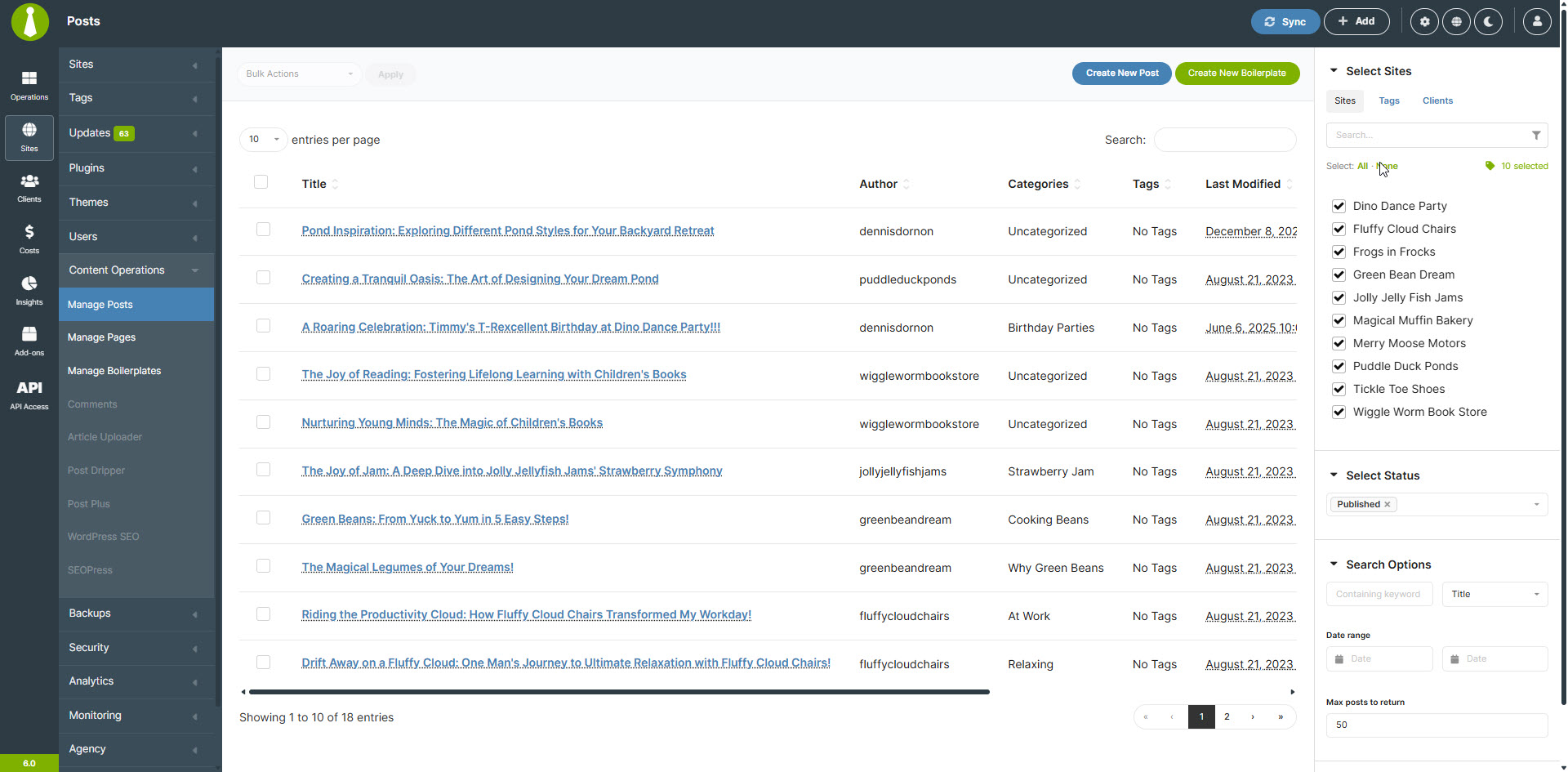
Sites – Manage Posts 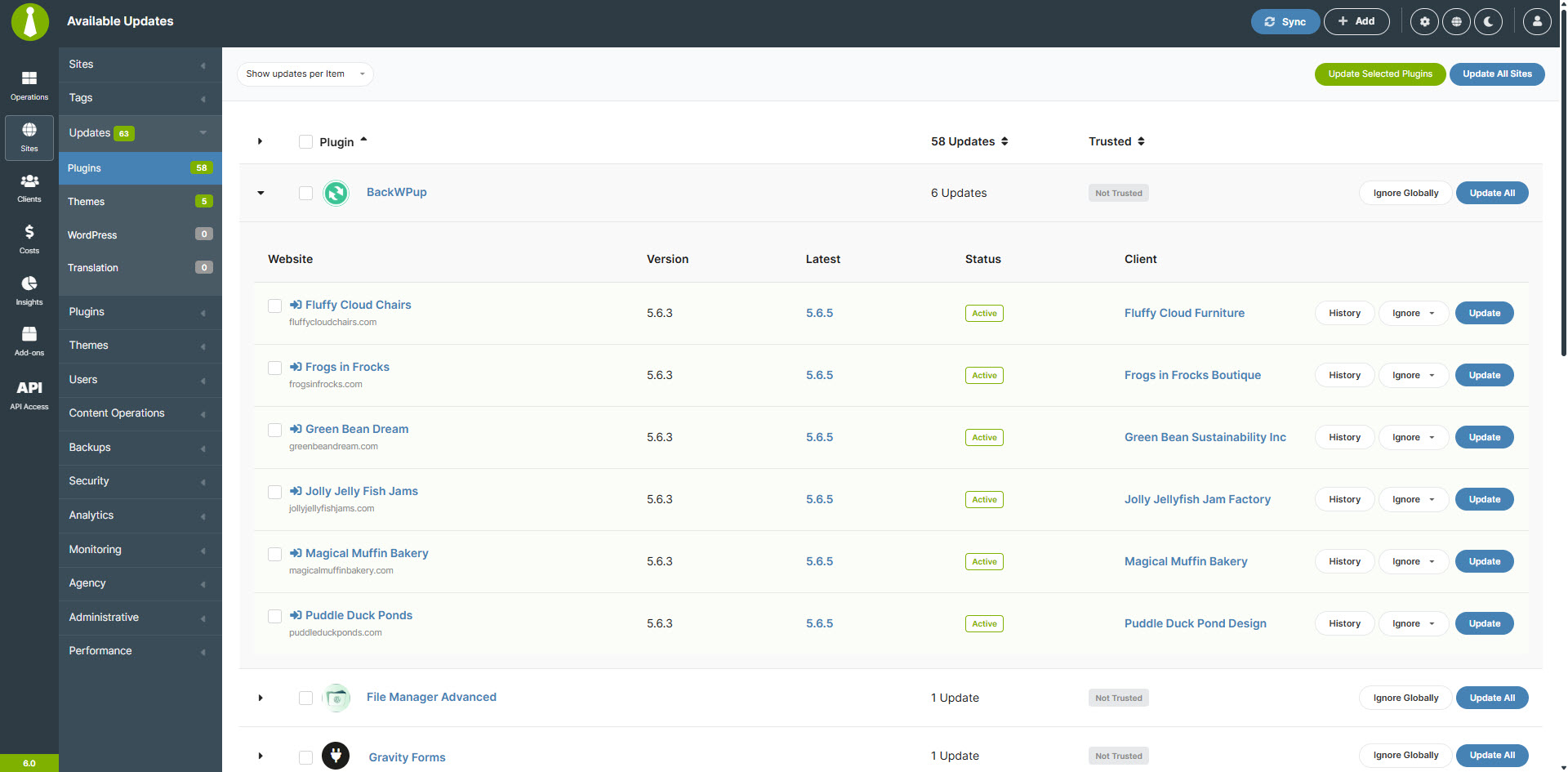
Sites – Manage Updates 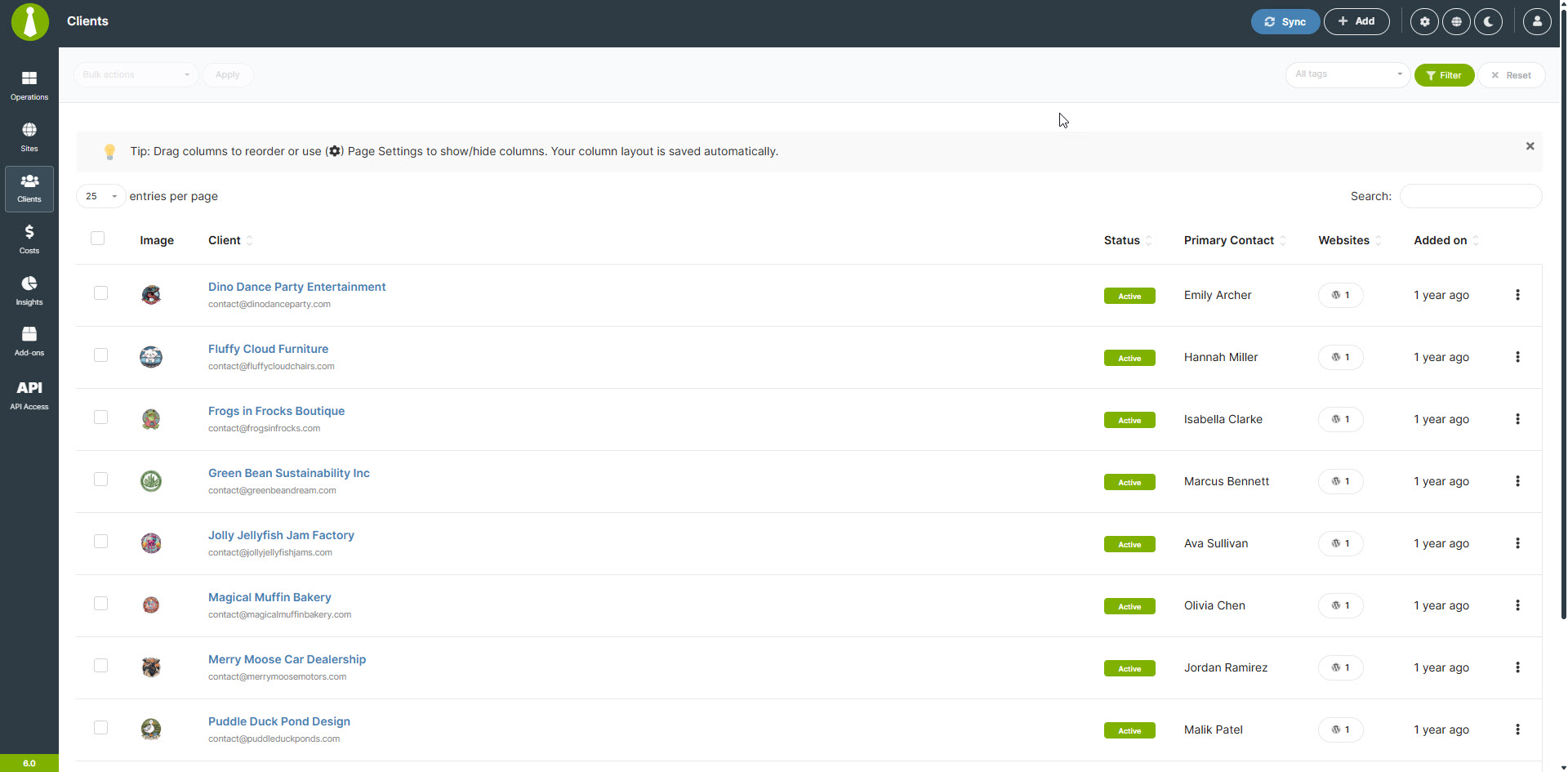
Clients – Manage Clients 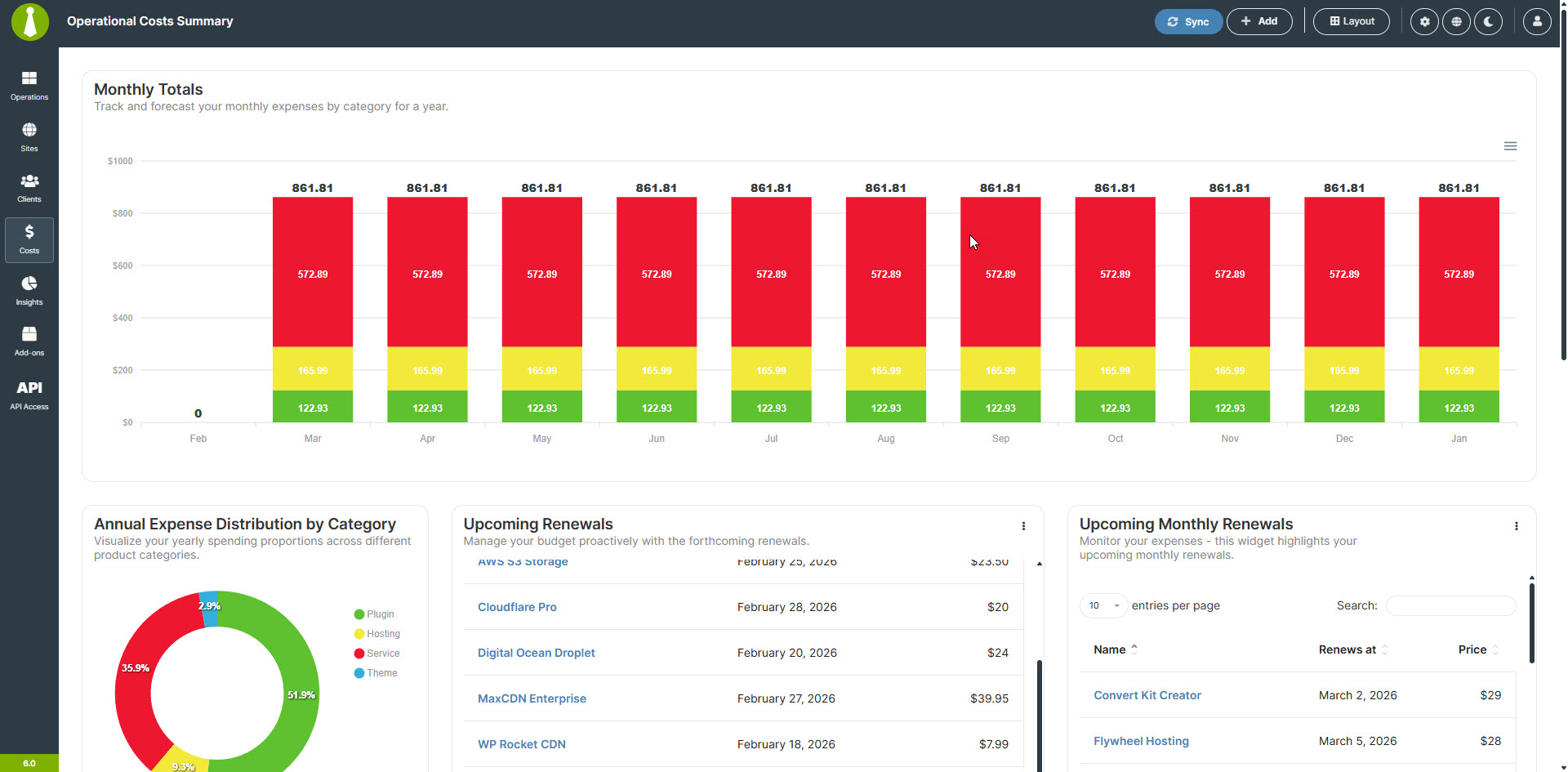
Cost Tracker – Cost Summary 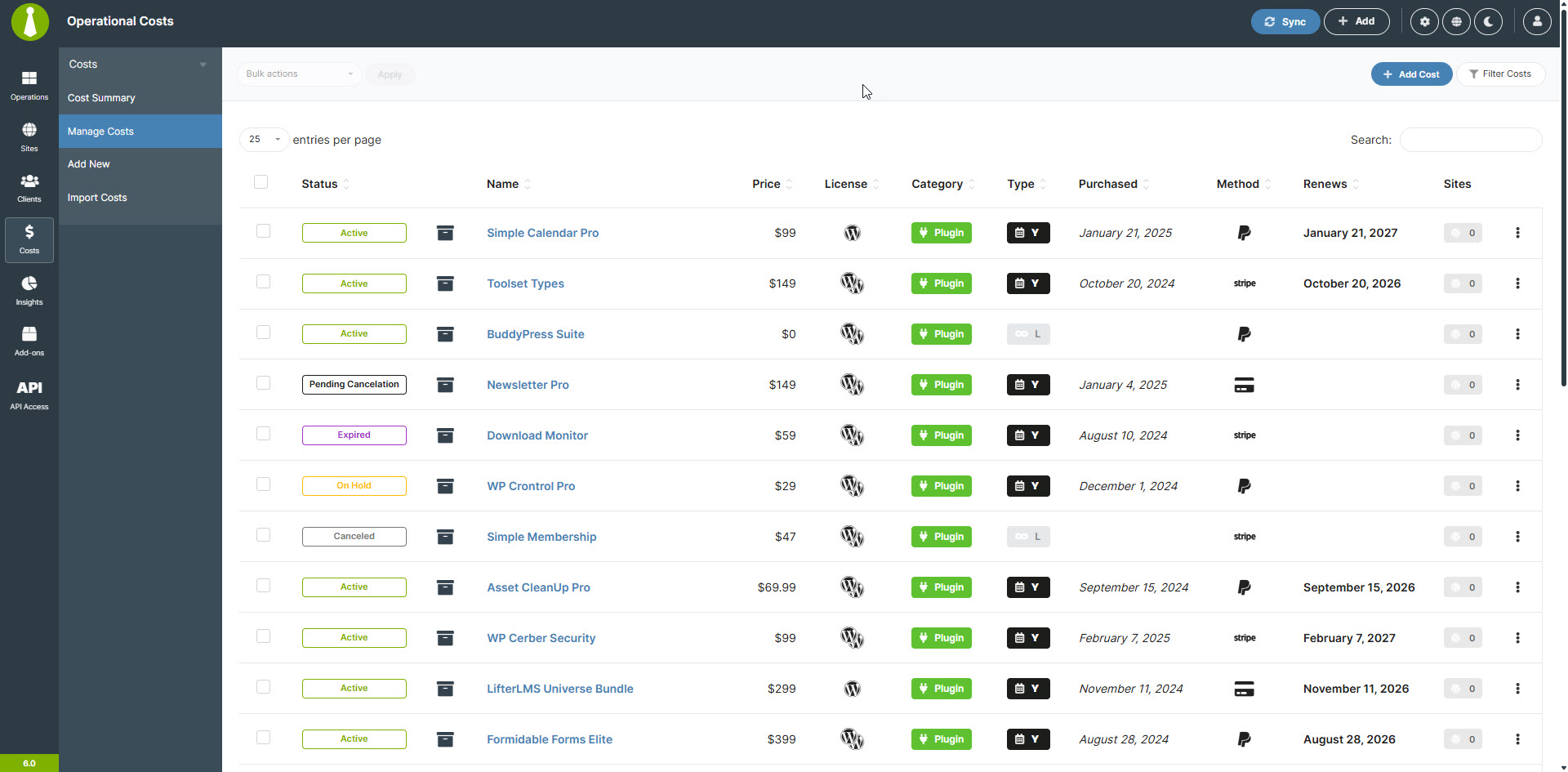
Cost Tracker – Manage Costs 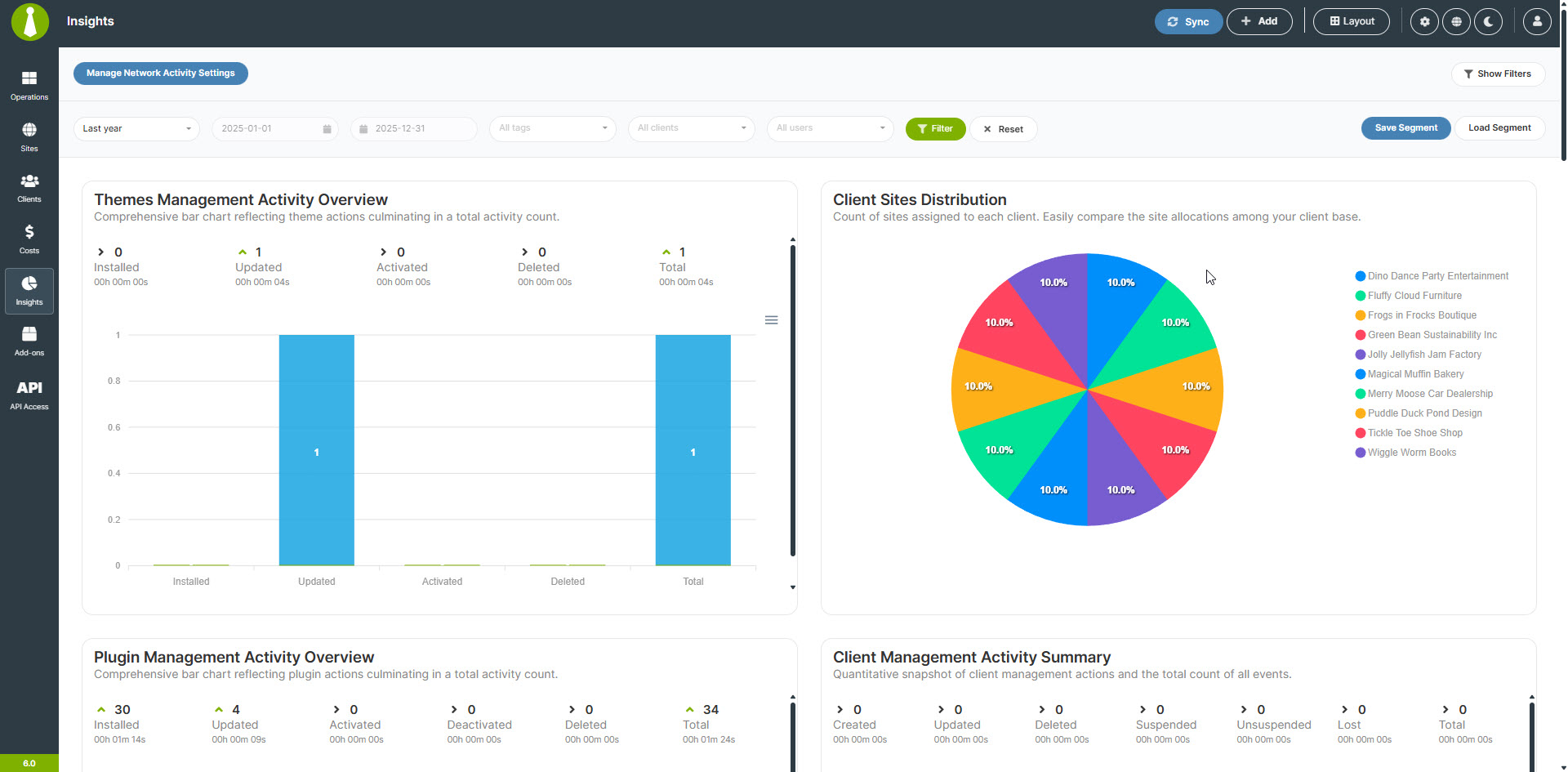
Dashboard Insights


Installation
Note: MainWP is not tested on or designed for multisite installs.
However, we have user reports that most functions work correctly, but support will be limited. We DO NOT recommend installing the MainWP Dashboard plugin on a multisite install.
- We HIGHLY recommend a NEW WordPress install for your MainWP Dashboard.
Using a new WordPress install will help reduce Plugin Conflicts and other issues caused by trying to run your MainWP Dashboard from an active site.
Most hosting companies provide free subdomains (“demo.yourdomain.com”), and we recommend creating one if you do not have a specific dedicated domain to run your MainWP Dashboard. If you are not sure how to set up a subdomain, contact your hosting company’s support.
You can even install your MainWP Dashboard on a WordPress site located on your local computer using WAMP or any other setup that allows you to run WordPress locally.
-
Once you have set up the separate WordPress website, install the MainWP Dashboard plugin following your normal installation procedure, either the automatic process by searching MainWP or by uploading the MainWP plugin to the ‘/wp-content/plugins/’ directory.
-
Once installed then Activate the plugin through the Plugins menu in WordPress.
-
Add your first Child Site to the MainWP Dashboard – Documentation
-
Set your MainWP Settings – Documentation
FAQ
-
What sets MainWP apart from other WordPress management platforms like ManageWP or InfiniteWP?
-
MainWP is a self-hosted, open-source WordPress management plugin that prioritizes user privacy and customization.
Unlike SaaS (Software as a Service) platforms like ManageWP, WPUmbrella, or WPRemote, MainWP gives you complete control over your data and allows for extensive customization through its open-source architecture.
-
Can MainWP handle bulk updates for WordPress core, plugins, and themes?
-
Yes, MainWP makes it easy to perform bulk updates for WordPress core, plugins, and themes across all your managed sites. With just a few clicks, you can ensure all your sites are running the latest versions, saving you valuable time and effort.
-
How does MainWP help with client management for WordPress agencies and freelancers?
-
MainWP offers a robust client management system that allows you to organize sites by client, assign tags, and generate customizable client reports. This streamlines your workflow and helps you provide better service to your clients by keeping all their site information organized and easily accessible.
-
Does MainWP offer any features for tracking costs associated with managing WordPress sites?
-
Yes, MainWP has a built-in Cost Tracker. This feature allows you to:
* Record and categorize expenses for each site
* Set up recurring costs
* Generate detailed cost reports
* Gain insights into your expenditure distribution
* Track payments received and upcoming renewals -
What security features does MainWP offer to protect my WordPress sites?
-
MainWP prioritizes security by providing features like real-time security monitoring, malware scanning, and vulnerability detection. The plugin also integrates with popular security plugins.
-
Can I use MainWP to manage WordPress sites hosted on different servers or hosting providers?
-
Yes, MainWP is designed to work with WordPress sites hosted on any server or hosting provider.
-
How does MainWP handle WordPress site backups?
-
MainWP offers multiple backup options, including built-in backup solutions for popular hosting providers and integrations with some of the most installed backup plugins.
-
How do you pronounce MainWP?
-
MainWP is a unique name that we created for our company, so it’s understandable if you’re unsure about how to pronounce it. Here’s the easiest way to remember:
Main + WP = MainWP
Think of it as the word “Main” followed by the letters “WP” (pronounced as “double-u pee”). In phonetic notation, it would look like this: /ˈmeɪn ˈdʌbəl juː ˈpiː/.
But don’t worry if you pronounce it differently – we answer to almost anything, including WP Main and WPMain!
-
I have an idea for MainWP; how do I let you know?
-
Please follow the steps outlined in the MainWP Voice so you can add your idea to the MainWP Community to be voted on.
-
I have more questions. Do you have any other information?
-
Yes, we have a quick FAQ with many more questions and answers here.
Reviews


Contributors & Developers
“MainWP Dashboard: Self-hosted WordPress Management for Agencies” is open source software. The following people have contributed to this plugin.
Contributors
“MainWP Dashboard: Self-hosted WordPress Management for Agencies” has been translated into 17 locales. Thank you to the translators for their contributions.
Translate “MainWP Dashboard: Self-hosted WordPress Management for Agencies” into your language.
Interested in development?
Browse the code, check out the SVN repository, or subscribe to the development log by RSS.
Changelog
6.0 – 2-24-2026
- Fixed: Improved monitor record handling by filling missing monitor IDs from the related site ID and preventing unintended site ID updates when partial monitor data is received.
- Fixed: Navigation menu rendering to prevent ID conflicts and duplicate element references.
- Fixed: Nonce input handling in setup and posting forms for better form submission reliability.
- Fixed: An issue with setting the
activeclass on the active tab menu item on the Manage Plugins and Manage Themes pages. - Fixed: Resolved an issue where the date picker would no longer open in the Network Activity filters after a date/time value was set.
- Fixed: An issue where sorting in Sites > Updates did not persist after page reload.
- Fixed: An issue where using Page Reset on a child site’s Operations page incorrectly redirected to Manage Sites.
- Fixed: Resolved an issue where post categories were not showing when creating posts in bulk.
- Fixed: A usability issue where the “Enable Site Health monitoring” tooltip could cover dropdown options in the “Quick Setup Wizard”.
- Fixed: A usability issue where the confirmation modal after creating a new user did not close automatically.
- Fixed: An issue where the page could remain blank after closing the add-on promo modal because it didn’t reload properly.
- Fixed: Resolved various browser console errors caused by duplicate element IDs and related issues.
- Fixed: Corrected multiple typos across the plugin UI.
- Fixed: An issue where the “Get Tags” REST API endpoint returned no results.
- Fixed: Resolved multiple PHP warnings related to undefined variables.
- Fixed: Admin link generation to ensure consistent and reliable access to WordPress admin pages.
- Fixed: An issue with displaying site selection after using the search filter.
- Fixed: Missing user information for certain objects and events in the Sites Changes feature.
- Fixed: Duplicate records appearing for certain objects and events in the Sites Changes feature.
- Fixed: Incorrect display of user information in the Sites Changes table where user IP addresses were unintentionally shown.
- Fixed: Malformed timezone information in uptime monitoring email notifications.
- Fixed: A database error that occurred when dismissing Sites Changes logs.
- Fixed: Sites Changes columns not resetting to their default state when clicking the “Reset Page” button.
- Fixed: Multiple minor cosmetic issues related to the new Dark theme to improve visual consistency.
- Fixed: Multiple PHP warnings and notices to ensure cleaner operation.
- Fixed: An issue with displaying global cPanel API settings in individual site settings.
- Fixed: An issue with saving widget size and position on widgetized pages.
- Fixed: Dashboard email alignment has been updated to center the content for improved readability.
- Fixed: Resolved an issue where the “Dismiss Changes” button remained disabled after selecting items to dismiss.
- Fixed: Prevented dismissed site changes from reappearing in the “Sites Changes” table after updating to version 5.5.
- Fixed: An issue with the accordion element icon not rotating when the element is expanded or collapsed.
- Fixed: In multiple places there was “Are you sure.” so it was fixed to “Are you sure?” in confirmation popups.
- Added: Password policy management to set and enforce password expiration rules. (Request by Julia)
- Added: Cost import functionality for easier cost entry management.
- Added: “Jump to WP Admin” quick link in site dropdown menu.
- Added: Monitoring data retention settings with configurable duration options (30, 90, 180, 365 days, or keep forever).
- Added: Bulk delete support for client general fields to speed up cleanup and maintenance.
- Added: A confirmation step when removing installed add-ons to help prevent accidental removals.
- Added: Action buttons for quick page and post creation.
- Added: Inline license key input and validation flow on the “Add-ons” page, including a “Remember Key” option and a dedicated validation action to simplify license management.
- Added: Granular, per-action permission controls for REST API access and application passwords to improve security and administrative flexibility.
- Added: Permission-aware UI for managing application passwords, including per-row actions and dedicated edit flows based on user access rights.
- Added: Introduced new REST API endpoints for user management, including listing, creating, editing, and deleting users, CSV-based user imports, and cross-site administrator password updates with per-site result reporting.
- Added: Introduced Application Password management in the “REST API” page, allowing users to view, create, and revoke Application Passwords directly from the MainWP Dashboard (mirroring WordPress “Users” > “Edit User” for easier access).
- Added: Green coloring for the ‘Enable’ icon in the extensions view for better visual feedback.
- Added: Sync status tooltips that show the last synchronization time for each site.
- Added: Introduced an outdated data indicator (red badge) for sites that haven’t synced in over 24 hours.
- Added: Plugin compatibility validation for PHP versions across update and activation workflows.
- Added: A quick theme switcher so users can toggle between light and dark modes from the UI.
- Added: Support for the Abilities API.
- Added: New REST API v2 endpoints for Monitoring (Request by James), Settings, and Client Fields.
- Added: A new “Plugin and Theme History” feature to provide an accessible history of actions by item and by day.
- Added: An “Import Sites” menu item on the “Add Sites” page for quicker access.
- Added: Support for the
[site.name]token in the Site Health Monitoring notification template to allow dynamic site name insertion. - Added: WordPress transient caching for frequently executed database queries to improve performance.
- Added: Site IP address as an available column option for the “Manage Sites” page. (Request by Ken)
- Added: Comprehensive object caching layer to enhance overall dashboard performance.
- Added: Smart prefetching for common navigation paths to reduce page load times and improve user experience.
- Added: New tracking events to the Non-MainWP Changes logging feature to provide more comprehensive monitoring capabilities.
- Added: New default “WP Version” column in the Manage Sites table.
- Added: Child site timezone information to the
$websiteobject. - Added: Ability to delete plugins and themes that are currently active while respecting the recommended process of deactivating before deleting in the background. (Request by Chrilles)
- Added: New default dark theme.
- Added: Loading element to widgetized pages that hides widgets before all data is loaded properly and Gridstack is loaded. (Request by Mario)
- Added: Descriptive labels for disabled bulk actions in the Manage Plugins and Themes pages explaining why they’re disabled.
- Added: Optional auto-archiving for Sites Changes logs and the ability to delete archived logs.
- Added: Option to select which Sites Changes logs to track.
- Added: Support ticket element to the Support modal.
- Added: Color coding to the Updates columns data in the Manage Sites table. (Request by Orchid) and (Nazar)
- Updated: Site filter PHP version options – removed “PHP Ver < 7.0” and added filters for PHP 8.1, 8.2, 8.3, and 8.4. (Request by Philip)
- Updated: Reorganized site management forms with collapsible accordion sections.
- Updated: Enhanced empty-state placeholders across widgets with clearer messaging.
- Updated: Improved site connection verification flow with better guidance.
- Updated: Refined authentication setup options with clearer descriptions.
- Updated: Backup settings layout for better organization.
- Updated: Improved cost tracker terminology (Operational Costs).
- Updated: Better table layouts with improved column organization.
- Updated: Optimized cURL handle management to reduce unnecessary handle recreation and improve resource efficiency during multi-request operations.
- Updated: Redesigned the “Select Sites” header with text links and a live selection counter for clearer bulk actions.
- Updated: Improved empty-state guidance with helpful actions to make next steps more obvious.
- Updated: Refined the “Select Sites” header controls for a cleaner, more consistent workflow.
- Updated: Moved widget layout controls (save, load, delete) from the dedicated action bar into the page header to reduce UI clutter and free up space.
- Updated: Refreshed the “Create REST API Key” screen with clearer permission chips/labels, improved messaging, and better placement for the compatibility toggle.
- Updated: Applied a broader UI polish pass with more consistent spacing, cleaner page structure, and reorganized layouts across affected screens.
- Updated: Improved action buttons and bulk controls so they enable or disable correctly based on the current selection.
- Updated: Repositioned and simplified several informational notices to improve visibility and reduce clutter.
- Updated: Improved uptime monitoring retry behavior with better handling and enhanced logging of retry attempts for easier troubleshooting.
- Updated: Reorganized navigation categories with new “Content Operations” group and improved menu structure.
- Updated: Interface terminology from “Overview” to “Operations” throughout.
- Updated: Changed update count label colors to green and made badges more compact.
- Updated: Increased default page size for retrieving posts from 10 to 50 items per request.
- Updated: Consolidated website-filtering logic across REST API endpoints for more consistent behavior.
- Updated: Endpoints now return a clear error when no websites match the provided filters, preventing ambiguous responses.
- Updated: Consolidated the licensing actions bar in the “Add-ons” page header with contextual action buttons and API-key-aware prompts for clearer guidance.
- Updated: Reorganized the extensions view into segmented, accordion-style sections for “Enabled Add-ons” and “Disabled Add-ons,” with aligned search behavior and slimmer action buttons for improved usability.
- Updated: Refined extension cards with clearer license and status headers, revised badges and text, improved documentation link formatting, and more intuitive remove and activate controls.
- Updated: Localized titles and implemented context-aware menu and submenu rendering to ensure correct labeling across different access levels.
- Updated: Centralized user-facing messages and field descriptions to provide consistent error text and schema help across REST API endpoints.
- Updated: Improved request validation logic to return clearer failure messages for invalid inputs, including search, count, and date-range parameters.
- Updated: Centralized message and translation handling across page operations, API responses, and error states to ensure consistent wording throughout the dashboard.
- Updated: Enhanced the REST API keys controller to support both v1 and v2 key formats, improving backward compatibility.
- Updated: Consolidated site administration link generation across dashboard pages and widgets for more consistent behavior.
- Updated: Consolidated review request notices into a single method with conditional messaging based on installed extensions, simplifying review prompt logic.
- Updated: Improved UI elements in the “Install Add-ons” modal to make add-on details easier to scan. Request by Chrilles
- Updated: Refined tooltips in the “Install Add-ons” modal to provide clearer, more helpful guidance.
- Updated: Reorganized helper messages in the “Install Add-ons” modal to better guide users through installation steps.
- Updated: Changed the privacy icon to “fingerprint” in the “Install Add-ons” modal for clearer visual meaning and consistency.
- Updated: Updated status icons in the “Install Add-ons” modal for more consistent and recognizable states.
- Updated: Clarified add-on installation instructions in the “Install Add-ons” modal to reduce confusion during setup.
- Updated: Improved button text and secondary segment styling in the “Install Add-ons” modal for better readability and dark theme consistency.
- Updated: Enhanced the reconnect actions to better handle sites with synchronization errors.
- Updated: Made the “Add” button label visible in the header controls for clearer navigation.
- Updated: Refined the site opening overlay styling and layout for a cleaner, more consistent experience.
- Updated: Updated theme installation header buttons with improved styling and larger interaction targets for better usability.
- Updated: Restricted backup link generation to authorized users only.
- Updated: Reorganized site and title column display in updates tables for improved visual consistency across views.
- Updated: Updated the theme management interface to replace deactivate buttons with lock icons for active themes.
- Updated: Updated the display of active theme status indicators across theme rows.
- Updated: Updated the API backup solution message to include direct links to the relevant settings pages.
- Updated: All help documentation links throughout the application to point to the new documentation site instead of the legacy knowledge base.
- Updated: Enhanced error reporting for upgrade operations with improved code identification.
- Updated: Improved detection and status handling for suspended sites during updates.
- Updated: Improved error handling for API response data to prevent potential crashes when unexpected data formats are received.
- Updated: Refined multiple UI labels and tooltip/button texts for clarity (e.g., “See Details” to “Details”, “See Monitors” to “View Monitors”).
- Updated: Improved Manage Sites table labels and core version display (e.g., “WP Version” to “Core”, “Indexable” to “Index”, and better core update link display).
- Updated: Adjusted table column alignment in CSS for numeric and date columns.
- Updated: Refactored updates tables for consistency by standardizing table classes/IDs and removing duplicate
<thead>sections. - Updated: Improved updates table column headers for clarity (e.g., “Version” to “Detected Version”) and adjusted alignment.
- Updated: Standardized dark theme table border radius using the
--area-radiusvariable and added specific rules for table corners. - Updated: Removed the emails settings table footer (
<tfoot>) and disabled DataTables search for that view. - Updated: Aligned checkboxes in the Manage Updates table for more consistent row layout.
- Updated: Unified MainWP review notice rendering into
render_review_mainwp_notice, varying messaging based on installed extension count for easier maintenance. - Updated: Default MainWP Dashboard theme selection to follow the detected OS theme preference.
- Updated: Simplified the MainWP Dashboard theme selection to Light and Dark only for new users.
- Updated: Improved the password generator on the “Add New User” page for better usability.
- Updated: Reduced console logging noise to make troubleshooting easier.
- Updated: Redesigned the “Quick Setup Wizard” for a more streamlined setup experience.
- Updated: Improved empty-state placeholders across multiple screens for clearer guidance when no data is available.
- Updated: Improved the “Admin Passwords” page UX with clearer error messages, a confirmation step before execution, an improved password generator, and an informational notice.
- Updated: Improved the “Manage Tags” page flow to make tagging more intuitive (Select Sites Create Tag Name Save).
- Updated: Improved the “Manage Plugins and Themes” page with clearer info labels and updated default status indicators.
- Updated: Improved the “Network Activity” page layout by decluttering the actions bar and adjusting spacing for better readability.
- Updated: Improved the “Plugins and Themes” search results screen by showing the search keyword after search and adding pagination controls to the top of results.
- Updated: Improved the “REST API” page with a new welcome message and confirmation modals when copying API keys.
- Updated: Improved the “Add-ons” page with a welcome message, clearer separation between active and inactive add-ons, and a more prominent active add-on indicator.
- Updated: Improved the “Insights” and “Cost Tracker Summary” page with an onboarding banner, clearer element hierarchy, and more helpful empty-state placeholders.
- Updated: Default widget layouts on the “Insights” and “Cost Tracker” pages.
- Updated: Changed the display logic for the “Encrypt SSL Keys” information message so it no longer appears once encryption is completed.
- Updated: Optimized DataTables initial load configuration to improve table rendering performance.
- Updated: Added missing database indexes on filterable columns to speed up queries on large datasets.
- Updated: Repositioned the loader element on the “Add-ons” page that displays during the add-on information loading and activation process.
- Updated: Refined the status icon displayed after running updates to remove the excessive “sign in” icon.
- Updated: Disabled cron event tracking as the default value for Sites Changes logging to reduce unnecessary log entries.
- Updated: Removed excessive progress bar elements from the “Site Connection” and “Site Hardening” widgets for a cleaner interface.
- Updated: Improved monitor status display consistency across multiple dashboard views.
- Updated: Added referrer information to cURL requests used for syncing websites to enhance connection reliability and debugging capabilities.
- Updated: Redesigned the “Sites Changes” table content and styling to reflect the new logging abilities and improve user experience.
- Updated: Improved various interface elements and navigation flows throughout the dashboard to enhance user experience and streamline common workflows.
- Updated: Refined styling and layout consistency across multiple screens to improve visual clarity and reduce cognitive load for users managing large numbers of sites.
- Updated: Repositioned Updates column to a new default location.
- Updated: Adjusted alignment of sort indicator icons across data tables for improved visual consistency.
- Updated: Refined sort indicator icons in the “Updates” section to maintain design consistency throughout the interface.
- Updated: Restored border radius styling to the main content area.
- Updated: Email notification links to use new “Add-ons” terminology instead of “Extensions”.
- Updated: Increased checkbox border contrast for improved visibility in Dark Theme.
- Updated: Enhanced modal element border contrast for better visibility in Dark Theme.
- Updated: Increased font weight on green buttons for improved readability in Dark Theme.
- Updated: Excluded “site sync” event from tracking in Sites Changes feature by default.
- Updated: Renamed the old Dark theme to Dark 2024.
- Updated: Dimmer element background color and blur intensity.
- Updated: Loading element style changed to double.
- Updated: Recent Posts and Pages widget layout on small screens.
- Updated: Form layout and some input field styles in the Edit User modal.
- Updated: Removed redundant tooltip elements cluttering UI.
- Updated: “Delete extensions API Activation data” feature labels and button label verbiage to “Delete add-on API Activation data”.
- Updated: Label style indicating the plugin status and trusted status in Manage Plugins and Themes area.
- Updated: Moved the Quick Help menu item to the bottom of the first-level navigation bar.
- Updated: Renamed the Quick Help menu to Support and updated the item style.
- Updated: Support modal functionality to allow users to enable or disable certain features from a single screen.
- Updated: API Backups settings tab menu to display it in horizontal view.
- Updated: Server Info tables to use defined column widths for a more consistent look.
- Updated: Mobile screen navigation menu style and content by removing the hamburger.js script and introducing the Fomantic UI native Flyout element.
- Updated: Data alignment in Updates columns in the Manage Sites table.
- Updated: Edit and View Email Template modal content background color.
- Updated: Optimized the Manage Plugins and Manage Themes tables for better user experience so it does not reload data after each individual action is processed.
- Updated: Optimized the Manage Plugins and Manage Themes tables for better performance so bulk actions won’t run all at once, but instead in smaller batches.
- Dev: Restructured request validation into focused helper methods to improve maintainability and error handling across REST API endpoints.
- Dev: Improved internal organization of website filtering logic to enhance code clarity and long-term maintainability.
- Dev: Enhanced validation workflows and error handling processes to reduce redundancy, strengthen stability, and improve overall code quality.
- Dev: Added the
mainwp_open_site_addition_urlhook to allow customization of the target WordPress admin URL when opening a site. - Dev: Updated ApexCharts, DataTables, File Saver, Fomantic UI, Gridstack, PHPSecLib, and Sorting packages to their latest versions to maintain security and compatibility standards.
