Keep your thoughts and ideas organized with this app
Sticky Notes is a free business and productivity app Chrome extension that allows you to add sticky notes to web pages you visit. It is a simple tool that enables you to take notes, make to-do lists, or jot down ideas.
With Sticky Notes, you can customize the color and font of your notes and easily move them around on the page. It also offers a Sync feature for your notes across multiple devices as well. This extension for Chrome is a useful tool for anyone who wants to keep notes and stay organized while browsing the web.
A simple and helpful tool
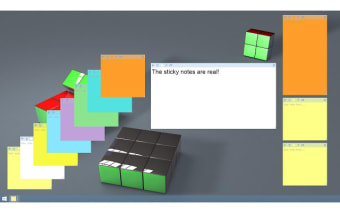
Sticky Notes for Chrome is an extension that works by adding a virtual sticky note to web pages you visit. Once installed, the extension adds an icon to your Chrome toolbar. To use the extension, you simply click on the icon to create a new note. You can customize the note by changing its color and font, and easily move it around on the page by clicking and dragging it.
It uses a combination of HTML, CSS, and JavaScript to create and display the sticky notes on the page. The notes are stored in your browser's local storage, which means they are saved on your device and can be accessed even if you're offline. If you sign in to the extension using your Google account, the notes will be synced across multiple devices, so you can access them from anywhere.
The extension has an autosave function that saves notes automatically, removing the need for you to worry about losing your work. The search function is also helpful for quickly finding specific information within notes. If a note is no longer necessary, you can easily delete it, and it will be removed from the web page. However, having too many notes open at once can slow down your browsing experience.
Enhanced note-taking with speech recognition
Sticky Notes makes note-taking more convenient by supporting speech recognition. This allows you to dictate notes hands-free, making it a convenient option for on-the-go note-taking, especially when you don’t have time to type. Additionally, the extension supports the ability to open links directly from your notes by holding the Ctrl key, ensuring smoother browsing and multitasking.
For better organization, this tool lets you pin important notes, keeping them always visible on top of your screen. If you need to reduce clutter, you can simply close a note without losing it—just click the Sticky Notes icon to open it again whenever you need to access it. These features make the app more intuitive, providing a streamlined way to manage your notes while navigating the web.
A great tool for organizing
The overall experience of using Sticky Notes for Chrome is positive. The extension is very easy to use, and it offers a simple and convenient way to take notes and stay organized while browsing the web. The customization options are a nice touch, and the autosave feature ensures that your notes are never lost. The search function makes it easy to find specific information as well.