Key Updates:
- Google’s upcoming Android 17 will be announced at Google I/O 2026 and is expected to roll out for Pixel devices in June 2026.
- Android 17 brings several new changes, including a new Material 3 expressive design, a new blur theme similar to iOS, native app lock support, desktop mode, new privacy and security enhancements, and much more.
- Android 17 is expected to roll out first for Google Pixel and later for other Android flagship smartphones.
Update 27 Feb 2026: Google has officially started rolling out Android 17 beta 2 for eligible devices.
Update 14 Feb 2026: Android 17 Beta 1 is now available.
Google’s next version of Android, internally called Cinnamon Bun, will be called Android 17. It is expected to be released at Google I/O 2026. Thanks to Google, which isn’t very good at hiding information, we already have plenty of details about the upcoming Android 17. This includes news that most people hated about Apple in 2025.

The upcoming Android 17 will not be a massive update. However, there will be useful updates we have been waiting for.
If you are looking for the latest Android 17 updates, you have come to the right place. In this guide, you will learn everything about Android 17, including the latest updates about Android 17. We update this post regularly, so if you want to stay updated with the latest Android 17 news, bookmark this page.
Expected Release – June 2026
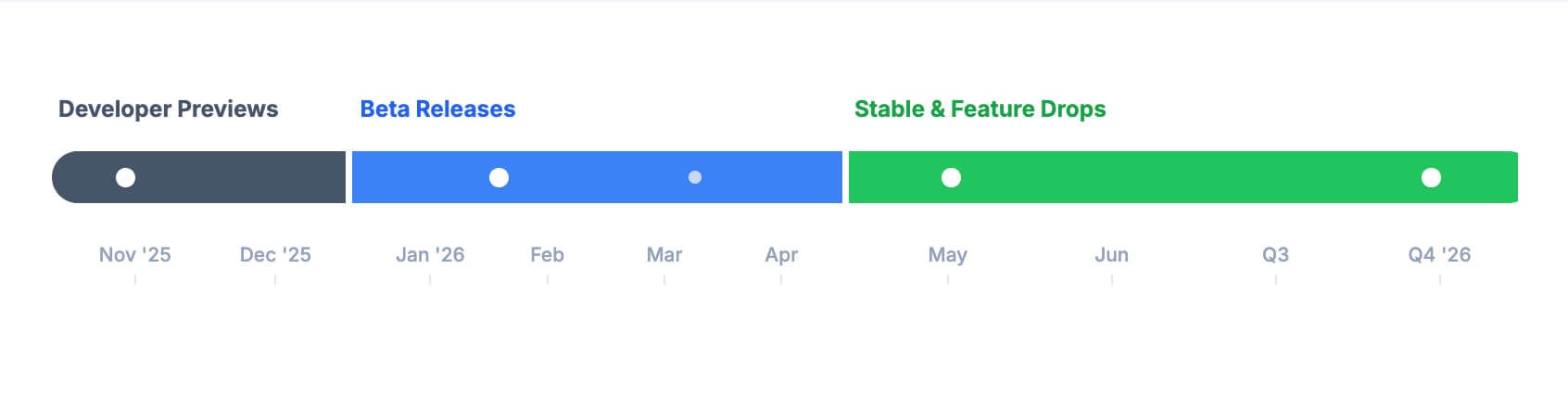
Android 17 is expected to follow a very different launch timeline from Android 16. Instead of a traditional developer preview, Google has replaced it with canary builds. Here is how the new timeline looks:
Canary Builds (Starts from Jan 2026):
Canary builds replaced developer builds from Jan 2026. This is Google’s new update timeline for faster releases and early access to the latest features.
Beta (February 2026):
Google will officially roll out Android 17 Beta 1. (Update: Android 17 Beta 1 has officially started rolling out from Feb 14, 2026. The beta updates are available as a public preview for developers and early adopters. If you own a Google Pixel device, you can opt in to test the update.)
Platform Stability (March 2026):
Android 17 completes its beta phase and enters stability, where most features are locked and expected to be released in a stable update. During this phase, developers can complete testing their apps for Android 17 and submit them for Android 17.
Stable Release (June 2026):
Google will officially announce Android 17, most likely in June, after it announces it at Google I/O in May.
QPR2 Minor Release (Late 2026):
Google will release another Android 17 update in the latter half of the year, including additional features and bug fixes that were not part of the initial stable release.
Here is the expected Android 17 Release Timeline:

| Phase | Actual Timeline |
| Canary builds | January 2026 onwards (monthly) |
| Beta 1 | February 12, 2026 |
| Platform Stability | March 2026 |
| Stable Release (Q2) | June 2026 |
| QPR2 Minor Release (Q4) | December 2026 |
Biggest Changes Coming to Android 17
1. Android’s Liquid Glass – Material Expressive Design

Apple has introduced a new Liquid Glass design in iOS 26, bringing a translucent look throughout the OS. Even if you are not an Apple user, you might have heard about it.
It is a significant upgrade that changed how iOS looks, and it is also the most hated update for many iOS users.
For instance, our video, which guides on how to turn off the Liquid Glass design, has received more views than we expected, suggesting that people hate the new design on their iPhones and want to go back to the older version. And according to StatCounter data (see here), most people are still on iOS 18.
On the other hand. According to the latest leaks, Google is also testing a similar design for the upcoming Android 17. However, unlike Apple, the new blur effects are limited to volume panel controls, the power menu, folders, the app menu, widgets, and face unlock screens. Since this is part of the Material 3 Expressive design, we can also expect blur effects to appear in more areas.
It looks like the new design is a part of the Material Expressive, which Google introduced with Android 16.
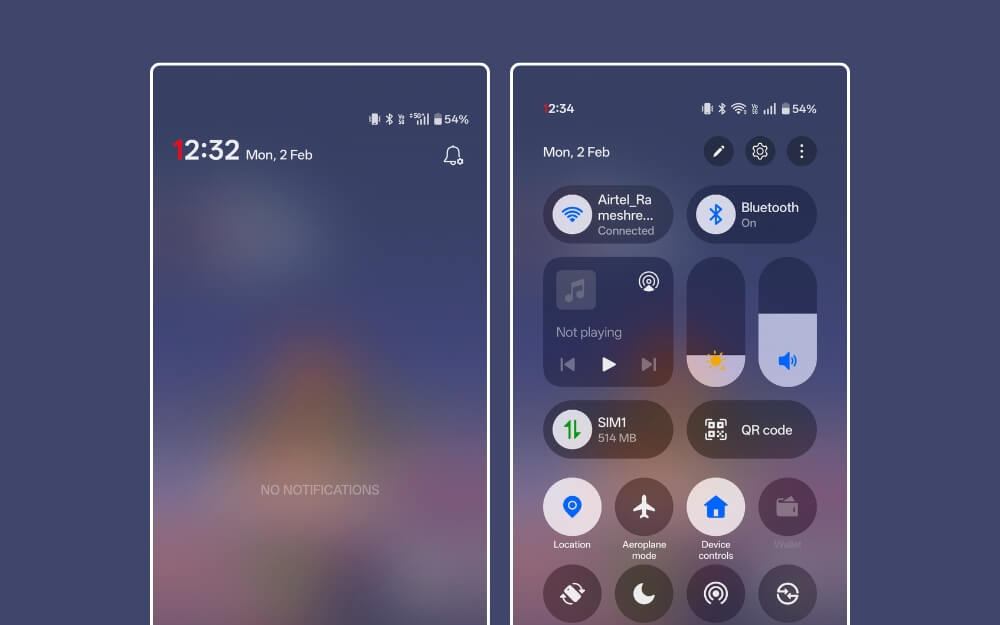
Not just design changes, Android 17 will also bring several changes. Starting with a new split screen for notifications and quick settings. Split-screen notifications are already available in several third-party UI’s. However, in Android 17, it will be available natively for Android phones. If you don’t like split-screen notifications, you can also opt out and revert to the old style.
2. Updated Desktop Mode

I am a big fan of Samsung DeX mode, which lets you connect your smartphone to an external computer and use it as a desktop. Now with Android 17, Google is bringing a similar feature natively for Android users. Similar to Samsung Dex, now you can connect your phone to a monitor and get a full PC-like interface.
Android 17’s new desktop mode is a significant upgrade. There is now a proper taskbar that lets you view all the apps in the dock, similar to how they are displayed on the MacBook. It also lets you pin apps for quick access and lets you view recently used apps.
The new desktop also comes with a proper status bar that displays quick settings, such as Wi-Fi, battery level, time, notifications, and more. It also supports floating windows for better multitasking. You can drag and drop files between windows, resize windows, and also support Bluetooth keyboard and mouse navigation.
The new Desktop mode is already live on Android 16 QPR Beta 2 for the Pixel 8 and 9. Now, with Android 16, it will be expanded to more devices. We should know the full official list of supported devices in the future. Not just that, Google is also working on a proper desktop OS, Aluminium OS, based on Android, according to the leaks.
3. Enhanced Factory Reset Protection
Google has been rolling out several security updates to Android to enhance theft protection. Recently, Google also rolled out theft protection for Android, and with the upcoming Android 17, it now comes with enhanced factory reset protection to prevent unauthorized access to your smartphone when it is stolen.
With the enhanced Factory Reset Protection, users must now complete the setup wizard and undergo proper owner authentication to verify their ownership. Otherwise, Android will block them and force the user to perform another factory reset. This is a big win for Android security, especially since many stolen devices can be used right after a factory reset.
4. Other Upgrades

Along with these changes, Google also lined up several new features for the upcoming Android 17. One feature that I am particularly excited about is the new screen recording tool.
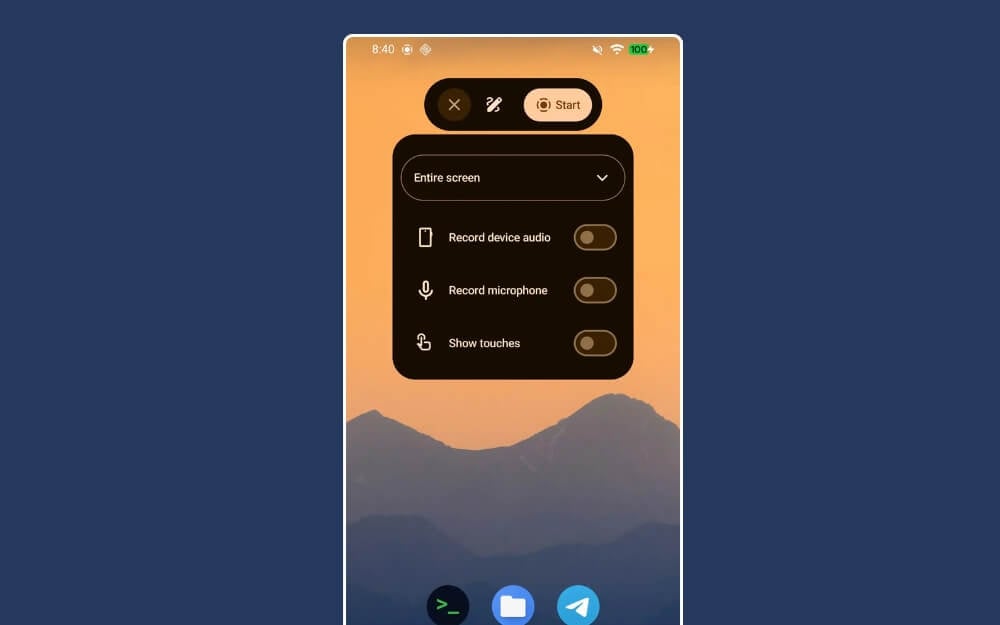
Android 17’s upcoming screen recording feature will feature a pill-shaped layout for quick controls. One major addition is the markup tool, which lets you highlight a specific part of the screen while recording.
This is a game-changer for me, especially as someone who often records screen recordings for tutorial videos. Not just that, live updates will also show real-time progress, similar to Apple Live Activities, which is now expected to roll out to more devices.
Android 17 will also come with a proper battery health monitoring system with battery percentage metrics and adaptive charging for better battery life.
Android 17 Full List of Expected Features
Update for | What changed |
|---|---|
Split Notifications + Quick Settings | Notifications and Quick Settings Now we will have a split screen functionality. |
Flashlight tile | Now you can finally adjust flashlight brightness. |
Wi-Fi + Mobile data toggles | Separate Wi-Fi and Mobile data toggles may return instead of the single Internet tile. |
Volume panel | Now, volume controls UI is adjusted for landscape mode. |
UI overhaul | New Material UI 3 Expressive is going to bring improvements across the UI. |
New Blur Elements | Volume Controls, Power Menu, and App Info are going to get a new blur interface inspired by iOS 26. |
Status bar icons | Wi-Fi and mobile network icons may swap order. |
Location indicator | Location indicator may expand to show which apps are using your location. |
Sound settings | Small UI improvements to sound settings. |
Ambient Always-On Display | Now, Always On Display will show a blurred wallpaper. |
Lock screen widgets | Lock screen widgets are coming back with a swipe-in widget panel. |
Double-tap to sleep | Double-tap on lock screen may turn off the display. |
Live Updates for Android | Now, advanced Live Activities are coming to Android 17, similar to Apple's Live Activities. |
New desktop mode | Upcoming Android 17 might fully support desktop mode with significant enhancements. |
Notification “Magic Actions” | Android 17 might have smarter notifications for better organization. |
Recents screen | Recents may show app name + a dropdown for quick actions. |
Faster app dismiss in Recents | You can swipe away multiple apps faster without waiting for animations. |
Incoming call UI | New incoming compact UI might allow you to answer phone calls without interrupting your screen. |
App Lock | Finally, Android may natively support AppLock. It currently supports password, PIN, and biometric authentication. |
Local Network Protection | Several enhancements to security and privacy: now apps may require permission to access your local network. |
Contacts Picker | One-time contact sharing may replace full contacts access for apps. |
Controller remapping | Android finally allows you to remap controller settings. |
UWB upgrades | Ultra-wideband features may improve for newer use cases and better reliability. |
Screen recording | The new screen recording tool now comes with microphone support and annotation tools. |
Partial screen capture | Now, you can capture partial screen. |
Universal Clipboard | Universal Clipboard might finally come to Android. You can copy on your Android and paste it on your PC. |
Wireless ADB | Wireless debugging may auto-enable on trusted Wi-Fi networks. |
Hub Mode “Standby” | A standby-style mode may appear for docked/idle devices. |
Cast external display | You may be able to cast what’s on a connected external display. |
Magnify Keyboard | Accessibility feature to zoom into the keyboard while typing. |
EyeDropper color picker | A native system color picker tool/API may be added for apps. |
Which Devices Will Get Android 17 First
Following the tradition, Google Pixel devices will receive the new Android 17 update, followed by the flagship smartphones from Samsung, OnePlus, Xiaomi, and more. Here is the list of devices expected to receive the Android 17 update.
Google Pixel Devices:
| Pixel Series | Eligible Models |
| Pixel 10 | Pixel 10, Pixel 10 Pro, Pixel 10 Pro XL, Pixel 10 Pro Fold |
| Pixel 9 | Pixel 9, Pixel 9 Pro, Pixel 9 Pro XL, Pixel 9 Pro Fold, Pixel 9a |
| Pixel 8 | Pixel 8, Pixel 8 Pro, Pixel 8a |
| Pixel 7 | Pixel 7, Pixel 7 Pro, Pixel Fold, Pixel 7a |
| Pixel 6 | Pixel 6, Pixel 6 Pro, Pixel 6a |
Samsung Flagship smartphones
| Device | Expected Models |
| Galaxy S Flagships | Galaxy S25, S25+, S25 Ultra, S24, S24+, S24 Ultra |
| Galaxy Z Foldables | Z Fold 6, Z Fold 7 |
| Galaxy Z Flip | Z Flip 6, Z Flip 7 |
Other Flagship smartphones:
| Brand | First Devices Expected |
| OnePlus | OnePlus 15 and 13 Series |
| Xiaomi | Xiaomi 17 and 16 Series |
| Vivo | X series flagships |
| iQOO | iQOO 16, 15 |
| Motorola | Motorola signature |
| Nothing | Phone 3 |
Those are the devices and major changes coming to the upcoming Android 17. To help you stay updated on the latest news, see the timeline below. Bookmark this page to get all the latest updates in a single place.
Android 17 Updates: Timeline
Google Started Rolling Out Android 17 Beta 2
Google has officially started rolling out Android 17 Beta 2 for eligible devices. The update fixes many bugs and adds a few features.
The update also adds several new features, including:
- New app bubbles for larger screens.
- A new satellite quick-setting style.
- A new Pixel Launcher search bar.
- Redesigned privacy indicators.
- An eyedropper tool and more.
Android 17 Beta 2 Changelog
New Features
- New App Bubbles
- New Handoff (cross-device continuity)
- New EyeDropper (color picker)
- New Contacts Picker
- New Advanced Protection Mode
- New Local Network Permission
- New UWB Privacy Navigation
- New Semantic Notification Colors
- New Cross-device Handoff API
- New Medical Device Profile
- New Fitness Tracker Profile
Camera and Media
- New Dynamic Camera Session Updates
- New Constant Quality Video Recording
- New VVC (H.266) Codec Support
- New EyeDropper API
Performance Improvements
- New Lock-free MessageQueue
- New Generational Garbage Collection
- New Profiling Triggers (Cold Start, OOM, CPU Kill)
- Optimized Config Changes (fewer restarts)
Connectivity
- New Satellite Network Support
- New Wi-Fi Proximity Detection
- New DST Timezone Broadcast
- New UWB DL-TDOA Indoor Navigation
Security Changes
- SMS OTP Protection (3-hour block)
- Deprecated Cleartext Traffic (SDK 37+)\
- Restricted Background Audio Operations
- Stricter Notification Size Limits
Developer Tools
- New NPU Access Declaration Required
- New JobDebugInfo APIs
- Updated ICU 78 (Unicode 17)
Large Screen Changes
- Mandatory App Resizing (600dp+ screens)
- Ignored Screen Orientation on Large Screens
- New Bubble Bar on Tablets
 View Android 17 Beta 2 Release Notes
Android 17 Beta Is Now Available for Motorola Smartphones
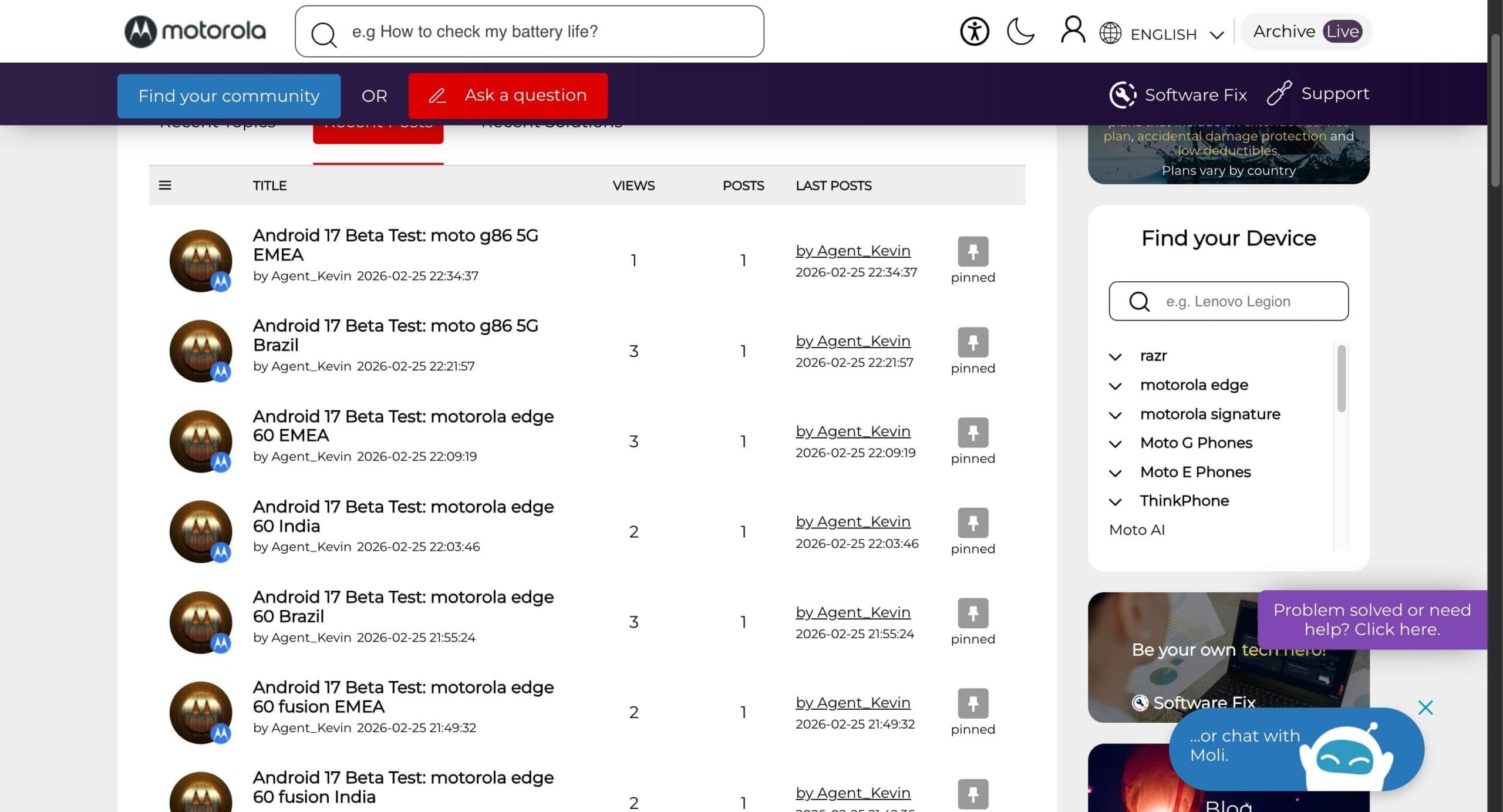
In a surprising move, Motorola has announced the Android 17 Beta for its Moto smartphones in specific regions, including India. The Moto Edge series, which was launched in 2025, includes the Moto Edge 60 and the Moto Edge 70. Also, the Moto G57 and G57 power from India and Europe, the Middle East, and Africa are officially available to test the Android 17 beta update.
Currently, you need to register for testing Android 17 on these smartphones. You can visit the official Motorola forum, select your device, and register for Android 17 beta. Remember, since these are better updates, they might contain bugs that aren’t suitable for your primary smartphone, so keep this in mind before applying for beta. You can click the register link below to start testing.
 Register Here
 Here Are the Eligible Devices for Upcoming Android 17
Google has officially announced Android 17 beta for Pixel devices. If you have a Pixel 6 or later, you can install the Android 17 beta 1 on your Phone. While the Android 17 update is still in beta. The stable version is expected to roll out in June 2026, starting with Google Pixel devices.
We don’t have an official list of devices that support Android 17 from other brands, we have compiled a list of eligible devices that are eligible Android 17 update based on their update policies.
You can view the official Android 17 eligible list here. We update this post regularly so you can stay up to date with the latest devices.
Post: Android 17 Beta: How to Download and Install on Eligible Devices
 Link
Link How to Install Android 17 Beta 1 on Your Pixel Phone
Google has finally started rolling out Android 17 beta, so if you have a Google Pixel 6, a little device, you can install it and experience it. However, since it is in beta, it often includes books that can affect your daily smartphone’s performance, so we highly recommend not installing it on your primary phone.
How to install Android 17 beta on Google Pixel devices
- First, head over to google.com/android/beta
- Scroll down and under your eligible devices, you can find all your devices that support and 17 beta one update.
- Click on the obtain button to join the beta program.
- Now, on your device, go to Settings> System> System Software Update, and you will see a new update.
- Now install the download and install the update on your Android phone.
How to roll back from Android 17 beta to the stable version
You can roll back from the beta update to the stable version; however, using the traditional method may result in data loss. If you’re okay with losing your device, you can go to Google.com/android/beta and see a list of devices you have enrolled. Tap Opt Out Now, then go back to Software Update; you’ll see a new update. Download and uninstall it on your phone.
However, if you don’t want to lose data, go to google.com/android/beta, scroll down to the eligible devices, and tap OPT out. Don’t go to settings and install the update right away. Wait for the next official Android 16 update, which is expected to roll out soon, so once it’s available, you can install the stable version on your device.
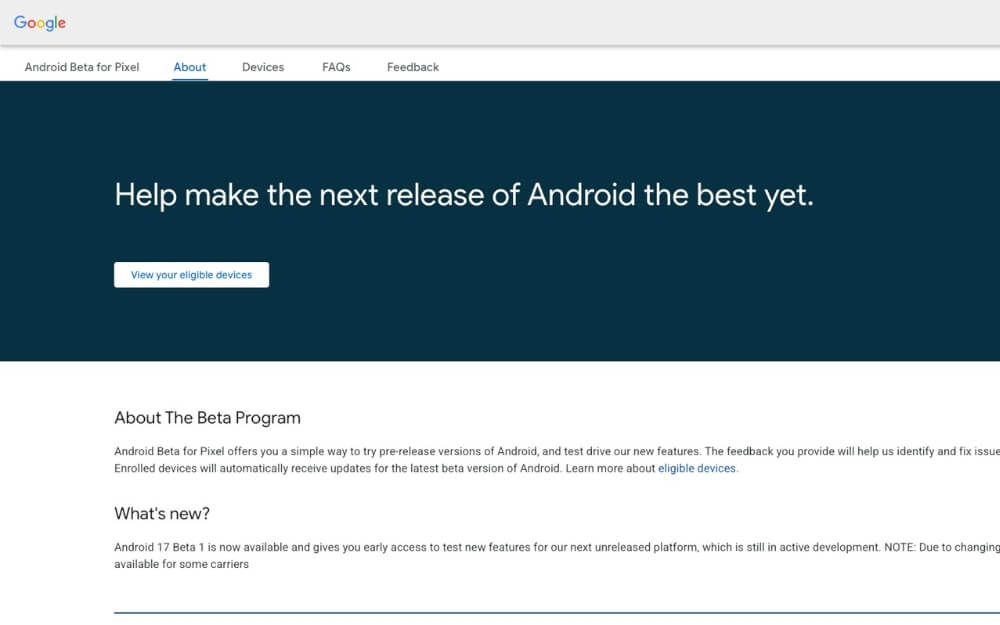 Android Beta Program
 Google Finally Rolls Out Android 17 Beta 1
Google has finally released the first Android 17 beta. The update was initially set to roll out two days ago, but Google has finally released it. Google replaced the traditional Developer Preview program with a new always-on Canary channel, which is now said to deliver features faster and support OTA updates. If you are using a Pixel 6 or later device, you can now opt in to Android 17 Beta 1 and test it yourself. Remember, beta updates often come with bugs and unwanted performance issues. We highly recommend not installing the beta updates on your primary phone.
 Android Blog
Android 17, Which Is Expected to Release Today, Has Been Delayed
Google is expected to release Android 17 Beta 1 today; however, it seems like Google has backed out at the last minute. Several media outlets, including us, expected the Android 17 Beta update today. However, for an unknown reason, it appears Google has stopped rolling out the Android 17 beta to users. Google’s Android developers account has not started teasing Android 17 on X. Currently, there is no information on the rollout timeline. We expect the update to be rolled out in a couple of days.
 Android developers
More Images of Upcoming Android 17 Have Surfaced Online
Images of Android 17 have surfaced in recent leaks, confirming all the rumors that we covered. As you can see from the images below, the upcoming Android 17 will feature blurred elements on certain screens, such as the volume and app menus. The leaked images also confirm a split notification setup, a new native app lock feature for Android, a new screen Recording Menu, and much more.
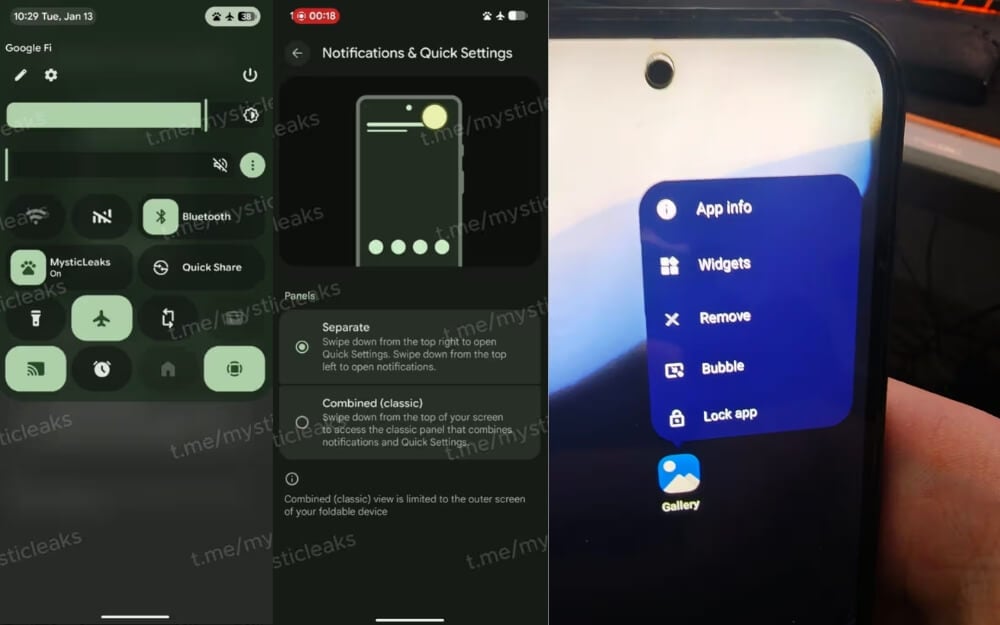 Image Credits: RKBDI
Google Pixel 6 or Later Models to Support Android 17
Google’s upcoming Android 17 will be available for Pixel 6 or later models. While the official support list has not yet been confirmed, reports suggest that the Pixel 6 or later models will receive Android 17. We should receive the official support list on Android 17 launch day, expected at Google I/O in May 2026.
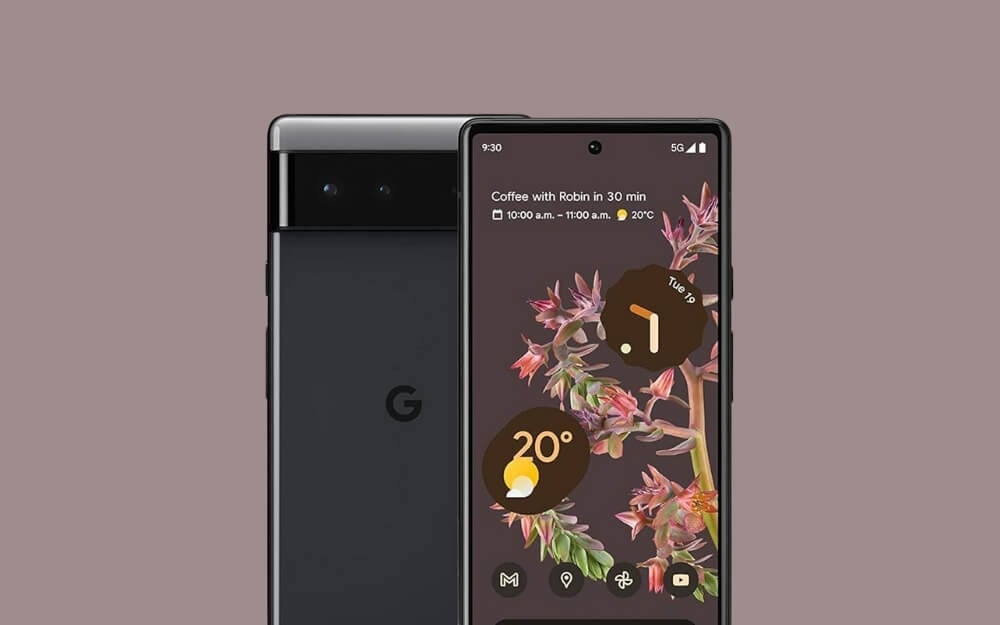
Upcoming Android 17 Might Finally Bring Native App Lock to Android Phones
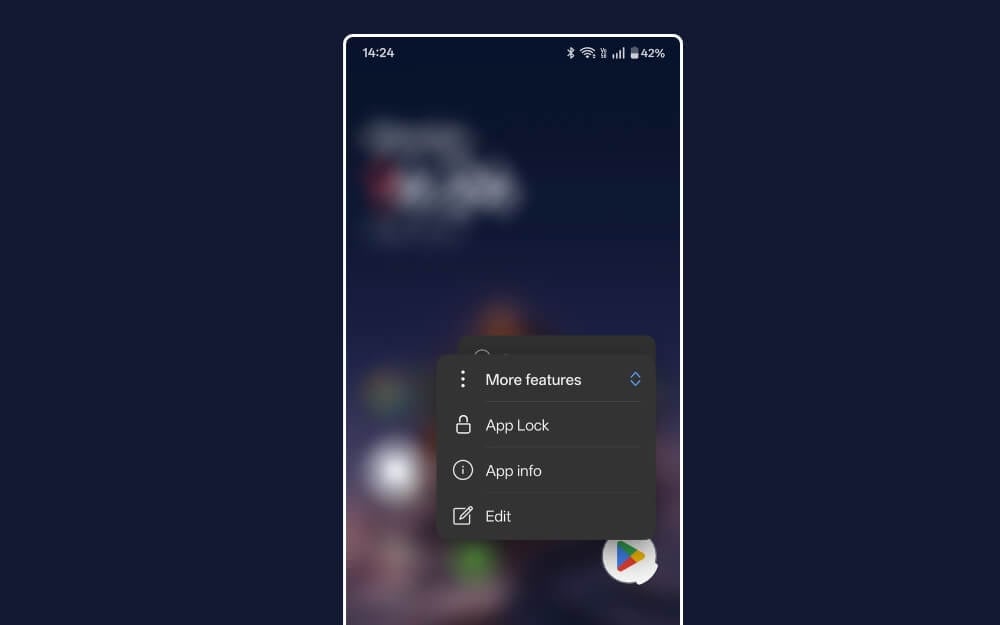
Google is finally adding a native app lock feature to Android smartphones. According to reports, Android 17 will include native app lock features. You can now long-press an app icon to lock individual apps, similar to the iPhone. Currently, it also supports setting a PIN or password, or using biometric authentication to unlock the app.
Upcoming Android 17 to Have Improved Screen Recording
Screen recording is going to get significantly better in the upcoming Android 17, according to reports. The native screen recording on Android 17 will now support microphone input, show touch input, and allow doodling while recording.
The current screen recording on stock Android is very limited. However, this will change with the upcoming Android 17.
Android 17 Might Also Feature Blur Effects and a Translucent Design Similar to iOS 18
Details of the upcoming Android 17 have emerged online. According to the report, the upcoming Android 17 will feature blur effects in certain screens, such as volume sliders, power menus, and notifications panels.

Upcoming Android 17 Will Have a Split Screens for Notification and Quick Tiles
According to the latest report, Android 17 will feature split-screen mode for viewing notifications and accessing quick tiles. This feature is already available on most major Android custom OSs, including OxygenOS 16 and Vivo’s OriginOS 6.
With this new implementation, swiping down from the left shows notifications, while swiping from the right shows Quick Settings.
Android Support Will Have Enhanced Anti-Theft and Factory Reset Protection
Google has updated its support page, confirming rumors about Android 17’s enhanced anti-theft and factory reset protection. According to the latest reports, the upcoming Android 17 will feature an advanced factory reset protection that prevents anyone from bypassing the setup wizard without proper owner authentication.
The reports also confirm that Android 17 will feature enhanced anti-theft protection.
Android’s First Public Beta Is Expected to Roll Out in the First Half of January or in February
According to the latest report, Android 17’s first public beta is expected to roll out in late January or early February.
Google has already rolled out Android 17’s Developer Preview in November 2025. And now, according to the latest reports, the first public beta will be available in late January or early February, allowing anyone to test the upcoming Android 17.
The final stable release of Android 17 is expected to roll out in June 2026, following its announcement at Google I/O in May 2026.
Upcoming Android 17 Will Have Significant Upgrades to Desktop Mode
According to the latest reports, the upcoming Android 17 will feature an advanced desktop mode similar to Samsung DeX mode. According to multiple reports, the upcoming full desktop mode will feature a taskbar that displays your frequently used apps and lets you pin them for easy access. It will also support resizable and floating windows, drag-and-drop, and mouse and keyboard input.
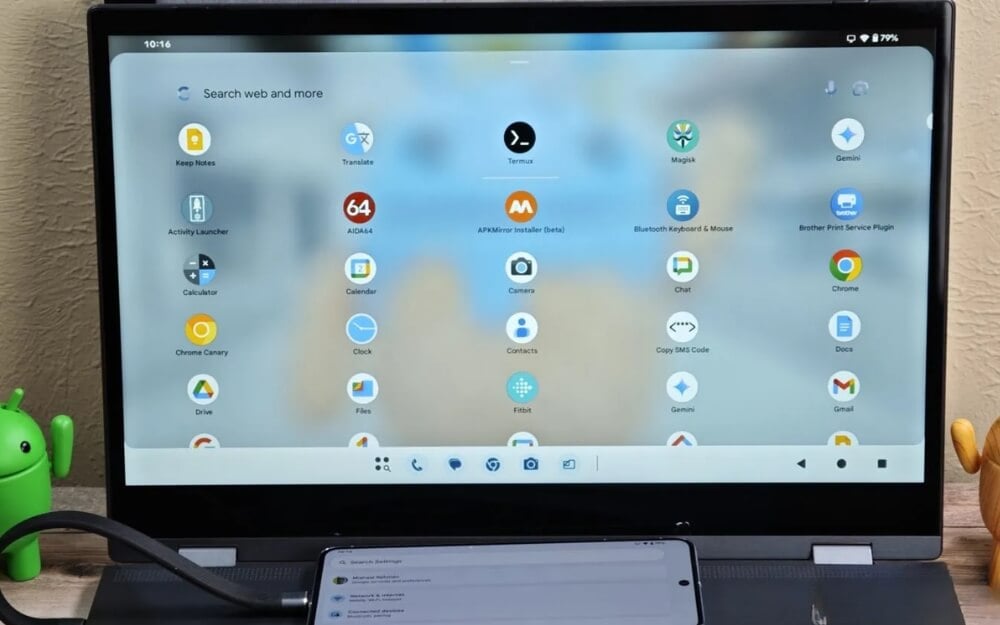 Image souce: Android Authority
Google Has Released Android 16 QPR3 Beta 1
Google has released Android 16 Quarterly Platform Release 3 Beta 1. This update adds several new features to Android 16 builds, which will now also be included in the upcoming Android 17. You can view the release notes here.
Android 17 Might Finally Let You Remap Gamepad Controls
According to the latest report from Android Authority, Android 17 might finally allow users to remap gamepad controls natively.
This feature was spotted in the Android Canary code, suggesting that Android will finally let users remap third-party gaming controls.
Android already supports popular gamepad controls such as Xbox and PlayStation; adding this option natively would allow many third-party gamepad controllers to remap buttons. This is a big win for Android gamers, especially for people using external gamepads.
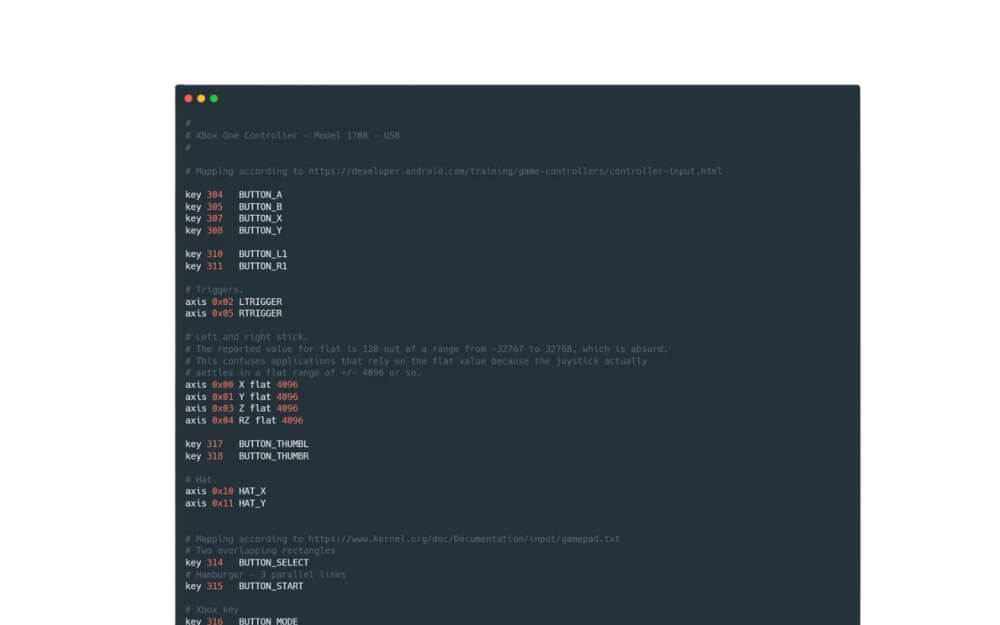 Android Authority
 The Upcoming Android 17 Will Be Called Cinnamon Bun Internally
If you recall, Google used to name Android versions after desserts. However, Google stopped this tradition with Android 10. Still, Google uses these names for internal development. According to the latest Android Canary build, the upcoming Android 17 will be called Cinnamon Bun internally.