
Description
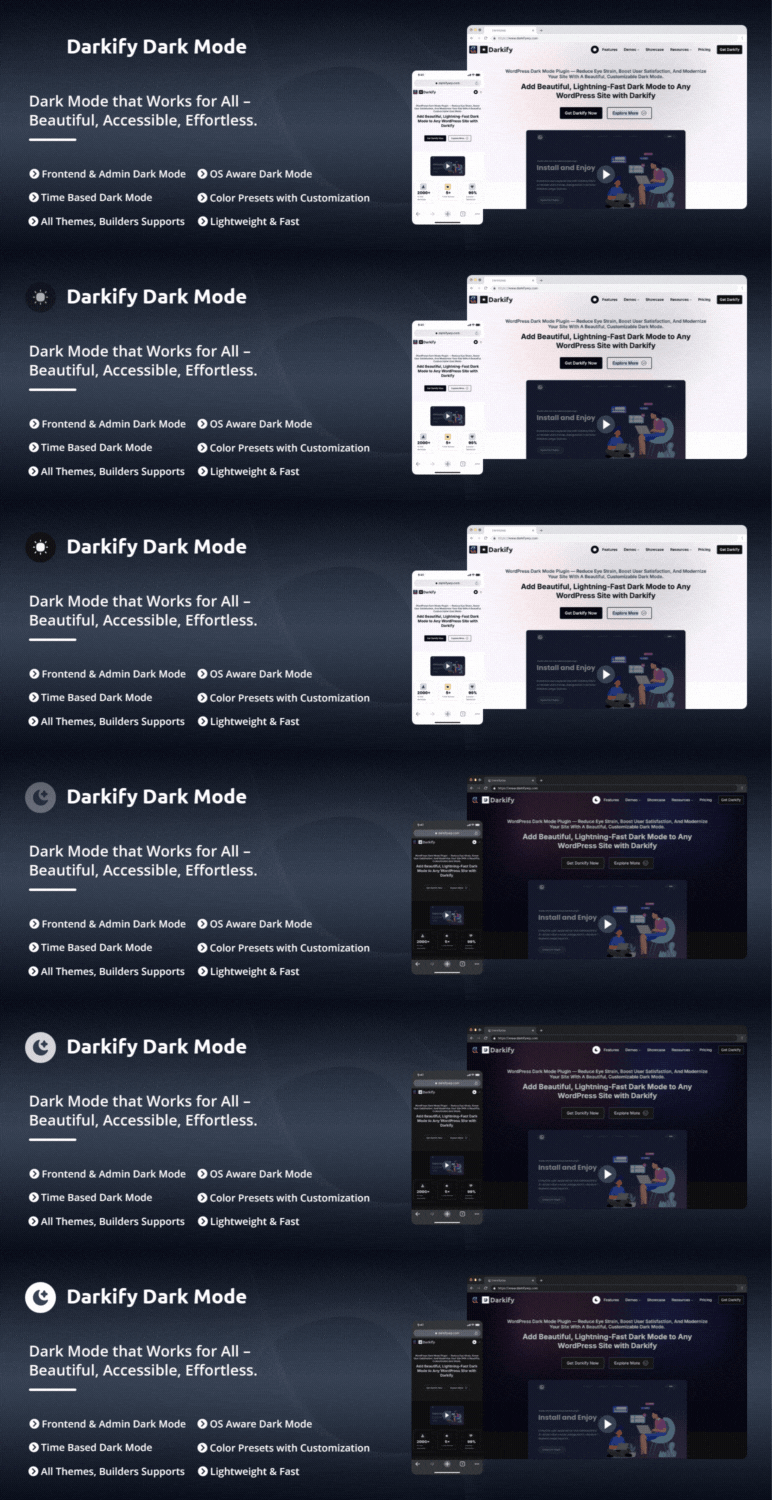
Darkify adds WordPress Dark Mode and Night Mode to both the website frontend and the WordPress admin dashboard. Visitors can switch between light and dark themes using a toggle, while site owners control how dark mode behaves across the frontend, admin panel, and editors.
Darkify supports frontend dark mode, admin dashboard dark mode, and editor-specific dark mode for Gutenberg (Block Editor) and the Classic Editor. It includes OS-aware detection, default dark mode, time-based scheduling, keyboard shortcuts, and multiple toggle placement options. Designed for performance and compatibility, Darkify works seamlessly with popular WordPress themes, page builders, and WooCommerce — without modifying theme files or requiring custom code.
Site owners can customize dark mode colors, switches, media handling, and element visibility. Darkify also provides controls for images, videos, scrollbars, mobile behavior, and page or element-level targeting to ensure dark mode integrates cleanly with different themes, builders, and layouts.
How Darkify Works
Darkify applies dark mode styling using configurable rules rather than modifying theme files. You can enable dark mode globally or limit it to specific areas, pages, posts, or elements. Settings can be adjusted from a centralized admin panel and reused across different sites using import and export tools.
Darkify is designed to work with popular WordPress themes, page builders, and multisite installations, allowing dark mode to be configured without requiring custom code.
Why Choose Darkify?
✔ Dark mode for frontend and admin dashboard
✔ Works with Gutenberg, Elementor, and popular builders
✔ OS-aware, scheduled, and manual switching
✔ Lightweight and performance-focused
✔ No theme modification required
Live Demo | Support | Documentation | Upgrade to Pro!
Key Features of Darkify Dark mode Plugin
-
Frontend Dark Mode: Enable dark mode on the public-facing website and allow visitors to switch between light and dark themes using a toggle.
-
Admin Dashboard Dark Mode: Apply dark mode to the WordPress admin area to provide a darker interface while managing site content and settings.
-
Editor-Specific Dark Mode: Enable dark mode independently for the WordPress Admin Panel, Block Editor (Gutenberg), and Classic Editor.
-
Default Dark Mode: Load the website in dark mode by default while allowing visitors to switch back to light mode at any time.
-
OS-Aware Dark Mode: Detect the visitor’s operating system preference and automatically apply light or dark mode accordingly.
-
Time-Based Dark Mode: Schedule automatic switching between light and dark mode based on a defined time range.
-
Keyboard Shortcut: Allow users to toggle dark mode using a simple keyboard shortcut: Ctrl + Alt + D for quick access.
-
Multiple Floating Switch Designs: Choose from different floating switch styles and positions to control how the toggle appears on the site.
-
Customizable Switch: Adjust the switch size, colors, icons, and styling to match the site’s design.
-
Switch in Menu: Insert the dark mode toggle into selected WordPress navigation menus.
-
Shortcode Switch: Place the dark mode toggle anywhere on the site using a shortcode, including pages, posts, widgets, or templates.
-
Multiple Switch Placement Options: Display the dark mode toggle as a floating button, menu item, shortcode, or by targeting a custom CSS selector.
-
Mobile-Specific Controls: Control switch visibility, position, spacing, and behavior separately for mobile devices.
-
Color Presets & Customization: Choose from 8 predefined dark color presets or manually configure background, text, link, and UI colors.
-
Dark Mode Scrollbar Styling: Optionally apply dark styling to browser scrollbars for a more consistent dark interface.
-
Advanced Image Control: Adjust image brightness, contrast, and grayscale settings to improve image visibility in dark mode.
-
Video Control: Modify video brightness and grayscale settings to better match dark mode layouts.
-
Element-Level Control: Include or exclude specific HTML elements, tags, classes, or IDs from dark mode styling.
-
Settings Backup & Restore: Export plugin settings to a file and import them on another site or restore them later.
-
Clean Uninstall Option: Optionally remove plugin settings and data from the database when uninstalling the plugin.
-
Page Builder Compatibility: Compatible with popular page builders such as Elementor, Divi, WPBakery, Beaver Builder, Visual Composer, and Oxygen.
-
Easy Settings Panel: Manage all plugin features from a centralized settings panel in the WordPress admin area.
-
Multisite Support: Configure dark mode settings for WordPress multisite networks, globally or per site.
-
Multilingual Ready: Translation-ready and compatible with multilingual WordPress setups.
-
Theme Compatibility: Designed to work with most WordPress themes without requiring theme-specific modifications.
-
Developer-Friendly: Provides a structured and extensible codebase that developers can customize using hooks and filters.
-
Cross-Browser Compatibility: Designed to work across modern browsers such as Chrome, Firefox, Safari, Edge, Opera, etc.
-
Documentation & Support: User guides, tutorials, and support are available through documentation and the WordPress.org support forums.
Full Features & Setup Guide
How to Add Dark Mode in Gutenberg (WordPress Block Editor)
How to Add Dark Mode in Elementor
Page Builder Compatibility
- Gutenberg
- WPBakery
- Elementor
- Beaver Builder
- SiteOrigin
- Divi
- LayersWP
- MotoPress
- Cornerstone
- Themify Builder
Compatible Themes (examples)
- Hello Elementor
- Astra
- Divi
- Kadence
- Themify Ultra
- OceanWP
- Hestia
- Inspiro
- GeneratePress
- Avada
- Blocksy
- Neve
PRO VERSION FEATURES
🎨 Design & Customization Options
-
16+ Floating Switch Designs
Choose from a diverse collection of floating switch styles to perfectly match your website’s look and feel. -
Draggable Switch Positioning
Allow users to move the floating dark mode switch anywhere on the screen. This drag-and-drop flexibility ensures convenient access from any page or section. -
Special Color Preset Customization
Customize your dark mode theme with advanced color settings. Change link colors, border colors, form field styling, and button appearances to align with your brand identity. -
Custom CSS for Dark Mode
Add custom CSS styles that apply only in dark mode. This gives developers and designers complete control for fine-tuning the dark theme experience.
🖼️ Media Handling
-
Image Inversion
Automatically invert specific images for better visibility in dark mode. Improve both aesthetics and accessibility without needing to edit the original assets. -
Image Replacement
Seamlessly replace specific images with dark-mode-optimized versions. Perfect for logos, banners, or illustrations that need a customized look in night mode. -
Video Replacement
Automatically swap videos with dark-friendly versions to maintain a consistent design across your website’s visual elements.
🔧 Advanced Visibility Controls
-
Allow / Disallow Elements
Fine-tune your dark mode display by selecting which HTML elements or sections should use dark mode styling—and which should not. -
Allow / Disallow Pages
Choose which individual pages display dark mode. Exclude landing pages, checkout flows, or any special content for a fully tailored user experience. -
Allow / Disallow Posts
Decide which specific posts support dark mode. Maintain full editorial control over how your content appears across different post types.
OTHER AMAZING PRODUCTS FROM ThemeAtelier
➡️ WhatsApp Chat Help – A flexible WhatsApp chat plugin that helps website visitors start instant conversations with you directly from your WordPress site.
➡️ Eventful – Events Showcase and Filter Bar for The Events Calendar – An event display plugin for The Events Calendar that helps you showcase events in clean, modern, and fully responsive layouts without any coding.
➡️ Greet – Video Bubble Warm Welcome Plugin – A video welcome bubble plugin that helps you greet visitors warmly and provide quick contact options to boost engagement.
➡️ Domain For Sale – A domain listing and offer management plugin that helps you list domains, collect buyer offers, and manage secure sales with escrow payments directly from WordPress.
➡️ Eventful for Elementor – Events Showcase For The Events Calendar and Elementor – An Elementor addon for The Events Calendar that lets you design and display events using Elementor widgets with advanced, responsive layouts.
➡️ Better Chat Support For Messenger – A Facebook Messenger chat plugin that allows visitors to contact you instantly through Messenger with customizable chat bubbles.
Screenshots

Instant frontend dark mode toggle — smooth, fast, no page reload 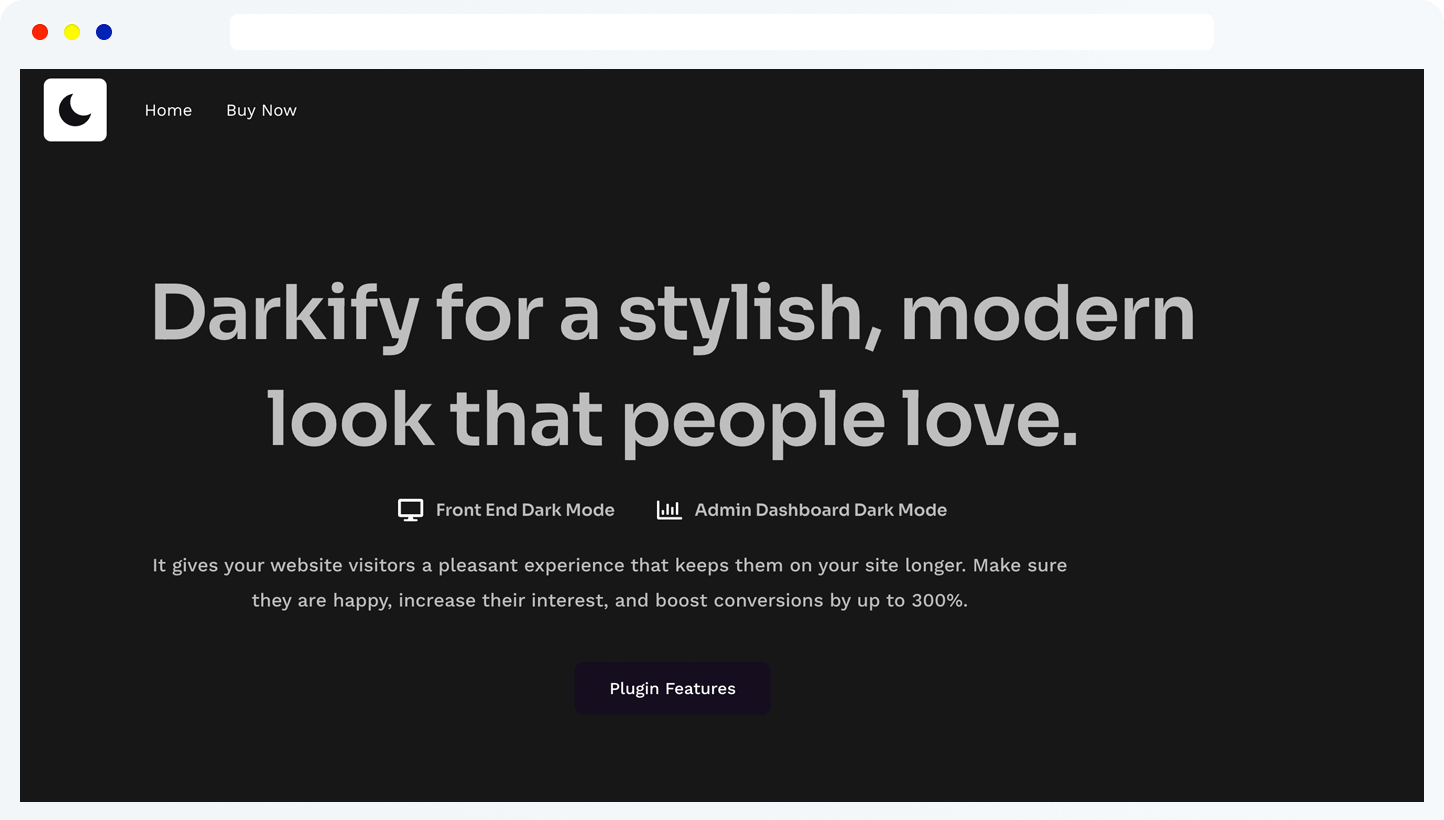
Dark mode enabled on the website frontend for improved readability and night viewing 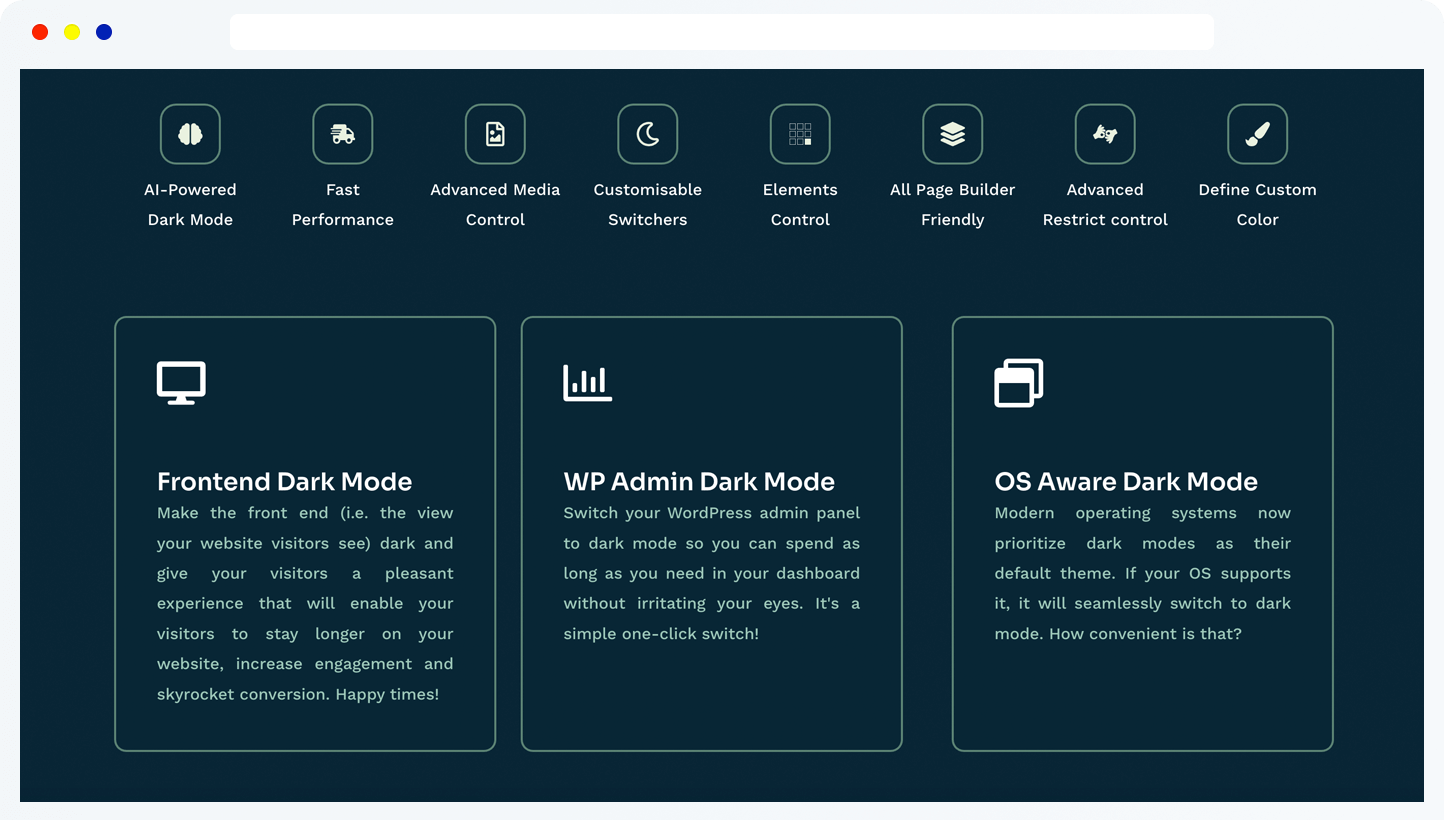
Prebuilt dark mode color presets applied on frontend pages 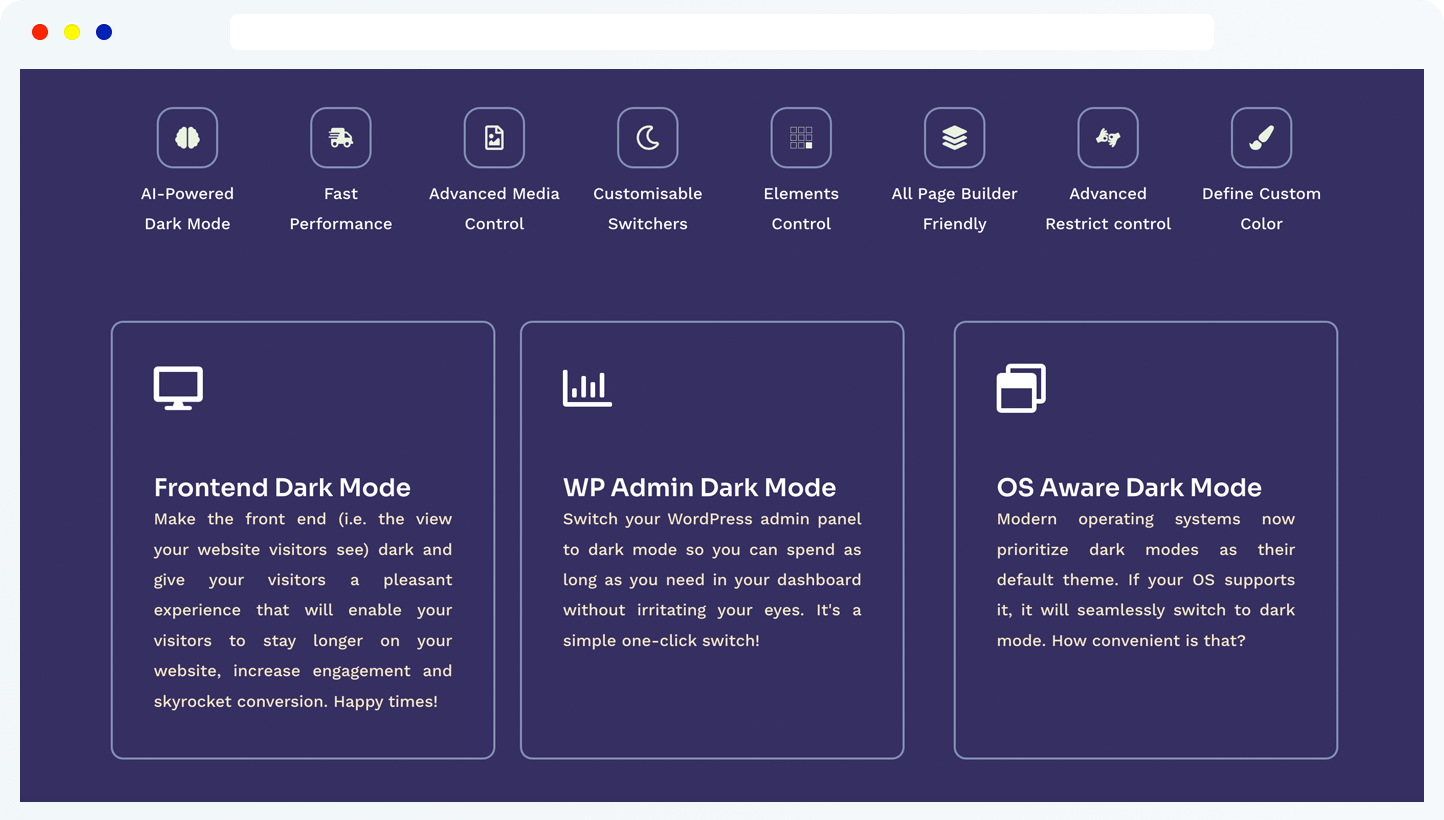
Custom dark theme colors and UI styling controls for dark mode 
Different dark mode styles and visual presets on the website frontend 
WordPress admin dashboard dark mode settings and controls 
Dark mode switch configuration inside the WordPress admin panel 
Dark mode color customization options for admin dashboard and editors 
Image and media brightness controls optimized for dark mode 
Advanced dark mode visibility rules, page targeting, and element exclusions


Installation
AUTOMATIC INSTALLATION (EASIEST WAY)
- Visit Plugins > Add New.
- Search for Darkify Dark Mode.
- Install and activate the Darkify plugin.
MANUAL INSTALLATION
Uploading in WordPress Dashboard
- Download darkify.zip
- Navigate to the ‘Add New’ in the plugins dashboard
- Navigate to the ‘Upload’ area
- Select darkify.zip from your computer
- Click ‘Install Now’
- Activate the plugin in the Plugin dashboard
Using FTP
- Download darkify.zip
- Extract the darkify folder to your computer
- Upload the darkify folder to the /wp-content/plugins/ directory
- Activate the plugin in the Plugin dashboard
After activation
- Go ‘Darkify’ Menu from the left panel of admin
- Configure settings as you want.
FAQ
-
Can I enable Dark Mode only for the WordPress Admin Dashboard?
-
Yes! You can choose to enable Dark Mode specifically for the Admin Panel, Block Editor (Gutenberg), and Classic Editor from the Admin settings, even if the frontend is disabled.
-
Does Darkify support automatic switching based on OS settings?
-
Absolutely. You can enable the OS Aware Dark Mode feature, which automatically detects if a user is using a dark or light theme on their device (macOS, Windows, iOS, or Android) and matches your site accordingly.
-
Is it possible to schedule Dark Mode for specific hours?
-
Yes, the plugin includes a Time Based Auto Dark Mode feature where you can pick a specific “From” and “To” time to automate the transition based on the user’s local time.
-
Can I customize the appearance of the dark mode switch?
-
Yes, Darkify offers a wide range of Switch Togglers (e.g., Classic, Inner Moon, Duality). You can also fully customize the switch background, size, icon color, and border.
-
Does the plugin allow me to exclude certain pages or elements?
-
Yes, the Advanced settings allow you to disallow Dark Mode on specific page slugs. You can also fine-tune the experience by allowing or disallowing specific HTML elements, tags, or CSS IDs.
-
Will my images and videos look too bright in Dark Mode?
-
Darkify includes Image and Video Controls that allow you to lower brightness, apply grayscale levels, or even replace specific media files with dark-mode-optimized versions to maintain a perfect aesthetic.
-
Can I change the color scheme to match my brand?
-
Definitely. You can choose from several Color Presets (like Midnight Reverie or Verdant Depths) or manually customize the background, text, link, and button colors.
-
Does Darkify clean up data when uninstalled?
-
Yes, under the Extras tab, you have an option to clean up all plugin data and settings when the plugin is deleted, keeping your database clean and optimized.
-
Does Darkify work with Elementor and other Page Builders?
-
Yes! Darkify is fully compatible with popular page builders like Elementor, Divi, WPBakery, Beaver Builder, and Oxygen. It automatically adapts to their structures for a seamless dark mode experience.
-
Will Darkify slow down my website loading speed?
-
Not at all. Darkify is built with a performance-first approach. It is extremely lightweight, uses optimized CSS/JS, and works perfectly with caching plugins like WP Rocket, W3 Total Cache, and LiteSpeed Cache.
-
Is this plugin compatible with WooCommerce?
-
Yes, Darkify is WooCommerce ready. It applies dark mode styling to WooCommerce pages such as product, cart, and checkout layouts.
-
Do I need any coding knowledge to use this plugin?
-
No coding is required. You can manage everything—from color presets to switch styles—through our intuitive settings dashboard.
-
Is Darkify Dark Mode GDPR compliant?
-
Darkify does not collect personal data and stores user preferences locally in the browser.
Reviews


Contributors & Developers
“Darkify – Dark Mode & Night Mode for Website and Admin Dashboard” is open source software. The following people have contributed to this plugin.
Contributors


Translate “Darkify – Dark Mode & Night Mode for Website and Admin Dashboard” into your language.
Interested in development?
Browse the code, check out the SVN repository, or subscribe to the development log by RSS.
Changelog
1.4.20 – 14 January 2026
- Removed Appsero integration.
- Improved internal code structure.
1.4.19 – 01 January 2026
- Updated: Plugin readme.
1.4.18 – 21 December 2025
- Tested: WordPress 6.9 compatibility.
1.4.17 – 16 December 2025
- Fixed: Fatal error with Avada (Fusion Builder) latest version.
1.4.16 – 09 December 2025
- Fixed: Gutenberg Block Editor dark mode issue.
1.4.15 – 21 November 2025
- Fixed: Admin panel dark mode rendering issue when used with MainWP.
1.4.14 – 15 November 2025
- Fixed: Time-Based Dark Mode time picker issue.
1.4.13 – 12 November 2025
- Added: New switch toggler styles.
- Added: Option to enable/disable Dark Mode in the Block Editor.
- Added: Option to enable/disable Dark Mode in the Classic Editor.
- Fixed: JavaScript error causing unexpected behavior.
- Improved: Overall code performance and maintainability.
- Security: Ensured proper data sanitization, validation, and escaping.
1.4.12 – 25 October 2025
- Tested: WordPress 6.8.3 compatibility.
- Improved: Internal code structure.
1.4.11 – 24 September 2025
- Added: Proper nonce verification (
check_ajax_referer) for all AJAX requests and admin submissions. - Fixed: Ensured nonce validation runs early and cannot be bypassed.
- Removed: Direct review/rating links from admin pages (per WordPress.org guidelines).
- Updated: Plugin title and descriptions to remove redundant use of the word “Plugin”.
- Documented: External services usage where applicable.
- Removed: All external CDN/script/image calls; assets are now bundled locally.
1.4.10 – 23 September 2025
- Updated: Switched to WordPress core libraries (e.g. CodeMirror via
wp_enqueue_code_editor). - Improved: Compatibility with WordPress security standards.
- Updated: Bundled PHP libraries to latest stable versions.
- Added:
composer.jsonfor dependency management. - Added: Proper escaping and translation-ready strings.
1.4.9 – 17 September 2025
- Added: Documentation and demo links for all fields.
1.4.8 – 30 August 2025
- Fixed: PHP warning related to missing default function arguments.
1.4.7 – 30 August 2025
- Added: Labels and descriptions for option fields.
- Fixed: Custom CSS field parsing issue.
1.4.6 – 11 August 2025
- Added: Option to display the switcher before or after menu items.
1.4.5 – 24 July 2025
- Fixed: Flickering issue on browser refresh when default dark mode is enabled.
- Added: Instructional videos in the admin panel.
1.4.4 – 16 June 2025
- Fixed: Tooltip display issue.
1.4.3 – 01 June 2025
- Added: Demo links for color presets.
1.4.2 – 26 May 2025
- Improved: Preset colors for better UI element visibility.
- Fixed: Uncode theme dark mode loading issue on page reload.
- Fixed: Switcher shortcode animation issue.
1.4.1 – 21 May 2025
- Updated: Plugin settings URL.
1.4.0 – 15 May 2025
- Updated: Redesigned admin UI/UX.
- Updated: CSS and JS codebase for performance and maintainability.
- Fixed: Invert specific images option.
- Fixed: Low brightness option issue.
- Fixed: Time-based auto dark mode.
- Fixed: Admin notice display issue.
- Added: Help tooltips in settings.
1.3.5 – 22 April 2025
- Fixed: Translation-related warning in WordPress 6.8.
1.3.4 – 08 April 2025
- Tested: WordPress 6.8 compatibility.
- Updated: Plugin help page content.
- Updated: Readme content.
1.3.3 – 06 April 2025
- Improved: Internal code structure.
1.3.2 – 24 March 2025
- Improved: Code formatting and variable handling.
- Fixed: Minor PHP warnings.
1.3.1 – 21 March 2025
- Updated: Readme file.
- Added: Screenshots for better documentation.
- Fixed: PHP warnings.
1.3.0 – 20 March 2025
- Updated: Core plugin architecture and added autoloading.
- Updated: Admin options for improved usability.
1.2.5 – 19 March 2025
- Fixed: Flickering issue on browser refresh.
- Added: Help tab in plugin options.
1.2.4 – 03 March 2025
- Fixed: Translation warning.
- Tested: WordPress 6.7.2 compatibility.
1.2.3
- Tested: WordPress 6.7.1 compatibility.
1.2.2
- Tested: WordPress 6.7 compatibility.
1.2.1
- Improved:
DRK_Fieldsclass structure. - Updated: Compatibility with latest WordPress and PHP versions.
1.1.0
- Added: Switcher shortcode copy option in admin panel.
- Added: Pro version link on plugin list page.
1.0.1
- Fixed: Plugin URL issue.
1.0.0
- Initial release.
