

Deskripsyon
Keep Tracks of each plugin’s last active datetime, helpful to find obsolete plugins for deletion.
Features:
- No Complex Settings
- WP Settings Date Timezone
- View Last Time Activity In Plugin’s List View Page
Mga Screenshot
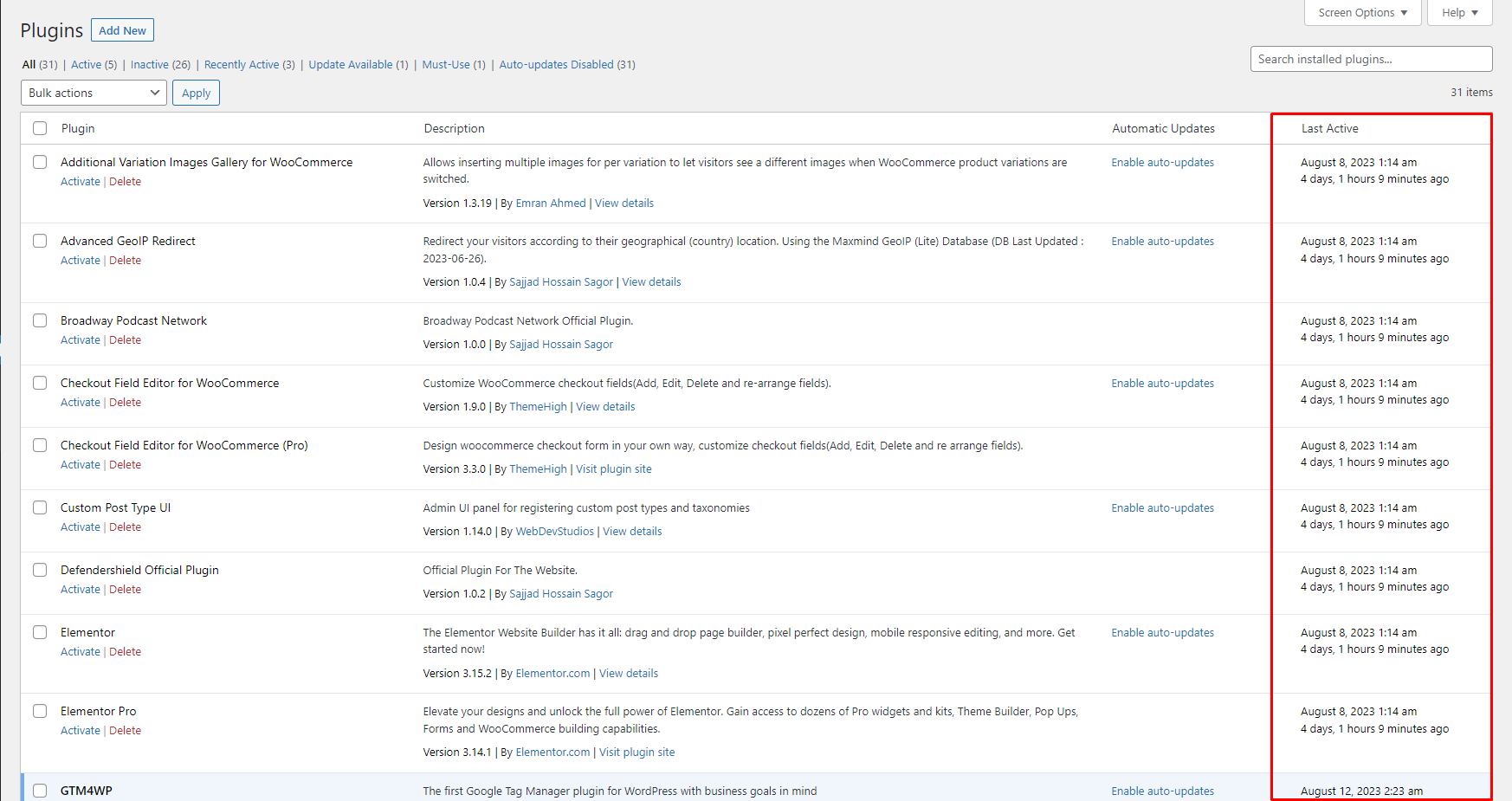
Dashboard.

Pag-install
To add a WordPress Plugin using the built-in plugin installer:
Go to Plugins > Add New.
- Type in the name “Last Activity” in Search Plugins box
- Find the “Last Activity” Plugin to install.
- Click Install Now to begin the plugin installation.
- The resulting installation screen will list the installation as successful or note any problems during the install.
If successful, click Activate Plugin to activate it, or Return to Plugin Installer for further actions.
To add a WordPress Plugin from GitHub repo / plugin zip file :
1. Go to WordPress plugin page
2. Click Add New & Upload Plugin
3. Drag / Click upload the plugin zip file
4. The resulting installation screen will list the installation as successful or note any problems during the install.
If successful, click Activate Plugin to activate it, or Return to Plugin Installer for further actions.
FAQ
-
How to use this plugin?
-
Just activate the plugin, you are good to go. Go to the plugins page /wp-admin/plugins.php and see the last active date.
Mga Review
Wala pang reviews para sa plugin na ito.
Mga Contributor at Developer
Ang “Last Activity” ay open source software. Ang mga sumusunod na tao ay nag-ambag sa plugin na ito.
Mga Contributor
Isalin ang “Last Activity” sa iyong wika.
Interesado sa development?
Tingnan ang code, i-check ang SVN repository, o mag-subscribe sa development log sa pamamagitan ng RSS.
Changelog
2.0.3
- Compatibility checkup for latest wp version 6.9
2.0.2
- Minor fix
2.0.1
- Checked for latest wp version 6.8
2.0.0
- Compatibility check for wp 6.7
1.0.1
- Compatibility check for wp 6.6
1.0.0
- Initial release.
