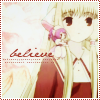
Here's a signature tutorial, sized at around 400x150, and involves color editing, some brush work, and some texture work. It's designed for beginners who are interested in working with color edits and putting together a simple signature from a picture. It's a little longer due to more further explanation and extra tips as well through personal experience. Feel free to use to get ideas and inspirations for your own creations. <3 Enjoy!
Program Used: Photoshop 7.0, and therefore easily useable for other later versions. Translatable: I believe so, yes. Difficulty: Beginner to Medium, depending on how fancy you want your overall product to be. PSD: Available upon request.
Program: GIMP Translatable: Yes Steps: 10 (image heavy) Difficulty: Medium. Requres: A basic knowledge of your program, and a willingness to play around with your program a lot to get the results. Warnings: This is not my best tutorial, so if you wanted to learn exactly how to get that yellow-ish coloring, you'll have to be really patient with me... because I'm not very specific on the coloration process.
Program: GIMP Translatable: Yes Steps: 8 (image heavy) Difficulty: Easy/Medium depending on if you can understand my explanations. Requres: A basic knowledge of your program
Okay, so these Photoshop and GIMP tutorials are geared more towards newbies, hence the many pretty, colourful pictures. <3
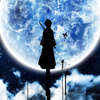
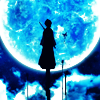
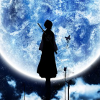
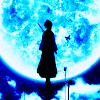
I just tried out GIMP today so that I can sort of translate the Rukia colouring (because I just like it) from Photoshopalese to GIMPlese for my bbs. Yeah, like I'm in the place to call them that. They're old enough to be my grandmothers. XD
Program: GIMP 2 Steps: 16 (though some can be omitted) Difficulty: Uber easy. Like, seriously. 8D
The final icon is a bit brighter than the one made with Photoshop. That's basically because GIMP doesn't have Exclusion layers to mute the colours, but it still works all the same, so. x3
Making a Wallpaper / Image Manipulation Program: GIMP Translatable: Yes Steps: 6 (with lots of instructions) Difficulty: Medium to hard depending on your skill set Requres: A basic knowledge of GIMP, patience, music, and time
Program:Photoshop CS3 Difficulty:Easy [All relevant steps are explained in detail, along with the tools used] Number of steps: 12 Translatable: No, given that it uses a Selective Color layer. Warnings: Teal deer. It's my trademark, after all.


![[info]](https://l-stat.livejournal.com/img/userinfo.gif?v=91.6)
 tired
tired to
to 

 blah
blah to
to 
 to
to 
 to
to 
 thirsty
 to
to 
 ===>
===> 
 ===>
===> 
 to
to 
 to
to 
 to
to 
 pleased


 to finish
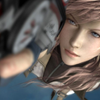 >>
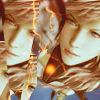
>> 
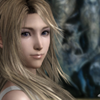 >>
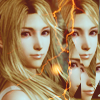
>> 
 >>
>> 
 >>
>> 
 >>
>> 
 >>
>> 


 to
to 
 >>
>>