Customer-centricity
Customer’s success is our success
Relationship-building
Long-term relationships with clients
Security & trust
Quality, confirmed by certifications and years of self-improvement

A company awarded for results and values:





TTMS leverages cutting-edge IT technologies and fields: Salesforce, AEM, Microsoft solutions, Webcon BPS, Snowflake and e-Learning.


We are firmly rooted in the defense and pharmaceutical sectors, however, our solutions also drive business in other markets, such as industry or education




























MLN EUR
revenue in 2024
–IN– 6
__LOCATIONS_IN_COUNTRIES
experts
timezones
technological areas
since
ON THE IT MARKET
Customer’s success is our success
Long-term relationships with clients
Quality, confirmed by certifications and years of self-improvement
The most significant trends in e-learning for 2026 represent fundamental shifts in how people acquire and apply knowledge at work. Organizations recognizing these patterns early gain competitive advantages in talent development and workforce adaptability. This article explores ten transformative trends reshaping online learning, examining both possibilities and practical implementation challenges to help you determine which innovations suit your organization. 1. 2026 E‑Learning Trends: How Next‑Gen Technologies Influence the Future of Online Learning Technology advances at different speeds across sectors. What works for global tech companies may not suit manufacturing firms or healthcare organizations. The latest trends in e-learning reflect this diversity, offering solutions scalable from small teams to enterprise deployments. Artificial intelligence now handles tasks requiring weeks of instructional designer time. Immersive technologies deliver hands-on practice without physical equipment. Analytics reveal learning gaps before they impact performance. The elearning industry trends gaining traction share common characteristics: they reduce friction, personalize without manual intervention, and connect learning directly to workflow. 2. AI-Powered Personalization Transforms Learning Experiences Generic training frustrates learners and wastes resources. Modern AI systems adjust content difficulty and pace automatically, analyzing thousands of data points per learner to predict which concepts will challenge specific individuals.Customer education teams are increasingly planning to incorporate AI into their learning strategies, reflecting a growing recognition of the value of personalized learning experiences. This shift goes far beyond simple branching logic. AI-driven systems can detect patterns that are difficult for humans to identify and proactively recommend supportive resources before disengagement or frustration occurs. 2.1 Adaptive Learning Paths Based on Real-Time Performance Traditional courses follow linear paths regardless of learner performance, wasting time for quick learners while leaving struggling students behind. Adaptive systems monitor quiz results, time spent on modules, and interaction patterns to adjust content flow dynamically. A learner who consistently answers questions correctly receives more challenging material sooner. Someone struggling with foundational concepts gets supplemental examples before advancing, maintaining engagement while ensuring comprehension. The technology tracks granular performance metrics beyond simple pass-fail scores, identifying specific concept gaps for targeted remediation instead of reviewing entire modules. 2.2 AI-Generated Content and Automated Course Creation Creating quality learning content traditionally requires significant time and specialized skills. AI-powered tools now generate courses from existing documentation, presentations, and process descriptions, structuring information logically, adding relevant examples, creating assessment questions, and suggesting multimedia elements. These systems don’t just convert text to slides. Human reviewers refine the output, but initial content creation happens in minutes rather than weeks. This acceleration proves valuable for rapidly changing industries where outdated training creates compliance risks or operational inefficiencies. Automated course creation democratizes content development. Department heads can produce training materials without waiting for instructional design teams. 2.3 Intelligent Learning Assistants and Chatbots Learners often need immediate answers while applying new skills. AI chatbots provide instant support, answering questions about course content, clarifying procedures, and guiding learners to relevant resources. Advanced assistants understand context from conversation history, learning from interactions to improve answer quality. These tools extend learning beyond scheduled training sessions. Employees access support precisely when needed, reinforcing knowledge application in real work situations. The technology captures data showing where learners consistently struggle, providing insights for course improvement. 3. Immersive Technologies Deliver Hands-On Training at Scale Some skills require practice with physical equipment or dangerous situations unsuitable for novices. Virtual and augmented reality systems simulate environments where mistakes become learning opportunities without real-world consequences, solving practical training challenges across multiple locations without transporting equipment or employees. 3.1 Virtual Reality for Skills-Based Learning Virtual reality creates fully immersive training environments replicating real-world conditions. Modern VR training extends beyond basic simulation, tracking head position, hand movements, and decision timing for detailed performance feedback. Instructors review recorded sessions, identifying improvement areas that might go unnoticed during live observation. 3.2 Augmented Reality for On-the-Job Support Augmented reality overlays digital information onto physical environments through smartphone cameras or specialized glasses. A maintenance technician points their device at unfamiliar equipment and sees step-by-step repair instructions superimposed on actual components. This just-in-time learning support reduces errors and accelerates task completion. AR excels at supporting infrequent tasks where training retention proves challenging. Annual maintenance procedures, rarely used equipment operations, or emergency protocols become accessible exactly when needed. Workers follow visual guides overlaid on their work area, reducing reliance on printed manuals or memorization. The technology bridges knowledge gaps in distributed workforces. Remote experts see what field workers see, providing real-time guidance through shared augmented views, reducing downtime and eliminating travel costs for expert consultations. 3.3 Mixed Reality Collaborative Environments Mixed reality combines virtual and physical elements, enabling teams in different locations to interact with shared digital objects as if occupying the same space. Engineers in different countries examine the same 3D product model, making annotations visible to all participants. Training scenarios requiring teamwork benefit particularly from mixed reality. Emergency response teams practice coordinated procedures across locations. Sales teams role-play client presentations with colleagues appearing as realistic avatars. These environments adapt to various learning objectives, from complex system troubleshooting to leadership training incorporating realistic team dynamics. 4. Microlearning and Just-in-Time Knowledge Delivery Attention spans are shrinking. Learners want targeted information quickly without comprehensive courses. Microlearning delivers focused content in three to seven-minute sessions, addressing specific topics without extraneous context. This approach is now widely used by L&D teams, reflecting its growing adoption across organizations This approach aligns well with modern work patterns, where employees often fit learning into short moments between meetings or tasks. Organizations commonly observe stronger engagement and higher course completion with microlearning than with longer, traditional training formats, particularly when learning experiences incorporate elements of gamification. 4.1 Mobile-First Learning Experiences Smartphones are ubiquitous. Mobile-first approaches prioritize small screens, touch interfaces, and intermittent connectivity from the outset, producing content that works seamlessly across devices and recognizes how people actually learn. Commuters access training during travel. Field workers reference procedures on job sites. Effective mobile learning leverages device capabilities. Location awareness triggers relevant content based on worker position. Camera integration enables augmented reality features. Push notifications remind learners about pending courses. These native features enhance engagement beyond what desktop experiences provide. 4.2 Spaced Repetition for Long-Term Retention Learning something once rarely ensures long-term retention. Spaced repetition addresses this by strategically reviewing content at increasing intervals, moving knowledge from short-term to long-term memory. Modern learning platforms automate spaced repetition scheduling. Systems track which concepts learners struggle with and adjust review frequency accordingly. Difficult material appears more often initially, with gradually extending intervals as mastery develops. The technique proves especially valuable for compliance training, product knowledge, and procedural skills. Periodic reinforcement maintains competency without requiring full course repetition, sustaining performance improvements and reducing error rates. 5. Data-Driven Learning Analytics and Insights Training departments traditionally struggled to demonstrate value beyond activity metrics. Advanced analytics now connect learning activities to performance outcomes, revealing which interventions produce measurable results. Modern systems track detailed engagement patterns, analyzing time spent on specific modules, interaction frequency, assessment performance, and content revisits. TTMS provides Business Intelligence solutions including advanced analytics tools that transform raw data into actionable insights. These capabilities apply equally to learning environments, where data-driven decisions improve outcomes and optimize resource allocation. 5.1 Measuring Learning Effectiveness Beyond Completion Rates Finishing a course doesn’t guarantee competence. Learners might rush through content, skip sections, or forget material immediately. Effective measurement examines behavioral changes, skill application, and performance improvements following training. Advanced analytics correlate training completion with observable outcomesd customer satisfaction scores improve after service training? Has error frequency decreased following quality procedures courses? These connections demonstrate actual learning impact rather than just activity completion. Assessment quality matters significantly. Multiple-choice questions test recall but not application. Scenario-based evaluations, simulations, and practical demonstrations provide better evidence of competency. 5.2 Predictive Analytics for Learner Success Historical data patterns predict future outcomes. Learners exhibiting certain behaviors early in courses show higher dropout risk. Specific quiz result patterns indicate concept misunderstanding likely to cause downstream struggles. Predictive analytics identify these indicators, enabling proactive interventions before problems escalate. Systems flag at-risk learners for additional support. Instructors receive alerts about students requiring attention, along with specific struggle areas. Automated interventions might assign supplemental resources, schedule coaching sessions, or adjust learning paths. This approach improves completion rates and learning outcomes simultaneously. Early interventions prevent frustration and disengagement. Learners receive support precisely when needed, maintaining momentum toward course completion. 6. Engagement Innovations: Gamification and Social Learning Passive content consumption produces poor learning outcomes. Engaged learners retain more information and apply knowledge more effectively. Gamification and social features transform training from isolated obligation into engaging experience, tapping fundamental human psychology: competition drives achievement, recognition satisfies social needs, progress visualization creates satisfaction. 6.1 Game Mechanics That Drive Behavior Change Points, badges, leaderboards, and achievement systems add game-like elements to learning experiences. These mechanics create extrinsic motivation complementing intrinsic learning goals. Learners work toward visible progress markers, maintaining engagement through achievement cycles. Effective gamification aligns game elements with learning objectives. Points reward desired behaviors like module completion or peer assistance. Badges recognize skill mastery rather than mere participation. Leaderboards foster healthy competition without creating excessive pressure. Poorly implemented gamification backfires. Overemphasis on competition discourages struggling learners. Meaningless points systems feel manipulative. Successful approaches balance challenge with achievability, ensuring game elements enhance rather than distract from learning goals. 6.2 Peer-to-Peer Learning and Community Features Isolation diminishes learning effectiveness. Discussion forums, collaborative projects, and peer feedback create communities where learners support each other. Explaining concepts to peers reinforces understanding. Observing different approaches broadens perspective. Social connections increase commitment and reduce dropout rates. Modern platforms facilitate various collaborative activities. Learners share resources, discuss applications, and solve problems together. Experienced employees mentor newcomers through built-in communication tools. User-generated content supplements formal training materials, capturing practical insights instructors might miss. Community features work particularly well for complex topics and ongoing professional development. Learners access collective knowledge exceeding any individual instructor’s expertise. 7. Blended and Hybrid Learning Models Mature Pure online learning suits some situations poorly. Hands-on skills, team-building activities, and complex discussions benefit from face-to-face interaction. Blended approaches combine online content delivery with strategic in-person sessions, optimizing both flexibility and effectiveness. This model allocates each component to its strengths. Online modules deliver foundational knowledge at individual pace. In-person sessions focus on practice, discussion, and relationship building. Learners arrive at physical sessions prepared, maximizing valuable face-to-face time. The approach accommodates diverse learning preferences while controlling costs. Organizations reduce classroom time and travel expenses without sacrificing learning outcomes. Remote employees access quality training previously requiring relocation. 8. Multimodal Content for Diverse Learning Preferences People process information differently. Some prefer reading, others learn better through videos or hands-on practice. Offering multiple content formats accommodates diverse preferences, improving comprehension and retention across learner populations. This variety also maintains engagement, preventing monotony while reinforcing concepts through different modalities. 8.1 Video-Based Learning Evolution Video dominates modern content consumption. Learners expect production quality matching streaming services, with professional audio, clear visuals, and engaging presentation. Interactive video extends beyond passive viewing with embedded quizzes that pause content at key points and branching scenarios that let learners make decisions altering video direction. Production quality matters less than relevance and clarity. Authentic subject matter experts connecting genuinely with viewers often outperform polished but sterile professional productions. Organizations increasingly create internal video content, capturing institutional knowledge through peer-to-peer instruction. 8.2 Interactive and Scenario-Based Content Static content limits learning effectiveness. Interactive elements requiring active participation increase engagement and retention through drag-and-drop activities, clickable diagrams, and decision trees. Scenario-based training presents realistic situations requiring knowledge application. A customer service representative handles simulated difficult client interactions. A manager navigates budget constraints and team conflicts. These scenarios build decision-making skills and confidence before real-world consequences arise. Effective scenarios include realistic complexity. Simple right-wrong answers fail to capture workplace ambiguity. Better designs present trade-offs where multiple approaches have merit, developing critical thinking alongside technical knowledge. 9. Declining Trends: What’s Being Left Behind in 2026 Not all e-learning approaches remain relevant. Recognizing declining trends helps organizations avoid investing in outdated methods that fail to deliver results or align with modern learner expectations. Lengthy, text-heavy courses lose ground to microlearning and multimedia content. Learners expect concise, visually engaging materials matching modern content standards. Dense PDF documents and hour-long narrated slideshows feel antiquated compared to interactive alternatives. Organizations clinging to these formats face declining completion rates and poor knowledge retention. One-size-fits-all training gives way to personalization. Generic courses ignoring learner background and preferences produce poor outcomes, with studies showing learners abandon courses that don’t match their skill levels or learning styles. The cost of creating generic content that serves no one well often exceeds investment in adaptive systems delivering tailored experiences. Synchronous-only training limits participation. Requiring everyone to attend at scheduled times creates scheduling conflicts and excludes global teams across time zones. This approach particularly fails for organizations with distributed workforces or employees working non-traditional hours. Asynchronous options with occasional live sessions provide flexibility while maintaining community benefits. Pure synchronous approaches serve niche needs but fail as primary delivery methods. Static, non-responsive content loses relevance as mobile learning dominates. Courses designed exclusively for desktop computers frustrate mobile users, who now represent the majority of learners accessing training during commutes, breaks, or field work. Organizations maintaining desktop-only content face accessibility barriers limiting training effectiveness. Certification-focused training without practical application declines in value. Learners increasingly demand training that solves immediate work problems rather than collecting credentials. Programs emphasizing certification completion over skill development see poor knowledge transfer and limited business impact. 10. Choosing the Right Trends for Your Organization Innovation for innovation’s sake wastes resources. Not every organization needs virtual reality training or AI-generated content immediately. Strategic trend adoption requires honest assessment of current challenges, available resources, and realistic implementation timelines. 10.1 Assessing Your Learning Needs and Infrastructure Understanding current state precedes improvement planning. Conduct learning needs analysis identifying skill gaps, performance issues, and compliance requirements. Evaluate existing technical infrastructure, including learning management systems, content libraries, and integration capabilities. Stakeholder input proves essential. Learners describe current training frustrations. Managers identify performance gaps that training should address. IT teams explain technical constraints. This comprehensive perspective ensures solutions address actual needs rather than perceived problems. Consider workforce characteristics. A largely mobile workforce requires different solutions than office-based employees. Distributed international teams need alternatives to traditional classroom training. Technical sophistication varies, influencing appropriate complexity for new systems. 10.2 Common Implementation Challenges and How to Address Them Modern e-learning technologies promise transformative results, but implementation faces real barriers that organizations must address honestly. Understanding these challenges prevents costly missteps and sets realistic expectations. Cost and Infrastructure Limitations present the most immediate barrier. Upgrading to high-speed internet, modern devices, and VR/AR hardware proves expensive, especially for organizations with distributed locations or remote workforces. AI and adaptive platforms demand reliable connectivity, compatible devices, and cloud infrastructure. VR training may not justify costs for small teams under 50 employees, while AI personalization requires minimum data sets from hundreds of learners to function effectively. Legacy LMS integration adds further expenses without guaranteed ROI. Organizations should start with pilot programs targeting high-value use cases before enterprise-wide deployments.proves expensive, especially for organizations with distributed locations or remote workforces. AI and adaptive platforms demand reliable connectivity, compatible devices, and cloud infrastructure. VR training may not justify costs for small teams under 50 employees, while AI personalization requires minimum data sets from hundreds of learners to function effectively. Legacy LMS integration adds further expenses without guaranteed ROI. Organizations should start with pilot programs targeting high-value use cases before enterprise-wide deployments. Educator and Administrator Preparedness significantly impacts success. Teachers and training managers often lack training for AI-driven tools, VR/AR facilitation, or adaptive platforms, leading to underutilization of expensive systems. Without embedded professional development, instructors revert to familiar passive methods, reducing adaptive learning effectiveness. Organizations must invest in ongoing training for learning teams alongside technology purchases. Data Privacy and Security Risks escalate with AI platforms capturing sensitive data including biometrics, performance metrics, and behavioral patterns. Breaches and GDPR/COPPA compliance concerns erode trust, particularly in healthcare, finance, or education sectors handling protected information. Ethical AI use remains inconsistent, amplifying risks in proctoring or analytics-heavy implementations. Organizations must establish clear data governance policies before deploying AI-powered systems. clear data governance policies before deploying AI-powered systems. Technical Glitches and User Experience Issues frequently derail implementations. Poor UX overwhelms users, while VR sessions disrupted by connectivity issues frustrate learners and damage credibility. Organizations should conduct thorough testing with representative user groups and maintain robust technical support during rollouts. robust technical support during rollouts. 10.3 Implementation Priorities and Quick Wins Beginning with high-impact, low-complexity initiatives builds confidence and demonstrates value. Migrating existing courses to mobile-friendly formats requires minimal technical investment but significantly improves accessibility. Adding basic gamification elements to current content boosts engagement without complete redesign. Identify pain points causing the most friction. If lengthy courses show high dropout rates, implement microlearning modules. If learners struggle finding relevant resources, improve search and recommendation systems. Addressing concrete problems generates measurable improvements that justify continued investment. TTMS specializes in Process Automation and implementing Microsoft solutions including Power Apps for low-code development. These capabilities enable rapid prototyping and deployment of learning solutions, allowing organizations to test innovations quickly and refine approaches based on actual user feedback. 11. How TTMS Can Help Your Organisation Develop Newer E‑Learning Solutions Organizations face challenges navigating innovation in e-learning. Technology options proliferate. Vendor claims promise transformative results. Separating realistic solutions from hype requires expertise spanning educational theory, technology implementation, and change management. TTMS brings comprehensive experience across these domains. As a global IT company specializing in system integration and automation, TTMS understands both technical capabilities and practical implementation challenges. The company’s E-Learning administration services combine with AI Solutions and Process Automation expertise to deliver integrated learning platforms matching organizational needs. As an IT implementation partner specializing in these solutions, TTMS helps organizations evaluate which trends align with their specific needs and constraints. Not every organization requires all these technologies, and implementation success depends on matching solutions to actual business challenges rather than following trends blindly. TTMS provides honest assessments of readiness, identifying where investments deliver meaningful returns versus where simpler approaches suffice. Implementation extends beyond technology deployment. TTMS helps organizations assess learning requirements, design solutions aligned with business objectives, and develop change management strategies ensuring user adoption. This comprehensive approach addresses the full implementation lifecycle from planning through ongoing optimization. The company’s certified partnerships with leading technology providers ensure access to cutting-edge capabilities. Whether implementing adaptive learning systems, integrating learning analytics with business intelligence platforms, or developing custom content authoring tools, TTMS provides expertise spanning the e-learning ecosystem. Organizations partnering with TTMS gain strategic guidance alongside technical implementation, maximizing investment value and learning outcomes. Modern workforce development requires more than purchasing platforms or content libraries. Success demands strategic vision, technical execution, and ongoing optimization as needs evolve. TTMS combines these elements, helping organizations navigate current trends in e-learning while building sustainable learning infrastructures supporting long-term business objectives. Contact us now if you are looking form e-learning implementation partner.
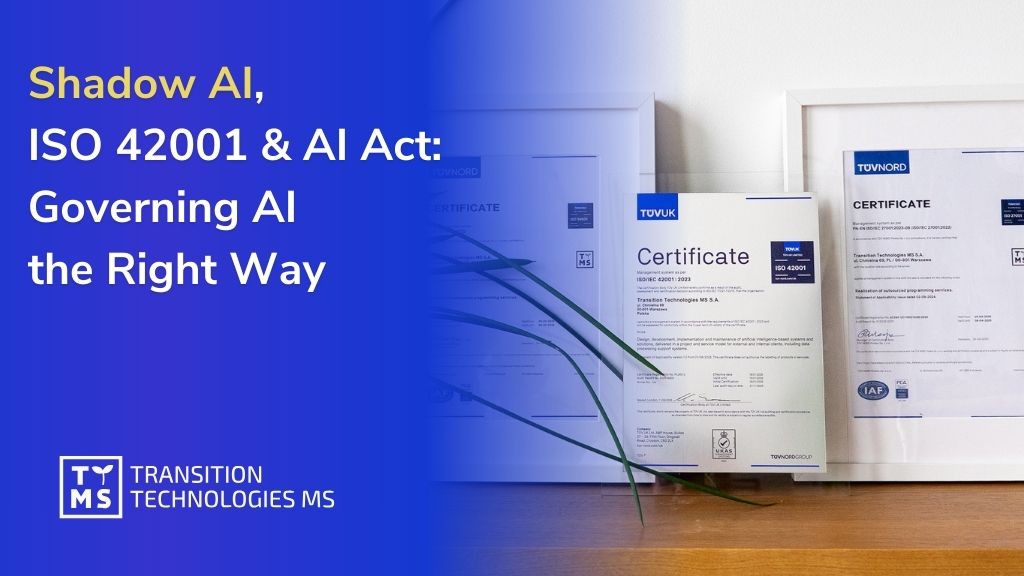
Read moreShadow AI refers to employees using generative AI tools and “AI features” without formal approval or oversight. It has become a board – level exposure rather than just an IT annoyance. Gartner’s 2025 survey of cybersecurity leaders found that 69% of organizations suspect or have evidence that staff are using prohibited public GenAI, and Gartner forecasts that by 2030 more than 40% of enterprises will experience security or compliance incidents linked to unauthorized Shadow AI. What makes Shadow AI uniquely dangerous (compared to classic shadow IT) is that it blends data handling with automated reasoning: sensitive inputs can leak (privacy, trade secrets, regulated data), outputs can be trusted too quickly (“machine trust”), and agentic or semi – autonomous use can amplify errors or exploitation at scale. Against this backdrop, ISO/IEC 42001 – the first international management system standard dedicated to AI – has become a practical way to operationalize AI governance: build an AI Management System (AIMS), create visibility, assign accountability, manage risk across the AI lifecycle, and continuously improve controls. 1. Why Shadow AI is now a board – level exposure Shadow AI spreads for the same reason shadow IT did: it’s fast, convenient, and often feels “cheaper” than waiting for procurement, security review, and architecture approval. But generative AI adoption has accelerated this dynamic. Early adoption often occurred outside corporate IT, leaving CIOs and CISOs struggling to regain visibility and control over tools that are already embedded in daily operations. The business risk profile is broader than “data leakage.” In practice, Shadow AI can create multiple simultaneous liabilities: Confidentiality and IP loss when employees paste regulated or proprietary information into tools outside organizational visibility. Security exposure (including new “attack surfaces”) when AI tools interact with identities, APIs, and internal infrastructure in ways existing controls do not anticipate. Decision risk when AI outputs influence customer, legal, HR, or financial actions without adequate human oversight, testing, or traceability. A key leadership challenge is that “banning AI” rarely works in practice; it tends to drive usage further underground. Modern guidance increasingly points toward governed enablement: approved tools, clear policies, audits, monitoring, and user education – so employees can innovate inside guardrails rather than outside them. 2. What ISO/IEC 42001 adds that most AI programs are missing ISO/IEC 42001 is an international standard that specifies requirements for establishing, implementing, maintaining, and continually improving an Artificial Intelligence Management System (AIMS) within an organization – whether you build AI, deploy AI, or both. Two practical points matter for executive sponsors and procurement leaders: First, ISO/IEC 42001 is a management system approach – comparable in structure and intent to other ISO management standards – so it is designed to be used alongside existing governance foundations like ISO/IEC 27001 (information security) and ISO/IEC 27701 (privacy). Second, the standard is not just a “policy exercise.” Practitioner guidance emphasizes that certification involves meeting a structured set of controls/objectives (often summarized as 38 controls across 9 control objectives) spanning areas such as risk and impact assessment, AI lifecycle management, and data governance. For Shadow AI specifically, ISO/IEC 42001 shifts an organization from “reacting to AI usage” to running AI as a governed capability: defining scope, establishing accountability, managing risks, monitoring performance, and improving controls continuously – so that unknown AI use becomes a governance failure to detect and correct, not an invisible norm. 3. How ISO 42001 turns Shadow AI into governed AI Shadow AI thrives where organizations lack four basics: visibility, risk discipline, lifecycle control, and oversight. ISO/IEC 42001 is valuable because it forces these to become repeatable operational processes rather than ad hoc interventions. Visibility becomes an explicit deliverable. In practice, AI governance starts with a clear inventory of where AI is used, what data it touches, and what decisions it influences. TTMS’ own guidance on certifications and governance frames AI governance exactly this way – inventory first, then controls, then auditability. A concrete pattern emerging among early ISO/IEC 42001 adopters is formal registries of AI assets and models. For example, CM.com describes establishing an “AI Artifact Resource Registry” documenting its AI models as part of its ISO 42001 program – illustrating the operational expectation that AI use is tracked and managed, not guessed. Risk management stops being optional. Gartner’s recommended response to Shadow AI includes enterprise – wide AI usage policies, regular audits for Shadow AI activity, and incorporating GenAI risk evaluation into SaaS assessments – measures that align with the management – system logic of ISO/IEC 42001 (policy → implementation → audit → improvement). Lifecycle control replaces “tool sprawl.” A consistent theme in ISO/IEC 42001 interpretations is lifecycle discipline – from design and development through validation, deployment, monitoring, and retirement – so that AI components are governed like other critical systems, with evidence and accountability across changes. Human oversight becomes a defined operating model. One of the most damaging Shadow AI patterns is “silent delegation”: employees rely on AI output without defined review thresholds or escalation paths. Modern governance frameworks stress that responsible AI use depends on roles, competence, training, and authority – so oversight is real, not nominal. The practical executive takeaway is straightforward: if your organization can’t confidently answer “where AI is used, by whom, on what data, and under what controls,” you are already in Shadow AI territory – and ISO/IEC 42001 is one of the clearest operational frameworks available to fix that. 4. EU AI Act pressure: Shadow AI becomes a compliance and liability problem The EU AI Act is rolling out in phases. The AI Act Service Desk summarizes a progressive timeline with a “full roll – out by 2 August 2027,” including: AI literacy provisions applicable from 2 February 2025; governance and general – purpose AI (GPAI) obligations applicable from 2 August 2025; and Annex III high – risk obligations (plus key transparency requirements) applying from 2 August 2026. For executive teams, two issues make Shadow AI particularly risky under the AI Act: If Shadow AI touches a high – risk use case, you may become a “deployer” with concrete obligations – without knowing it. The AI Act Service Desk’s summary of Article 26 highlights deployer duties including using systems according to instructions, assigning competent human oversight, monitoring operation, managing input data, keeping logs (at least six months), reporting risks/incidents to providers/authorities, and notifying workers/representatives when used in the workplace. The cost of getting it wrong is designed to be “dissuasive.” The European Commission’s communications on the AI Act describe top – tier fines reaching up to €35 million or 7% of global annual turnover (whichever is higher) for the most serious infringements, with lower but still significant fine tiers for other violations. It is also important – especially for 2026 planning – to acknowledge regulatory uncertainty around timelines. On 19 November 2025, the European Commission proposed targeted amendments (“Digital Omnibus on AI”) intended to smooth implementation. The European Parliament’s Legislative Train summary explains that the proposal would link high – risk applicability to the availability of harmonized standards/support tools (with an outer limit of 2 December 2027 for Annex III high – risk systems and 2 August 2028 for Annex I). In parallel, the EDPB and EDPS Joint Opinion discusses the same proposal and explicitly describes moving key high – risk start dates and extending certain “grandfathering” cut – off dates (e.g., from 2 August 2026 to 2 December 2027 in the proposal’s logic). Regardless of exact deadlines, the direction is stable: Europe is formalizing expectations around AI risk management, transparency, documentation, and oversight – precisely the areas where Shadow AI is weakest. TTMS’ analysis of the EU AI Act implementation highlights key milestones (including the GPAI Code of Practice and staged deadlines through 2027) and frames compliance as a leadership and reputation issue, not only a legal one. The European Commission describes the General – Purpose AI Code of Practice (published July 10, 2025) as a voluntary tool to help providers meet AI Act obligations on transparency, copyright, and safety/security. 5. Why TTMS is positioned to lead on AI governance TTMS treats AI governance as an operational discipline rather than a marketing claim. It is embedded in how AI solutions are designed, delivered, and monitored. In February 2026, TTMS became the first Polish company to receive ISO/IEC 42001 certification for an Artificial Intelligence Management System (AIMS), following an independent audit conducted by TÜV Nord Poland. This certification confirms that AI – related projects delivered by TTMS operate within a structured governance framework covering risk assessment, lifecycle control, accountability, and continuous improvement. For clients, this translates into measurable risk reduction. AI solutions are developed and deployed under defined oversight mechanisms, documented processes, and auditable controls. In the context of the EU AI Act and increasing regulatory scrutiny, this provides decision – makers with greater confidence that AI initiatives will not evolve into unmanaged compliance exposure. From a procurement perspective, ISO/IEC 42001 certification also reduces due diligence complexity. Enterprise and regulated buyers increasingly use formal certifications as pre – selection criteria. Working with a partner that already operates under an accredited AI management system lowers audit burden, shortens vendor evaluation cycles, and aligns AI delivery with existing governance and compliance frameworks. 6. Build governed AI with TTMS If you are responsible for AI investments, Shadow AI is the clearest warning sign that you need an AI governance operating model – not just new tools. ISO/IEC 42001 provides a structured, auditable way to build that operating model, while the EU AI Act increasingly raises the cost of undocumented, uncontrolled AI usage. For decision – makers who want to move fast without drifting into Shadow AI, TTMS has published practical, business – facing resources on what the EU AI Act means and how implementation is evolving, including TTMS’ EU AI Act overview and the 2025 update on code of practice, enforcement, and timelines. For procurement teams evaluating partners, TTMS also outlines the certifications that increasingly define “enterprise – ready” delivery capability (including ISO/IEC 42001). Below is TTMS’ AI product portfolio – each designed to address real business needs while fitting into a governance – first approach: AI4Legal – AI solutions for law firms that automate work such as analyzing court documents, generating contracts from templates, and processing transcripts to improve speed and reduce errors. AI4Content (AI Document Analysis Tool) – Secure, customizable document analysis that generates structured summaries/reports, with options for local or customer – controlled cloud processing and RAG – based accuracy improvements. AI4E – learning – An AI – powered authoring platform that turns internal materials into professional training content and exports ready – to – use SCORM packages for LMS deployment. AI4Knowledge – A knowledge management platform that becomes a central hub for procedures and guidelines, enabling employees to ask questions and retrieve answers aligned with company standards. AI4Localisation – An AI translation platform tailored to industry context and communication style, supporting consistent terminology and customizable tone across content. AML Track – AML compliance and screening software that automates customer verification against sanction lists, generates reports, and supports audit trails for AML/CTF processes. AI4Hire – AI – driven resume/CV screening and resource allocation support, designed to analyze CVs deeply (beyond keyword matching) and provide evidence – based recommendations. QATANA – An AI – powered test management tool that streamlines the test lifecycle with AI – assisted test case creation and secure on‑premise deployment options. FAQ What is Shadow AI and why is it a serious enterprise risk? Shadow AI refers to the use of generative AI tools, embedded AI features in SaaS platforms, or autonomous AI agents without formal approval, documentation, or oversight. For enterprises, this creates significant security and compliance exposure. Sensitive data may be entered into uncontrolled systems, intellectual property can be leaked, and AI-generated outputs may influence strategic, financial, HR, or legal decisions without validation. In regulated environments, uncontrolled AI usage can also trigger obligations under the EU AI Act. As AI becomes embedded in daily workflows, Shadow AI evolves from an IT visibility issue into a board-level risk management concern. How does ISO/IEC 42001 help organizations control Shadow AI? ISO/IEC 42001 establishes a formal Artificial Intelligence Management System (AIMS) that enables organizations to identify, document, assess, and monitor AI usage across the enterprise. Through structured AI risk management, lifecycle controls, accountability mechanisms, and defined human oversight processes, ISO 42001 certification helps eliminate uncontrolled AI deployments. Instead of reacting to unauthorized usage, companies implement a proactive AI governance framework that ensures transparency, traceability, and auditability. This structured approach significantly reduces the likelihood that Shadow AI will lead to security incidents, compliance failures, or regulatory penalties. How is ISO/IEC 42001 connected to the EU AI Act? Although ISO/IEC 42001 is a voluntary international standard and the EU AI Act is a binding regulation, the two frameworks are strongly aligned in practice. The AI Act introduces obligations for providers and deployers of high-risk AI systems, including documentation requirements, risk management procedures, monitoring obligations, and human oversight mechanisms. An AI Management System aligned with ISO 42001 supports these requirements by embedding governance discipline into everyday AI operations. Organizations that implement ISO/IEC 42001 are therefore better positioned to demonstrate AI Act compliance readiness, especially in areas related to AI risk control, transparency, and accountability. Why does ISO 42001 certification matter in procurement and vendor selection? For enterprise buyers and regulated organizations, ISO 42001 certification serves as independent confirmation that an AI provider operates within a formal AI governance and risk management framework. It indicates that AI solutions are developed, deployed, and maintained under documented controls covering lifecycle management, accountability, and continuous improvement. In many industries, certifications are increasingly used as pre-selection criteria during procurement processes. Choosing a partner with ISO/IEC 42001 certification reduces due diligence complexity, shortens vendor evaluation cycles, and lowers compliance and operational risk for decision-makers. How can organizations scale AI innovation while ensuring AI Act compliance? Scaling AI responsibly requires balancing innovation with governance discipline. Organizations should begin by mapping existing AI usage, identifying potential high-risk AI systems under the EU AI Act, and implementing structured AI risk management processes. Clear internal policies, defined oversight roles, data governance controls, and incident reporting procedures are essential. Establishing an AI Management System aligned with ISO/IEC 42001 provides a scalable foundation that supports both regulatory readiness and long-term AI innovation. Rather than slowing transformation, structured AI governance enables organizations to deploy AI solutions confidently while minimizing legal, financial, and reputational risk.
Read moreSoftware development timelines that stretch for months no longer match the pace of modern business. Organizations need applications deployed in weeks, not quarters, while maintaining quality and security standards. Low-code development addresses this challenge by transforming how companies build and deploy digital solutions, making application creation accessible to broader teams while accelerating delivery cycles. 87% of enterprise developers now use low-code platforms for at least some work, reflecting widespread adoption amid talent shortages. The shift represents more than technical shortcuts. These principles establish a framework for sustainable development that balances speed with governance, empowers business users while maintaining IT control, and scales individual projects into enterprise-wide transformation. TTMS has implemented low-code solutions across diverse industries, specializing in platforms like PowerApps and WebCon. Success depends less on platform features and more on adherence to fundamental principles that guide development decisions, governance structures, and organizational adoption strategies. 1. What Makes Low-Code Development Principles Essential Digital transformation initiatives face a persistent challenge: the gap between business needs and technical capacity continues widening. Traditional development approaches require specialized programming knowledge, lengthy development cycles, and significant resources. This creates bottlenecks that slow innovation and frustrate business teams waiting for IT departments to address their requirements. Low-code platforms reduce development time by up to 90% compared to traditional methods, fundamentally reshaping this dynamic. Organizations can respond faster to market changes, experiment with new solutions at lower cost, and involve business stakeholders directly in building the tools they need. The market reflects this value: Gartner predicts the low-code market will reach $16.5 billion by 2027, with 80% of users outside IT by 2026. Yet 41% of business leaders find low-code platforms more complicated to implement and maintain than initially expected. The principles of low code create guardrails that prevent the chaos of uncontrolled application sprawl. Without these guidelines, organizations risk security vulnerabilities, compliance failures, and unsustainable application portfolios. Business agility increasingly determines competitive advantage. 61% of low-code users deliver custom apps on time, on scope, and within budget. Companies that rapidly prototype, test, and deploy solutions gain market position, but only when organizations apply core principles consistently across their development initiatives. 2. Core Principles of Low-Code Development 2.1 Visual-First Development Visual interfaces replace code syntax as the primary development medium. Developers and business users arrange pre-built components, define logic through flowcharts, and configure functionality through property panels rather than writing lines of code. This approach reduces cognitive load and makes application structure immediately visible to technical and non-technical team members alike. PowerApps embodies visual-first development through its canvas and model-driven app builders. Users drag form controls, connect data sources, and define business logic through visual expressions. A sales manager can build a customer relationship tracking app by arranging galleries, input forms, and charts on a canvas, connecting each element to data sources through dropdown menus and simple formulas. WebCon takes this principle into workflow automation, where business processes appear as visual flowcharts. Each step in an approval process, document routing system, or quality control workflow appears as a node that users configure through forms rather than code. The visual approach accelerates learning curves significantly. New team members understand existing applications by examining their visual structure rather than reading through code files. 2.2 Component Reusability and Modularity Building applications from reusable components accelerates development while ensuring consistency. Instead of creating every element from scratch, developers assemble applications from pre-built components that encapsulate specific functionality. PowerApps component libraries enable teams to create custom controls that appear across multiple applications. An organization might develop a standardized address input component that includes validation, postal code lookup, and formatting. Every app requiring address entry uses this identical component, ensuring consistent user experience and data quality. Updates to the component automatically propagate to all applications using it. WebCon’s process template library demonstrates modularity at the workflow level. Common approval patterns, document routing logic, and notification sequences become reusable templates. When building a new purchase requisition process, developers start with a standard approval template rather than configuring each step manually. This reusability extends to entire application patterns. Organizations identify recurring needs across departments and create solution templates that address these patterns. Customer feedback collection, equipment maintenance requests, and expense approvals share similar structures. Templates capturing these patterns reduce development time from weeks to days. 2.3 Rapid Iteration and Prototyping Low-code enables development cycles measured in days rather than months. Teams quickly build working prototypes, gather user feedback, and implement improvements in tight iteration loops. This agile approach reduces risk by validating assumptions early and ensures final applications closely match actual user needs. An unnamed field inspection company faced days-long response times to safety issues due to handwritten forms. They built a PowerApp for mobile inspections with digital forms, photo capture, GPS tagging, and instant SharePoint routing with notifications for critical issues. Response times dropped from days to minutes, with 15+ hours saved weekly organization-wide while improving OSHA compliance and reducing liability. WebCon’s visual workflow builder accelerates process iteration similarly. Business analysts create initial workflow versions, stakeholders test them with sample cases, and the team refines logic based on real behavior. This experimentation identifies bottlenecks, unnecessary approval steps, and missing notifications before processes impact actual operations. Rapid iteration transforms failure into learning. Teams can test unconventional approaches, knowing that failed experiments cost days rather than months. 2.4 Citizen Developer Enablement with IT Oversight Low-code empowers business users to create applications while maintaining IT governance. Citizen developers bring domain expertise and immediate understanding of business problems but may lack technical knowledge of security, integration, and scalability considerations. Balancing this empowerment with appropriate oversight prevents issues while capturing the innovation citizen developers provide. PowerApps establishes this balance through environment management and data loss prevention policies. IT teams create development environments where citizen developers build applications with access to approved data sources and connectors. Before applications move to production, IT reviews them for security compliance, data governance adherence, and architectural soundness. Aon Brazil CRS, part of a global insurance brokerage, managed complex claims workflows with poor visibility and manual tracking. Incoming cases lacked automatic assignment and real-time resolution tracking. They developed an SLS app using PowerApps to auto-capture cases, assign to teams, and track metrics in real-time. The result: improved team productivity, better capacity planning, cost management, and comprehensive case load visibility per team member. Organizations implementing WebCon typically establish Centers of Excellence that support citizen developers with training, templates, and consultation. A finance department citizen developer building an invoice approval workflow receives guidance on integration with accounting systems, compliance requirements for financial records, and best practices for workflow design. 2.5 Model-Driven Architecture Model-driven development shifts focus from implementation details to business logic and data relationships. Developers define what applications should accomplish rather than specifying how to accomplish it. The low-code platform translates these high-level models into functioning applications, handling technical implementation automatically. PowerApps model-driven apps demonstrate this principle through their foundation on Microsoft Dataverse. Developers define business entities (customers, orders, products), relationships between entities, and business rules governing data behavior. The platform automatically generates forms, views, and business logic based on these definitions. Changes to the data model immediately reflect across all application components without manual updates to each interface element. This abstraction simplifies maintenance significantly. When business requirements change, developers update the underlying model rather than modifying multiple code files. Adding a new field to customer records requires defining the field once in the data model, with the platform automatically including it in relevant forms and views. WebCon applies model-driven principles to workflow automation. Developers define the business states a process moves through (submitted, under review, approved, rejected) and rules governing transitions between states. The platform generates the user interface, notification systems, and data tracking automatically. 2.6 Integration-First Design Modern applications rarely function in isolation. They need data from enterprise resource planning systems, customer relationship management platforms, financial software, and numerous other sources. Low-code platforms prioritize integration capabilities, treating connectivity as a fundamental feature rather than an afterthought. PowerApps includes hundreds of pre-built connectors to common business systems, cloud services, and data sources. Building an application that pulls customer data from Salesforce, retrieves product inventory from an ERP system, and sends notifications through Microsoft Teams requires no custom integration code. Developers simply add connectors and configure data flows through visual interfaces. WebCon’s REST API and integration framework enable similar connectivity for workflow automation. Purchase approval processes pull budget data from financial systems, inventory requisitions check stock levels in warehouse management software, and completed workflows update records in enterprise applications. In a recent healthcare implementation, TTMS integrated PowerApps with three legacy systems (Epic EHR, proprietary billing system, and SQL Server database) to create a patient referral tracking system. The solution reduced referral processing time from 6 days to 8 hours by automating data validation, eliminating manual re-entry across systems, and triggering real-time notifications when referrals stalled. The integration layer handled HIPAA compliance requirements while maintaining existing system security policies. 2.7 Collaboration Across Technical and Business Teams Successful low-code implementation requires breaking down traditional barriers between business and IT departments. Visual development tools create a shared language that both groups understand, enabling collaborative design sessions where business experts and technical teams jointly build solutions. PowerApps supports collaborative development through co-authoring features and shared component libraries. Business analysts can design user interfaces and define basic logic while developers handle complex integrations and performance optimization. This parallel work accelerates development while ensuring applications meet both functional and technical requirements. Microsoft’s HR team struggled with HR processes lacking rich UI for user experience across its 100,000+ employee workforce. After evaluating options, the HR team selected PowerApps, refining solutions with Microsoft IT to deploy a suite of “Thrive” apps integrated with the Power Platform. The deployment resulted in efficient hiring, better employee engagement, enhanced collaboration, and data-driven HR decisions. WebCon workflows benefit particularly from cross-functional collaboration. Process owners understand business requirements and approval hierarchies while IT staff know system integration points and security requirements. Collaborative workshops using WebCon’s visual workflow designer allow both groups to contribute their expertise directly, resulting in processes that work technically and align with business reality. 2.8 Scalability and Performance from the Start Applications beginning as departmental tools often grow into enterprise-wide systems. Low-code principles emphasize building scalability into initial designs rather than treating it as a future concern. This forward-looking approach prevents costly rewrites when applications succeed beyond original expectations. PowerApps architecture includes built-in scalability through its cloud infrastructure and connection to Azure services. An app starting with 50 users in a single department can expand to thousands across multiple regions without architectural changes. Performance optimization techniques like data delegation and proper connector usage ensure applications maintain responsiveness as usage grows. WebCon workflows scale through their underlying SQL Server foundation and distributed processing capabilities. A document approval process handling dozens of transactions daily can grow to thousands without degradation. Proper workflow design, including efficient database queries and appropriate caching strategies, maintains performance across usage scales. Through 50+ PowerApps implementations, TTMS found that applications exceeding 50 screens typically benefit from model-driven approach rather than canvas apps, despite longer initial setup. This architectural decision, made early in development, prevents performance bottlenecks and maintainability issues as applications expand. One manufacturing client avoided complete application rebuild by implementing this pattern from the start, allowing their inventory management app to expand from a single warehouse to 15 locations within six months. 2.9 Security and Compliance by Design Low-code platforms must embed security and compliance controls throughout development rather than adding them as final steps. This built-in approach prevents vulnerabilities and ensures applications meet regulatory requirements from their first deployment. PowerApps integrates with Microsoft’s security framework, applying Azure Active Directory authentication, role-based access controls, and data loss prevention policies automatically. Developers configure security through permission settings rather than writing authentication code. Compliance features like audit logging and data encryption activate through platform settings, ensuring consistent security across all applications. WebCon workflows incorporate approval chains, audit trails, and document security that meet requirements for industries like healthcare, finance, and manufacturing. Every process step records who performed actions, when they occurred, and what changes were made. This transparency satisfies regulatory audits while providing operational visibility. When WebCon workflow response times exceeded 30 seconds for complex approval chains, TTMS implemented asynchronous processing patterns that reduced response time to under 2 seconds while maintaining audit trail integrity. The solution involved restructuring workflow logic to handle heavy processing off the main approval path, queuing notifications for batch delivery, and optimizing database queries that checked approval authority across multiple organizational hierarchies. This technical refinement maintained security and compliance requirements while dramatically improving user experience. 2.10 AI-Augmented Development Artificial intelligence increasingly assists low-code development through intelligent suggestions, automated testing, and natural language interfaces. This augmentation accelerates development while helping less experienced builders follow best practices. PowerApps incorporates AI through features like formula suggestions, component recommendations, and natural language to formula conversion. Developers typing a formula receive intelligent suggestions based on context and common patterns. Describing desired functionality in natural language can generate appropriate formulas automatically, reducing the technical knowledge required for complex logic. TTMS combines its AI implementation expertise with low-code development, creating solutions that incorporate machine learning models within PowerApps interfaces. A predictive maintenance application uses Azure Machine Learning models to forecast equipment failures while presenting results through an intuitive PowerApps dashboard, enabling maintenance teams to prioritize interventions based on AI-generated risk scores integrated with real-time sensor data. 3. How to Implement Low-Code Principles Successfully Understanding principles matters little without effective implementation strategies. Organizations must translate these concepts into practical governance structures, support systems, and adoption approaches that work within their specific contexts. 3.1 Establish Clear Governance Frameworks Governance frameworks define who can build what applications, where they can deploy them, and what standards they must follow. 43% of enterprises report implementation and maintenance are too complex, with 42% citing complexity as a primary challenge. Without governance structures, low-code initiatives risk creating unmanaged application sprawl, security vulnerabilities, and technical debt. Effective governance categorizes applications by risk and complexity. Simple productivity tools might proceed with minimal oversight, while applications handling sensitive data require architectural review and security approval. PowerApps environments help enforce these distinctions by separating development, testing, and production deployments with appropriate access controls between them. WebCon implementations benefit from process governance that defines workflow standards, naming conventions, and integration patterns. A governance document might specify that all financial workflows must include specific approval steps, maintain audit trails for seven years, and integrate with the general ledger system through approved APIs. TTMS helps clients develop governance frameworks matching their organizational culture and risk tolerance. A startup might accept more citizen developer autonomy with lighter oversight, while a financial services firm requires rigorous controls and IT review. 3.2 Build a Center of Excellence Centers of Excellence provide centralized support, training, and standards that accelerate low-code adoption while maintaining quality. These teams typically include experienced developers, business analysts, and change management specialists who guide organizational low-code initiatives. A low-code Center of Excellence offers multiple functions: developing reusable components and templates, providing training to citizen developers, reviewing applications before production deployment, and maintaining documentation of standards and best practices. For PowerApps implementations, the CoE might maintain component libraries, conduct regular training sessions, and offer consultation on complex integrations. WebCon Centers of Excellence focus on workflow optimization, template development, and integration architecture. They help departments identify automation opportunities, design efficient processes, and implement solutions following organizational standards. Organizations starting low-code initiatives should establish Centers of Excellence early, even if initially staffed by just two or three people. As adoption grows, the CoE can expand to match demand. 3.3 Start Small and Scale Strategically Ambitious enterprise-wide low-code rollouts often struggle under their own complexity. Starting with manageable pilot projects builds organizational confidence, proves platform value, and identifies challenges before they affect mission-critical systems. Ideal pilot projects solve real business problems, have committed stakeholders, and complete within weeks rather than months. A department struggling with manual data collection might pilot a PowerApps data entry form that replaces spreadsheet-based processes. Success with this limited scope demonstrates value while teaching teams about platform capabilities and organizational change requirements. Nsure.com, a mid-sized insurtech firm, faced challenges with manual data validation and quote generation from over 50 insurance carriers, handling more than 100,000 monthly customer interactions. They implemented Power Platform solutions combining PowerApps with AI-driven automation for data validation, quote generation, and appointment rescheduling based on emails. Manual processing reduced by over 60%, enabling agents to sell many times more policies, boosting revenue CAGR, cutting operational costs, and improving customer satisfaction. Strategic scaling involves identifying patterns from successful pilots and replicating them across the organization. If a sales team’s customer tracking app succeeds, similar patterns might address needs in service, support, and account management. 3.4 Invest in Training and Change Management Technical platforms alone rarely drive transformation. People need skills, confidence, and motivation to adopt new development approaches. Training programs and change management initiatives address these human factors that determine implementation success. Effective training differentiates audiences and needs. IT staff require deep technical training on platform architecture, integration capabilities, and advanced features. Citizen developers need practical training focused on building simple applications and following governance standards. Business leaders need executive briefings explaining strategic value and organizational implications. PowerApps training might include hands-on workshops where participants build functional applications addressing their real needs. This practical approach proves capabilities immediately while building confidence. WebCon training often involves process mapping workshops where business teams identify automation opportunities before learning platform functionality. Change management addresses resistance, unclear expectations, and competing priorities that slow adoption. Communication campaigns explain why organizations are investing in low-code, success stories demonstrate value, and executive sponsorship signals strategic importance. 4. Selecting a Low-Code Platform That Supports These Principles Platform selection significantly impacts how well organizations can apply low-code development principles. Different platforms emphasize different capabilities, making alignment between organizational needs and platform strengths essential for success. Visual development environments should feel intuitive and match how teams naturally think about applications. Platforms requiring extensive training before basic productivity suggest poor alignment with visual-first principles. Evaluating platforms includes hands-on testing where actual intended users build sample applications, revealing usability issues documentation might not capture. Integration capabilities determine whether platforms can connect with existing organizational systems. PowerApps’ extensive connector library makes it particularly strong for organizations using Microsoft ecosystems and common business applications. WebCon’s flexibility with custom integrations and REST APIs suits organizations with unique legacy systems or specialized software requirements. Component reusability through libraries and templates should feel natural rather than forced. Platforms demonstrating extensive template marketplaces and active user communities provide head starts on development. Organizations can leverage others’ solutions rather than building everything from scratch. Scalability and performance capabilities matter even for initial small projects. Platforms should handle growth gracefully without requiring application rewrites as usage expands. Understanding platform limitations helps organizations avoid selecting tools that work for pilots but fail at enterprise scale. Security and compliance features must meet industry requirements. Organizations in healthcare, finance, or government sectors need platforms with relevant certifications and built-in compliance capabilities. PowerApps and WebCon both maintain enterprise-grade security certifications, but organizations should verify specific compliance needs match platform capabilities. Vendor stability and support quality influence long-term success. Platforms backed by major technology companies like Microsoft typically receive ongoing investment and maintain compatibility with evolving technology ecosystems. Cost structures including licensing models, user-based pricing, and infrastructure costs affect total ownership expenses. Understanding how costs scale with organizational adoption prevents budget surprises. Some platforms price by user, others by application or transaction volume. The right model depends on expected usage patterns and organizational size. 5. Common Pitfalls That Violate Low-Code Principles Organizations frequently stumble over predictable challenges that undermine low-code initiatives. Recognizing these pitfalls helps teams avoid mistakes that waste resources and erode confidence in low-code approaches. 5.1 Insufficient Planning and Requirements Gathering Lack of thorough planning and inadequate requirements definition significantly contribute to low-code project failure. Without clear understanding of project goals, scope, and specific functionalities, development efforts become misdirected, resulting in products that don’t meet business needs. Organizations might rush into development, leveraging low-code’s speed capabilities, but skip critical planning that ensures applications solve actual problems. 5.2 Governance Failures Creating Application Sprawl Insufficient governance tops the list of common failures. Organizations embracing citizen development without appropriate oversight create application sprawl, security vulnerabilities, and unsustainable complexity. Applications proliferate without documentation, ownership, or maintenance plans. When the citizen developer who built an app leaves the company, no one understands how to maintain it. Proper governance frameworks prevent these issues by establishing clear standards before problems emerge. 5.3 Integration Challenges with Legacy Systems Difficulties seamlessly integrating low-code applications with existing legacy IT infrastructure represent a critical failure point. Many organizations rely on complex ecosystems of older systems, databases, and applications. Inability to connect new low-code solutions effectively leads to data silos, broken business processes, and project failure. Lack of adequate integration support from vendors can further exacerbate these challenges. Integration-first design prevents these issues by considering connectivity requirements from initial planning stages. 5.4 Underestimating Performance and Scalability Requirements Failing to adequately consider long-term performance and scalability needs is a critical pitfall. While low-code platforms facilitate rapid initial development, they may not be inherently suitable for applications expected to experience significant growth in user base, data volume, or transaction processing. Attempts to use low-code platforms for highly complex, transaction-centric applications requiring advanced features like failover and mass batch processing have sometimes fallen short. 5.5 Security and Compliance Lapses Neglecting security and compliance considerations can result in data breaches, unauthorized access, and legal repercussions. The misconception that low-code applications are inherently secure can lead to complacency and failure to implement robust security measures. Security vulnerabilities arise partly because low-code environments often cater to non-technical users, creating risk that security aspects may be overlooked during development. Citizen developers might build applications exposing sensitive data without appropriate access controls. Building security into development processes through default settings, automated policy enforcement, and mandatory security reviews prevents these risks. 5.6 Inadequate Training Investment Inadequate training leaves teams unable to use platforms effectively. Organizations might license PowerApps across hundreds of users but provide no training, expecting people to learn independently. This approach wastes licensing costs and capabilities. Investment in comprehensive training programs pays returns through higher adoption rates and better quality applications. 5.7 Lack of Executive Sponsorship Lack of executive sponsorship dooms initiatives regardless of technical merit. Low-code transformation affects organizational culture, processes, and power structures. Without visible executive support, initiatives face resistance, competing priorities, and inadequate resources. Securing and maintaining executive championship proves as important as technical implementation quality. 6. The Evolution of Low-Code Principles Low-code development continues evolving as technology advances and organizational experience deepens. Gartner forecasts that by 2026, 70-75% of all new enterprise applications will be built using low-code or no-code platforms, signaling massive adoption growth. AI integration will advance from augmented development to autonomous development capabilities. Current AI assists developers with suggestions and code generation. Future AI might handle entire application development workflows from natural language descriptions, with AI generating appropriate applications for human review and refinement. Cross-platform development will become more seamless as low-code platforms mature. Applications might target web, mobile, desktop, and conversational interfaces from single development efforts. This capability will reduce the specialized knowledge required for different platforms while ensuring consistent user experiences across channels. Integration capabilities will expand beyond connecting existing systems to orchestrating complex workflows across organizational boundaries. Low-code platforms might become primary integration layers that coordinate data and processes across dozens of systems, replacing traditional middleware approaches with more flexible, business-user-friendly alternatives. Industry-specific solutions and templates will proliferate as platforms mature and user communities grow. Rather than starting from blank canvases, organizations will access pre-built solutions addressing common industry workflows and processes. Healthcare, manufacturing, financial services, and other sectors will develop specialized template libraries that dramatically accelerate implementation. Organizations investing in low-code development today position themselves for this evolution. Core principles around visual development, reusability, rapid iteration, and governance will remain relevant even as specific capabilities advance. TTMS helps clients build low-code practices that succeed today while remaining flexible enough to incorporate future innovations. The shift toward low-code represents more than adopting new tools. It reflects fundamental changes in how organizations approach technology development, who participates in creating solutions, and how quickly they respond to changing needs. Embracing these principles positions organizations for sustained competitive advantage as digital transformation continues accelerating across industries. Understanding and applying principles of low code enables organizations to harness platform capabilities effectively while avoiding common pitfalls that undermine initiatives. Success requires balancing empowerment with governance, speed with quality, and innovation with stability. Organizations mastering this balance gain agility advantages that compound over time as they build libraries of reusable components, develop citizen developer capabilities, and establish sustainable development practices. TTMS brings deep expertise in implementing low-code solutions that align with these principles, helping organizations navigate platform selection, establish governance frameworks, and build sustainable development capabilities. Whether starting initial pilots or scaling existing initiatives, applying fundamental low-code principles determines whether investments deliver lasting value or create technical debt requiring future remediation. 7. Why Organizations Choose TTMS as a Low-Code Partner Low-code initiatives rarely fail because of the platform itself. Much more often, problems appear later – when early enthusiasm collides with governance gaps, unclear ownership, or applications that grow faster than the organization’s ability to maintain them. This is where experience matters. TTMS works with low-code not as a shortcut, but as an engineering discipline. The focus is on building solutions that make sense in the long run – solutions that fit existing architectures, respect security and compliance requirements, and can evolve as business needs change. Instead of isolated applications created under time pressure, the goal is a coherent ecosystem that teams can safely expand. Clients work with TTMS at different stages of maturity. Some are just testing low-code through small pilots, others are scaling it across departments. In both cases, the approach remains the same: clear technical foundations, transparent governance rules, and practical guidance for teams who will maintain and extend solutions after go-live. As low-code platforms evolve toward deeper AI support and higher levels of automation, long-term decisions matter more than ever. Organizations looking to discuss how low-code and process automation can be implemented responsibly and at scale can start a conversation directly with the TTMS team via the contact form. How do we keep control if more people outside IT start building applications? This concern is fully justified. The answer is not restricting access, but designing the right boundaries. Low-code works best when IT defines the environment, data access rules, and deployment paths, while business teams focus on process logic. Control comes from standards and visibility, not from blocking development. Organizations that succeed usually know exactly who owns each application, where data comes from, and how changes reach production. What is the real risk of technical debt in low-code platforms? Technical debt in low-code looks different than in traditional development, but it still exists. It often appears as duplicated logic, inconsistent data models, or workflows that no one fully understands anymore. The risk increases when teams move fast without shared patterns. Applying core principles early – reusability, modularity, and model-driven design – keeps this debt visible and manageable instead of letting it grow quietly in the background. Can low-code coexist with our existing architecture and legacy systems? In most organizations, it has to. Low-code rarely replaces core systems; it sits around them, connects them, and fills gaps they were never designed to handle. The key decision is whether low-code becomes an isolated layer or an integrated part of the architecture. When integration patterns are defined upfront, low-code can actually reduce pressure on legacy systems instead of adding complexity. How do we measure whether low-code is delivering real value? Speed alone is not a sufficient metric. Early wins are important, but decision-makers should also look at maintainability, adoption, and reuse. Are new applications building on existing components? Are business teams actually using what was delivered? Is IT spending less time on small change requests? These signals usually tell more about long-term value than development time comparisons alone. At what point does low-code require organizational change, not just new tools? This point comes surprisingly early. As soon as business teams actively participate in building solutions, roles and responsibilities shift. Someone needs to own standards, templates, and training. Someone needs to decide what is “good enough” to go live. Organizations that treat low-code purely as a tool often struggle. Those that treat it as a shared capability tend to see lasting benefits. When is the right moment to introduce governance in a low-code initiative? Earlier than most organizations expect. Governance is much easier to establish when there are five applications than when there are fifty. This does not mean heavy processes or bureaucracy from day one. Simple rules around environments, naming conventions, data access, and ownership are often enough at the start. As adoption grows, these rules can evolve. Waiting too long usually leads to clean-up projects that are far more costly than doing things right from the beginning.
Read moreModern logistics companies, 3PL operators, and freight forwarders operate in an environment where speed of response, data transparency, and reliable communication have become key competitive advantages. Operational systems alone—TMS, WMS, or ERP—are no longer sufficient to build consistent customer and partner experiences at every stage of collaboration. This is where Salesforce for logistics comes in—a tool that streamlines sales processes, improves service delivery, and facilitates information exchange with partners. This article demonstrates how a CRM system can become real support for the transport, forwarding, and logistics (TFL) industry—without interfering with operational processes—and what specific benefits its implementation brings. 1. Why Does the Logistics Industry Need a Unified CRM? In logistics companies, TMS, WMS, and ERP systems handle core operational processes: transport planning, warehouse management, billing, and resource control. CRM in logistics plays a different, complementary role—it supports sales and customer service areas (front-office) by organizing information essential for managing commercial relationships and making business decisions. With Salesforce, sales teams have access to consistent data on customers, contracts, and collaboration history without needing to access operational systems directly. CRM integration with TMS, WMS, and ERP eliminates manual information exchange, improves cross-departmental transparency, and supports smooth sales processes. This approach allows organizations to build a unified view of customer relationships (Customer 360) while maintaining full autonomy of systems responsible for logistics operations. 2. Salesforce Solutions Dedicated to Logistics Companies Salesforce provides a suite of tools that support sales and service departments, facilitate communication with shippers and consignees, and enable the creation of self-service portals. 2.1 Sales Cloud – Automation of Quoting and Sales in Logistics Sales Cloud supports key commercial processes: contact management, sales pipeline monitoring, and contract control. For a logistics operator, this means: Easier tracking of quote requests and rapid pricing preparation. Customer segmentation by cargo type, routing, or volume. Transparent performance reporting for different service lines (ocean freight, air freight, road transport, warehousing). 2.2 Service Cloud – Efficient Claims and Incident Management Service Cloud serves as a central system for managing submissions: claims, shipment status inquiries, or incidents. It enables case creation with automatic assignment to appropriate teams and SLA definition. Standardization: Knowledge base and service scripts support rapid resolution of recurring issues. Oversight: The system provides better insight into communication history and enables easier customer service quality reporting. 2.3 Experience Cloud – Self-Service Portals for Shippers and Partners Experience Cloud allows creation of dedicated portals that function as document centers. Customers can independently download bills of lading, invoices, proof of delivery (POD), and track shipment statuses. This reduces the number of routine inquiries to the service department and accelerates document flow in B2B relationships. 2.4 AI, Automation, and IoT – Intelligent Decision Support in TFL AI functionalities (e.g., Salesforce Einstein) enable proactive risk detection and optimization of commercial activities. Integration with IoT data (telemetry, temperature sensors, GPS) allows transmission of important signals about cargo or fleet status to the CRM. The CRM uses this data for automatic customer notifications or initiating service processes, while advanced data analytics remains in specialized systems. 2.5 Implementation, Integration, and Managed Services CRM implementation success depends on proper process design and correct data mapping from TMS/WMS systems. This stage includes permission configuration, information migration, and user training. The Managed Services model ensures continuity after project launch, managing updates and developing the system in line with changes in the logistics business. 2.6 Salesforce Platform – Custom-Built Applications When standard features are insufficient, the platform allows creation of dedicated applications, such as custom quote forms or reporting automation specific to large logistics contracts. These extensions integrate with operational systems but do not replace them, offering flexibility without interfering with IT infrastructure. 3. Key Benefits of Implementing Salesforce CRM in Logistics Companies 3.1 Full Visibility of Customer Relationships and Communication Integrated CRM consolidates contact history, quotes, contracts, and cases in one place, allowing sales representatives and service teams to quickly gain context before customer conversations. This centralization facilitates identification of recurring issues, evaluation of sales effectiveness, and tracking of contract terms and SLA commitments, resulting in shorter response times and higher service quality. 3.2 Higher Customer Service Quality and Faster Claims Resolution Centralized case management enables automatic case creation and escalation, progress tracking, and access to complete incident documentation. As a result, claims and exceptions are resolved more efficiently, improving trust and reducing the risk of contract loss. 3.3 Operational Optimization Through Automation and Data Utilization Through automation of routine tasks (e.g., notifications, status updates, document generation) and CRM data analysis, organizations can shift resources from administrative work to value-adding activities. CRM information also supports commercial and strategic decisions—identifying highest-value customer segments or areas requiring service improvements. 3.4 Scalability and Flexibility in Feature Development The Salesforce platform enables functionality development as the company grows without requiring operational system rebuilds. The ability to create custom applications, integrations, and automation allows rapid response to market changes, implementation of new sales models, and adjustment of service processes at relatively low cost and implementation time. 4. Why Partner with TTMS – Your Salesforce Partner for the Logistics Industry At TTMS, we help logistics companies leverage Salesforce as a front-office that genuinely supports sales, customer service, and partners. We combine industry experience with technological expertise, ensuring CRM works in full harmony with TMS/WMS/ERP—without interfering with operational processes. 4.1 How We Work We focus on practical, measurable implementations. Every project begins with a brief audit and joint priority setting. We then design integration architecture and configure Sales Cloud, Service Cloud, and Experience Cloud for logistics specifics. Where necessary, we create extensions and automation, and after implementation, we provide ongoing support (Managed Services). 4.2 What We Deliver in Practice Integrations with TMS/WMS/ERP that provide sales and service teams with current data on customers, orders, and statuses. Streamlined sales processes—logistics pipeline, rapid quoting, CPQ, margin control. Better customer service through SLA, claims handling, self-service portals, and automation. Data security and quality—appropriate roles, auditing, compliance with industry standards. Continuous system development so CRM scales with the business. 4.3 Why Partner with TTMS? Because we don’t implement generic CRM—we deliver solutions tailored to logistics realities. We focus on implementation speed, user simplicity, and concrete KPIs that demonstrate project value—from shortened quoting time to reduced service department inquiries. If you wish, we’ll prepare a preliminary action plan with recommended integration scope. Contact us now! Can Salesforce replace a TMS or WMS system? No, Salesforce is not designed for operations management (route planning, inventory levels). It serves as a front-office system that integrates data from TMS/WMS so sales and customer service departments have full visibility into customer relationships without accessing operational systems. What data from logistics systems should be integrated with CRM? Most commonly integrated are shipment statuses, order history, volume data, contract terms, and documents (invoices, POD). This allows sales representatives to see in the CRM whether a given customer is increasing turnover or has open claims. Does Salesforce implementation require changing current processes in a freight forwarding company? Implementation is an opportunity for optimization, but Salesforce is flexible enough to adapt to existing, proven processes. The goal is work automation, not complication. How does Experience Cloud help in relationships with logistics partners? It allows creation of a portal where partners (e.g., carriers or consignees) can independently update statuses, submit documents, or download orders. This eliminates hundreds of emails and phone calls daily. How long does Salesforce implementation take in a logistics company? Implementation time depends on integration scope. Initial modules (e.g., Sales Cloud) can be launched in a few weeks, while full integration with ERP/TMS systems typically takes 3 to 6 months.
Read moreNot all IT partners are created equal. In regulated, high-risk and AI-driven environments, certifications are no longer a “nice to have”. They are hard proof that a software company can deliver securely, responsibly and at scale. For enterprise clients and public institutions, the right certifications often determine whether a vendor is even eligible to participate in strategic projects. Below are seven essential certifications and authorizations that define a mature, enterprise-ready IT partner – including a groundbreaking new standard that is setting the future benchmark for responsible AI development. 1. Why These Certifications Matter When Choosing an IT Partner These certifications are not accidental or aspirational. They represent the most commonly required standards in enterprise tenders, public-sector procurements and regulated IT projects across Europe. Together, they cover the core expectations placed on modern technology partners: information security, quality assurance, service continuity, regulatory compliance, sustainability, workforce safety and, increasingly, responsible artificial intelligence governance. In many large-scale projects, the absence of even one of these certifications can disqualify a vendor at the pre-selection stage. This makes the list not a marketing statement, but a practical reflection of what organizations actually demand when selecting long-term, strategic IT partners. 1.1 ISO/IEC 27001 – Information Security Management System ISO/IEC 27001 defines how an organization identifies, assesses and controls risks related to information security. It focuses specifically on protecting information assets such as client data, intellectual property and critical systems against unauthorized access, loss or disruption. For IT partners, this certification confirms that security is managed as a dedicated discipline – with formal risk assessments, incident response procedures and continuous monitoring. Working with an ISO 27001-certified vendor reduces exposure to data breaches, regulatory penalties and security-driven operational downtime, particularly in projects involving sensitive or confidential information. 1.2 ISO 14001 – Environmental Management System ISO 14001 confirms that an organization actively manages its environmental impact. In IT services, this includes responsible resource usage, sustainable infrastructure practices and compliance with environmental regulations. For enterprise and public-sector clients, this certification signals that sustainability is embedded into operational decision-making, not treated as a marketing afterthought. 1.3 MSWiA Concession – Authorization for Security-Sensitive Software Projects The MSWiA (Polish Ministry of Interior and Administration) concession is a Polish government authorization required for companies delivering software solutions for police, military and other security-related institutions. It defines strict operational, organizational and personnel standards. In practice, this authorization covers work involving classified information, restricted-access systems and elements of critical national infrastructure. Possession of this concession proves that an IT partner is trusted to operate in environments where confidentiality, national security and procedural discipline are critical. 1.4 ISO 9001 – Quality Management System ISO 9001 governs how an organization ensures consistent quality in the way work is planned, executed and improved. Unlike security or service standards, it focuses on process discipline, repeatability and accountability across the entire delivery lifecycle. In software development, this translates into predictable project execution, clearly defined responsibilities, transparent communication and measurable outcomes. An ISO 9001-certified IT partner demonstrates that quality is not dependent on individual teams or people, but is embedded systemically across projects and client engagements. 1.5 ISO/IEC 20000 – IT Service Management System ISO/IEC 20000 addresses how IT services are operated and supported once they are in production. It defines best practices for service design, delivery, monitoring and continuous improvement, with a strong emphasis on availability, reliability and service continuity. This certification is particularly critical for managed services, long-term outsourcing and mission-critical systems, where operational stability matters as much as development capability. An ISO/IEC 20000-certified IT partner proves that IT services are managed as ongoing, business-critical operations rather than one-off technical deliverables. 1.6 ISO 45001 – Occupational Health and Safety Management System ISO 45001 defines how organizations protect employee health and safety. In IT, this includes workload management, operational resilience and creating stable working conditions for delivery teams. For clients, it indirectly translates into lower project risk, reduced staff turnover and higher continuity in complex, long-running initiatives. 1.7 ISO/IEC 42001 – Artificial Intelligence Management System 1.7.1 Setting a New Benchmark for Responsible AI ISO/IEC 42001 is the world’s first international standard dedicated exclusively to the management of artificial intelligence systems. It defines how organizations should design, develop, deploy and maintain AI in a trustworthy, transparent and accountable way. ISO/IEC 42001 directly supports key requirements of the EU AI Act, including structured AI risk management, defined human oversight mechanisms, lifecycle control and documentation of AI systems. TTMS is the first Polish company to receive certification under ISO/IEC 42001, confirmed through an audit conducted by TÜV Nord Poland. This places the company among the earliest operational adopters of this standard in Europe. The certification validates that TTMS’s Artificial Intelligence Management System (AIMS) meets international requirements for responsible AI governance, risk management and regulatory alignment. 1.7.2 Why ISO/IEC 42001 Matters Trust and credibility – AI systems are developed with formal governance, transparency and accountability. Risk-aware innovation – AI-related risks are identified, assessed and mitigated without slowing down delivery. Regulatory readiness – The framework supports alignment with evolving legal requirements, including the EU AI Act. Market leadership – Early adoption signals maturity and readiness for enterprise-scale AI projects. 1.7.3 What This Means for Clients and Partners Under ISO/IEC 42001, all AI components developed or integrated by TTMS are governed by a unified management system. This includes documentation, ethical oversight, lifecycle control and continuous monitoring. For organizations selecting an IT partner, this translates into lower compliance risk, stronger protection of users and data, and higher confidence that AI-enabled solutions are built responsibly from day one. 2. A Fully Integrated Management System Together, these seven certifications and authorizations operate within a comprehensive Integrated Management System (IMS). This means that security, quality, service delivery, sustainability, workforce safety and – increasingly critical – artificial intelligence governance are managed as interconnected processes rather than isolated compliance initiatives. For decision-makers comparing IT partners, this level of integration is not about checklists or logos. It significantly reduces organizational risk, increases operational consistency and enables vendors to deliver complex, regulated and future-proof digital solutions at scale, across long-term engagements. 3. Why Integrated Certification Matters for Clients In practice, this level of certification and integration delivers tangible benefits for clients: Reduced due diligence effort – certified processes shorten vendor assessment and compliance verification. Fewer client-side audits – independent third-party certification replaces repeated internal controls. Faster project onboarding – standardized governance accelerates contractual and operational startup. Lower compliance risk – regulatory, security and operational controls are embedded by default. Greater delivery predictability – projects run on proven, repeatable frameworks rather than ad hoc practices. In day-to-day cooperation, certified and integrated management systems simplify client onboarding, standardize reporting and reduce the scope and frequency of client-side audits. They also provide a stable foundation for clearly defined SLAs, escalation paths and compliance reporting, enabling faster project start-up and smoother long-term delivery. Ultimately, this level of certification significantly reduces the risks most often associated with selecting an IT partner. It limits dependency on individual people rather than processes, lowers the likelihood of unpredictable delivery models and minimizes the danger of vendor lock-in caused by undocumented or opaque practices. For decision-makers, certified and integrated management systems provide assurance that projects are governed by structure, transparency and continuity – not by improvisation. 4. From Certification to Execution Certifications matter only if they translate into real operational practices. At TTMS, quality, security and compliance frameworks are not treated as formal requirements, but as working management systems embedded into daily delivery. If your organization is evaluating an IT partner or looking to strengthen its own governance, quality management and compliance capabilities, TTMS supports clients across regulated industries in designing, implementing and operating certified management systems. Learn more about how we approach quality and integrated management in practice: Quality Management Services at TTMS FAQ Why are ISO certifications important when choosing an IT partner? ISO certifications provide independent verification that an IT partner operates according to internationally recognized standards. They reduce operational, security and compliance risks while increasing predictability and trust in long-term cooperation. Is ISO/IEC 27001 enough to ensure data security in IT projects? ISO/IEC 27001 is a strong foundation, but it works best as part of a broader management system. When combined with service management, quality and AI governance standards, it ensures security is embedded across the entire delivery lifecycle. What makes ISO/IEC 42001 different from other ISO standards? ISO/IEC 42001 is the first standard focused solely on artificial intelligence. It addresses AI-specific risks such as bias, transparency, accountability and regulatory compliance, which are not fully covered by traditional management systems. Why should enterprises care about AI management standards now? As AI becomes embedded in business-critical systems, regulatory scrutiny and ethical expectations are increasing. AI management standards help organizations avoid legal exposure while building sustainable, trustworthy AI solutions. How do multiple certifications benefit clients in real projects? Multiple certifications ensure that security, quality, service reliability, compliance and responsible innovation are managed consistently. For clients, this means fewer surprises, lower risk and higher confidence throughout the project lifecycle.
Read moreTransition Technologies MS participated in World Defense Show 2026, held on 8-12 February in Riyadh, Saudi Arabia – one of the most significant global events dedicated to the defense and security sector. The exhibition confirmed a clear direction of technological development across the industry. Modern defense is increasingly shaped not only by hardware platforms, but by software, advanced analytics and artificial intelligence embedded directly into operational systems. Among the dominant themes observed during the event were: the growing deployment of hybrid VTOL unmanned aerial systems combining operational flexibility with extended range, the rapid expansion of virtual and simulation-based training environments using VR and AR technologies, deeper integration of AI into command support, fire control and situational awareness systems, and the continued evolution of integrated C2 and C4ISR architectures, particularly in the context of counter-UAS and air defense capabilities. A strong emphasis was also placed on autonomy and cost-effective air defense solutions, reflecting the operational challenges posed by the large-scale use of unmanned platforms in contemporary conflicts. For TTMS, World Defense Show 2026 provided an opportunity to engage in discussions on AI-driven decision support systems, advanced training platforms, and software layers supporting integrated defense architectures. The event enabled valuable exchanges with international partners and opened new perspectives for cooperation in complex, mission-critical environments. Participation in WDS 2026 reinforced the view that the future battlefield will be increasingly digital, interconnected and software-defined – and that effective defense transformation requires not only advanced platforms, but intelligent systems integrating data, sensors and operational decision-making.
Read moreTTMS Software Sdn Bhd
Bandar Puteri, 47100 Puchong, Selangor, Malaysia
Phone: +60 11-2190 0030
Chmielna 69
00-801 Warsaw
Phone: +48 22 378 45 58
Henryka Sienkiewicza 82
15-005 Bialystok
Phone: +48 609 881 118
Wadowicka 6
30-300 Cracow
Phone: +48 604 930 780
Szczecinska 25A
75-122 Koszalin
Phone: +48 22 378 45 58
Jana Pawla II 17
20-535 Lublin
Phone: +48 609 880 941
Żeromskiego 94c
90-550 Lodz
Phone: +48 22 378 45 58
Zwierzyniecka 3
60-813 Poznan
Phone: +48 609 880 236
Legnicka 55F
54-203 Wroclaw
Phone: +48 609 880 892
TTMS Nordic
Kirkebjerg Alle 84, 2605 Brøndby, Denmark
Phone: +45 93 83 97 10
Skæringvej 88 K6
8520 Lystrup, Denmark
Phone: +45 9383 9710
Pixel Plus AG
Vulkanstrasse 110c, 8048 Zürich
Phone: +41 44 730 86 87
TTMS Software UK Ltd
Mill House
Liphook Road
Haslemere
Surrey GU27 3QE
TTMS Software India Private Limited
Tower B, Floor 1, Brigade Tech Park,
Whitefield, Pattandur Agrahara,
Bengaluru, Karnataka 560066
Phone: +91 8904202841
TTMS Software Sdn Bhd
Bandar Puteri, 47100 Puchong, Selangor, Malaysia
Phone: +60 11-2190 0030
Chmielna 69
00-801 Warsaw
Phone: +48 22 378 45 58
Henryka Sienkiewicza 82
15-005 Bialystok
Phone: +48 609 881 118
Wadowicka 6
30-300 Cracow
Phone: +48 604 930 780
Szczecinska 25A
75-122 Koszalin
Phone: +48 22 378 45 58
Jana Pawla II 17
20-535 Lublin
Phone: +48 609 880 941
Żeromskiego 94c
90-550 Lodz
Phone: +48 22 378 45 58
Zwierzyniecka 3
60-813 Poznan
Phone: +48 609 880 236
Legnicka 55F
54-203 Wroclaw
Phone: +48 609 880 892
TTMS Nordic
Kirkebjerg Alle 84, 2605 Brøndby, Denmark
Phone: +45 93 83 97 10
Skæringvej 88 K6
8520 Lystrup, Denmark
Phone: +45 9383 9710
Pixel Plus AG
Vulkanstrasse 110c, 8048 Zürich
Phone: +41 44 730 86 87
TTMS Software UK Ltd
Mill House
Liphook Road
Haslemere
Surrey GU27 3QE
TTMS Software India Private Limited
Tower B, Floor 1, Brigade Tech Park,
Whitefield, Pattandur Agrahara,
Bengaluru, Karnataka 560066
Phone: +91 8904202841


We hereby declare that Transition Technologies MS provides IT services on time, with high quality and in accordance with the signed agreement. We recommend TTMS as a trustworthy and reliable provider of Salesforce IT services.
TTMS has really helped us thorough the years in the field of configuration and management of protection relays with the use of various technologies. I do confirm, that the services provided by TTMS are implemented in a timely manner, in accordance with the agreement and duly.

Sales Manager