
外掛說明
Hide/Remove Metadata is a free, simple yet extremely handy WordPress plugin that helps you hide or remove author and published date from your website effortlessly. The plugin is super easy to use and comes with only the essential features to hide or remove author and date. Simple and straight. There are times when you might not want to publicize the author’s name or the date when the article was published; Hide/Remove Metadata is perfect for situations like these. You can also choose to hide only one of them, either author or date. And if you want both of them to stay hidden, you can turn on the Hide option for both. Hide/Remove Metadata is extremely useful and takes less than a minute to set up. You can either completely or partially hide the author’s information and published date. Select CSS to partially hide them or select PHP to completely remove the information. The hide author and date plugin comes with a responsive design, which means your website will not be affected in any way; it will look as beautiful as it was. Download Hide/Remove Metadata today!
螢幕擷圖
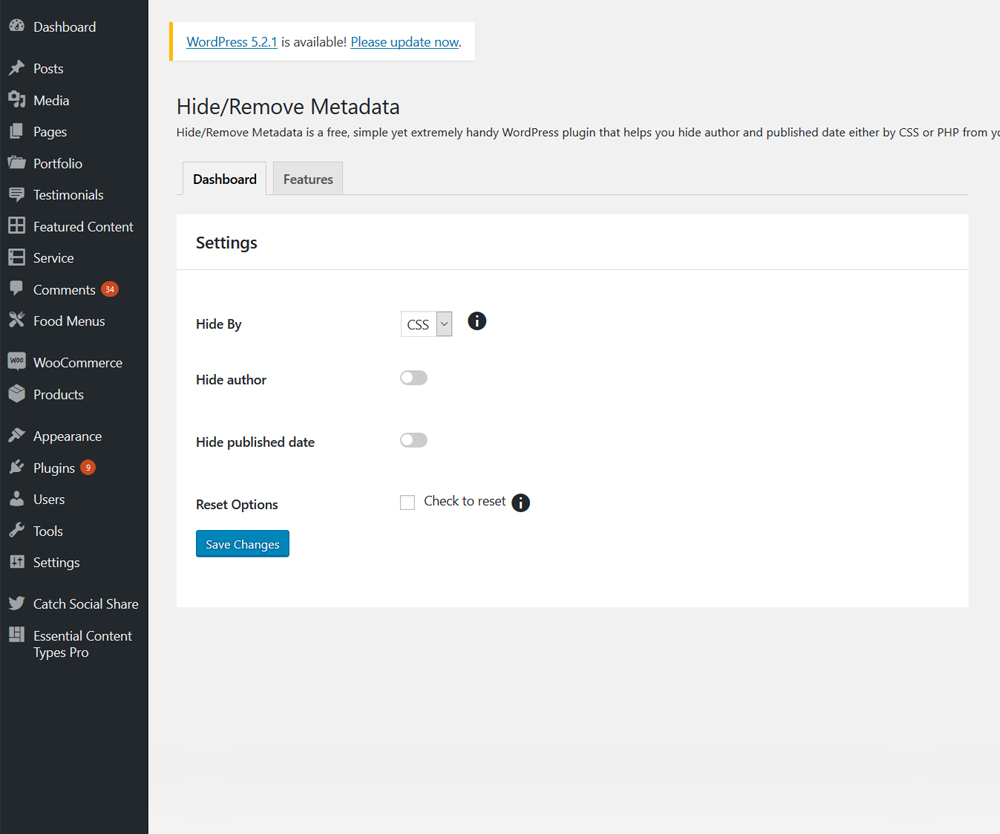
Main Page

安裝方式
The easy way (via Dashboard) :
- Go to Plugins > Add New
- Type in the Hide/Remove Metadata in Search Plugins box
- Click Install Now to install the plugin
- After Installation click activate to start using the Hide/Remove Metadata
- Go to Hide/Remove Metadata from Dashboard menu
Not so easy way (via FTP) :
- Download the Hide/Remove Metadata
- Unarchive Hide/Remove Metadata plugin
- Copy folder with hide-metadata.zip
- Open the ftp \wp-content\plugins\
- Paste the plug-ins folder in the folder
- Go to admin panel => open item “Plugins” => activate Hide/Remove Metadata
- Go to Hide/Remove Metadata from Dashboard menu
使用者評論


參與者及開發者
以下人員參與了開源軟體〈Hide/Remove Metadata〉的開發相關工作。
參與者


變更記錄
1.2.9 (Released: May 11, 2025)
- Compatibility check up to version 6.8
1.2.8 (Released: April 09, 2024)
- Compatibility check up to version 6.5
1.2.7 (Released: November 15, 2023)
- Compatibility check up to version 6.4
1.2.6 (Released: December 14, 2022)
- Compatibility check up to version 6.1
1.2.5 (Released: February 24, 2022)
- Compatibility check up to version 5.9
1.2.4 (Released: August 05, 2021)
- Bug Fixed: User icon still showing when PHP is selected.
- Bug Fixed: User still showing when CSS is selected.
- Compatibility check up to version 5.8
1.2.3 (Released: March 07, 2021)
- Compatibility check up to version 5.7
1.2.2 (Released: December 22, 2020)
- Bug Fixed: option type check issue
1.2.1 (Released: December 17, 2020)
- Bug Fixed: Option not saving on first save
- Updated: Moved plugin menu under tools menu in dashboard
1.2 (Released: August 11, 2020)
- Bug fixed: PHP version backward compatibility (Reported by: dundeeuniversity )
- Bug fixed: Used appropriate escaping for CSS output
- Compatibility check up to version 5.5
1.1 (Released: March 17, 2020)
- Compatibility check up to version 5.4
1.0.1 (Released: November 12, 2019)
- Added pot file
- Compatibility check up to version 5.3
1.0.0 (Released: Jun 04, 2019)
- Initial Release
