

外掛說明
UTM Master helps you capture and preserve UTM parameters in cookies for attribution and tracking. Features include:
- Auto-save UTM parameters (
utm_source,utm_medium, etc.) - Support for custom UTM parameters
- Append UTM to all site links and CTAs
- GDPR-compliant consent banner
- Shortcode to retrieve current and original UTM values
螢幕擷圖
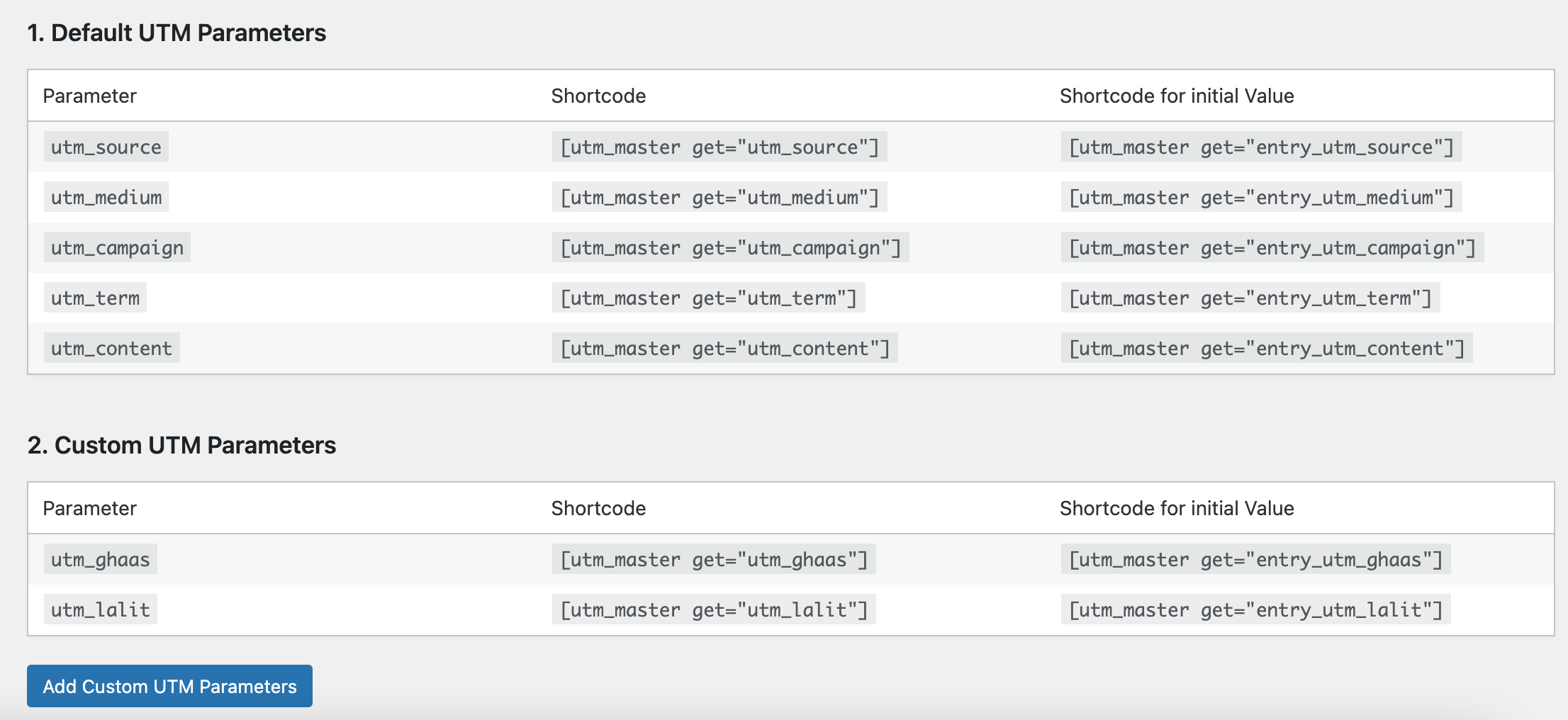
Table showing how to use shortcode. 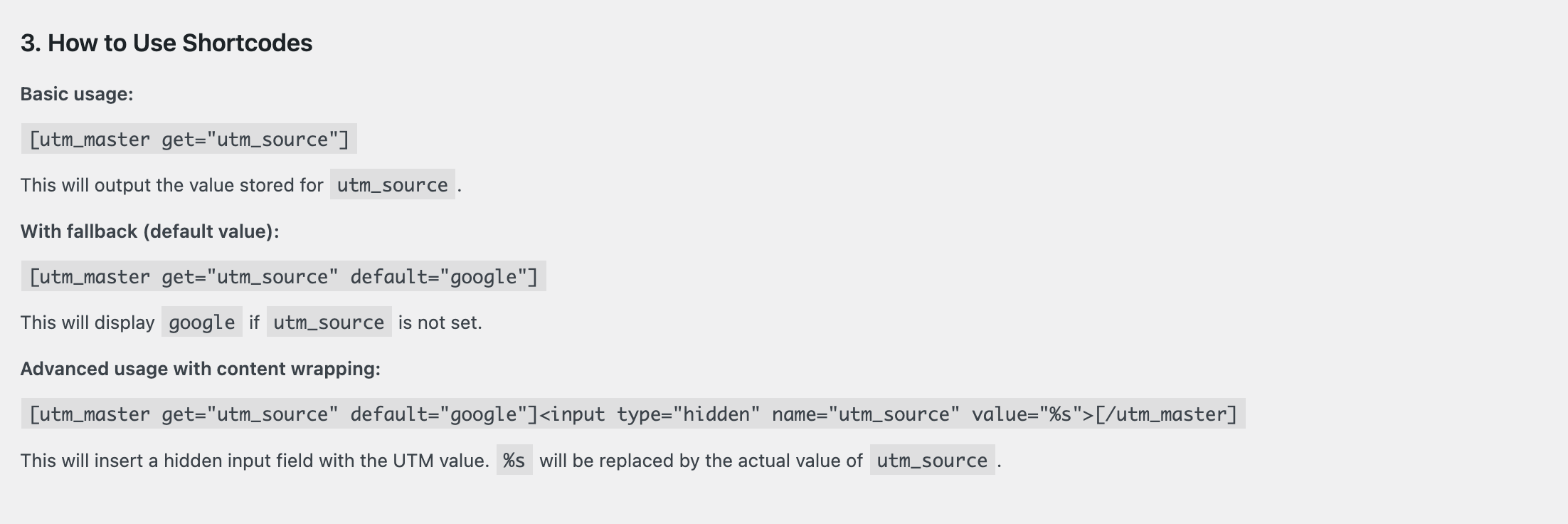
Table showing all active UTM parameters 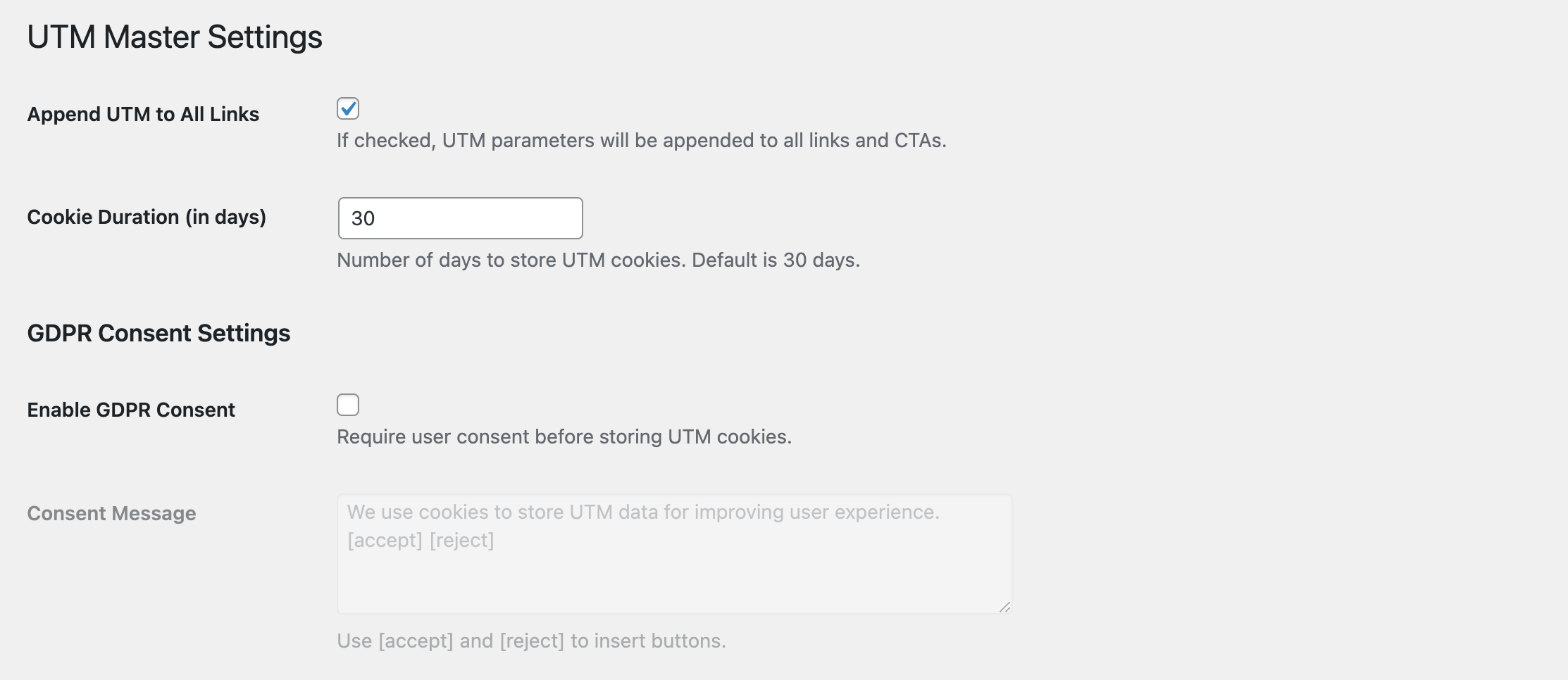
Settings page to configure cookie duration and GDPR.


安裝方式
- Upload the plugin to the
/wp-content/plugins/directory. - Activate it from the ‘Plugins’ menu in WordPress.
- Configure settings from the UTM Master menu.
常見問題集
-
Can I use shortcodes to show UTM values?
-
Yes. Use
[utm_master get="utm_source"]. You can also useentry_utm_sourceto show the first/original value. -
How do I add custom parameters?
-
Go to UTM Master Settings, and enter custom parameter names.
使用者評論
這個外掛目前沒有任何使用者評論。
參與者及開發者

變更記錄
1.0
- Initial release.
