
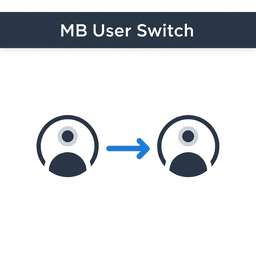
چۈشەندۈرۈش
MB User Switch provides:
* A «Switch User» link in the user list table.
* A floating «Switch Back» button visible on all frontend and admin pages.
* Secure switching with nonce verification.
* Clean code following WordPress standards.
ئورنىتىش
- Upload the
mb-user-switchfolder to/wp-content/plugins/. - Activate the plugin through the WordPress admin.
- Go to Users > All Users and click Switch User.
- Use the floating Switch Back button to return to your original user.
FAQ
-
Who can use this plugin?
-
Only users with the
manage_optionscapability (typically Administrators) can switch users. -
It appears in the bottom left corner on all frontend and admin pages while switched.
باھالاشلار
بۇ قىستۇرمىغا تېخى باھا يېزىلمىدى.
تۆھپىكار ۋە ئىجادكار
«MB User Switch» كودى ئوچۇق يۇمشاق دېتال. تۆۋەندىكى كىشىلەر بۇ قىستۇرمىغا تۆھپە قوشقان.
تۆھپىكار
«MB User Switch» نى تىلىڭىزغا تەرجىمە قىلىڭ
ئىجادىيەتكە قىزىقامسىز؟
كودقا كۆز يۈگۈرتۈپ، SVN خەزىنە تەكشۈرۈپ ياكى RSSئارقىلىق ئىجادىيەت خاتىرىسىگە مۇشتەرى بولغىلى بولىدۇ.
ئۆزگىرىش خاتىرىسى
1.0
- Initial release: Switch user and switch back functionality.
