Creating Document
To create a new sequence file from a text, select the File ‣ New Document from Text option in the main menu or Create Sequence on the main screen.
The Create Sequence dialog appears:
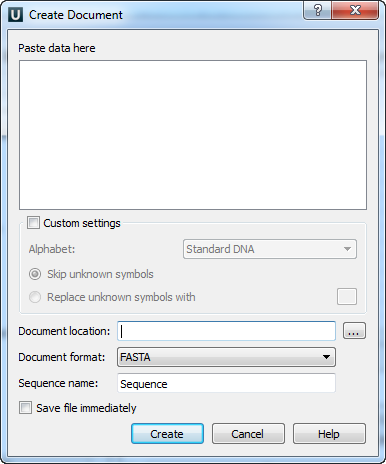
You can input the created sequence into the Paste Data Here field. You can type or paste sequences in either FASTA or text format.
The following Custom Settings are available:
Alphabet — here you can select the alphabet:
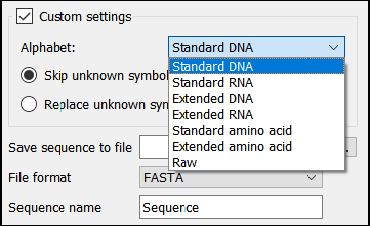
The following alphabets are available: Standard DNA, Standard RNA, Extended DNA, Extended RNA, Standard Amino, Extended Amino, and Raw.
Skip Unknown Symbols / Replace Unknown Symbols With — you can select either to skip unknown input symbols or to replace them with a specified symbol.
Save Sequence to File — the location of the created document.
File Format — the format of the created document. Currently available formats are FASTA and Genbank.
Sequence Name — the name of the sequence in the created document.
The created document will be added to the current project and opened in the Sequence View.
