
تفصیل
This small plugin lets you monitor who logs into you site. I created this plugin because I could see that bots from china were trying to login to my site with the bettersecurity plugin but not if they were succesfull.
This small plugin saves the time and ip address from every user that succesfully logs in on wordpress and displays them on the admin dashboard. Only administrators can acces the logs.
Since version 1.2 its also possible to search within the logs.
If you have feedback on this plugin or problems with it (such as bugreports) please shoot me an email at williewonka341@gmail.com.
اسکرین شاٹس
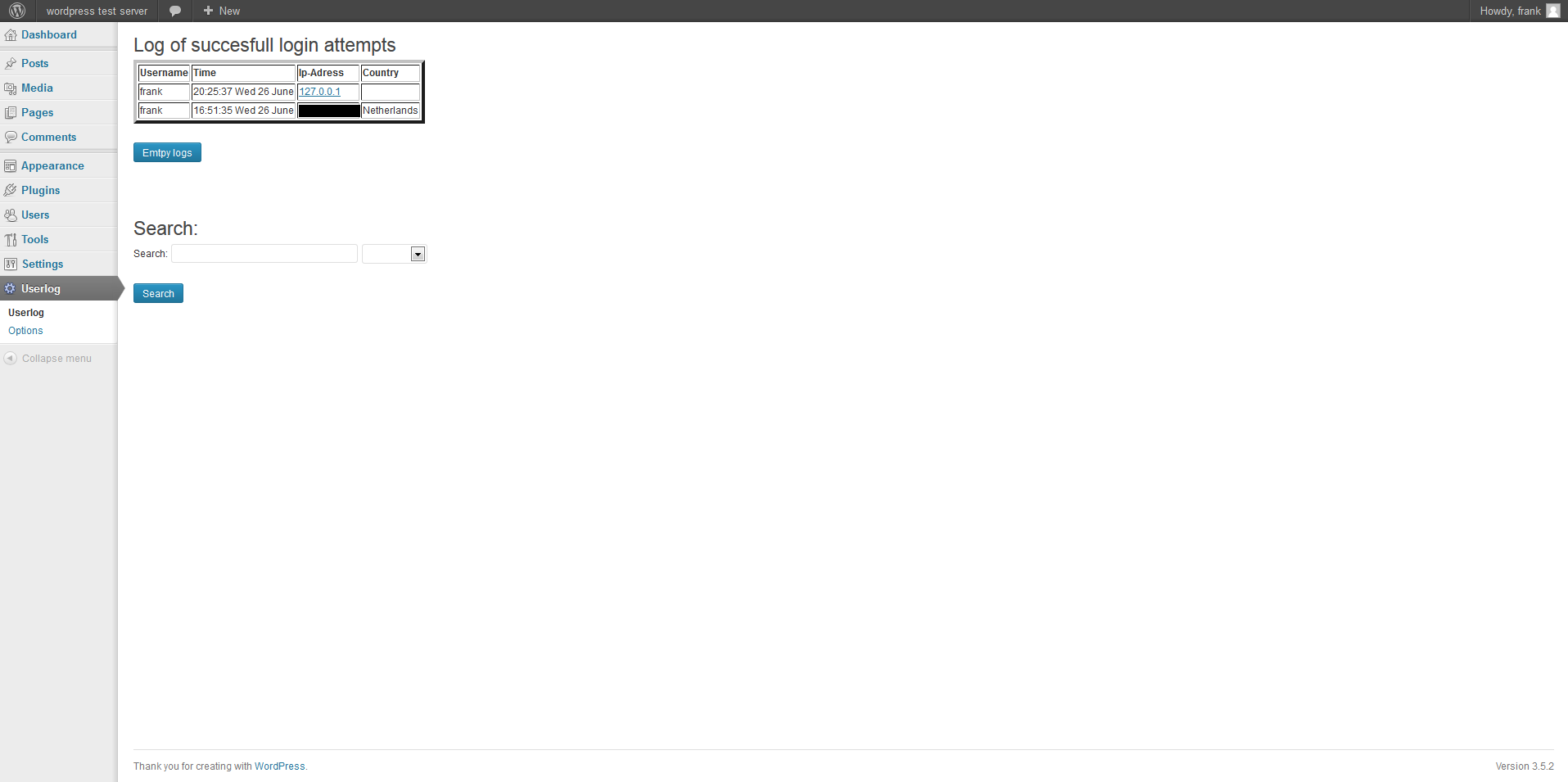
Example of displaying the logs on the dashboard, with the new search bar under it.

انسٹالیشن
Installing this plugin is very simple and just like all the other plugins.
- Upload uselog folder to wp-content/plugin folder on your server.
- Activate the plugin through the ‘Plugins’ menu in WordPress
- Set the prefered options in the option submenu on the dashboard (under userlog)
- Watch the logs rolling in on the dashboard
عمومی سوالات
- I have an idea/bug report/complaint/problem with/about this plugin, what should I do?
-
Shoot me an email at williewonka341@gmail.com
جائزے
There are no reviews for this plugin.
شراکت دار اور ڈیویلپرز

“userlog” کا اپنی زبان میں ترجمہ کریں۔
ڈویلپمینٹ میں دلچسپی ہے؟
کوڈ براؤز کریں، ایس این وی ریپوزیٹری کو چیک کریں یا ڈویلپمینٹ لاگ کو سبسکرائب کریں بذریعہ آر ایس ایس۔
چینج لاگ
1.4
- Updated the use of $wpdb->prepare to comply with new wordpress security standards
1.3
- fixed a bug that made the plugin incompatible with iq_block_country plugin
1.2
- added country in the view logs
- added search function for the logs
- beautified the settings panel
1.1
- fixed a bug where non admins could acces the logs
- added an option page on the dashboard
- now able to set timezone
- ip addresses shown in logs are now clickable to an iptracer website for quick and analysis
1.0
- First version
- Basic features implemented, please send feedback to williewonka341@gmail.com
