Catalog your CD and DVD collection

When your CD collection outgrows all the available shelves of your bookcase, you know it's time for a bit of organization. And the easiest way to organize a CD collection is by creating a catalog.

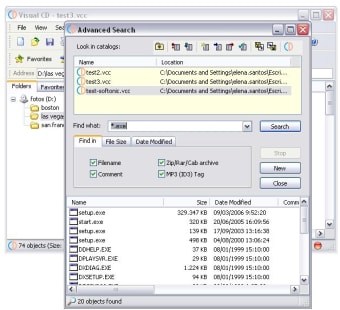
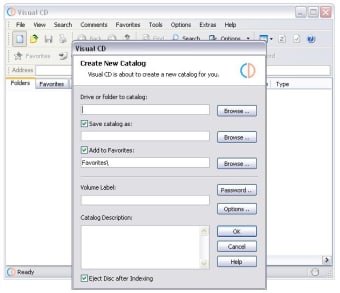
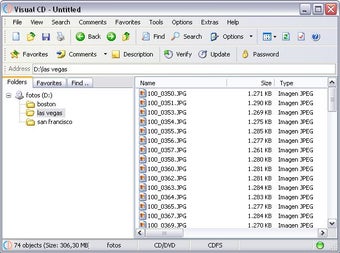
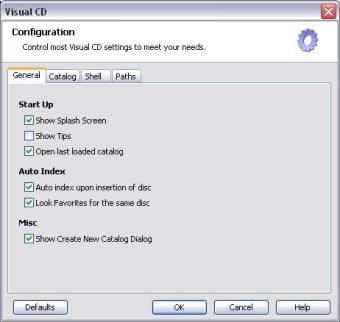
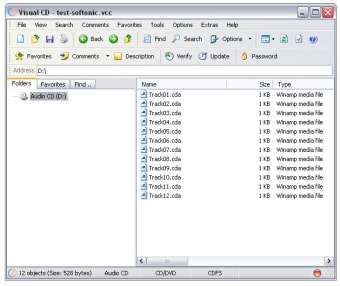
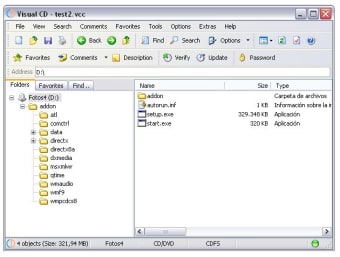
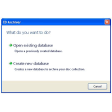
Visual CD enables you to create that CD catalog in just a few simple steps. Insert the disk into the CD drive, let Visual CD index its contents and save it as a fully searchable catalog. This means that you can later on explore, search and find files that are saved on CD even if the physical disc is not in the drive.

Visual CD doesn't work only with CD: it also supports DVD, floppy disks, removable hard drives and even folders in your system hard drive. What strikes me is the fact that each drive you explore must be saved as a new catalog, whereas other similar tools save explored drives as categories inside one single catalog.

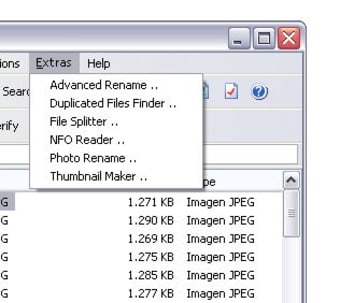
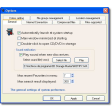
The program features also very interesting advanced functions such as a duplicate files finder, a file splitter, a photo renaming tool, a playlist generator and a thumbnail maker, among others.

Visual CD lets you save the contents of your CD and DVD in separate catalogs so that you can browse and search your collection without having to insert each disk one by one


  • Pros

    • Automatically indexes CD, DVD, removable drives, folders
    • Includes a wide array of extra features
  • Cons

    • Each disk creates a different catalog
Image
 0/7

App specs

  • License

    Free

  • Version

    4.2

  • Latest update

  • Platform

    Windows

  • OS

    Windows 98

  • Language

    English

  • Downloads

    10.8K

    Last month's downloads

    • 11
  • Size

    2.44 MB

  • Developer

Program available in other languages


User reviews about Visual CD

3.5

1 reviews

Add review

Main reviews for you

  • Image

    Anonymous user

    East to use and user friendly software to catalog CDs. It is easy and best software to index CDs and helps to search the needed software or movies using search option. It is a must utility for indexing CD

More

You may also like

Alternatives to Visual CD

Explore Apps

Latest articles

Laws concerning the use of this software vary from country to country. We do not encourage or condone the use of this program if it is in violation of these laws.


Softonic

Is Visual CD safe?

100/100

Score result: Clean

This file passed a comprehensive security scan using VirusTotal technology. It is safe to download.

  • Virus free
  • Spyware free
  • Malware free
  • Verified by Security Partners

    VirusTotal logo

Scan Info

Last scan
Wednesday, December 6, 2023
Scan provider
VirusTotal · Full report

File Integrity

File
viscd420.zip
SHA256
07a3f30adadd121301602f8a6abe1e54d3629ec8bc5b217afa9c52873c9d31e6
SHA1
58249ce362438bb6c61f809c1d3570e52d6ed184

Softonic security commitment

Visual CD has been thoroughly scanned by our advanced security systems and verified by industry-leading partners. This file comes from the official developer and has passed all our security checks, showing no signs of viruses, malware, or spyware. For more information, visit our Security and Trust Center