
Copilot Error Getaddrinfo: Fix it With Just 4 Steps
Resetting network components usually fixes this issue


 2 min. read
  Updated on

When using Copilot, you might sometimes encounter the Copilot error getaddrinfo. If this happens, you won’t be able to use the AI assistant at all, so it’s important to fix this issue, and this guide will show you how to do it.
How can I fix the Copilot error getaddrinfo?
Before we start with more complex solutions, try restarting Visual Studio Code. Do this if you’re having network issues or if you lose your Internet connection.
1. Use Command Prompt
- Press the Windows key + S and type cmd. Choose Run as administrator.
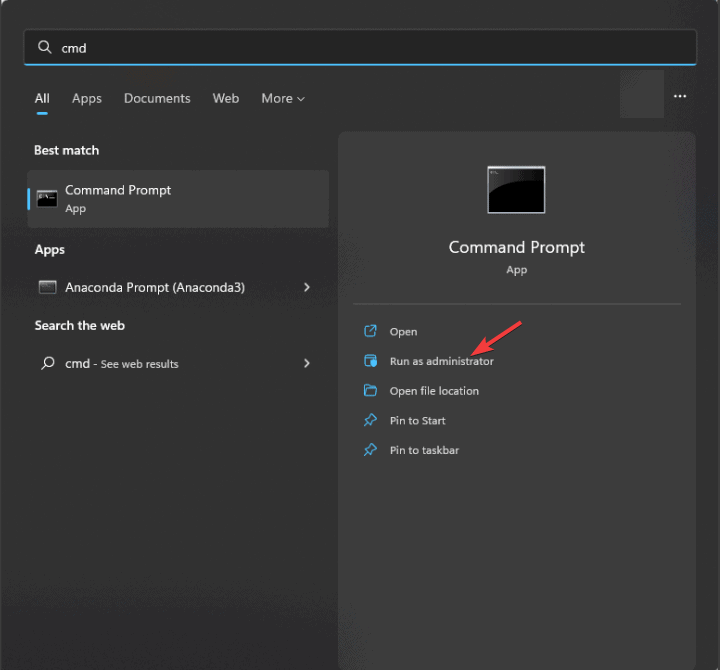
- Run the following commands:
netsh winsock reset
ipconfig /release
netsh int ip reset
ipconfig /flushdns
ipconfig /renew - Close Command Prompt.

After doing that, check if Copilot getaddrinfo enotfound api.github.com error is gone.
2. Upgrade the GitHub Copilot extension
- Open Visual Studio Code.
- Locate the GitHub Copilot extension.
- Update it to the latest version.
- Restart Visual Studio Code.
3. Disable or reinstall Copilot extension
- Open Copilot Extension in VS Code.
- Click the Disable button.

- Wait for a few moments and click the Enable button.
- Check if the problem is resolved.
- If not, click the Uninstall button.

- After a few moments, install the extension again.


4. Change proxy settings
- Click on File, choose Preferences, and then Settings.

- Choose Application and then Proxy.

- Disable Proxy Strict SSL.


A few users reported that adding or updating the proxy fixed the problem for them, so try that as well.
In most cases, you can fix Copilot error getaddrinfo by resetting your network, or simply by installing the Copilot extension again.
Before you leave, don’t miss our guides on Copilot error Auth Read ECONNRESET and Something went wrong Copilot error for more solutions.
For many Microsoft Copilot is not working at all, but we have an article that tackles this issue, so don’t miss it. Our latest guide covers Copilot Error attempting to reconnect so you might want to check it out.

Read our disclosure page to find out how can you help Windows Report sustain the editorial team. Read more



Improve this guide


User forum
0 messages