
What is NcsiUwpApp in Task Manager?
NcsiuwpApp.exe in Task Manager is not considered malicious


 2 min. read
  Updated on
Key notes
- This file is related to the Windows Network Connectivity Status Indicator.
- Removing the .exe file may affect the system performance and apps depending on it.
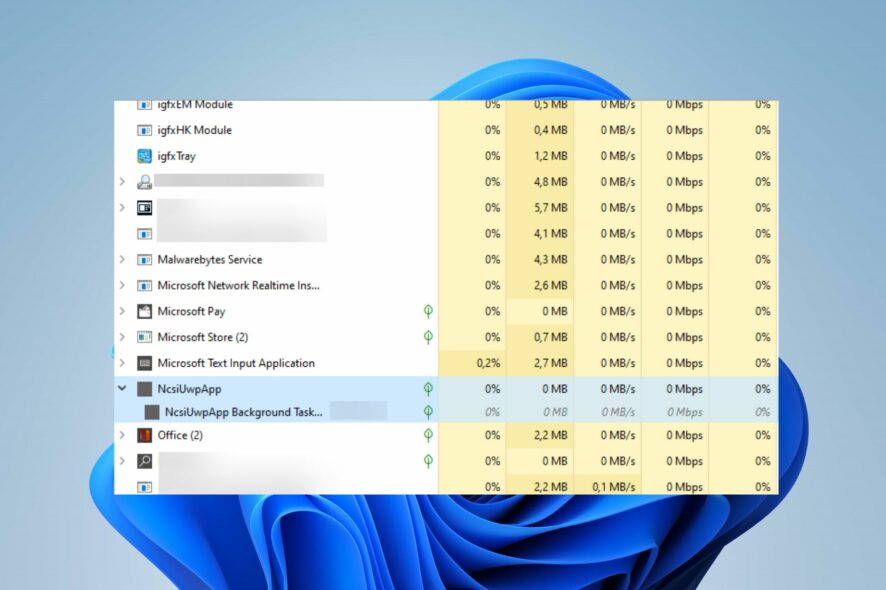
Seeing the NcsiUwpApp in the Task Manager sprouts concern in many users as they don’t know what it represents and if it’s safe.
Luckily for you, this guide will tell you everything you need to know about this file, so let’s dive into it!
What is NcsiuwpApp.exe?
NcsiUwpApp.exe is an executable file for the Network Connectivity Status Indicator Universal Windows Platform App. 
It is a legitimate program related to the Windows operating system. The Indicator helps determine whether the computer has successfully connected to the network, and to check if the network has intranet or internet connectivity.
What is NcsiUwpApp in Task Manager?
NcsiUwpApp is a genuine Microsoft process for the Windows Network Connectivity Status Indicator (NCSI) program that runs in the Task Manager.
However, some users have claimed they started seeing it after installing new apps/ programs on their PC. However, the file should be totally safe. If in doubt, just run a virus scan on your PC.
Should NcsiUwpApp be removed?
Removing the NcsiUwpApp can cause stability issues with your PC since this is a core Windows process.
Since removing a legitimate file can cause stability issues on your PC, we recommend you select from our recommended antivirus software and use it to scan this file. Only if it’s malicious it should be removed.
To learn more about this process, you might be interested in our What is ncsi.dll guide for additional information.
In conclusion, we have a detailed guide on subst.exe not working in Windows 11 and how to resolve the problem.
If you have further questions or suggestions, kindly drop them in the comments section below.


Read our disclosure page to find out how can you help Windows Report sustain the editorial team. Read more



Improve this guide




User forum
0 messages