

Description
Social Media Profile with Gallery helps you showcase images in a clean, organized profile-style layout. Whether you’re building a portfolio, displaying team members, or creating a personal photo collection, this plugin gives you the tools to present your images professionally.
View Pro Demo: Social Media Profile with Gallery Premium
More About Pro: Social Media Profile Premium Details
Where To Buy: Buy Social Media Profile with Gallery Premium
Video Tutorial
Why Choose This Social Media Profile with Gallery?
Setting up a gallery shouldn’t be complicated. With Social Media Profile with Gallery, you upload your images, configure a few settings, and embed your gallery anywhere using a simple shortcode. The plugin handles the responsive design, so your gallery looks good on desktops, tablets, and phones.
How It Works
- Create a new gallery from your dashboard
- Upload images and set titles
- Configure your profile section with a custom title, description, and avatar
- Choose your column layout and hover effects
- Copy the shortcode and paste it into any page or post
Your gallery displays with a profile header section (similar to social media profiles) followed by your image grid. Visitors can click any image to view it in a lightbox popup.
Key Features
The free version includes everything you need to get started:
- Responsive Grid Layout – Images adapt to any screen size automatically
- Profile Header Section – Add a profile picture, title, and description above your gallery
- Lightbox Preview – Visitors click to view full-size images in a popup overlay
- Column Controls – Set different column counts for desktop, tablet, and mobile
- Hover Effects – Add visual interest when users hover over images
- Animation Effects – Smooth entrance animations for your gallery images
- Shortcode Support – Place galleries anywhere using [ITG id=X] shortcode
- Widget Ready – Add galleries to sidebars and widget areas
- Isotope Layout – Images arrange neatly regardless of different sizes
Pro Version Features
Need more customization options? The premium version adds:
- 6 Lightbox Styles – Choose from multiple popup designs
- 30+ Hover Effects – Extensive collection of image hover animations
- 75+ Animation Effects – Wide variety of entrance animations
- Masonry Gallery Layout – Pinterest-style staggered image grid
- Thumbnail Ordering – Sort images ascending, descending, or shuffle randomly
- Gallery Spacing Control – Remove or adjust gaps between images
- Custom CSS Field – Add your own styling without editing theme files
- Priority Support – Get help when you need it
Screenshots

Gallery settings panel 
Profile section display 
Single column layout 
Two column layout 
Three column layout 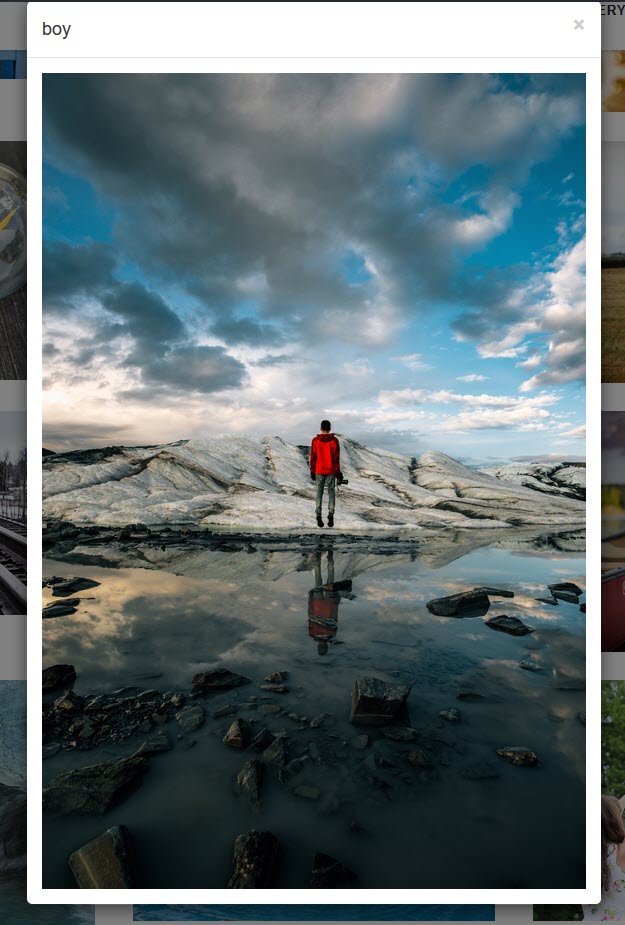
Six column layout 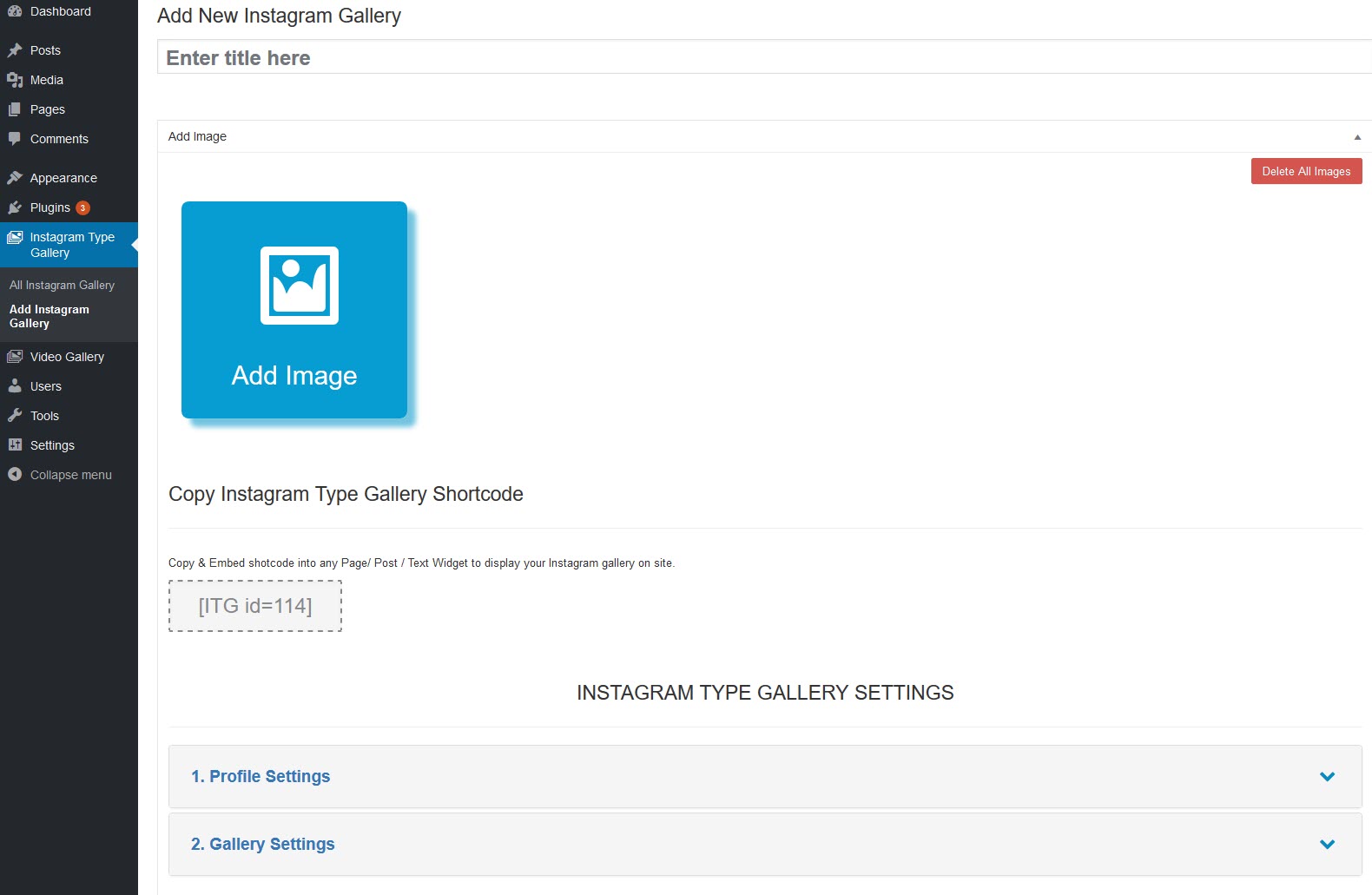
Twelve column layout


Installation
- Upload the plugin folder to
/wp-content/plugins/or install through the Plugins menu - Activate the plugin from the Plugins menu
- Go to Insta Type Gallery Add Insta Gallery in your admin menu
- Add images and configure your gallery settings
- Save and copy the shortcode
- Paste the shortcode into any page or post
FAQ
-
How do I create a profile gallery?
-
After activating the plugin, go to Insta Type Gallery Add Insta Gallery. Click “Add Images” to upload your photos, fill in your profile details (title, description, profile picture), and save. Copy the shortcode shown and paste it into any page or post.
-
Can I display multiple galleries on one page?
-
Yes. Each gallery has its own unique shortcode. You can add multiple shortcodes to a single page, and each gallery will display independently.
-
Is the gallery mobile responsive?
-
Yes. The plugin uses Bootstrap and includes separate column settings for large desktops, desktops, tablets, and phones. Your gallery automatically adjusts to fit any screen size.
-
How do I customize the number of columns?
-
In the gallery settings, you’ll find column options for different device sizes. You can set anywhere from 1 to 12 columns for each breakpoint.
-
Can I use the shortcode in widgets?
-
Yes. The plugin enables shortcode support in text widgets. Simply paste your gallery shortcode into any text widget to display your gallery in sidebars or footer areas.
-
Does it support lightbox popup?
-
Yes. When visitors click on an image, it opens in a lightbox overlay where they can view the full-size image. This is enabled by default.
-
How do I change the hover effect?
-
In the gallery settings panel, look for the Hover Effect dropdown. Select your preferred effect and save the gallery. The effect will apply to all images in that gallery.
-
Can I add a profile picture and title?
-
Yes. The profile section settings let you upload a profile image, add a title, write a description, and include a custom button with your desired text and link.
-
What image sizes are supported?
-
The plugin supports all standard image sizes. You can choose between thumbnail, medium, and large sizes in the gallery settings. Images will display at the selected size in the grid.
-
Is it compatible with page builders?
-
Yes. Since the plugin uses shortcodes, it works with Elementor, Beaver Builder, Divi, and other page builders. Just paste the shortcode into a text or shortcode module.
-
Where can I get support?
-
For the free version, visit the WordPress.org support forum. Pro version users receive priority email support.
Reviews


Contributors & Developers
“Social Media Profile with Gallery” is open source software. The following people have contributed to this plugin.
Contributors


“Social Media Profile with Gallery” has been translated into 1 locale. Thank you to the translators for their contributions.
Translate “Social Media Profile with Gallery” into your language.
Interested in development?
Browse the code, check out the SVN repository, or subscribe to the development log by RSS.
Changelog
1.2.2
- Security: Added capability checks to AJAX handlers to prevent unauthorized access.
- Security: Added nonce verification support for AJAX requests.
- Security: Improved input sanitization with proper wp_unslash() usage.
- Security: Added ABSPATH checks to prevent direct file access in lightbox and theme files.
- Security: Properly escaped plugin_dir_url() output in our-theme/awp-theme.php.
- Fix: Fixed undefined variable $columns in shortcode column handler.
- Fix: Added isset checks before array access to prevent PHP warnings.
- Fix: Fixed comparison operator issue in save settings function.
- Fix: Added default values for undefined pagination variables in lightbox files.
- Fix: Changed esc_html() to esc_attr() for CSS color value escaping.
- Fix: Replaced deprecated wp_reset_query() with wp_reset_postdata().
- Fix: Removed 5-star filter from review link per WordPress.org guidelines.
- Fix: Resolved mixed line endings in our-theme/awp-theme.php.
- Compatibility: Verified TGM Plugin Activation library conflict handling.
- Compatibility: Maintained full backward compatibility with existing galleries.
1.2.1
- Fix: Resolved translation loading warning in WordPress 6.7.0+ by loading text domain at ‘init’ action instead of ‘plugins_loaded’.
- Fix: Removed early translation call from plugin constants.
1.2.0
- Bug Fix: Fixed.
- Testing plugin for wordpress 6.9
1.1.33
- Bug Fix: Fixed.
- Testing plugin for wordpress 6.8.3
1.1.32
- Bug Fix: Fixed.
- Testing plugin for wordpress 6.8.1
1.1.31
- Bug Fix: Fixed.
- Testing plugin for wordpress 6.7.2
1.1.30
- Bug Fix: Fixed.
- Testing plugin for wordpress 6.7.1
