

Description
With this plugin you can send email notification to those users who have saved a draft for more than defined days. You can also discard all user’s draft which is saved before defined period.
Screenshots
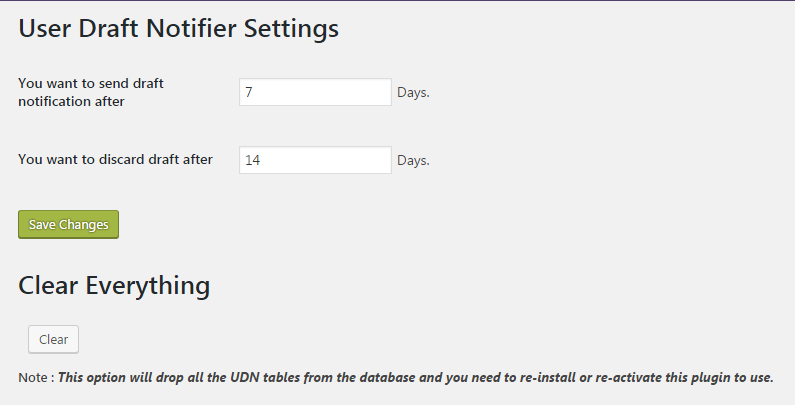
UDN Settings page. 
UDN Notify UI page. 
UDN Generated logs.


Installation
- Upload the “user-draft-notifier” folder into the “/wp-content/plugins/” directory or
Directly download “user-draft-notifier” from WordPress Directory. - Activate the plugin through the “Plugins” menu in WordPress
- See FAQ for usage
FAQ
- How does this works?
-
Visit the navigation in admin dashboard, you found a new box “user-draft-notifier”. 1. Click on “User Draft Notifier”->Setttings for the settings page. 2. Keep default values or you can change also.
3. Click on Save Changes. - Do I need to add any shortcode?
-
No, You don’t need to add any shortcode in your Website.
Reviews
There are no reviews for this plugin.
Contributors & Developers
“User Draft Notifier” is open source software. The following people have contributed to this plugin.
Contributors
Translate “User Draft Notifier” into your language.
Interested in development?
Browse the code, check out the SVN repository, or subscribe to the development log by RSS.
Changelog
1.0
- 5 Sept 2016
- First release
