

Description
Stop fighting with WooCommerce’s attribute interface.
If you manage products with attributes (sizes, colors, materials, specifications), you’ve probably experienced:
- Slow, repetitive value creation – Adding attribute values one at a time through WooCommerce’s interface wastes hours
- Can’t find your values – WooCommerce’s dropdown truncates at ~50 terms; larger catalogs become unmanageable
- No bulk operations – Each product requires individual editing, multiplying your workload
- Accidental deletions – One wrong click removes values with no undo option
WEAM solves these problems.
Key Features
Multiple Input Formats – Choose the input style that fits your workflow: dropdowns, radio buttons, multi-select checkboxes, or number input for numeric attributes.
Per-Attribute Settings – Configure each attribute independently with its own input type, layout direction, sorting options, and behavior settings.
Easy-to-Use Interface – Clean, modern interface replaces WooCommerce’s cluttered attribute editor with visual selection highlighting and clear action buttons.
Type-to-Filter Search – Find any attribute value instantly, even with thousands of terms. No more scrolling through endless dropdowns.
Quick Add Values – Add multiple attribute values at once. Type or paste a list (one per line, or separated by |), and WEAM creates all values instantly.
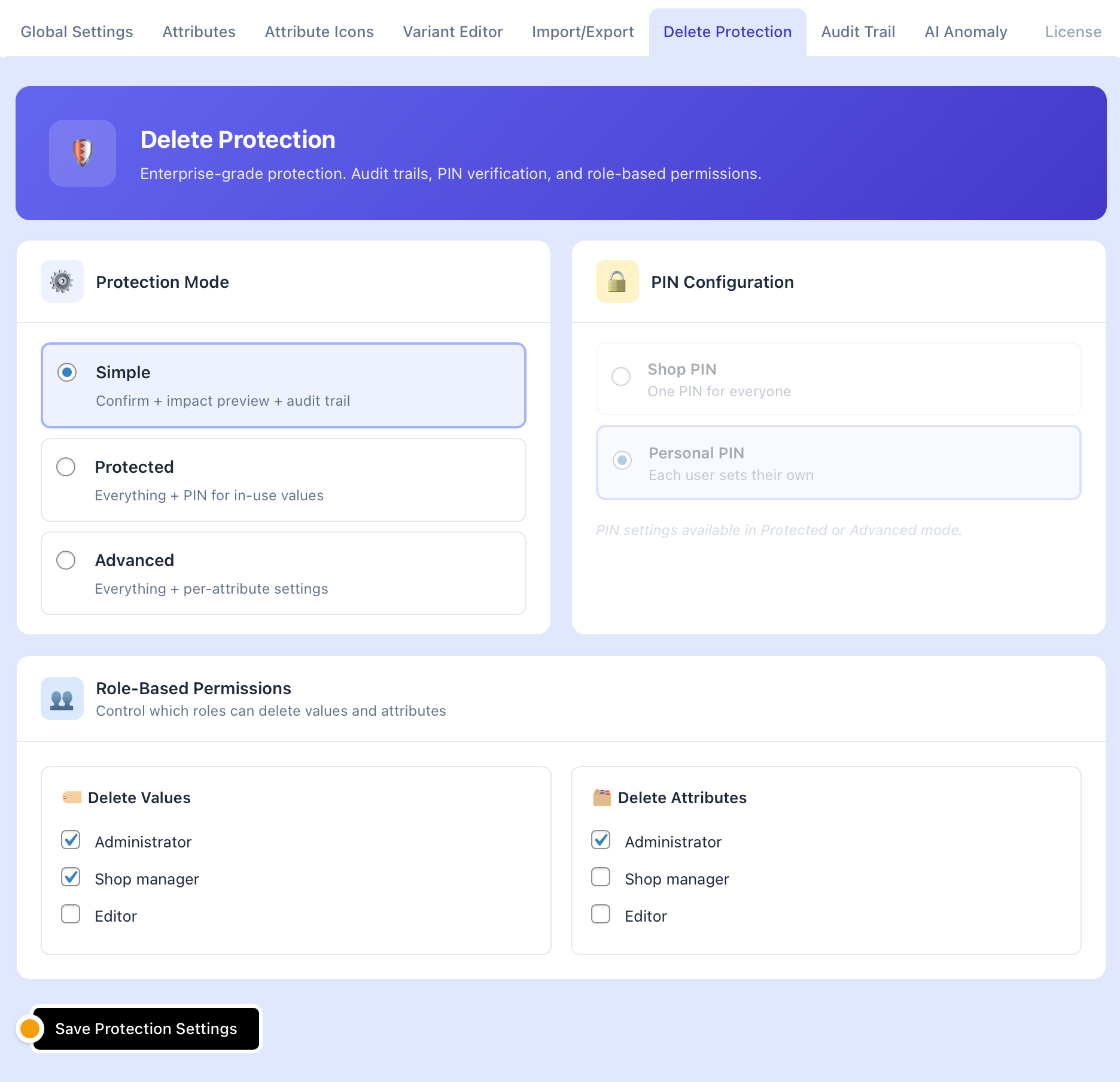
Delete Protection – Prevent accidental deletion of attribute values with PIN protection. Your data stays safe.
Empty Field Protection – Prevents WooCommerce from automatically removing empty attributes when saving products.
Multiple Layouts – Choose between horizontal (inline) or vertical (stacked) layouts per attribute.
Pro Features
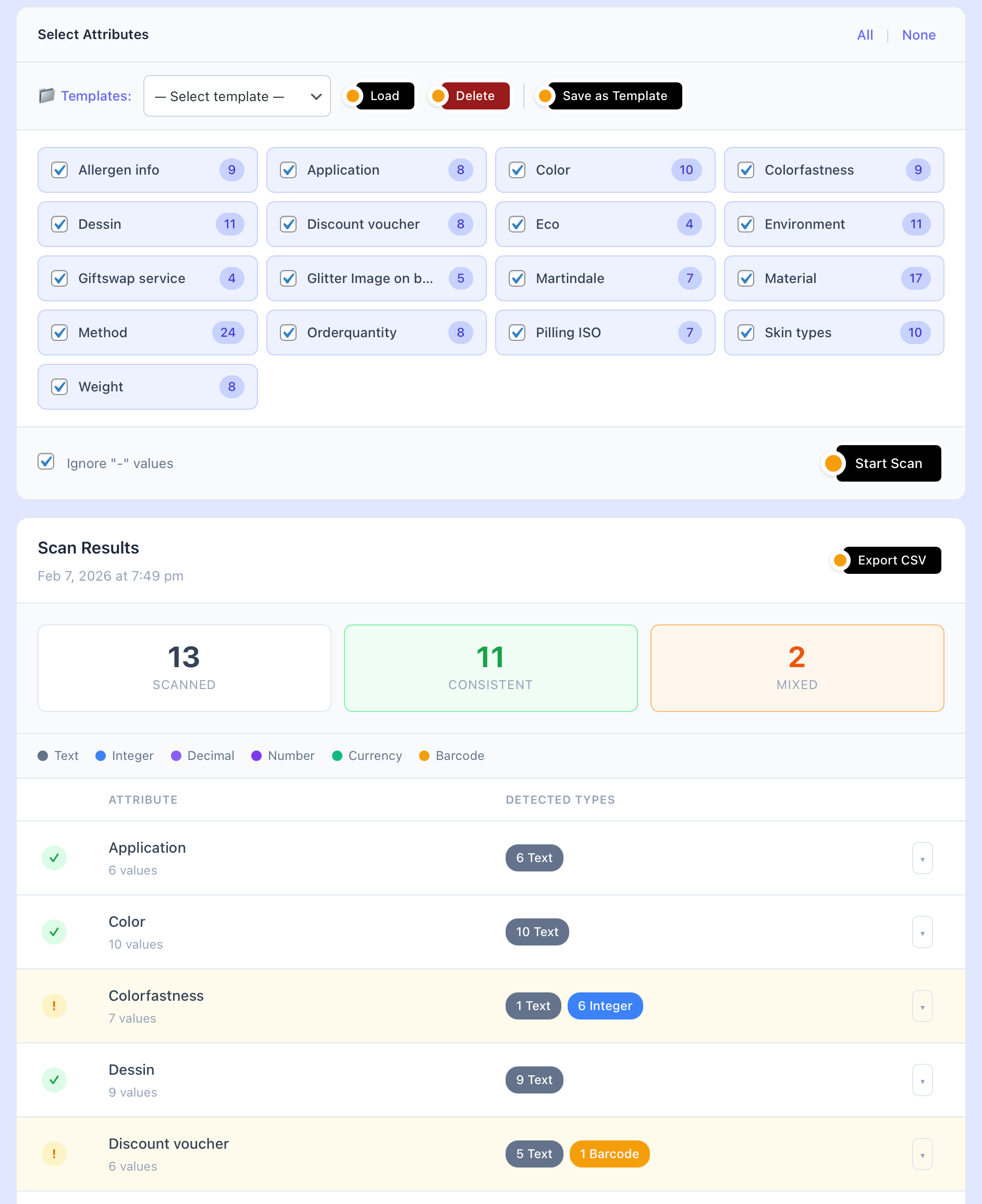
- AI Anomaly Detection – Automatically detect data quality issues and inconsistent values across your catalog
- Audit Trail – Track all delete operations with full history
- Select All / Select None – Bulk selection controls
- Show Selected Only – Focus on chosen values
- Maximum Selections – Limit how many values can be selected per attribute
Who Benefits Most
- Fashion stores – Managing sizes, colors, materials across seasonal collections
- Electronics retailers – Handling technical specs, compatibility options, feature sets
- Furniture & home goods – Tracking dimensions, materials, finishes
- Any store with 50+ products – If attributes are part of your workflow, WEAM helps
Documentation & Support
- FAQ – Common questions answered
- Feature List – Complete feature breakdown
External services
This plugin optionally connects to the Pixabay API to search for royalty-free images when setting up attribute icons. This feature requires a free Pixabay API key that the user provides in the plugin settings.
Pixabay image search
- What it does: Searches the Pixabay image library for icons to use as attribute swatches.
- When data is sent: Only when the admin actively searches for images in the Attribute Icons settings. No data is sent automatically or in the background.
- What data is sent: The search query (text), image type filter, and the user’s API key.
- Service provider: Pixabay (pixabay.com)
- Terms of service: https://pixabay.com/service/terms/
- Privacy policy: https://pixabay.com/service/privacy/
Screenshots
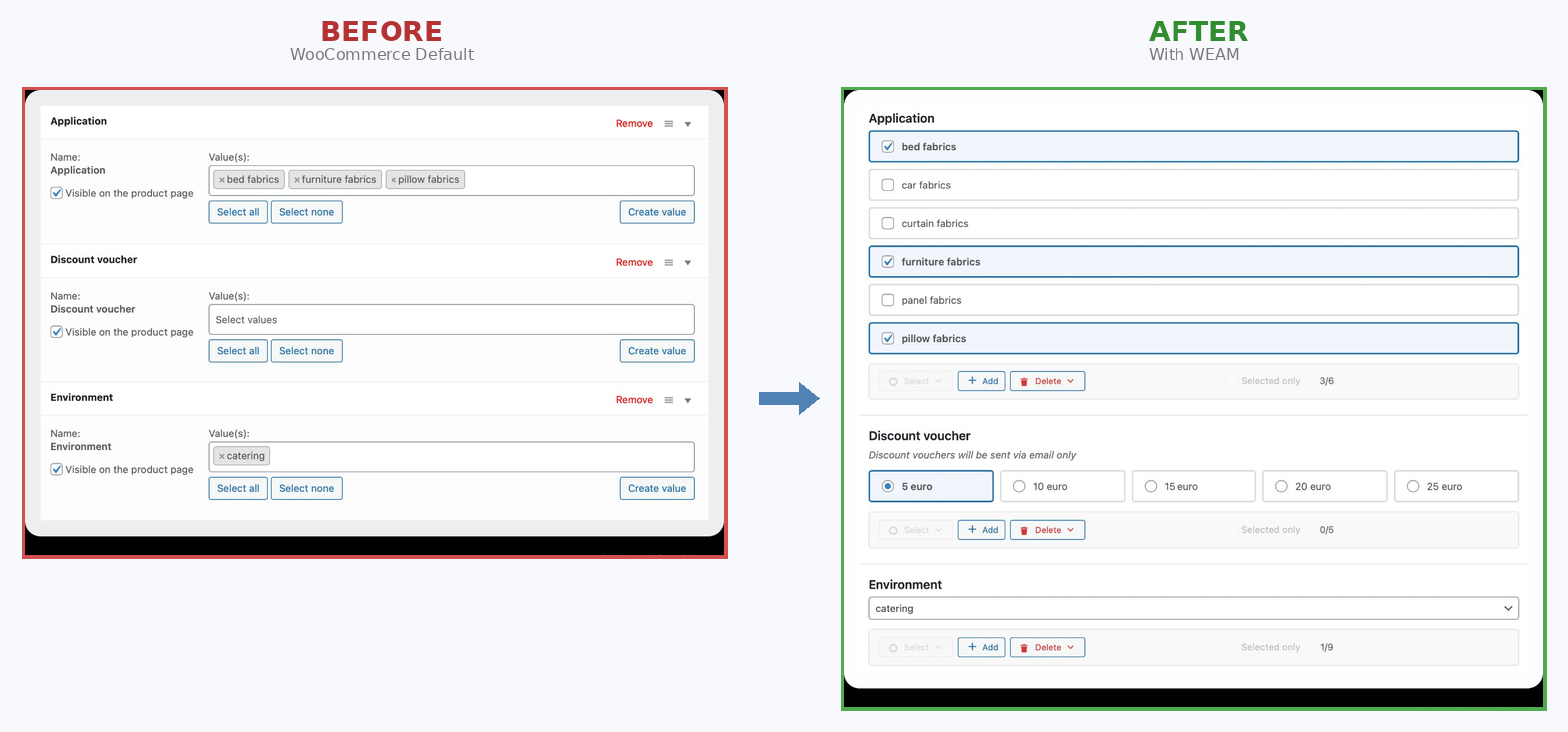
Before & After – Clean, modern interface replaces WooCommerce’s cluttered attribute editor 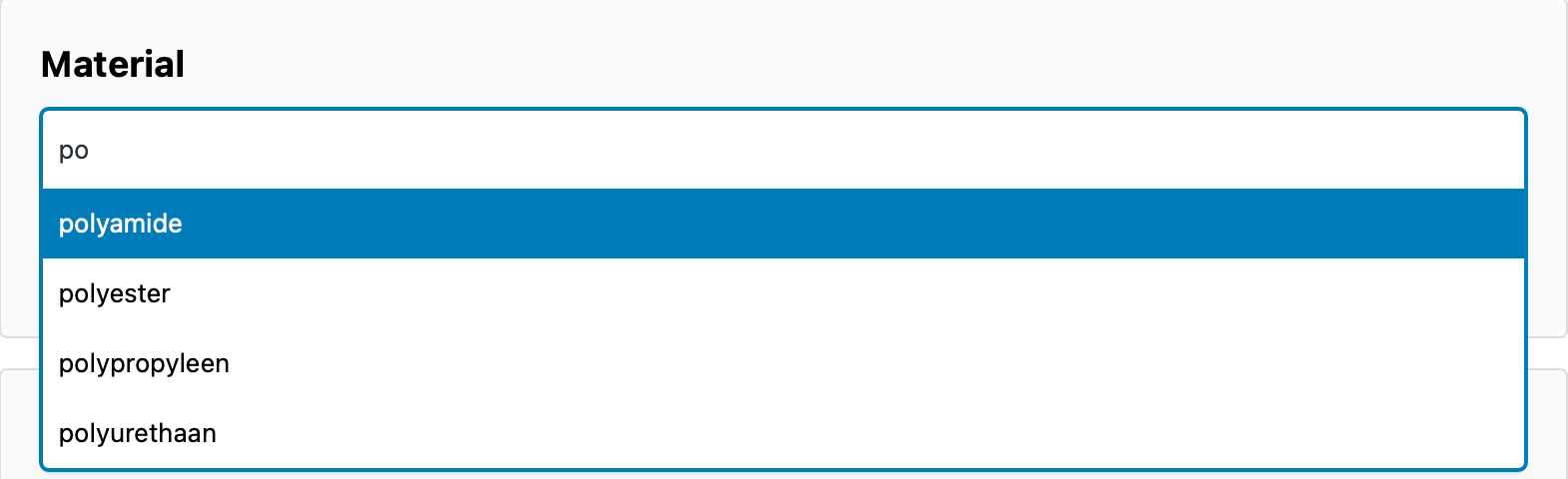
Smart Search Filter – Instantly find values in large attribute lists 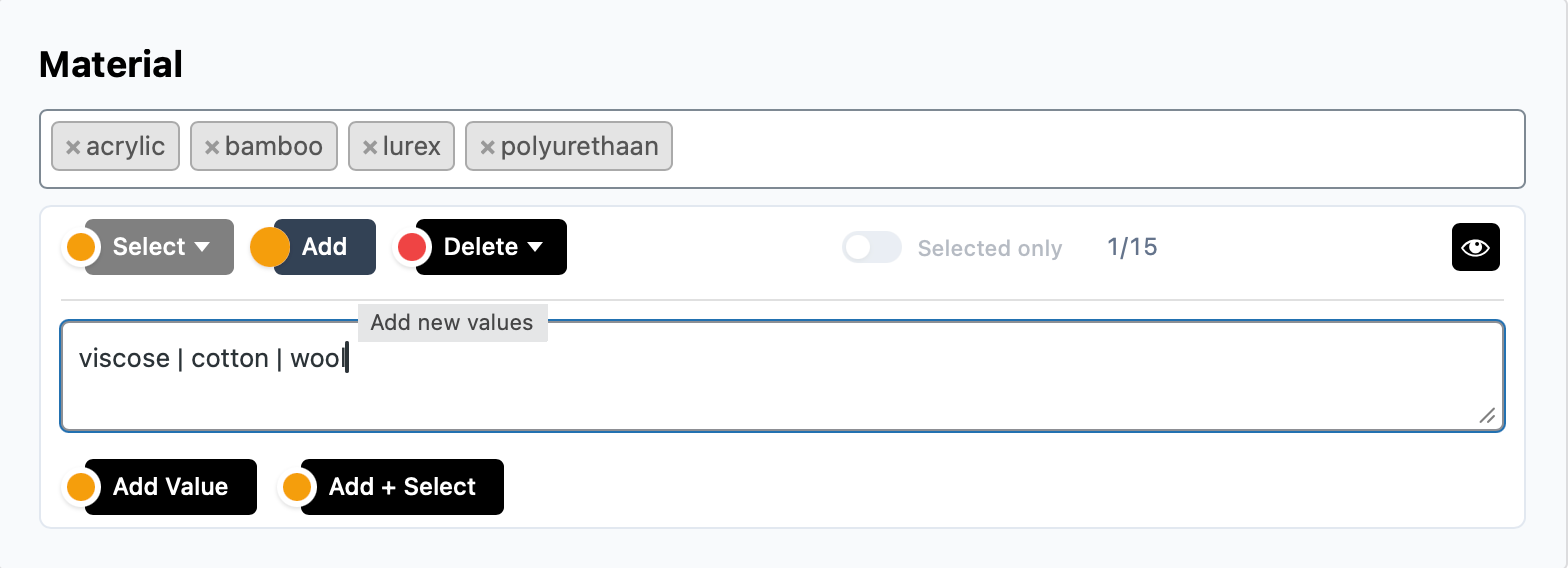
Attribute Configuration – Customize input types, layouts, and behavior per attribute 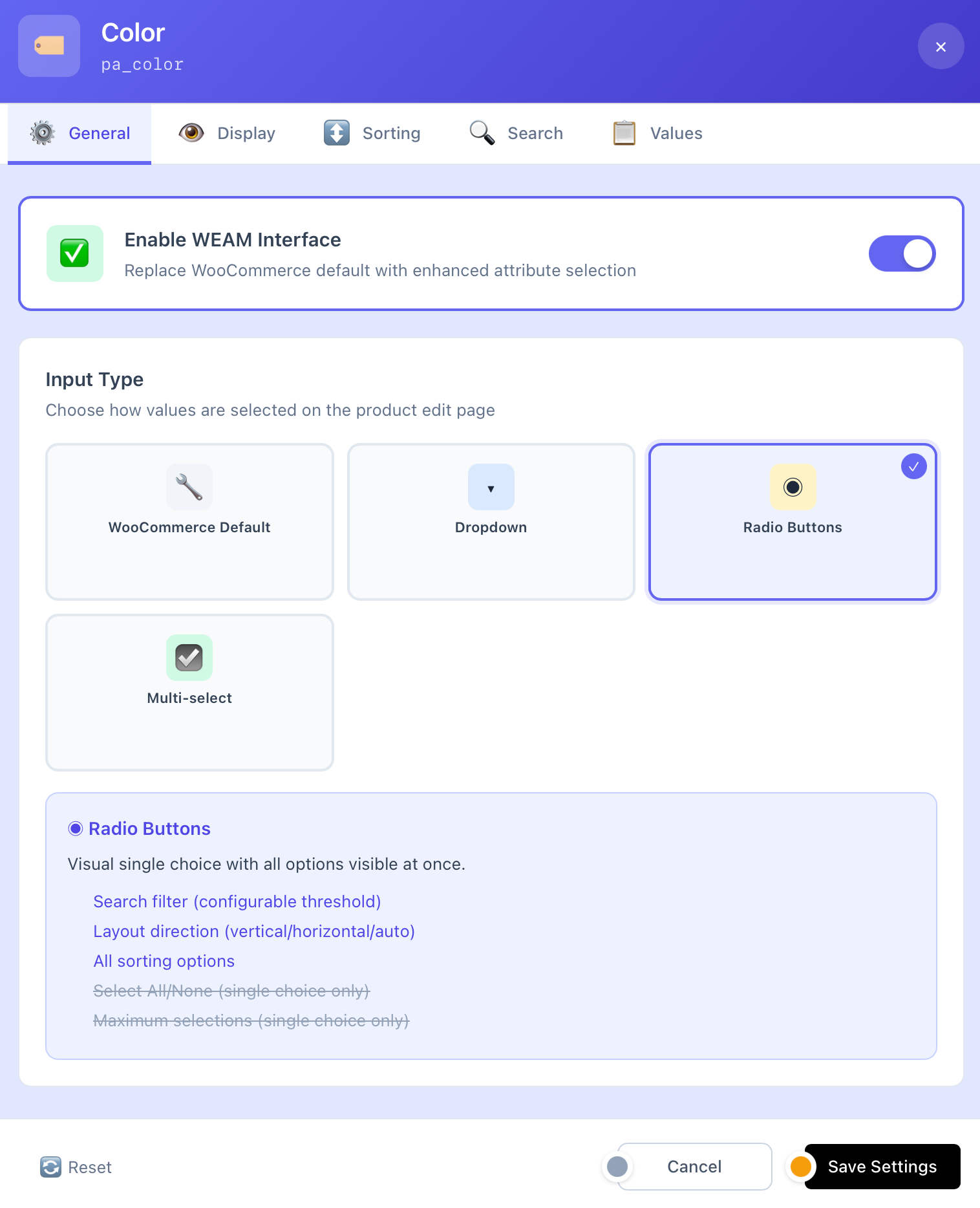
Empty Field Protection – Prevent WooCommerce from removing empty attributes 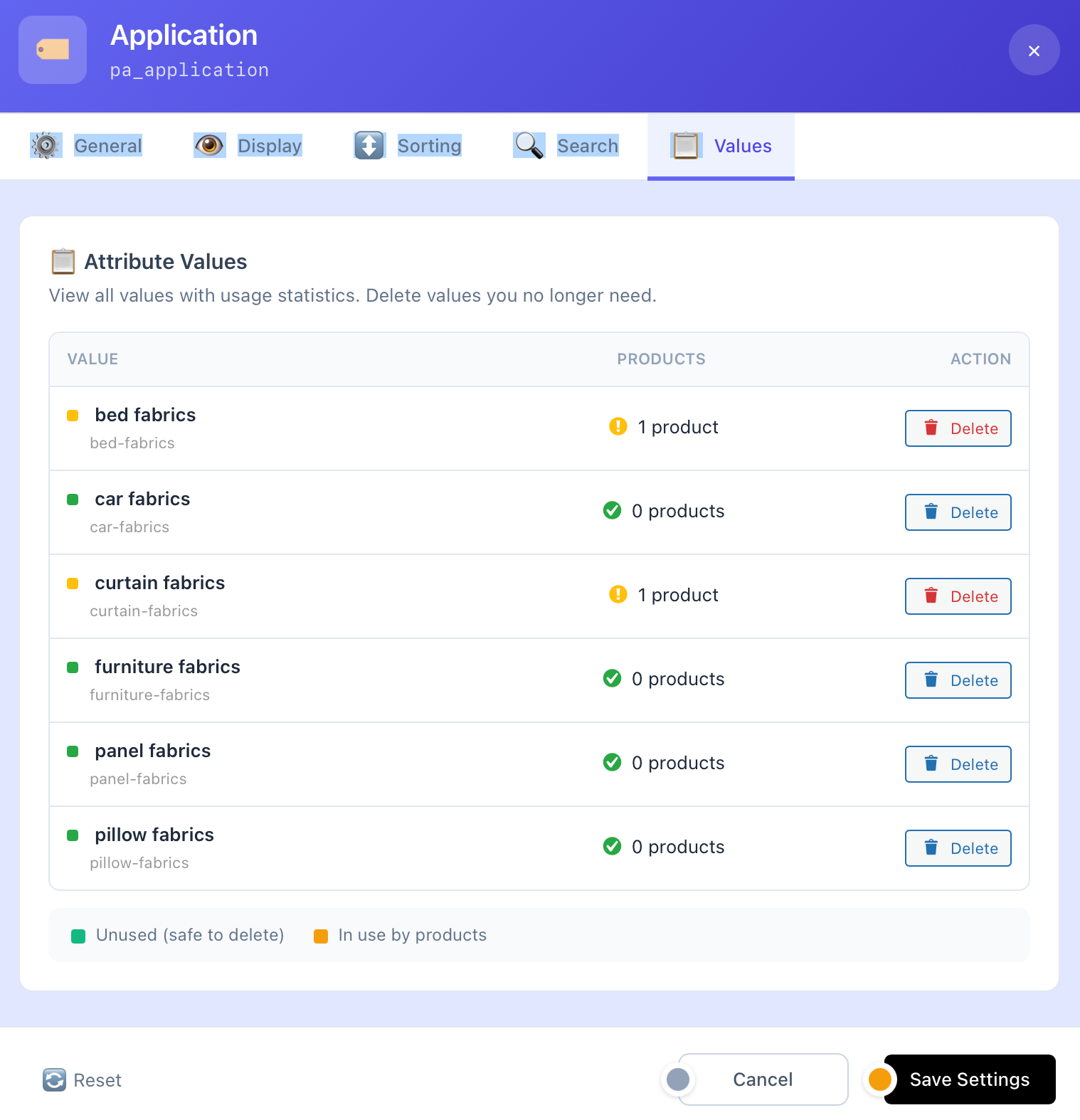
Quick Add Values – Add multiple new values without leaving the product page 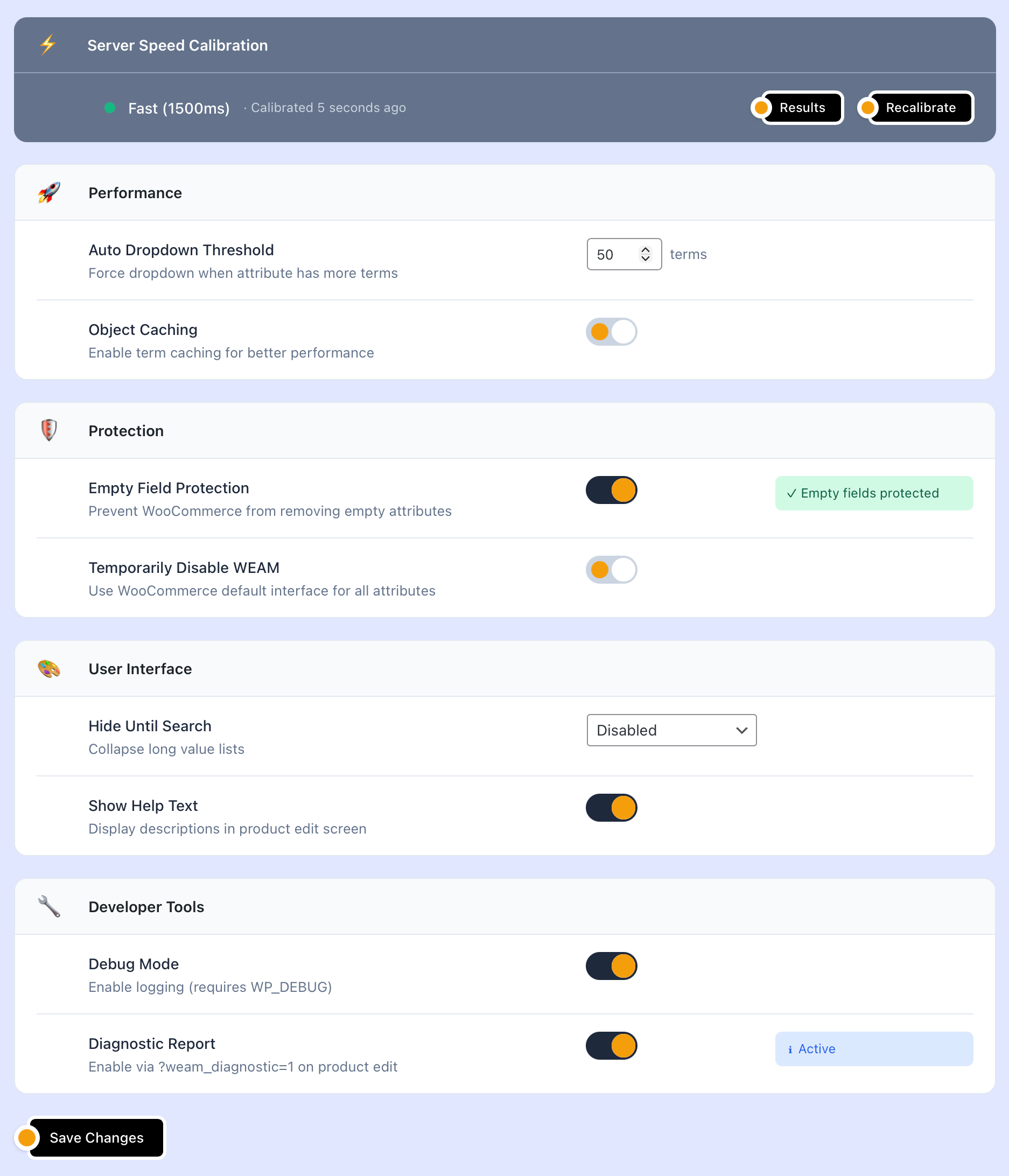
AI Anomaly Detection (Pro) – Automatically find data quality issues across your catalog 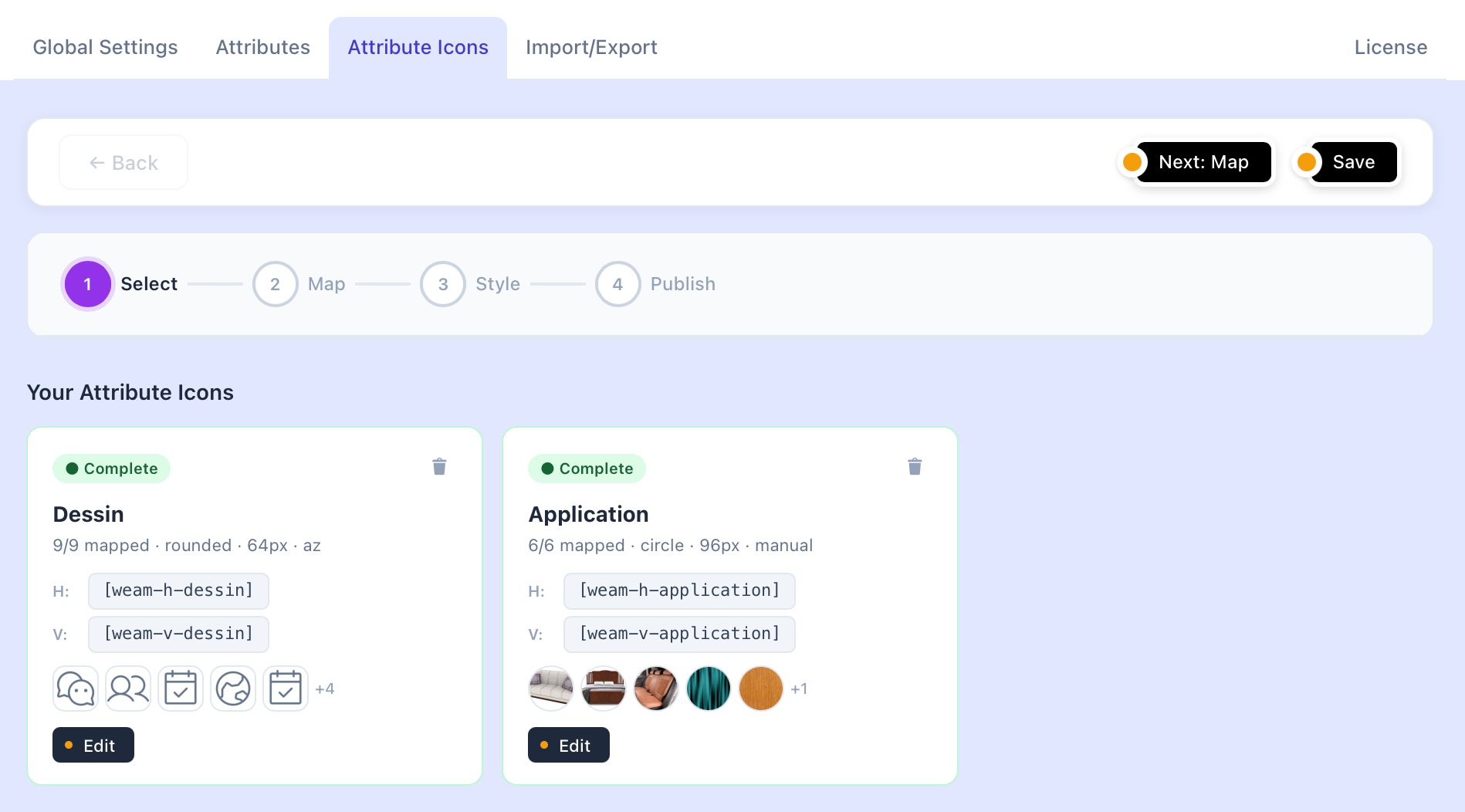


Installation
- Upload the plugin files to
/wp-content/plugins/weam4woo/or install directly through the WordPress plugins screen - Activate the plugin through the ‘Plugins’ screen in WordPress
- Navigate to WooCommerce WEAM to configure your attribute settings
- Edit any product – WEAM automatically enhances the Attributes tab
Minimum Requirements
- WordPress 6.0 or higher
- WooCommerce 7.0 or higher
- PHP 7.4 or higher
FAQ
-
Does this plugin require WooCommerce?
-
Yes, WEAM extends WooCommerce’s attribute functionality. WooCommerce must be installed and active.
-
Will this work with my theme?
-
WEAM works in the WordPress admin area only and does not affect your storefront. It’s compatible with any theme that works with WooCommerce.
-
Does it work with variable products?
-
Yes. WEAM fully supports variable products and their attribute variations. The enhanced interface makes variation attribute assignment faster.
-
What happens to my data if I deactivate the plugin?
-
Nothing! WEAM doesn’t modify your actual product or attribute data. It only changes how you interact with attributes. Deactivating simply returns you to the default WooCommerce interface.
-
Is my data safe?
-
WEAM includes data protection features and never modifies WooCommerce’s core attribute storage. Your attributes remain standard WooCommerce data, ensuring full compatibility if you ever deactivate the plugin.
-
Is it compatible with WPML / Polylang?
-
Yes, WEAM works with standard WooCommerce attributes, which are fully supported by WPML and Polylang translation plugins.
-
Where can I get support?
-
- Free users: Use the WordPress.org support forum
- Pro users: Visit weam.nl/support/ for priority support
Reviews
There are no reviews for this plugin.
Contributors & Developers
“WEAM – Attribute Manager for WooCommerce” is open source software. The following people have contributed to this plugin.
Contributors
“WEAM – Attribute Manager for WooCommerce” has been translated into 1 locale. Thank you to the translators for their contributions.
Translate “WEAM – Attribute Manager for WooCommerce” into your language.
Interested in development?
Browse the code, check out the SVN repository, or subscribe to the development log by RSS.
Changelog
2.1.8.5
- FIX: WP.org Guideline 5 — wrapped all unwrapped pro code in is__premium_only() blocks for automatic Freemius stripping
- Removed check_pro_access() gate and MAX_BACKUPS constant from free build (backup/restore/import/export section)
- Wrapped strip_pro_features() method body so it becomes a no-op in free build
- Wrapped $is_locked assignment and all locked-feature UI branches in renderer
- Wrapped weam_get_pro_version(), weam_get_upgrade_url(), weam_get_pro_url() helper functions
- Removed is_pro_plus tier flag from ajax_check_term_usage_basic() free-version response
- Added Freemius shim detection code and class-weam-fs-shim.php to codebase
2.1.8.4
- NEW: Free-to-Pro migration handler — detects free version alongside premium, shows branded one-click migration notice with banner
- Migration safely deactivates and removes the free version while verifying all settings are preserved
- Three-state UI (initial/migrating/success) with consistent layout, error recovery, and documentation link
- CSS and JS properly enqueued via wp_add_inline_style() and wp_add_inline_script() — no inline tags
- Migration handler and banner image added to @fs_premium_only (stripped from free build)
2.1.8.3
- FIX: PCP — replaced hardcoded LIKE wildcards with $wpdb->esc_like() placeholders in wp_options queries (weam-ve-rename-engine.php)
- FIX: PCP — added phpcs:ignore for NonceVerification on $_POST access lines in user profile PIN handler (class-weam-protected-delete.php)
- FIX: PCP — moved InterpolatedNotPrepared phpcs:ignore to correct line for audit trail SQL queries (class-weam-protected-delete.php)
2.1.8.2
- FIX: PCP — replaced file_put_contents() with WP_Filesystem API in directory setup (class-weam-installer.php)
2.1.8.1
- FIX: WPCS — escape all ternary echo output in attribute table (esc_attr wrapping)
- FIX: WPCS — escape ternary echo output in tab navigation (esc_attr wrapping)
- FIX: WPCS — escape data-hide-initially and data-show-limit attributes in product renderer (esc_attr wrapping)
- FIX: WPCS — use wp_json_encode for JS boolean output in calibration modal
- FIX: WPCS — add phpcs:ignore annotations for file_put_contents in activation directory setup
- FIX: Removed obsolete phpcs:ignore comments where escaping is now complete
2.1.8.0
- FIX: WP.org Guideline 5 — wrapped Backup/Restore/Import/Export AJAX registrations in is__premium_only() (endpoints no longer exist in free build)
- FIX: WP.org Guideline 5 — wrapped toggle_variation_flag AJAX registration in is__premium_only()
- FIX: WP.org Guideline 5 — restructured check_pro_access() so “requires Pro license” text is stripped from free build
2.1.7.9
- FIX: WP.org Guideline 5 compliance — wrapped all legacy tier-check functions (weam_is_pro, weam_is_trial, weam_has_pro_access, weam_is_pro_plus, weam_has_pro_plus_access) in is__premium_only() blocks so they are stripped from the free build
- FIX: Wrapped SKU counter class loading and initialization in is__premium_only() — removes all upgrade prompts and usage tracking from free build
- FIX: Wrapped pro class loader in is__premium_only() — removes weam_has_pro_access() call from free build
- FIX: Restructured attribute sanitizers in class-weam-settings.php and class-weam-admin-settings.php to set defaults unconditionally, then override in is__premium_only() blocks — removes $weam_has_pro feature gating from free build
- FIX: Restructured product override methods (get/update/delete) in class-weam-settings.php to use clean is__premium_only() wrapping
- FIX: Made translators comments inline (/* */ style on same line as __() call) so they survive Freemius preprocessor code stripping
- FIX: PCP compliance — resolved 6 MissingTranslatorsComment errors in class-weam-ajax-handlers.php
2.1.6.8
- REFACTOR: Phase 2a — Freemius infrastructure conversion in weam4woo.php
- Removed WEAM_FS_Shim class and if/else Freemius wrapper (SDK present in all builds)
- Wrapped license AJAX handlers in is__premium_only() (stripped from free build)
- Wrapped plugin_row_meta license link in is__premium_only()
- Converted load_core_files() premium loading to is__premium_only() + can_use_premium_code() pattern
- Converted init_components() premium init to is__premium_only() pattern
- Simplified weam_is_pro() weam_fs()->is_paying()
- Simplified weam_has_pro_access() weam_fs()->can_use_premium_code()
2.1.6.7
- FIX: Added __premium_only directories to @fs_premium_only header (Freemius auto-stripping did not remove them)
2.1.6.6
- FIX: Consolidated @fs_premium_only to single-line format (Freemius parser compatibility)
2.1.6.5
- FIX: Replaced uninstall.php with Freemius after_uninstall hook (required for Freemius deployment)
- Infrastructure: Freemius now handles uninstall event tracking and cleanup
2.1.6.4
- Enhancement: Added @fs_premium_only file declarations for Freemius preprocessor stripping
- Enhancement: Added @fs_ignore for Freemius SDK directory to skip unnecessary processing
- Infrastructure: Freemius single-codebase deployment model (Phase 1 of trialware refactor)
2.1.6.3
- FIX: Replaced inline and tags with wp_enqueue_script/wp_enqueue_style (WP.org compliance)
- FIX: Added External services section to readme.txt documenting Pixabay API usage
- FIX: Replaced WP_CONTENT_DIR/URL constants with wp_upload_dir() function calls
- FIX: Renamed upload folder from weam-icons to weam4woo/icons (must match plugin slug)
- FIX: Added migration to move existing icon files from old to new folder location
- FIX: Replaced file_put_contents debug logging with error_log()
2.1.6.2
- Fix: Replaced
global $productwithwc_get_product()to resolve Plugin Check global variable prefix warnings - Fix: Moved translators comment to directly above
__()call for PHPCS compliance
2.1.6.1
- Fix: WordPress Plugin Check compliance — resolved all 7 errors and 107 warnings
- Fix: Added missing
translators:comments for i18n strings with placeholders - Fix: Corrected text domain mismatch (‘weam’ ‘weam4woo’) in installer
- Fix: Replaced
rename()withWP_Filesystem::move()per WP coding standards - Fix: Replaced
unlink()withwp_delete_file()per WP coding standards - Fix: Added
wp_unslash()to all$_POSTsanitization calls (36 instances) - Fix: Added
isset()guards for all$_POSTarray access (11 instances) - Fix: Proper sanitization and phpcs:ignore for JSON/array POST data
- Fix: Added phpcs:ignore for WooCommerce
global $productusage - Fix: Added phpcs:ignore for diagnostic
error_log()anddebug_backtrace()calls - Fix: Trimmed changelog to published versions only (under 5000 char limit)
2.1.6
- Added: Values tab now available in free version — view attribute values with product counts and delete unused values
- Added: Select All/None buttons enabled for free users on product edit page
- Added: Delete Value button enabled for free users (admin role) on product edit page
- Added: Greyed-out Pro/Pro+ tabs in free version linking to feature list
- Added: Feature Request link in footer for user feedback
- Changed: Footer layout redesigned — Documentation (left), Feature Request (center), Upgrade + License (right)
- Changed: Footer Upgrade link now points to weam.nl/feature-list/
- Changed: License tab wording clarified for free users
- Changed: WordPress.org compliance — Freemius SDK removed from free build, lightweight shim replaces it
- Changed: Tested up to WordPress 6.9
- Removed: Debug info block from License tab
- Cleaned: Dead CSS classes and unused PHP helper functions removed
2.1.3
- REDESIGN: Attribute Icons — new 4-step flow (Select Map Style Publish)
- NEW: Sticky action bar with Back, Next, and Save buttons always visible
- NEW: Save button moved to top-right (UX best practice)
- NEW: Live preview in Style step shows actual mapped images
- NEW: Template section is collapsible (not a separate step)
- IMPROVED: Single mode — removed confusing Guided/Manual toggle
- IMPROVED: Edit flow opens at Map step (the core work)
- IMPROVED: Save stays in flow (no page reload)
- FIX: Premium guard on Attribute Icons tab (was visible to Free users)
2.1.2
- FIX: Dot click guards in stepper navigation
- FIX: Manual mode navigation edge cases
- FIX: Guided mode validation improvements
- IMPROVED: Code cleanup and stability fixes
2.1.1
- NEW: Clickable shop links — images link to filtered WooCommerce product pages
- NEW: Link mode setting (None / Shop filter) with shortcode override
link="shop" - NEW: Royalty-free image search — find images per attribute value via Pixabay API
- NEW: Smart context search — auto-builds query from attribute name + value name
- NEW: Image type filter — search by Photo, Illustration, or Vector
- NEW: One-click download — picks go straight to Media Library and apply to value
- NEW: Find button (🔍) per value row for quick image discovery
- IMPROVED: Edit flow opens Settings tab first so all options are reviewable
- IMPROVED: Unsaved changes indicator — Save button pulses amber when changes pending
- IMPROVED: Link mode shown on config cards with cart icon
2.1.0
- NEW: Image Selector — standalone architecture (extractable as separate plugin)
- NEW: Auto PNG conversion — all images converted to PNG on save for consistency
- NEW: SVG blocking — prevents SVG uploads (XSS security protection)
- NEW: Uniform image sizing — configurable presets (32/48/64/96px) or custom
- NEW: Shape selector — Square, Rounded, Circle, or Borderless display
- NEW: Sort order — A-Z, Z-A, Numeric, Manual drag-reorder, or Original
- NEW: Tag-based grouping — add group tags to values (e.g. “Care”, “Certification”)
- NEW: Grouped frontend rendering with collapsible group headers
- NEW: Shortcode attributes — override size, shape, group, max items, columns
- NEW: Elementor compatibility — shortcodes now render in all Elementor widgets
- NEW: Grid layout —
[weam-v-name cols="2"]for multi-column vertical display - IMPROVED: Image processing uses WP Image Editor (GD + Imagick support)
- IMPROVED: Protected upload folders with .htaccess + index.php
