DebugPress
Powerful Debugger Popup plugin for WordPress
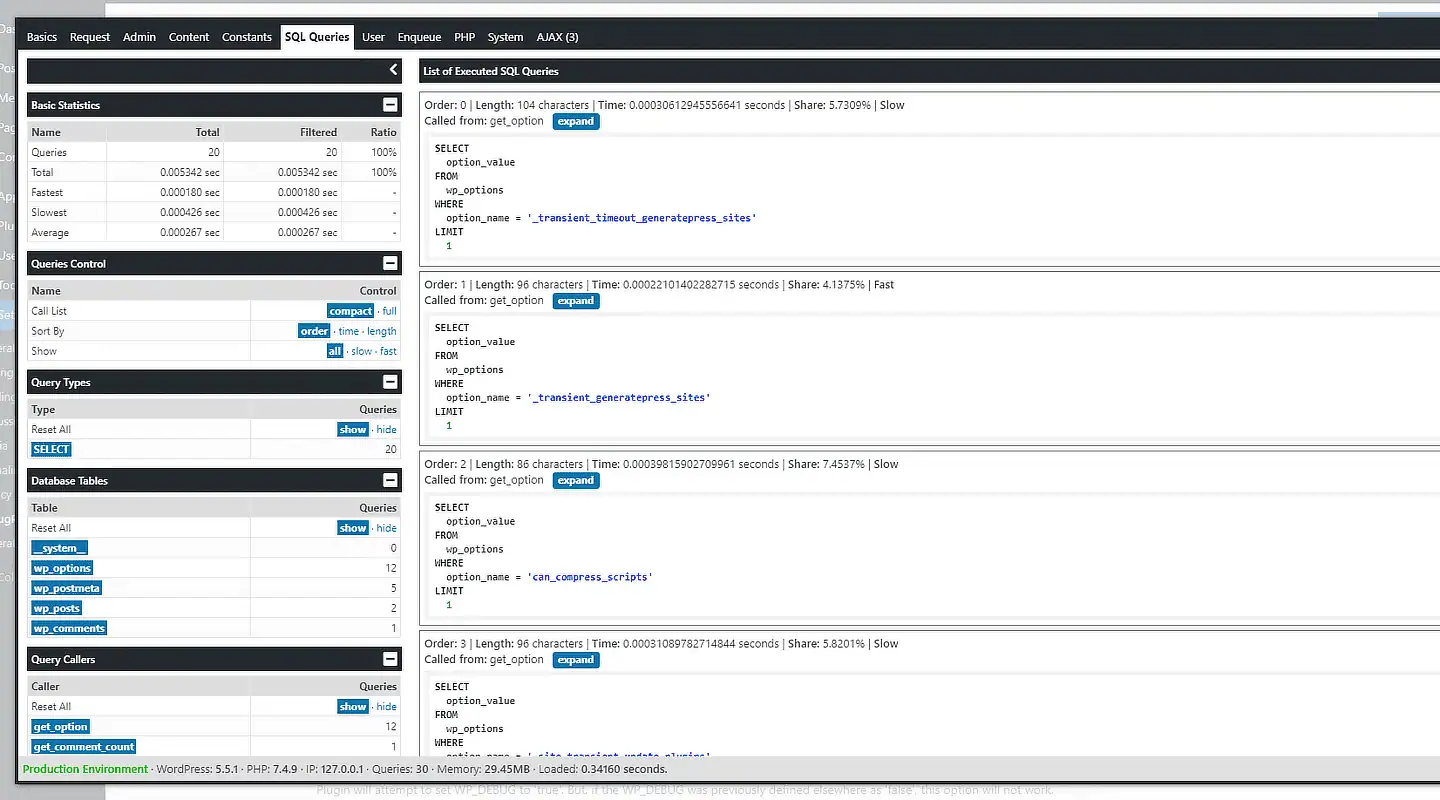
DebugPress is an easy to use plugin implementing popup for debugging and profiling currently loaded WordPress powered website page with support for intercepting AJAX requests.


Free Plugin Download
Plugin First Released
5 years, 3 months agoBasic Requirements
WordPress Multisite
Individual network websites
How DebugPress works?
DebugPress, unlike other debugger plugins, uses a pop-up window to show all the relevant information. It is less intrusive, it shows more information at once, and it should provide a better user experience using the debugger. To activate the debugger, the plugin uses a small bug button that can be placed in the WordPress Toolbar or floating on the page in any of the screen corners.

The button shows a bug icon that is green or turns red if there are errors on the page, with a few more colors depending on the errors. And, it has three additional badges, a purple one showing the number of recorded AJAX calls on the current page, a blue one showing the number of recorded HTTP API calls, and a red one showing the number of errors.
Finally, you can see that the plugin is fully responsive, and it works fine with small screens, making the debugger useful on mobile devices too. Instead of tabs, the plugin uses a dropdown list to switch between debugger tabs.

Heart of the plugin: page loading Tracker

The most important part of the plugin is the Tracker. Tracker is loaded as soon as the plugin is loaded, and it starts gathering information about the page that is currently loaded. That includes tracking SQL queries, time measurements at significant page-load actions, requests for the current page, how WordPress resolves it, what errors happened on the page, and much more.
Tracker has functions, filters, and actions that can be used to extend the plugin, store custom objects to display inside the Debugger, modify how errors are processed, and more.
Panels for Error Handling
DebugPress can capture PHP errors and warnings, deprecated warnings, and WordPress’s doing it wrong function calls.
When possible, the plugin will capture a debug backtrace for each error and include it with the error reported.
The plugin error handler doesn’t modify other possible error handlers registered by other plugins, and it will return error handling back to the system after it is done logging the error.
The number of errors is indicated via the activation button, with the bug changing color and the flag showing the number of bugs tracked.

All Dev4Press plugins for WordPress share these features
Settings Import and Export
Tools to export all plugin settings into a file with JSON serialization. You can import settings from that file. This way, you can keep your settings safe or transfer settings between websites.
Dev4Press Library
Dev4Press Shared Library contains code and libraries for implementing a unified admin interface, reusable code to speed up plugin development, handle plugin settings, and more.
Regular Updates
Regular updates to fix reported bugs, fix any security issues, and enhance and improve every aspect of plugins. And using our Updater plugin, you can update directly from WordPress.
Complete Localization
WordPress standard PO/MO translation system makes translating into any language easy. Dev4Press includes a GlotPress instance to handle translations for all the plugins.
Excellent Support
One of our primary goals is to provide the best support possible. This includes an active support forum and an ever-expanding knowledge base to help you get all the information you need.
Secure and Clean Code
Made with best coding practices, tested for potential security problems. We are constantly working on maintaining full WordPress compatibility and the highest level of security.
DebugPress Blog & Support Resources
Get the latest news and blog posts, access the plugin documentation and support forums.


Discover more WordPress plugins