
A String is a sequence of characters used to represent text-based data, such as words, sentences, or symbols. Strings are one of the most commonly used data types in JavaScript and play a key role in handling user input, displaying content, and working with APIs or text files.
String Basics
When you're starting with strings in JavaScript, the first things you'll learn are how to create a string, get specific characters based on their position, and find out how long the string is. These simple concepts might seem small, but they're the building blocks for working with text in almost every JavaScript project.
1. Declaration & Initialization
Strings can be created using single quotes (' '), double quotes (" "), or backticks quotes (` `) in JavaScript.
Example:
let s1 = "GeeksforGeeks"

// Using double Quote
console.log(s1)

let s2 = 'GeeksforGeeks'

// Using Single Quote
console.log(s2)

// using backticks
console.log(`${s1}`)
Output
GeeksforGeeks
GeeksforGeeks
GeeksforGeeks
2. Finding a letter by its position
Access characters using index (str[i]) or methods like charAt(i).
let str = "JavaScript";

// Using Index
console.log(str[0]);

// Using charAt() Method
console.log(str.charAt(1));
Output
J
a
3. Finding a length of String
Counting how many characters it contains, including letters, numbers, spaces, and symbols.
let string = "GeeksforGeeks"

console.log(string.length)
Output
13
Now we start Built-in String Method after reading string Basics.
Built-in String Methods
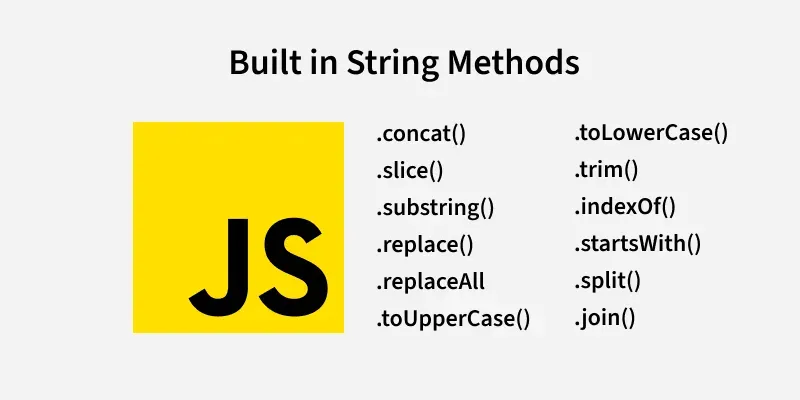
JavaScript string methods are built-in functions that allow you to manipulate, transform, search, and extract information from strings efficiently.
Manipulation
- concat(str2): Combines strings.
- slice(start, end): Extracts a portion (end not included).
- substring(start, end): Similar to slice, but handles negative indices differently.
- replace(search, replacement): Replaces first occurrence of search.
- replaceAll(search, replacement): Replaces all occurrences.
// Define a string variable
let str = "Mind, Power, Soul";

// Use the substring() method to extract a substring
let part = str.substring(6, 11);

// Output the value of variable
console.log(part);
Output
Power
Transformation
- toUpperCase(), toLowerCase(): Changes case.
- trim(): Removes leading/trailing whitespace.
let str = "  Hello  ";

console.log(str.trim().toUpperCase());
Output
HELLO
Searching
- indexOf(subStr): Returns first index of subStr or -1 if not found.
- includes(subStr): Checks if subStr exists (returns boolean).
- startsWith(str), endsWith(str): Checks if string starts/ends with str.
let str = "JavaScript";

console.log(str.indexOf("Script"));
console.log(str.includes("Java"));
Output
4
true
Splitting & Joining
- split(separator): Splits string into an array based on separator.
- join(separator): Joins array elements into a string with separator.
let str = "a,b,c";

let arr = str.split(","); // ["a", "b", "c"]
console.log(arr.join("-")); // "a-b-c"
Output
a-b-c
Now we start Operators after reading Built-in String Method.
Operators in JavaScript
In JavaScript, operators are special symbols used to perform actions on values or variables. They're an essential part of how we work with strings, numbers, and other data in a program.
1. Arithmetic Operators
Perform mathematical operations. Often used with numbers but can work with strings in some cases (e.g., concatenation).
- + : Addition (or string concatenation).
- - : Subtraction.
- * : Multiplication.
- / : Division.
- % : Modulus (remainder).
// Addition
let num1 = 10 + 2;
console.log(num1);

// Substraction
let num2 = 10 - 2;
console.log(num2);

// multiplication
let num3 = 10*2;
console.log(num3);

// Division
let num4 = 10/2;
console.log(num4);

// Module
let num5 = 10%2;
console.log(num5);
Output
12
8
20
5
0
2. Assignment Operators
Assign values to variables.
- =: Assigns a value.
- += , -= , *= , /= : Combine operation and assignment.
let str = "Hello";
str += " World"; // str = "Hello World"
console.log(str);
Output
Hello World
3. Comparison Operators
Compare value, often used in conditionals. Returns true or false.
- == : Equal (loose equality, converts types).
- === : Strict equal (no type conversion).
- != , !== : Not equal (loose and strict).
- > , < , >= , <= : Greater than, less than.
console.log("5" == 5); // true
console.log("5" === 5); // false

let str = "apple";
console.log(str < "banana"); // true
Output
true
false
true
4. Ternary Operator (?:)
Shorthand for if-else.
let str = "hello";
let result = str.length > 5 ? "True" : "False";
console.log(result);
Output
False
5. Typeof Operator
Checks the type of a value.
console.log(typeof "Hello"); // "string"
Output
string
Now we start with some problems on strings after reading Operators.
Some Problems on Strings
Before exploring specific string problems in JavaScript, let’s understand what these problems involve and why they matter. String problems focus on techniques for manipulating and analyzing text, such as checking for palindromes, reversing strings, or compressing data efficiently.
String Reversal
Reverses the characters in a string.
function reverseString(str) {
  return str.split("").reverse().join("");
}
console.log(reverseString("hello"));
Output
olleh
Palindrome Check
Check if String is Palindrome or not.
function isPalindrome(str) {
  // Convert to lowercase and remove non-alphanumeric characters
  str = str.toLowerCase().replace(/[^a-z0-9]/g, "");
  // Compare string with its reverse
  return str === str.split("").reverse().join("");
}


console.log(isPalindrome("A man, a plan, a canal: Panama")); // true
console.log(isPalindrome("race a car")); // false
Output
true
false
Anagram Check
Check if two strings are anagrams.
function isAnagram(str1, str2) {
  str1 = str1.toLowerCase().replace(/[^a-z]/g, "");
  str2 = str2.toLowerCase().replace(/[^a-z]/g, "");
  return str1.split("").sort().join("") === str2.split("").sort().join("");
}

console.log(isAnagram("AMAN" , "MAAN"));
Output
true
