Pre loader

High-Performance JavaScript Chart & Graph Library

Discover the ultimate solution for your JS applications with SciChart’s JavaScript Chart Library v4.

Unlike other libraries, SciChart is engineered for scale. Power advanced visualizations like polar charts, arc heatmaps, and streaming dashboards — all with our Visual Xccelerator™.

Create charts for serious applications with WebAssembly-accelerated performance, advanced chart types, and deep customization that scales with your ambition. With SciChart JS v4, you no longer need to choose between speed and flexibility.

SciChart renders millions of data points in real time at 60 FPS and keeps dashboards running continuously without crashing.
Build Real-Time JavaScript Charts with Confidence from Day One

Get a real-time JavaScript chart running in under two minutes using our production-ready templates, boilerplates, tutorials, and AI-assisted support. No WebAssembly setup required, no complex wrappers — just clean, modern code.

Tired of outdated docs or half-baked GitHub examples?

The GitHub templates are ready for whichever framework you’re using, including React, Angular, Vue, and Vanilla. Our drop-in demos come with live data, ready to clone. Plus, you’ll get TypeScript support with full IntelliSense.

Deliver Enhanced Data Dashboard Performance

You’re building systems where performance isn’t a feature — it’s a requirement. From real-time telemetry and high-frequency trading to 24/7 monitoring, most JavaScript chart libraries weren’t built for this kind of pressure.

Cross-platform access, unlimited flexibility and big data performance help accelerate application development and unlock new possibilities. Our WebAssembly-powered engine with GPU acceleration renders millions of data points at 60 FPS — with zero frame drops. Dashboards of 100 million points can run for days without crashing or freezing.

The JavaScript Chart Library That Grows With You

Whether you’re building your first data visualization or a mission-critical dashboard, SciChart JS grows with you.

Build once. Scale infinitely.

Not only do we provide the ability to scale millions of data points in real-time, we’re also invested in continuously improving our JavaScript Chart Library.

Responsive Support with SciChart AI and a Team of Developers

You’ll get access to real engineers rather than forum ghosts. Whether you’re debugging a dashboard or pushing performance boundaries, our team is here to help.

If you hit a roadblock when modifying your charts or attempting a more complex customization, you can send over your attempts and we’ll provide suggestions to get you back on track.

SciChart AI helps to solve common issues right away without needing to wait for an engineer to answer.

We have over 500+ five-star reviews on Reviews.io, Capterra, and G2.

Unlock New Data Visualization Possibilities with Advanced Customizations

  • Control every detail, including axes, ticks, gridlines, cursors, tooltips, legends, gestures, and rendering order.
  • Overlay charts with text, regions, shapes, or custom HTML/SVG, and annotate with lines or boxes to highlight insights.
  • Start from built-in Light, Dark, or Electric themes, or define your own with pixel-level precision.
  • Custom UI dashboards with full layout, event, gesture, and overlay control.
  • Extend interactions with the Chart Modifier API, stream live data from WebSockets or REST, and animate styles, data, or transitions on hover and click.

JavaScript Charts Built for Production at Scale

  • Out-of-the-box support for Zoom, Pan, Rubber-Band Zoom, Crosshairs, Legends, and more.
  • Serialize or restore chart states with JSON.
  • Support retina displays for high-fidelity visuals.
  • Add accessibility hooks to make visualizations usable by all.
  • Use built-in filters and overlay animations for long-running, complex apps.
  • Deploy in browser, Electron, Node.js rendering, or cross-platform apps.

Simply drop into React, Angular, Vue, or Vanilla JS with the same core engine — no wrappers needed.

Endless Charting Possibilities at Your Fingertips

SciChart JS v4 offers advanced chart types rarely available in JavaScript, including highly flexible line, triangle and rectangle series allowing for any kind of visualization, on normal and polar surfaces.

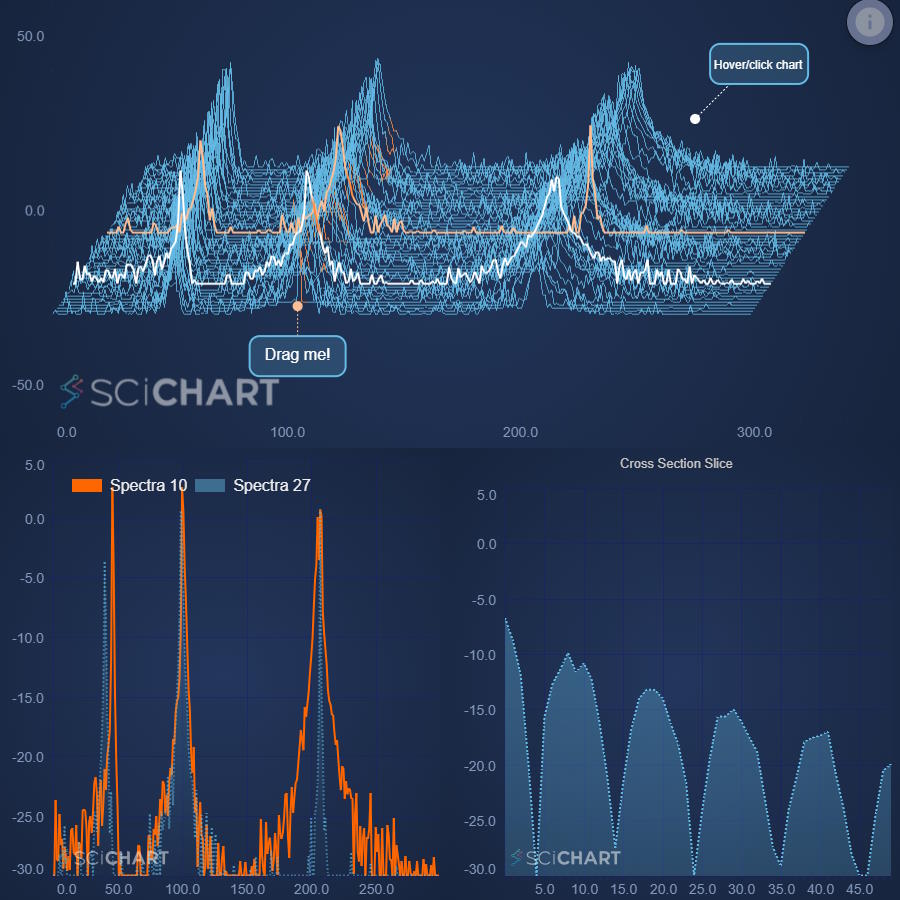
Alongside all the chart you’d expect (Line, Column, and Bar), we also offer rare, specialized chart types like Waterfall, Error Bars, Impulse, Heatmaps, Contour Maps, Vector Fields, Polar and Radar — plus advanced Arc Heatmaps for geospatial and scientific data, including Choropleth Maps.

Need to go further? Unlock true 3D with Surface Meshes, Point Clouds, 3D Bubble and 3D Column charts — uncommon in JavaScript chart libraries.


Get Started with SciChart.js

Discover our helpful resources below to get started and get the answers you’re looking for with ease.

Image Responsive 5-Star Technical Support

With our 5-star technical support subscription, we aim to answer all support tickets within one business day* and often even faster.

Learn More
Image Get Answers Fast with our AI Assistant

Ask our AI Assistant anything about SciChart and it will answer your questions fast!

Learn More
Image Knowlegable Support Forums

With nearly 4000 answered support requests on our public support forum, you’ll never be left without an answer.

Learn More
Image Extensive Documentation

1000s of pages of support documentation across all platforms for expert guidance on getting the most from SciChart.

Learn More
Image Tutorials & Videos

Our regularly updated YouTube channel will help you understand what’s possible and answers the most commonly asked questions.

Learn More
Image Hundreds of Example Charts

Over 350 chart examples will get you what you need to get out of the blocks more quickly.

Learn More

Build Faster. Scale Further. Switch Never.

Getting started is easy. With our FREE community edition, you can access 100s of demos and detailed documentation with live code samples

Try SciChart.js v4 Now

All the JavaScript Chart Demos You Need in One Place

See it in action — explore our live, production-ready demos with real-time updates, advanced chart types, and fully interactive JavaScript Chart dashboards. With 70+ 2D and 3D JavaScript chart types, it’s trusted in finance, medical devices, scientific research, oil & gas, aerospace, and defence.

Testimonials & Reviews

star starstarstarstarstar 4.84 Average - 462 Reviews

SciChart’s chart libraries are trusted by thousands of developers worldwide and we have customers in over 90 countries from sectors including Pharmaceutical, Oil & Gas, Medical, Instrumentation, Defence, Aerospace, Motorsport, Process Automation, Mining, Investment Banking, Trading and more. See what our customers say about their experience with SciChart’s JavaScript Chart library.

View Testimonials
quote
JS Dev in Oil/Gas
star
star
star
star
star

The best JS charting functionality that's offered anywhere, with performance in a different league thanks to their use of WebAssembly. The best thing about SciChart, though, is their support.

quote
JS Tech Lead, Automation
star
star
star
star
star

Simply put the best JS charting software available, and they back it up with excellent service. Been a customer for over eight years and their only get better.

quote
JS Dev at a Trading Company
star
star
star
star
star

SciChartJS is an amazing library and blazing fast. The APIs are extremely well defined, documented and easy to use. We are displaying multiple charts with each one having around 6-7 million data-points without any issues.

quote
JS Tech Lead in Oil Exploration
star
star
star
star
star

I work with it daily, and it is a very good product! It's very performant, and I can customize my charts the way I want them. I like the responsiveness of the SciChart team and they embrace feedback

quote
Alef D
star
star
star
star
star
Great software, very fast, can easily handle large amounts of data. I've been using it for javascript and whenever I need help they answer right away, it's one of the best support I have seen.

Advanced JavaScript Chart API: Extensible and Customizable

SciChart’s JavaScript Chart API has been refined over the years with feedback from thousands of developers and end-users. Our Chart API has amazingly rich features which allow you to extend, customize or otherwise bend the chart control to your will.

Annotations
Animations
Axis APIs
Axis Types
Chart Series APIs
Cursors and Tooltips
Data Labels
Data APIs
Documentation & Help
Filters & Data Transforms API
Multi Chart Linking
Retina Support & DPI
Serialization & Builder API
Selection & Hit-Test
Theming
Voiceover, Accessibility
Zooming / Panning

Annotations API Features

Annotations allow placement of any shape, marker, text or line on the chart at Xy coordinates or relative (%) coordinates.

  • Annotation (Marker) Types
    • LineAnnotation
    • BoxAnnotation
    • TextAnnotation (Text / label)
    • VerticalLineAnnotation (line with draggable axis marker)
    • HorizontalLineAnnotation (line with draggable axis marker)
    • AxisMarkerAnnotation (Text or image on Axis)
    • CustomAnnotation (any SVG Shape placed on the chart)
    • [NEW] ArcAnnotation (arc on Cartesian or Polar chart)
    • [NEW] PolarPointerAnnotation (pointer for gauges)
  • Annotation Placement API
    • Absolute Placement at Xy Data Values, SciChart Updates Positions Automatically
    • Relative Placement e.g. Top 5%, Left 10%
    • Pixel Placement e.g. Top: 20px, Left: 40px
    • Placement above series, or below (as background)
  • Annotation Interactions API
    • Optional Dragging / Resizing via mouse
    • Events (callbacks) on drag & resize
    • Show / hide (change visibility)


See Annotations Docs

Animations API Features

  • Series Startup Animations
    • Four animation types on first-load
    • Wave, Sweep, Fade and Scale
    • Customise delay, duration and easing function
  • Style Transition Animations
    • Animate a style transition on a chart series
    • Animate StrokeThickness, Stroke Color, Fill
    • Animate Pointmarker style
    • Can be used to animate style on hover, selection
    • Customise delay, duration and easing function
  • Dataset Animations
    • Can be used to animate from one dataset to another
    • All series Xy points are interpolated from dataset A to B
    • Can be combined with Style animations
    • Customise delay, duration and easing function
  • Generic Animations
    • Literally animate anything on the chart including Dom elements, markers or overlays
    • Animate axis.visibleRange changes which control zoom, pan
    • Customise delay, duration and easing function


See Animations Docs

Axis API Features

  • Axis Placement
    • Unlimited, Multiple X and Y Axis on the left/right/top/bottom of the chart
    • Axis inside, outside or in the centre of chart
    • Rotate Charts (vertical charts) for Oil & Gas Industry
    • Stacked axis layouts vertically or horizontally
  • Axis Titles, Labels
    • Customize Axis Titles and Axis Label Formatting
    • Dynamically adjust Label Formatting on zoom
    • Supports Rotated Axis Labels, as well as Image Labels
    • Supports Scientific or Engineering Notation in Labels e.g. 1.23E5 or 1.23⁵
  • Axis Styling, Configuration
    • Toggle Gridlines, Ticks, Labels and Bands On or Off
    • Configure axis gridline interval precisely via TickProvider
    • Style Axis Borders, Background, Gridlines, Ticks and Labels
  • Axis Misc APIs
    • AutoRanging (auto fitting of data) on specific axis
    • Toggle Axis visibility, or dynamically add/remove axis
    • Synchronize Axis Sizes across linked charts
    • Programmatic Axis Pixel-Data Conversion API
    • Set, Get axis.visibleRange programmatically or be notified on range change


See Axis Docs

Axis Types

  • NumericAxis
    • Integer, Floating point values
    • Customise number of decimal places or label format prefix / postfix
    • Value-axis type (measures using X-value)
  • DateTimeNumericAxis
    • Sub-type of NumericAxis which formats Unix Timestamps as Dates
    • Choose from a selection of Date / Time formats out of the box
    • Dynamic vary date / time formats on zoom to show more detail
  • LogarithmicAxis
    • Integer, Floating point values
    • Log2, LogE, Log10 support
    • Scientific or Engineering notation e.g. 1.23E5 or 1.23⁵
    • Major Gridlines obey logarithmic scale
    • Minor Gridlines obey linear or logarithmic scale
  • CategoryAxis
    • Special X-axis type measures using X-index
    • Can be used to close gaps in data
    • Customise number of decimal places or label format
    • Format Unix timestamps as dates
  • [NEW] PolarNumericAxis
    • Integer, Floating point values for Polar charts
  • [NEW] PolarCategoryAxis
    • Special X-axis type measures using X-index for Polar charts


See Axis Types Docs


Chart Series APIs

  • All 2D Chart Types and Polar support
    • Gaps in series via Y=NAN
    • Closed lines in series via Y=NAN
    • PaletteProvider API for per-point colouring
    • Show/hide series
    • Select/deselect series
    • DataLabels
    • Metadata (JS Objects on Xy point)
    • Hit-Test (programmatic API for is mouse over a point)
  • All 3D Chart Types support
    • Metadata (JS Objects on Xy point)
    • Hit-Test (programmatic API for is mouse over a point)
    • Vertex colouring for per-point colouring


See Chart Series Docs

Cursor/Tooltip Features

  • CursorModifier
    • Crosshairs which tracks the mouse with optional vertical/horizontal line
    • Optional axis labels on the crosshair
    • Optional configurable tooltip next to the crosshair
    • Optional active legend shown on hover of a series data-point
  • RolloverModifier
    • Vertical line which tracks the mouse with
    • Hoverable Trackballs and active legends
    • Optional configurable tooltip next to the vertical line
  • VerticalSliceModifier
    • Drag & Position Vertical Lines which slice your data
    • Lines show tooltips on series intersection with data
  • Tooltip Misc APIs
    • Customisable Tooltip content on Hover
    • Showing Latest Series Values on the YAxis
    • Templatable, Active Chart Legends
    • Pass Business-objects (Metadata) through to Tooltips
    • Style Tooltips according to your application style


See Cursor/Tooltip Docs

DataLabels API Features

  • Fast WebGL Xy Datapoint Labels
    • In-built Data Labels can be placed at Xy datapoints
    • Labels rendered with WebGL for impressive performance with thousands of labels
  • DataLabel Formatting
    • Format Data Labels with numeric precision or text-formatting rules
    • Position labels above/below datapoints
    • Custom multi-line labels output X, Y or Metadata from the datapoint
  • DataLabel Culling
    • Skip modes / culling modes detects overlapping Data Labels and hides
    • Toggle DataLabels on/off


See DataLabels Docs

Data API Features

  • Dynamic Data Updates
    • Dynamically update data with Append, Insert, Update, Remove, Clear functions
    • In-built FIFO (First-in-first-out) mode for scrolling / discarding old data
    • In-build Sweeping mode for ECG / wrap-around charts
    • Supports bulk updates for high performance applications
  • Data Formats
    • Optimised data structures for big-data & performance-intensive apps
    • Tag Xy points with JS objects, so you can show metadata on the point
    • Supports full Float64 precision throughout the pipeline
    • Supports Dates/Times by Unix Timestamps
  • Reactive JavaScript charts
    • Redraw the chart on property or data change, so the chart automatically updates


See DataSeries DocsSee PointMetadata API Docs

Documentation & Help Resources


See Getting Started Resources

Filters API Features

  • Transform and Manipulate Data pre-render
    • Filters allow daisy-chaining data series with functions/transforms
    • When underlying data updates, filters are recalculated
  • Built-in Filters
    • Scale & Offset a series/charts (linear transformation)
    • Linear trendlines
    • Moving averages
    • Ratio (series A / B)
    • Spline Interpolation
  • Custom Filters
    • Create custom functions
    • Can be anything from filters to aggregations
    • Transform data on the fly


See Filters API Docs

Multi Chart Linking API Features

  • Multi Charts
    • Charts are created inside a
    • Have unlimited charts on a webpage without hitting WebGL Context Limits
    • Synchronize multiple charts in a group
    • Synchronize zooming, panning
    • Synchronize cursors, tooltips
    • Synchronize axis sizes
  • SubCharts
    • Subcharts API – Grouping charts on the same canvas for better performance
    • Allows for complex visualisations – charts within charts


See Linking Charts Docs

Retina Support & DPI Features

  • Responds to monitor DPI
    • Macbook Retina support
    • Windows high DPI support
    • Lines, strokes, and shapes look sharper and clearer on higher DPI displays
    • Text is rendered at a higher resolution
  • Responds to Browser Zoom 
    • Browser zoom support (CTRL+Mousewheel)
    • Text scales with browser zoom (used for Accessibility)
    • Stroke thickness (line pen) increases with Browser zoom


See DPI Docs

Serialization / Builder API Features

  • API Choice for Developers
    • SciChart.js ships with two APIs
    • Programmatic APIs let you create a chart in code
    • JSON Builder API lets you define a chart with JSON / JavaScript objects
  • JSON Builder API
    • Define entire charts with either code, or JSON / JavaScript objects
    • Define chart parts e.g. axis, series, or layout only
    • Integrate data into your JSON or send it after
    • Once a chart is created via JSON, you can manipulate it in code
  • Serialization
    • Serialize charts and chart parts to JSON
    • Deserialize charts and chart parts from JSON


See Serialization Docs

Selection API Features

  • SeriesSelectionModifier
    • Select series with the mouse or programatically
    • Events/callbacks on series selection/hover
    • Animate style or state on series selection/hover
  • DatapointSelectionModifier
    • Select individual datapoints with the mouse or programatically
    • Supports single or multi select
    • Events/callbacks on datapoint selection
    • Get a list of selected datapoints
    • Change visual of selected datapoints
  • Hit-Test API
    • Get nearest point to mouse / Is Over point via Hit-Test API
    • Combine with ChartModifier API – override MouseDown, MouseMove, MouseUp, Touch for custom behaviours on the chart


See Selection DocsSee Hit-Test Docs

Theme API Features

  • 3 Stunning Themes to choose from
    • Auto generate series colors based on theme palette
    • Create Custom Themes easily
    • Inherit in-built themes and change some properties
  • Styling and Customisation
    • Override style in code, e.g. Background, Gridlines, Text Color, Series Stroke and Fill
    • Supports transparent background
    • Toggle visibility of chart parts: Series, Axis, Labels, Legends, Gridlines
    • Styling for Chart components, RenderableSeries, Tooltips, Legends and more
  • Create Stunning looking Charts with Modern Styles!


See Themes Docs

Accessibility API Features

  • Visual Accessibility
    • Supports VoiceOver via SpeechSynthesisUtterance / Web Speech API
    • Add VoiceOver on data-points
    • Add VoiceOver on Axis labels
    • Color and Contrast may be changed via Themes
  • Keyboard Accessibility
    • Create custom keyboard interactions e.g. Scroll on +/-
  • Misc
    • Supports Browser Zoom with Font / Series scaling


See Themes Docs

Zooming / Panning API Features

  • Built-in Zooming, Panning behaviours
    • RubberBandXyZoomModifier: Drag a rectangle to animate-zoom
    • X/YAxisDragModifier: Pan or Zoom via Axis Drag
    • MouseWheelZoomModifier: Pan or Zoom via mousewheel
    • PinchZoomModifier: Touch screen support including Pinch to Zoom
    • ZoomExtentsModifier: Double-click to animate zoom extents
    • ZoomPanModifier: Pan horizontally or vertically via mouse-drag. Also supports pinch to zoom
  • Misc Zooming/Panning APIs
    • Scrollbars and Overview controls
    • Get / Set or animate axis.visibleRange programmatically
    • APIs to Programmatically pan or scale
    • Powerful custom ChartModifier API for developing custom mouse interactivity extensions


See ChartModifier Docs

JavaScript Chart Library Licensing Made Simple

Great tech shouldn’t come with mystery pricing. We’ve simplified everything with visual guides and AI support — so you always know what you’re getting.

Get Your License

Try SciChart Today

Start a trial and discover why we are the choice
of demanding developers worldwide

Get Started Free TodayView Demo

Got any questions?

Want to find out more about using our charts for commercial use? Whether you’re contacting as an enterprise or a small start up, our technical sales team are on hand to support your pre-sales enquiries

Get In Touch


