

Product Updates
Get the latest platform updates, features, and announcements—all in one place.
Boost Video Accessibility with the GenAI Video PowerPack!
Try Now
Supercharge Your Compliance Efforts with AutoPilot Remediation Max!
Try Now
Strengthen Your PDF Accessibility Efforts with Structural Remediation Max!
Try Now
Don't Miss Any of Our Upcoming Webinars—Save Your Spot!
Register
The YuJa Community is here! Connect, get updates, and access exclusive content.
Join Now

Get the latest platform updates, features, and announcements—all in one place.
Over the next few weeks, the YuJa Lumina Video Platform will be adding new features that allow users to review side-by-side captions for easier translation review, view folder-level activity logging for greater transparency, view video playback after quizzes are submitted, and more.
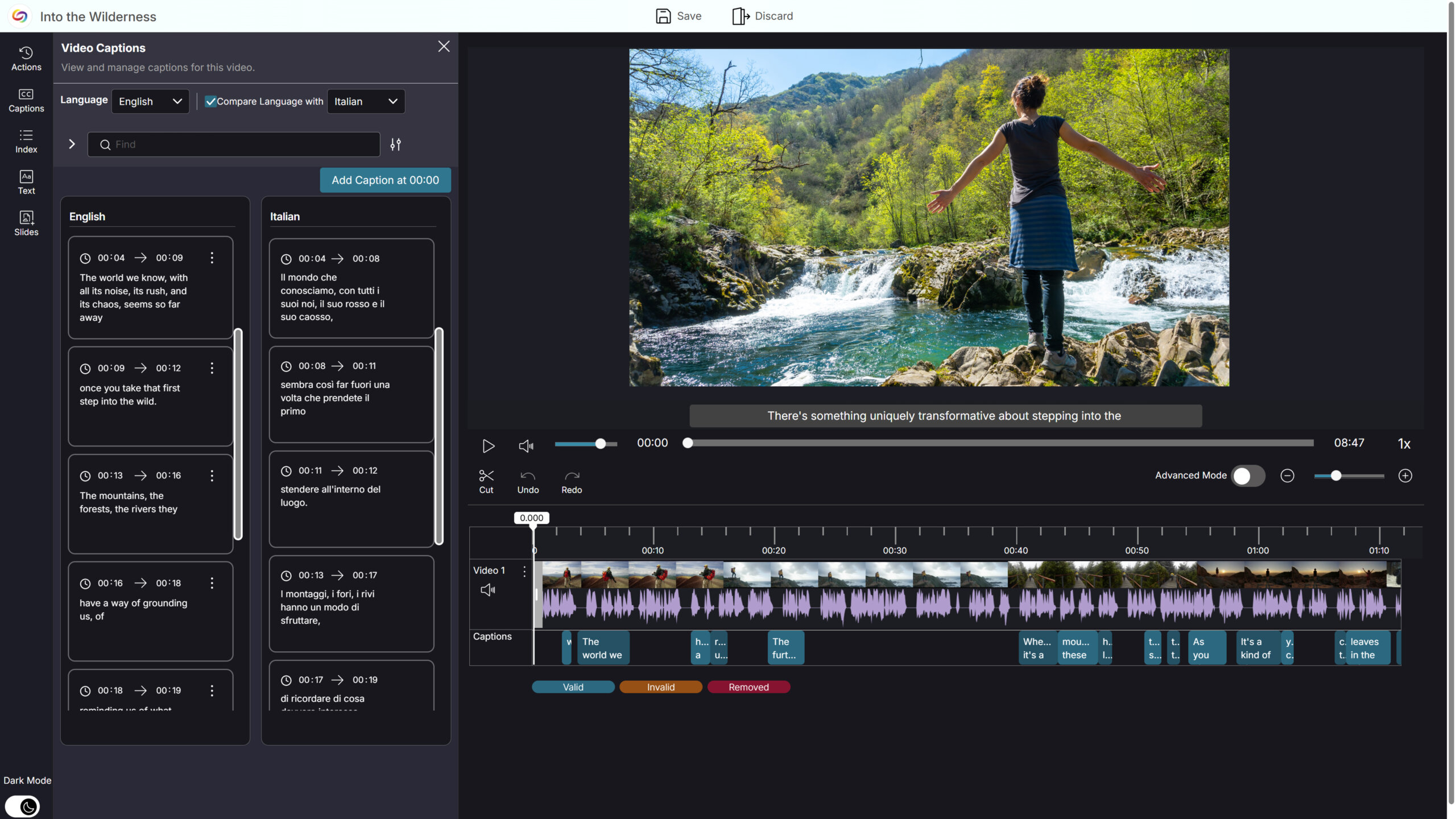
Side-by-Side Caption Comparison for Easier Translation Review in the YuJa Video Editor
The YuJa Video Editor now supports side-by-side caption comparison, making it easier to review, validate, and refine translated captions. When a video includes multiple caption languages, users can select a primary language to edit and a secondary language to view alongside it, allowing for quick comparison without switching views. This enhanced workflow simplifies translation verification, reduces friction when working across languages, and improves overall efficiency when managing multilingual captions.
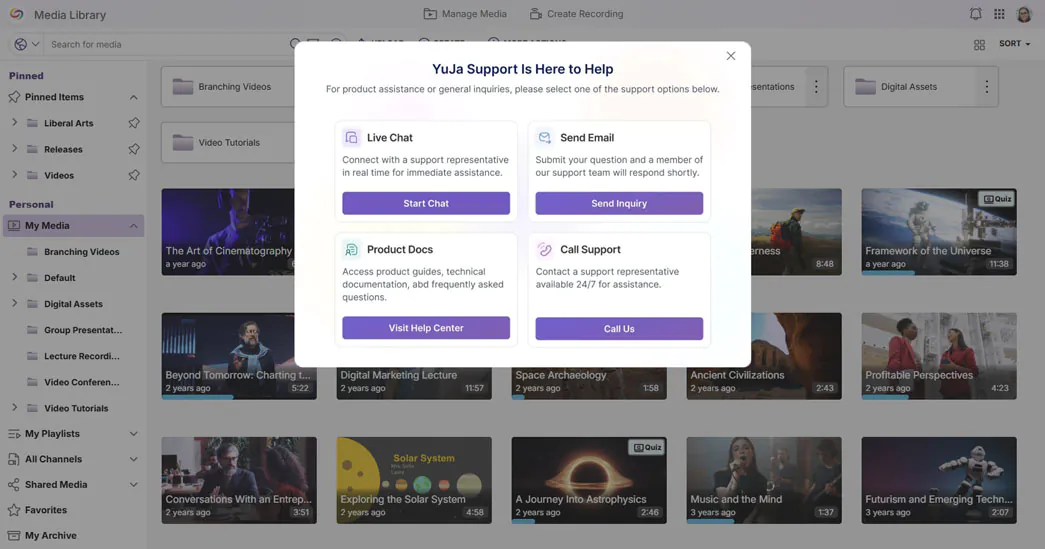
Get Help Faster with Integrated Live Chat and Support Options
The support experience has been redesigned to make getting help faster and more intuitive. Live Chat is now fully integrated, opening instantly from the Support modal for real-time assistance without navigating away from the platform. By centralizing all support options in one modal, instructors and admins can quickly find the help they need and resolve issues more efficiently.
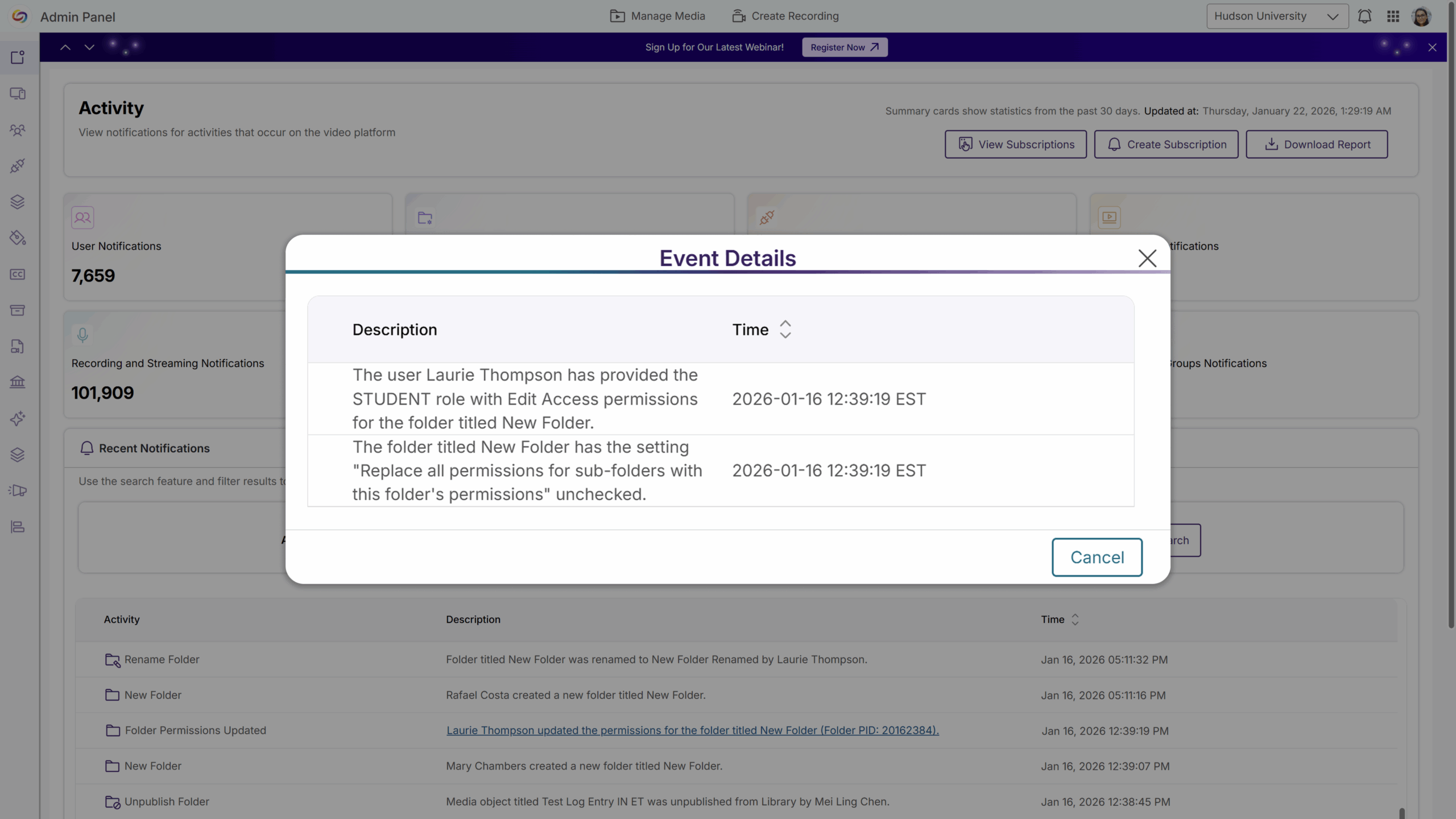
Folder-Level Activity Logging for Greater Transparency
Folder-level activity logging is now available, giving admins clear visibility into changes such as permission updates, user or group access changes, folder renaming, and folder moves. Each action is recorded with the timestamp, the user who made the change, the affected folder, and before-and-after details where applicable, making it easier to diagnose access issues and maintain auditability across shared and departmental folders.
Ensure Videos Remain a Learning Resource After Quizzes Are Submitted
Instructors can now allow students to watch the underlying video after completing all allowed quiz attempts, without waiting for a quiz’s close date. Once students submit the quiz, they can continue accessing the video content without reopening the quiz, creating new attempts, or affecting grades. This improves learner access to instructional content while preserving assessment integrity.
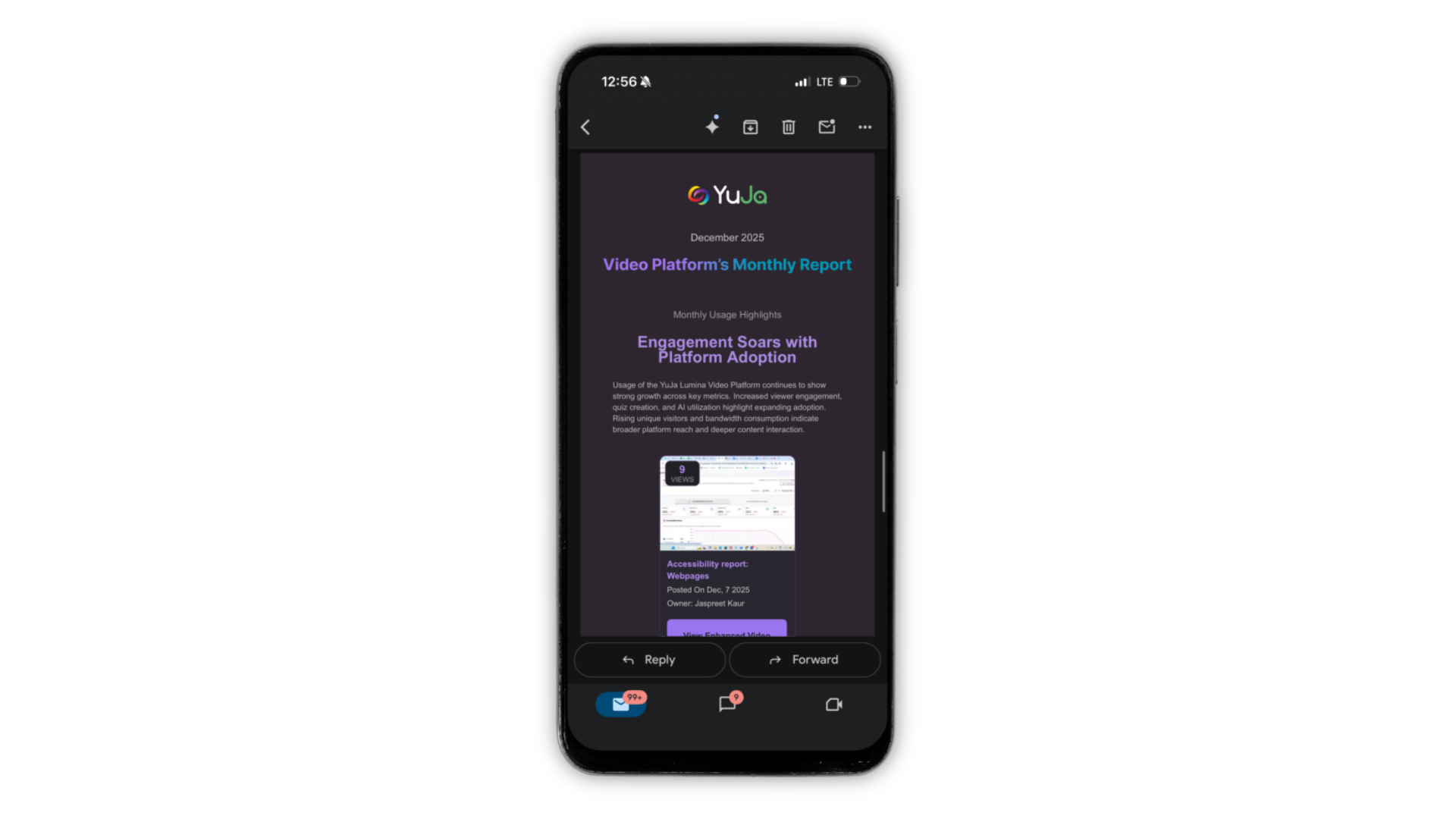
Refreshed Email Experience with Dark Mode Support
All Lumina emails have been refreshed with an updated look, including Dark Mode support for iOS and Android, making messages easier to read and visually consistent across the platform. This update ensures that all communications are clear, polished, and accessible for users utilizing Dark Mode.
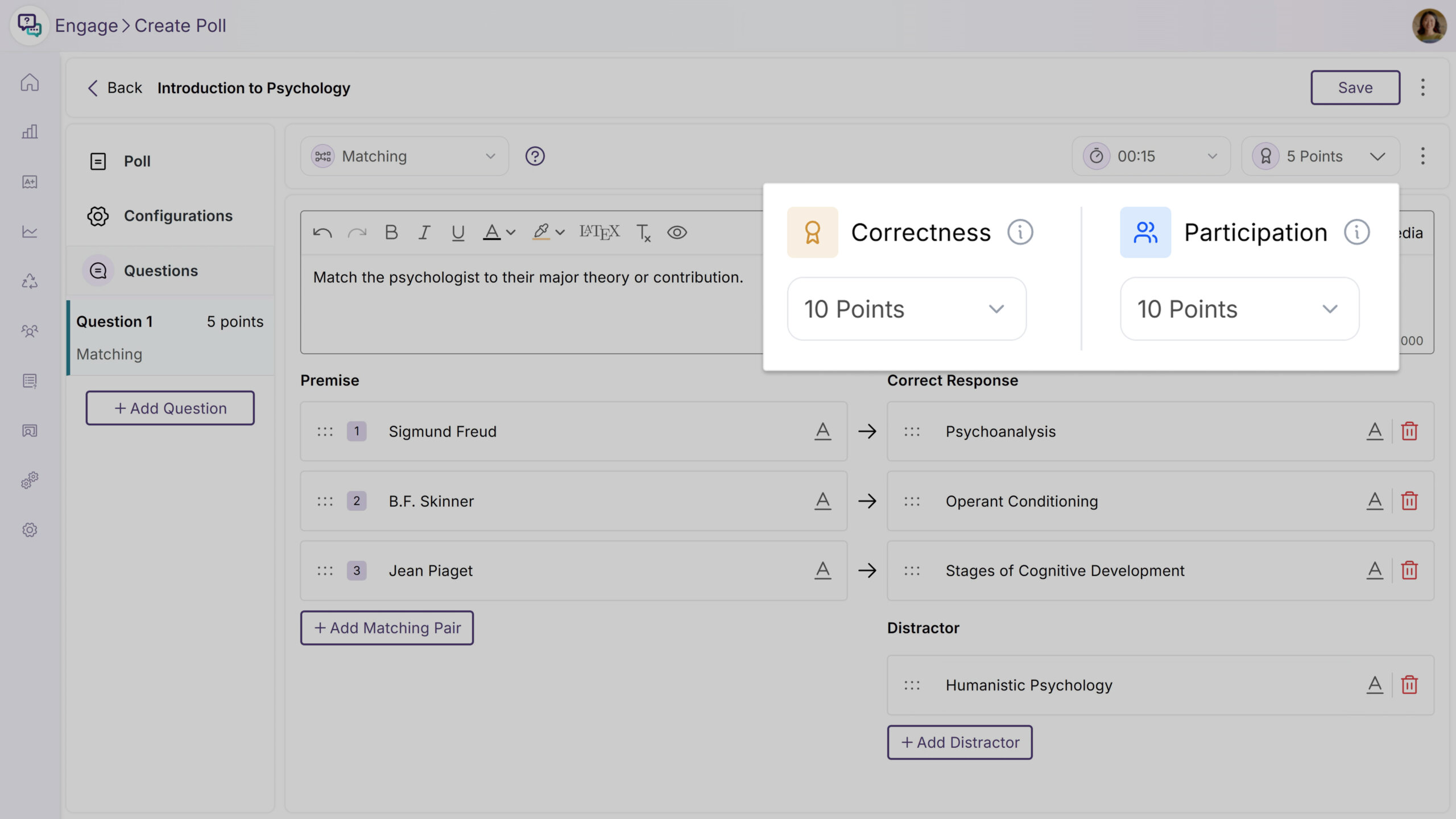
Over the next few weeks, the YuJa Engage Student Response System will be rolling out a new feature to support split scoring, allowing instructors to divide a poll question’s points between participation and correctness.
Flexible Poll Scoring with Participation and Correctness Points
YuJa Engage polls now support split scoring, allowing instructors to divide a question’s points between participation credits, for attempting the question, and correctness points, for answering correctly. Instructors can configure and view this breakdown to better reflect engagement and understanding, while students only see the total points. This added flexibility encourages participation without penalizing learning in progress, and gives instructors clearer insight into student performance.
Over the next few weeks, the YuJa EqualGround Accessibility Governance Platform will roll out new features that enhance the Accessibility Engine for smarter, more accurate remediation, allow users to highlight and track code snippets for faster site-wide remediation, jump directly from accessibility issues to CMS edit pages, and so much more.
Enhanced Accessibility Engine for Smarter, Faster, and More Accurate Remediation
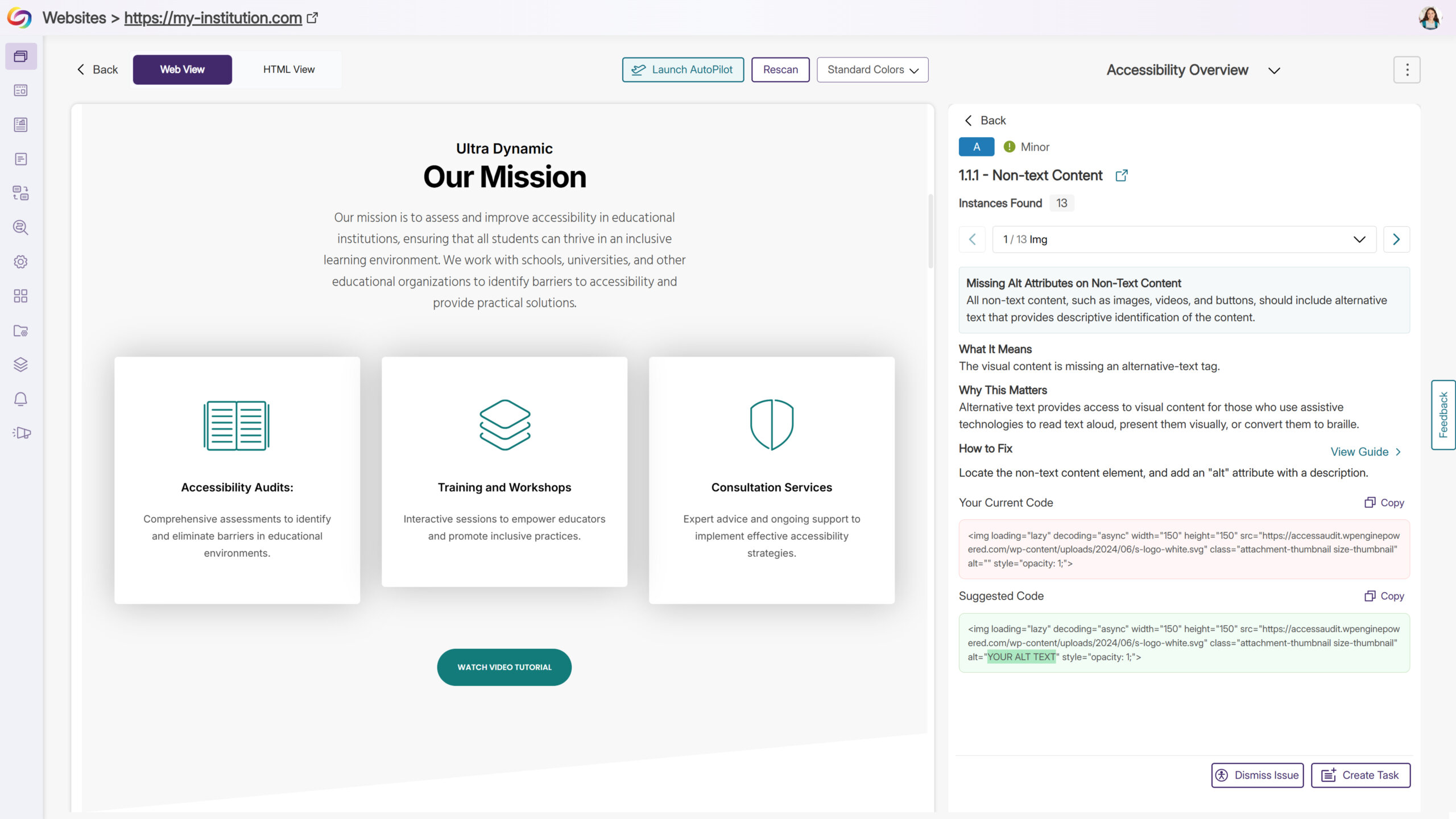
We’ve enhanced the Accessibility Engine by adding new checkers and optimizing existing ones, taking issue detection and remediation to the next level. Issues are now flagged with greater precision and accuracy, and suggested fixes are clearer and more actionable, helping users understand exactly what needs attention. These updates make it faster and easier to identify, evaluate, and resolve accessibility issues, streamlining compliance workflows and improving overall content accessibility. Key benefits include more accurate detection with fewer false positives, expanded coverage across more elements and scenarios, and improved remediation guidance, enabling teams to resolve problems quickly and confidently.
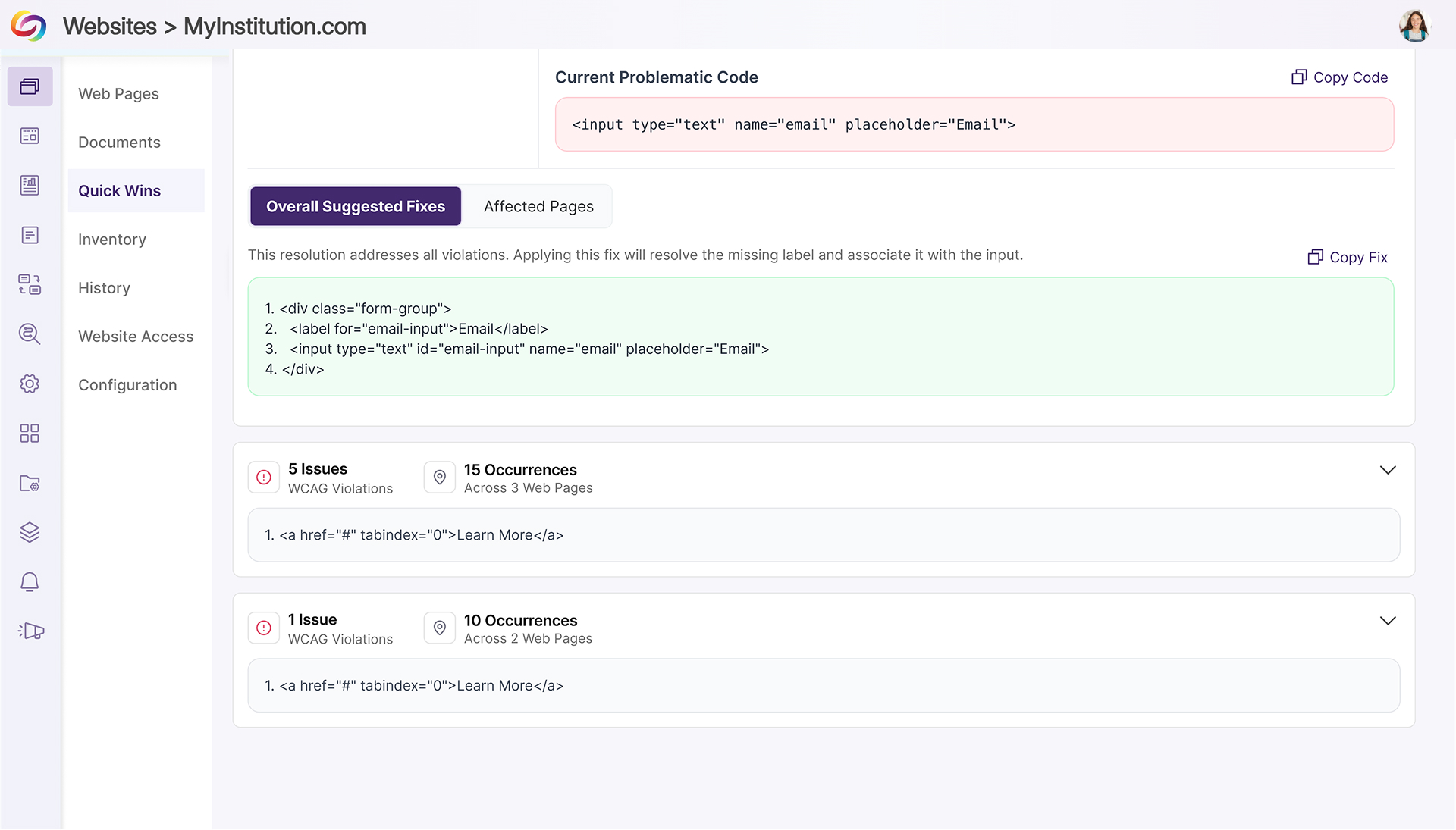
Quick Wins: Highlight and Track Code Snippets for Faster Site-Wide Remediation
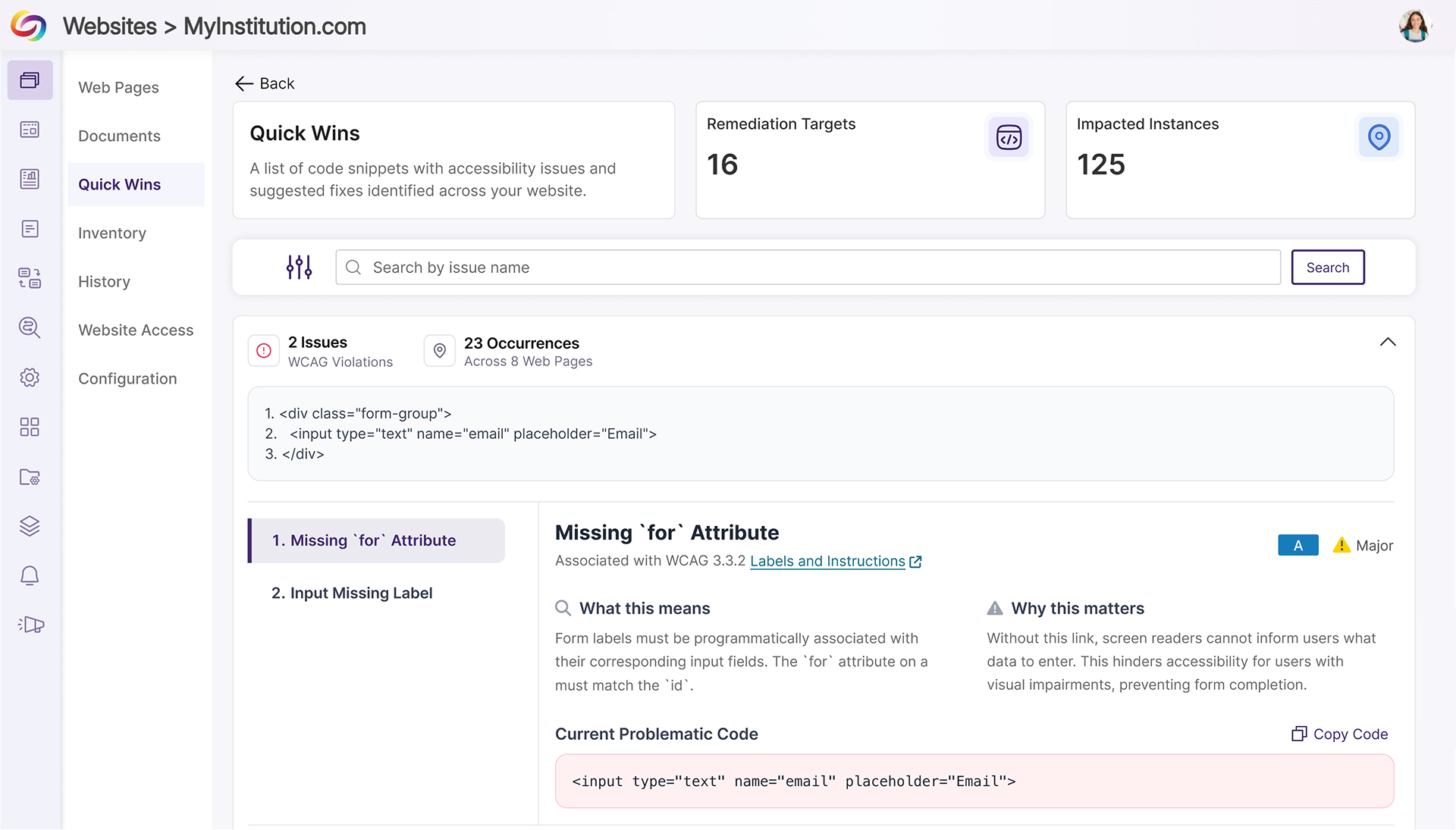
YuJa EqualGround now gives users deep visibility into code snippets that trigger accessibility issues, not just on individual pages but across an entire website. By identifying, highlighting, and tracking the presence of problematic code, users can quickly understand both the scope and impact of recurring issues. This insight allows teams to prioritize fixes, evaluate patterns, and remediate issues efficiently, reducing manual effort and improving overall site accessibility.
Key highlights include:
Highlight Problematic Code: Code snippets that cause accessibility issues are detected and highlighted on individual pages, making problem areas immediately visible.
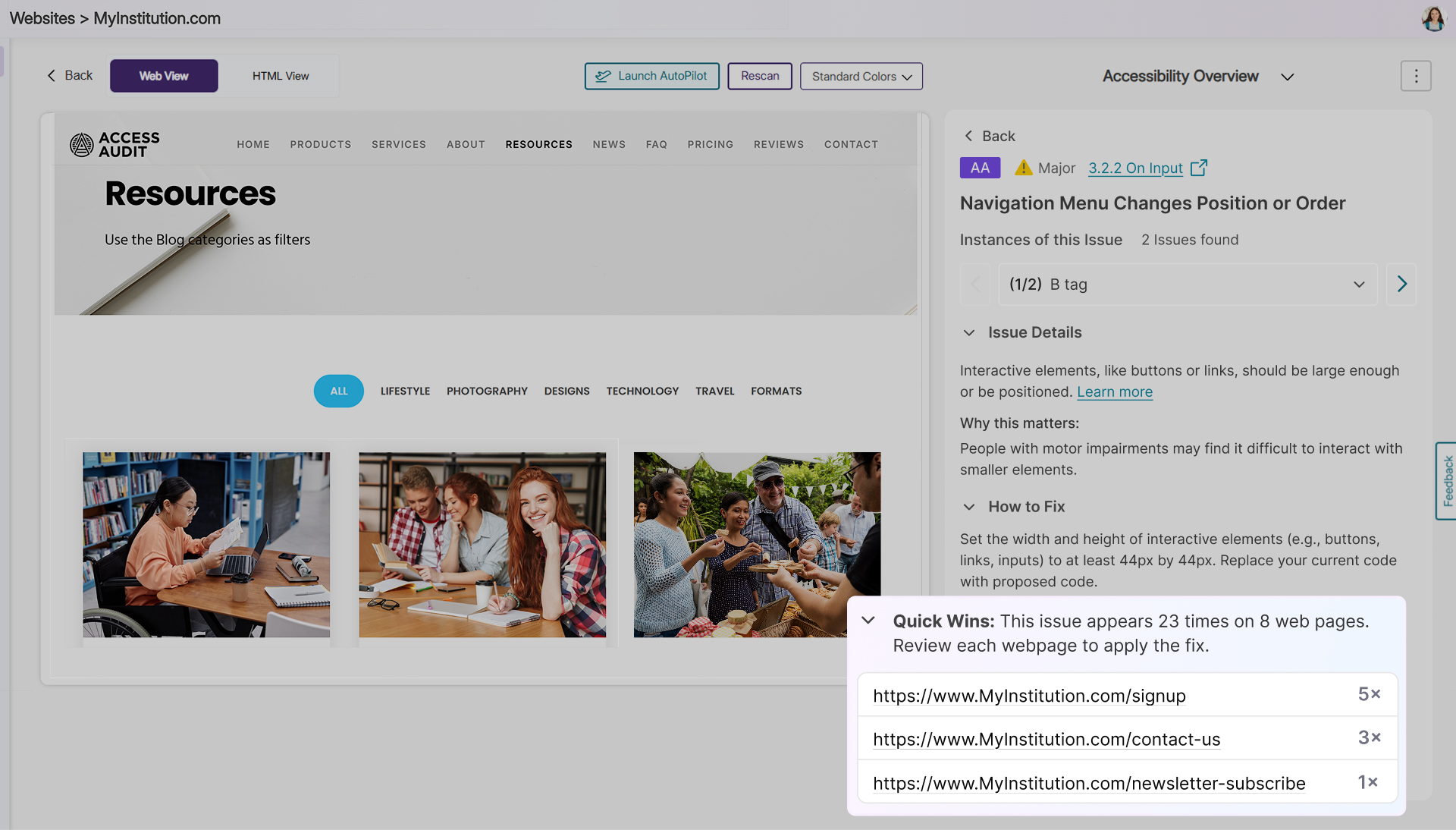
Track Impact Across the Site: Users can see all pages where a flagged snippet appears, sorted from most to least impacted, providing a comprehensive view of the snippet’s reach.
Streamline Remediation Workflows: Combining detection and site-wide impact tracking allows teams to quickly evaluate and resolve recurring issues without manually inspecting each page, saving time and increasing remediation efficiency.
Jump Directly from Accessibility Issues to CMS Edit Pages
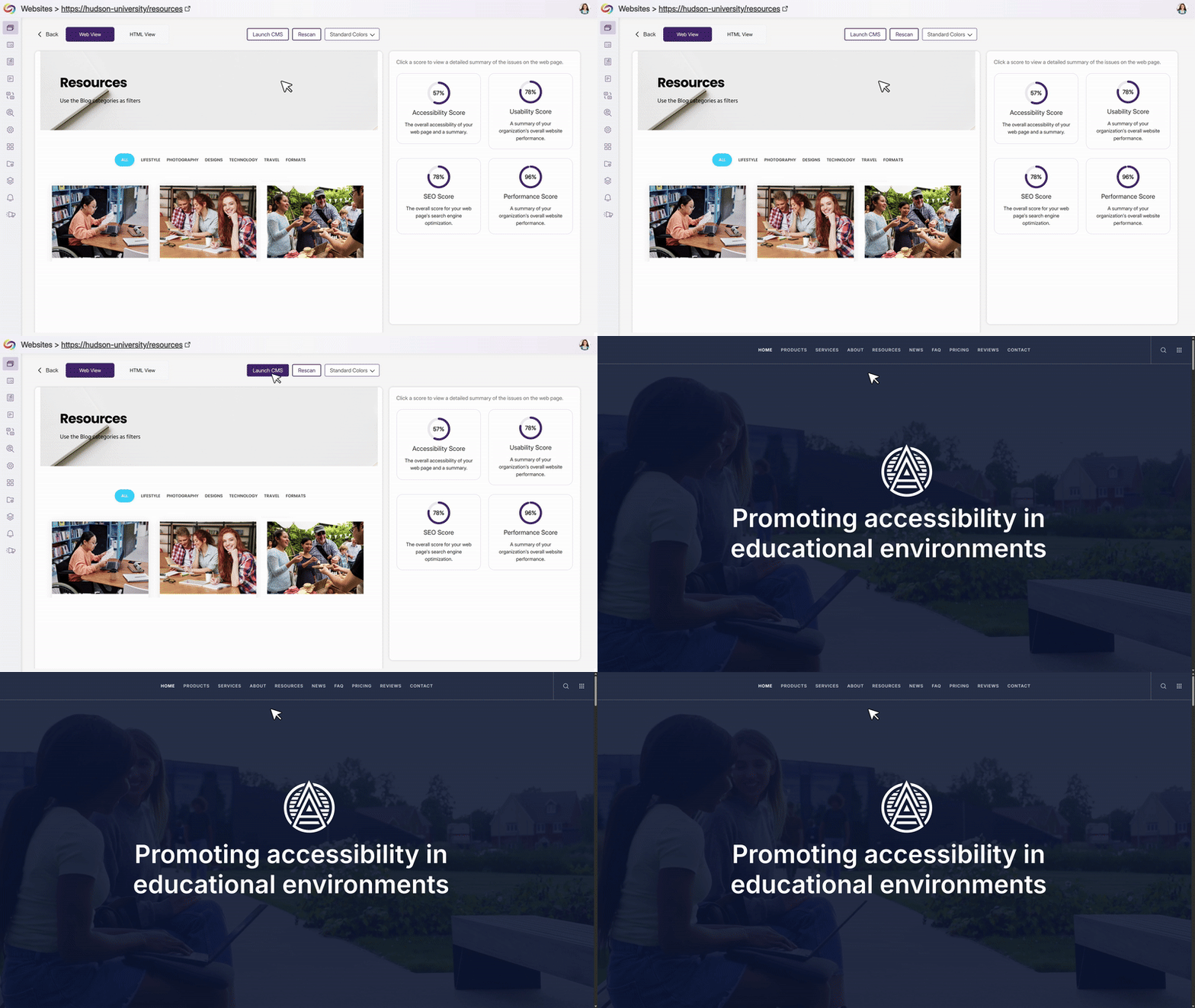
Admins can now define a CMS edit-page property on their website, enabling EqualGround to generate deep links directly to the corresponding edit pages in the CMS. When this property is detected, contributors see a “Go to Edit Page” button that takes them straight to where fixes can be made without searching, copying URLs, or navigating CMS menus. This reduces friction between issue detection and remediation, helping teams make faster updates while keeping the EqualGround interface clean by only showing the option when a valid edit link is available.
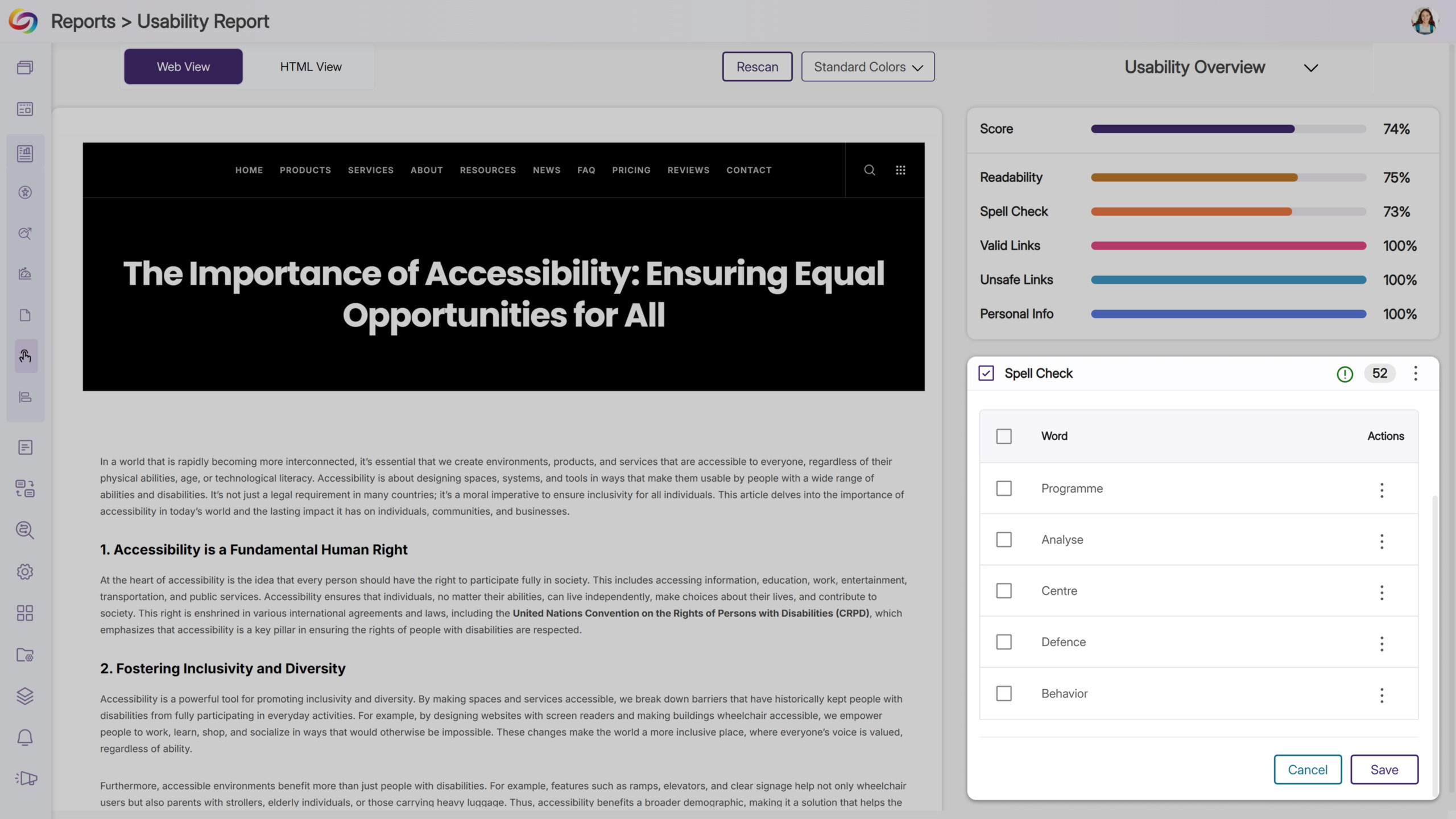
Prevent Repeated Misspelling Flags by Adding Words to the Custom Dictionary
Users can now add terms to the custom dictionary directly from the Usability Report, ensuring that approved words are no longer flagged as misspellings in future scans. This feature is specifically designed to help manage spelling checks, reduce repetitive alerts, and keep reports focused on new and relevant issues, allowing users to spend less time on false positives and more time addressing meaningful accessibility barriers.
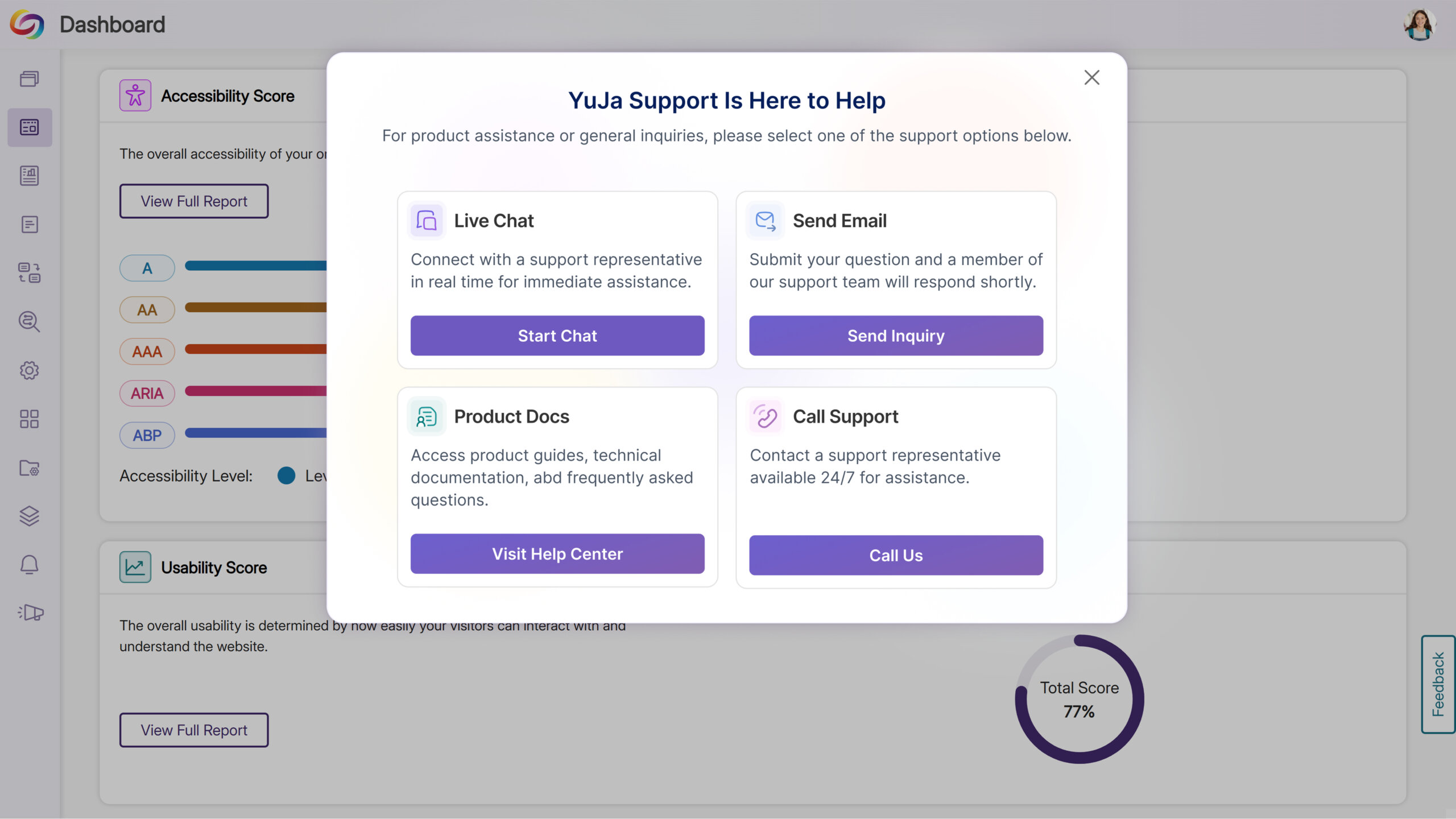
Get Help Instantly with the New Support Options
The support experience has been redesigned to make it faster and easier for users to get assistance. Clicking Support now opens a modal with tailored options: Live Chat, Call Support, Contact Form, and Product Docs. This streamlined modal centralizes support actions, giving users faster, more intuitive access to help when they need it.
Link Issues to Workflow Tasks for Faster Resolution
YuJa EqualGround now displays when an issue, page, or issue type is tied to a workflow orchestration task and provides a direct link to the task. Clicking the badge takes users straight to the workflow page with the relevant ticket opened, streamlining issue tracking and improving and speeding up remediation.
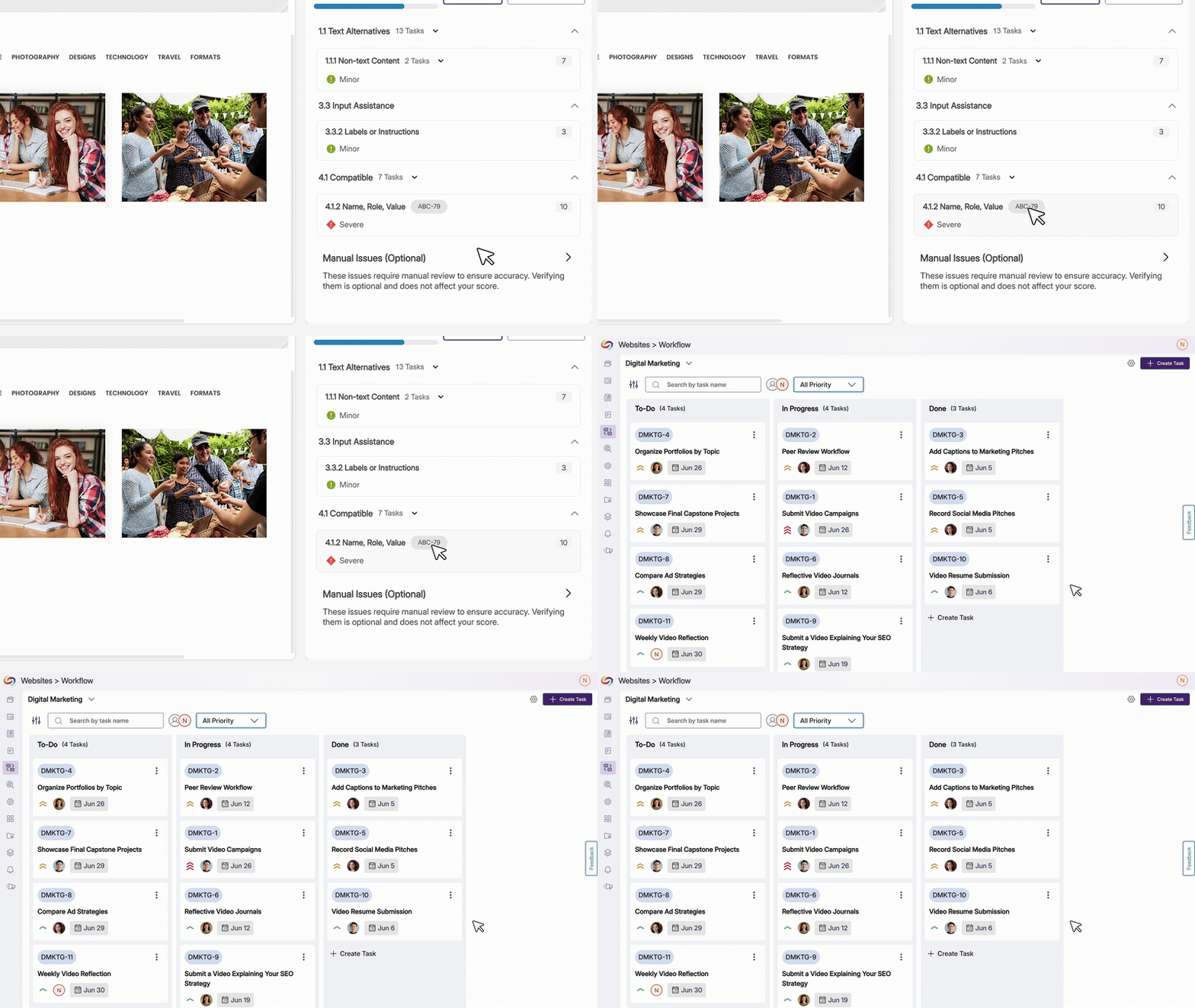
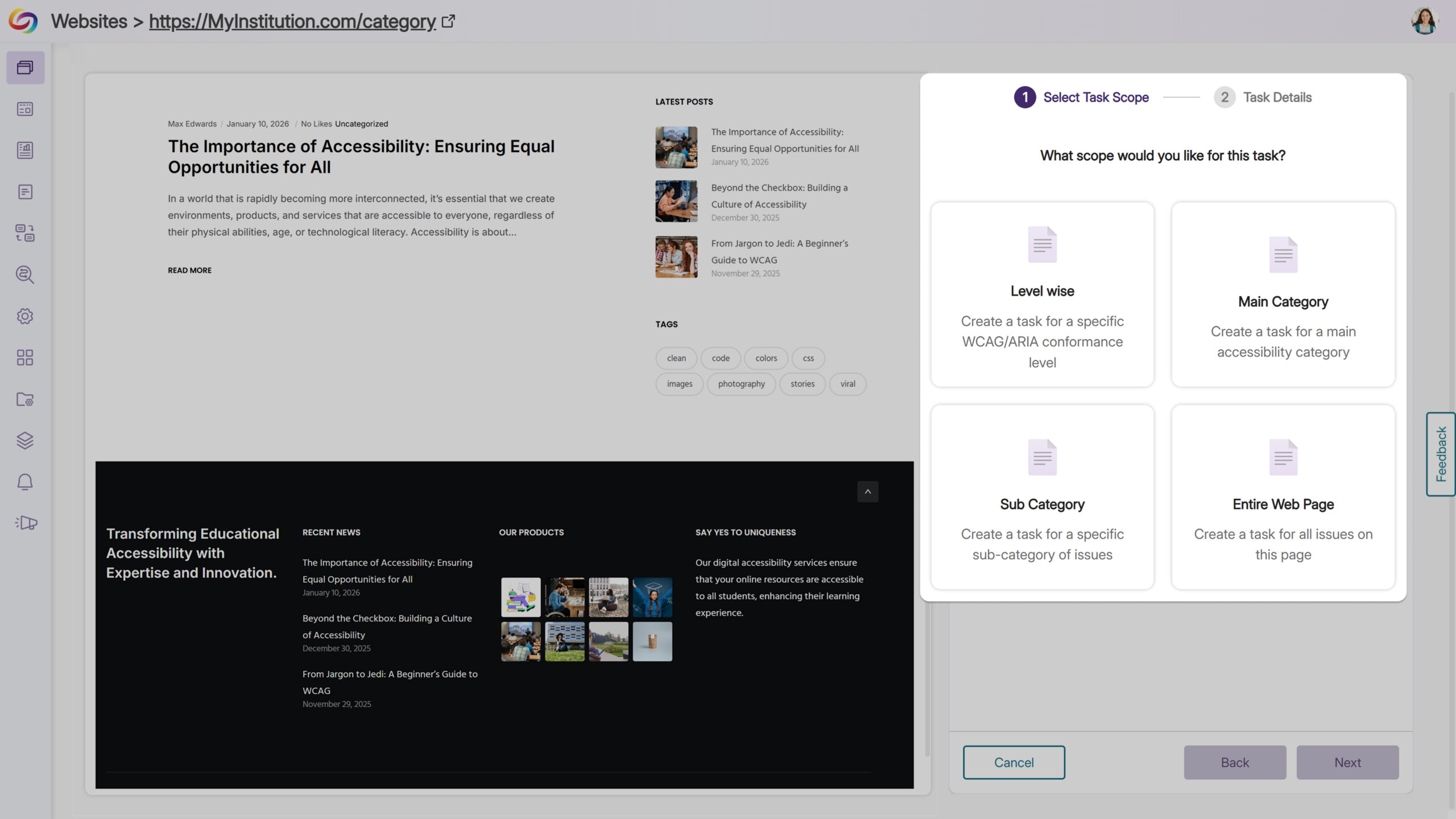
Streamline Workflow Task Creation Across Pages and Issues
Users can now assign entire pages or specific accessibility issues—by level, category, subcategory, or individual instance—directly to workflow tasks. From the accessibility panel, users can scope task creation, set project details, and generate tasks efficiently, improving visibility, coordination, and management across multiple pages and issues.
Over the next few weeks, the YuJa Panorama LMS Accessibility Platform will roll out new features to ensure caption compliance for Canvas-embedded videos, provide a guided experience across accessibility tools, offer a redesigned support experience that makes it faster and easier for instructors and admins to get assistance, and so much more.
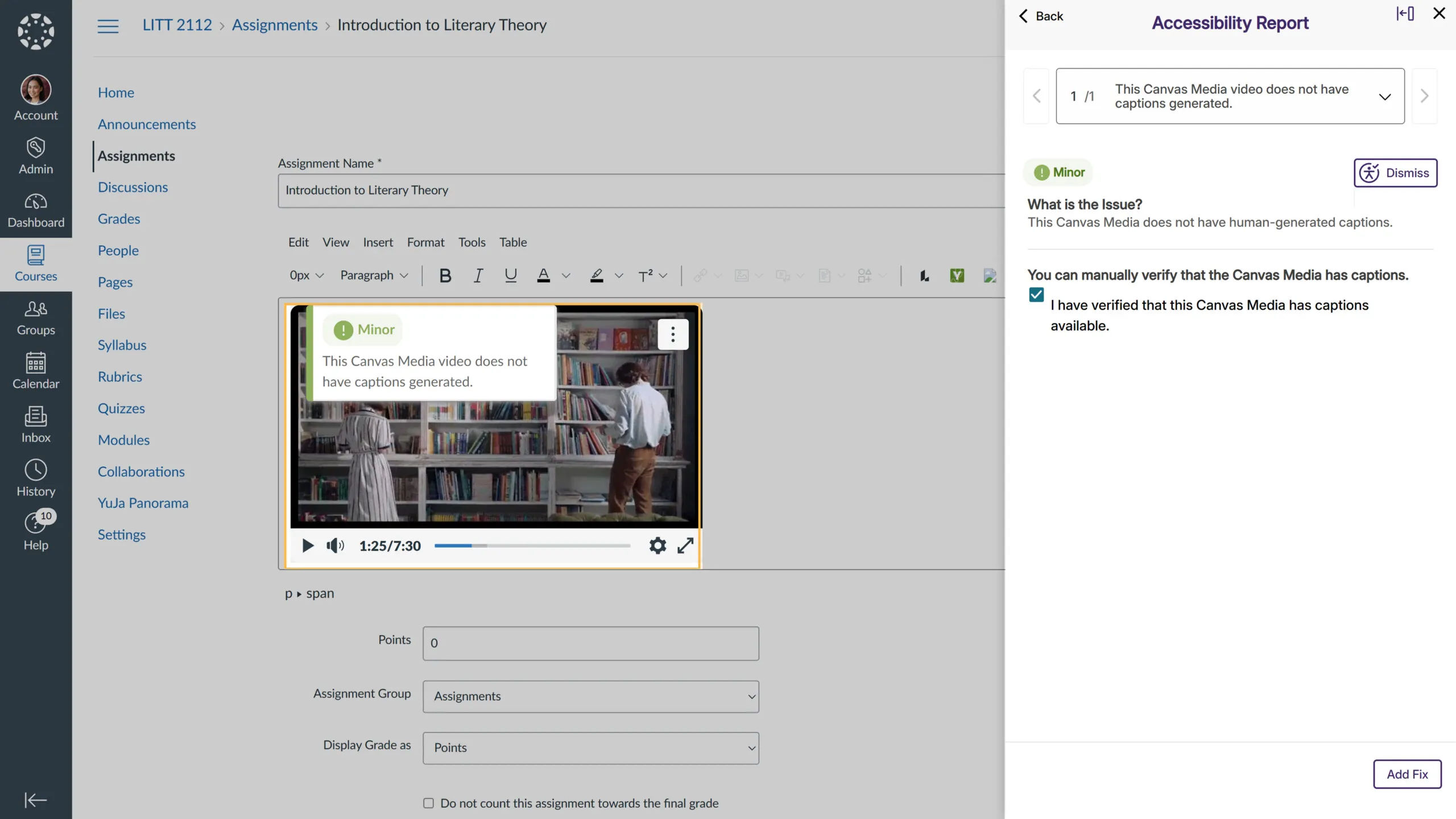
Ensure Caption Compliance for Canvas-Embedded Videos
Videos uploaded to Canvas and embedded via the Canvas Media Player in the WYSIWYG editor are now automatically checked for captions. Any video without captions will be flagged, helping instructors maintain accessibility standards and ensuring all students have equal access to course content.
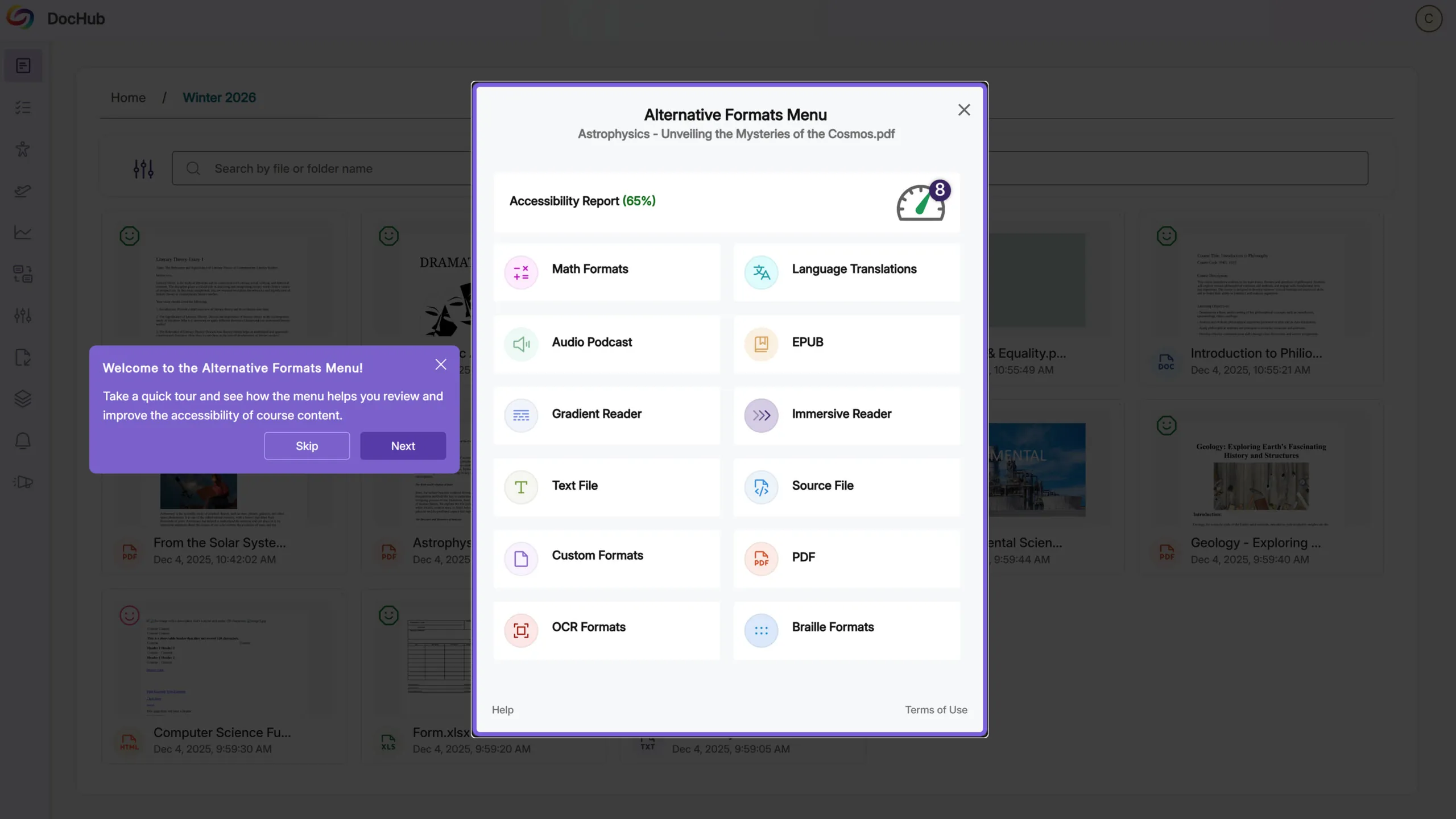
Guided Experience Across Accessibility Tools
First-time users now get a guided walkthrough across Alternative Formats, the Accessibility Report, and Structural Remediation Max, helping them quickly familiarize themselves with each interface. Banners, overlays, and prompts highlight key actions and navigation points, while admins can enable default settings to display guidance after course scanning. This update improves usability, accelerates onboarding, and boosts adoption and confidence with our accessibility tools.
Get Help Instantly with the New Support Modal
The support experience has been redesigned to make it faster and easier for instructors and admins to get assistance. Clicking Support now opens a modal with tailored options: Live Chat, Call Support, Contact Form, and Product Docs. This streamlined modal centralizes support actions, giving users faster, more intuitive access to help when they need it.

Expanded Accessibility Coverage for Moodle Lesson Pages
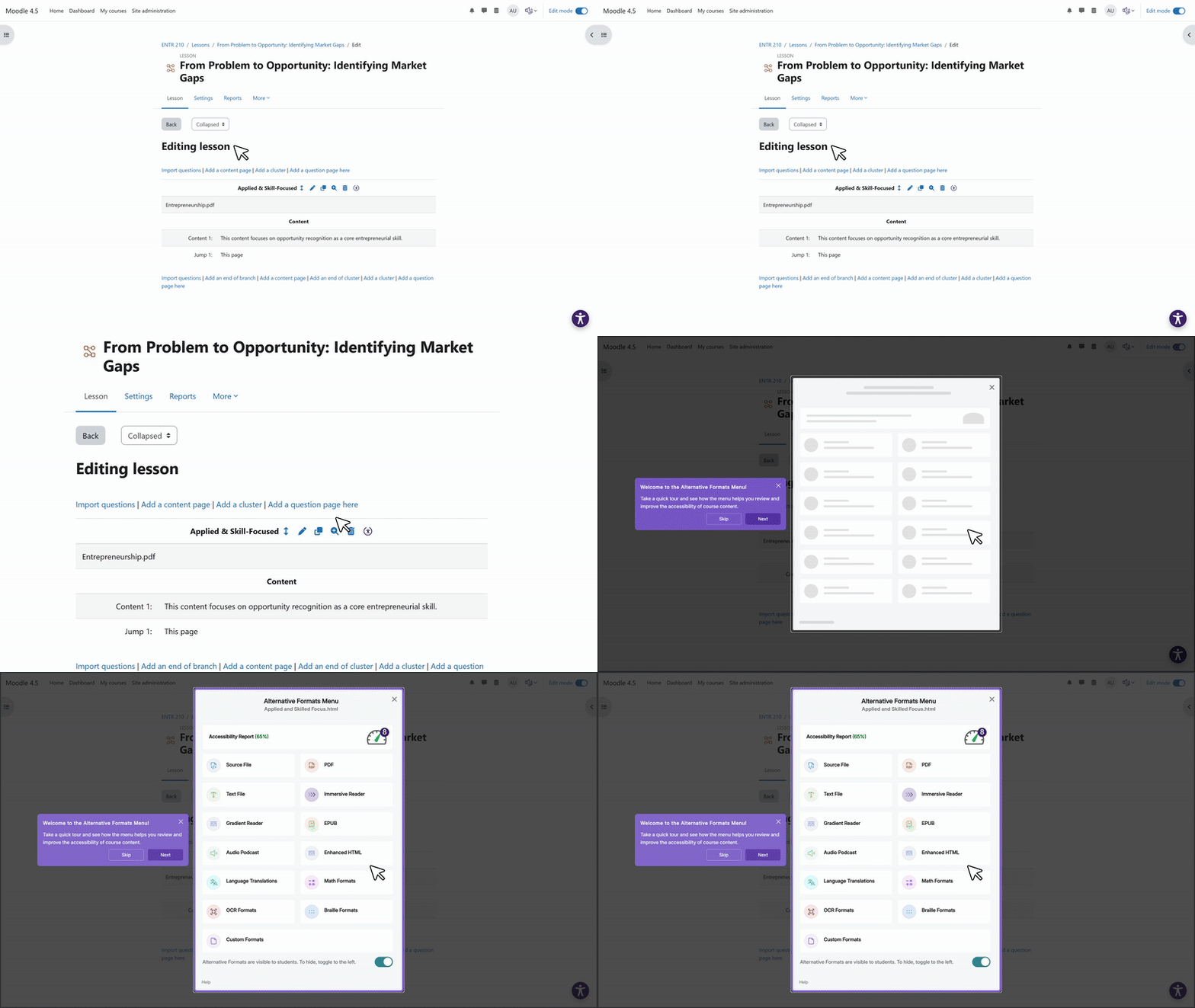
YuJa Panorama now scans additional Moodle lesson content pages, generating full accessibility reports and providing alternative formats. When lesson content is remediated through Panorama, the updated, accessible version can now replace the original content, ensuring fixes are reflected directly in the course without manual rework.
Share Accessible DocHub Folders Instantly for Seamless Collaboration
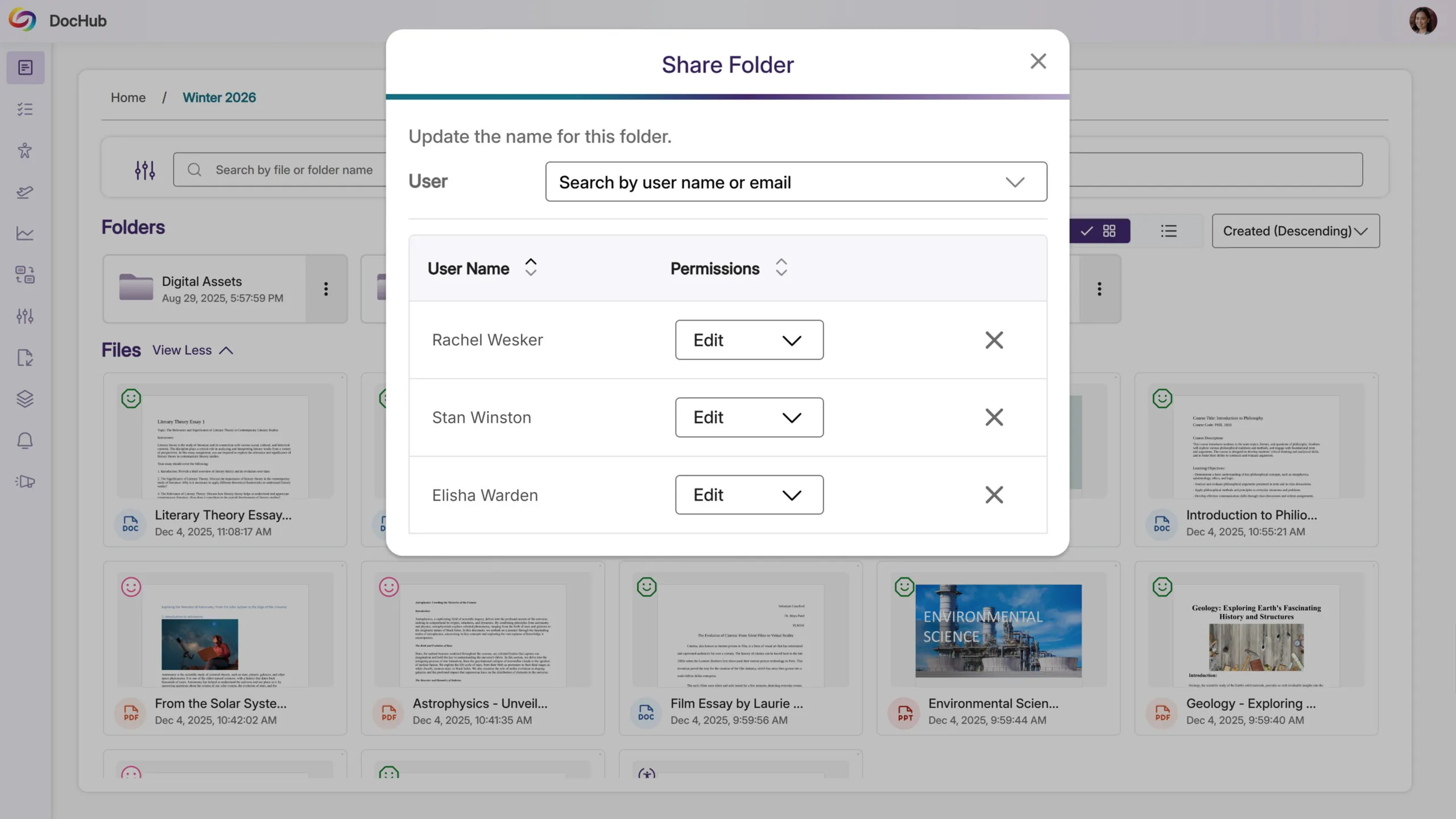
Instructors can now share Accessible DocHub folders, making it simple to distribute multiple documents at once. This streamlines workflows, saves time, and ensures course materials are easily accessible wherever they’re needed, helping teams collaborate more efficiently and maintain accessibility compliance.
Free Trial: See How the YuJa Full-Circle Inline Remediation Module Speeds Up Accessibility Compliance
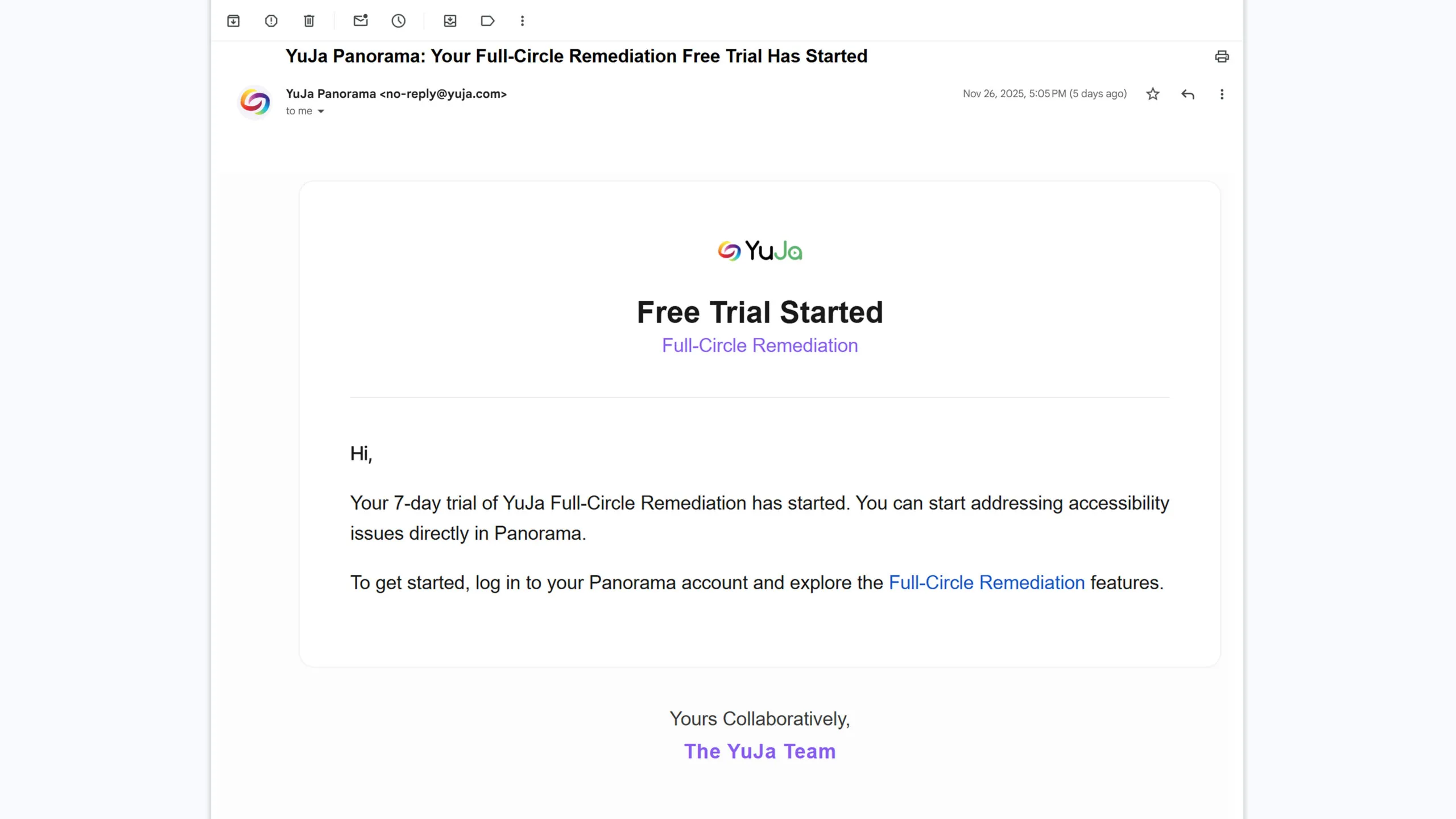
Users can now start a free trial of the YuJa Full-Circle Inline Remediation Module to experience how inline fixes and guided remediation workflows reduce content remediation time by 95%+. By resolving accessibility issues directly within documents, institutions can eliminate manual rework, accelerate compliance efforts, and scale remediation across large volumes of content with far less effort before committing.
Centralize Course Materials with a Default DocHub Folder
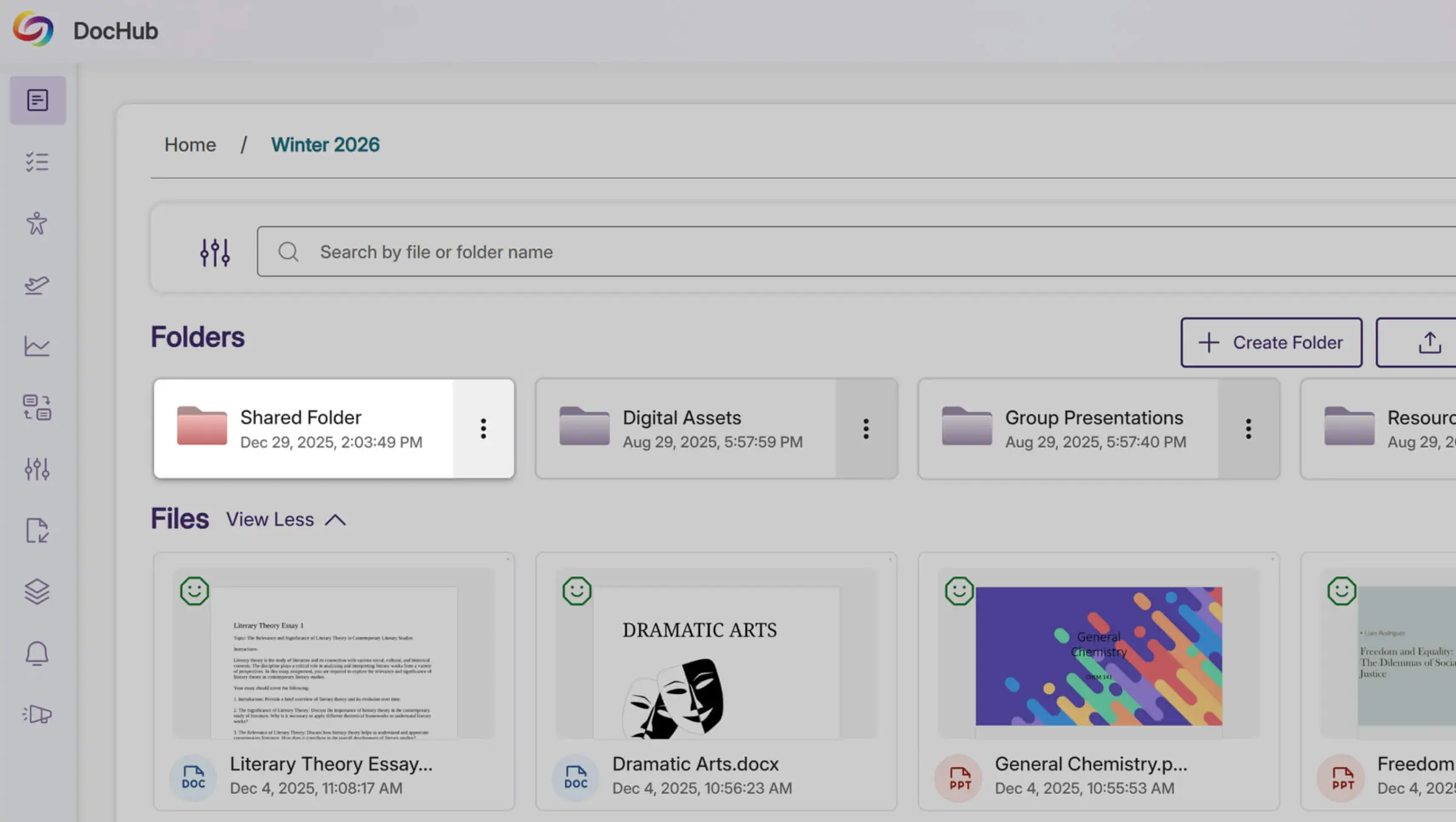
Admins can now upload content into a default DocHub folder accessible to all instructors. This creates a centralized, organized location for important documents, reducing reliance on external tools like Google Drive and making it easier for instructors to find and use shared course materials efficiently.
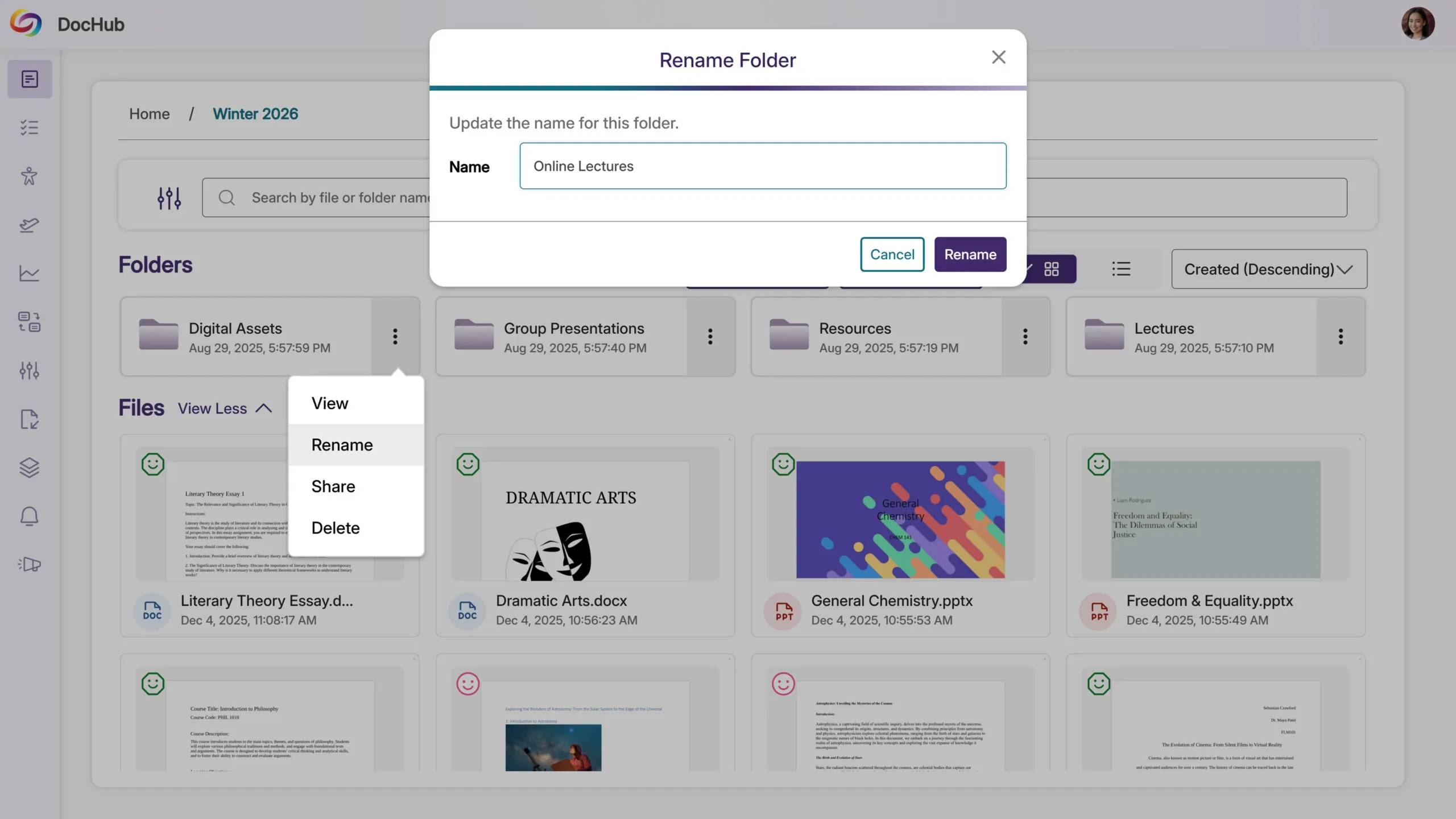
Added Support to Rename DocHub Folders for Better Organization
Users can now change DocHub folder names after they’ve been created. This allows instructors and admins to keep folders organized, update naming conventions, and ensure content is easy to find as courses and materials evolve over time.
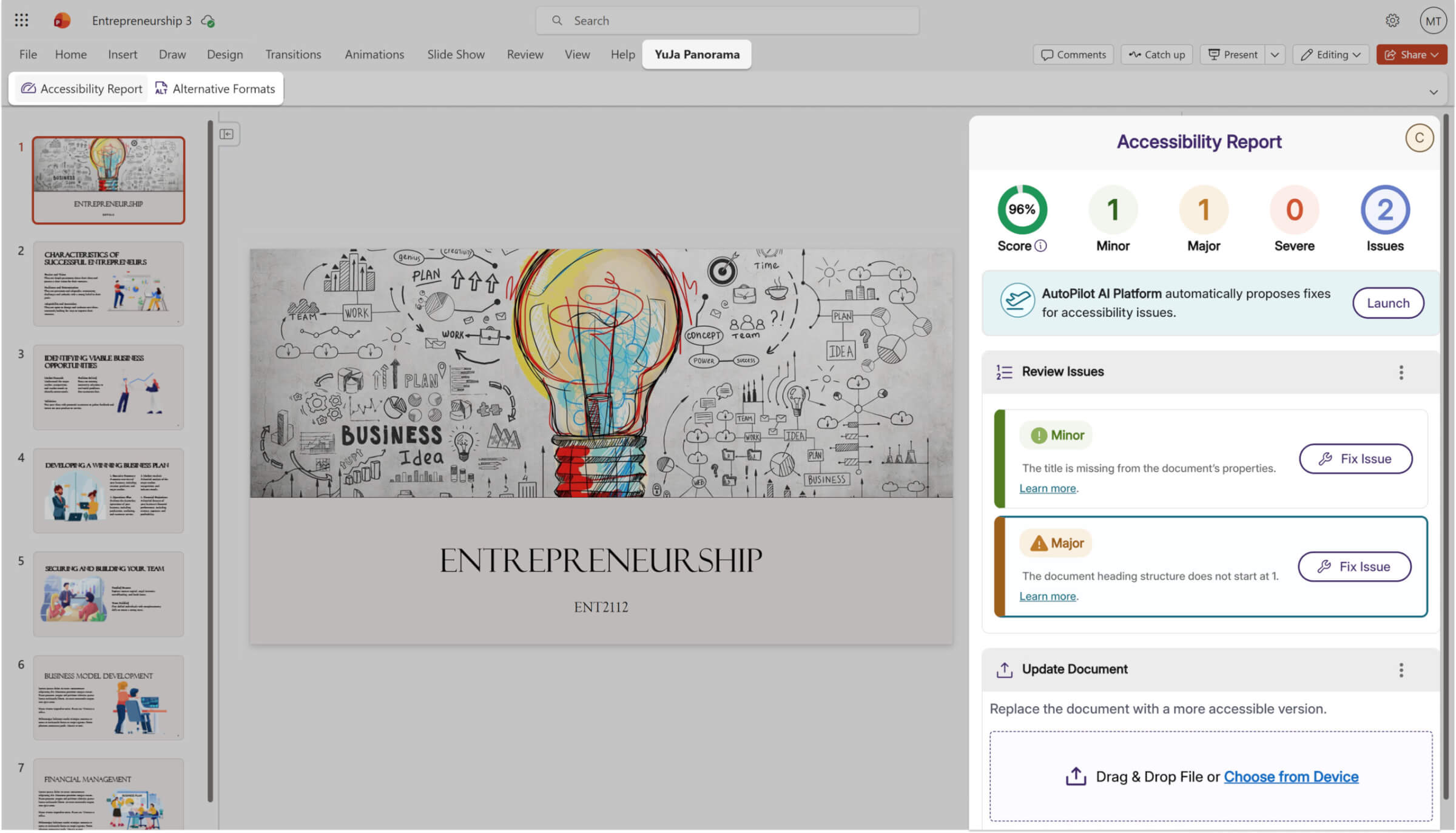
We’re rolling out updates to YuJa Panorama’s Structural Remediation Max capabilities over the next few weeks, which include a new Microsoft Office Add-in for PowerPoint that enables inline accessibility remediation and automated fixes with YuJa AutoPilot, without ever leaving the presentation.
YuJa Panorama Office Add-in Now Available in PowerPoint
The YuJa Panorama Office Add-in is now available for Microsoft PowerPoint, extending support beyond Word. Instructors and content creators can open the Accessibility Report directly within PowerPoint and remediate issues inline, without leaving the presentation. With YuJa AutoPilot, common accessibility issues can be addressed automatically, reducing manual effort while helping ensure slide content meets accessibility requirements faster and at scale.
Join the 1,000+ Organizations Deploying High-Impact Solutions













