-
-
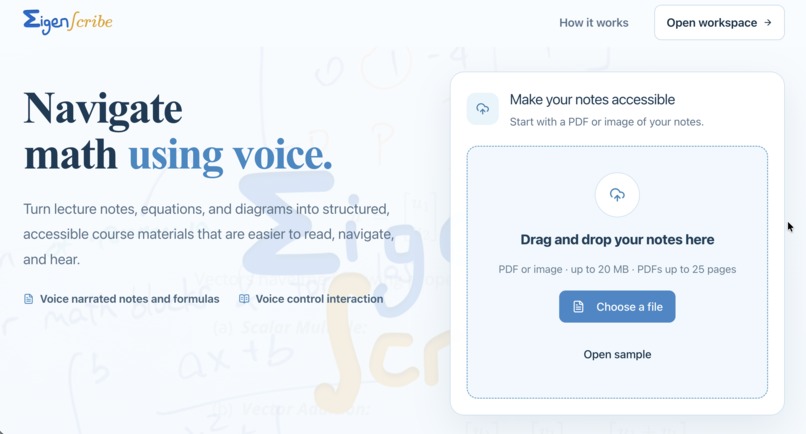
Landing page
-
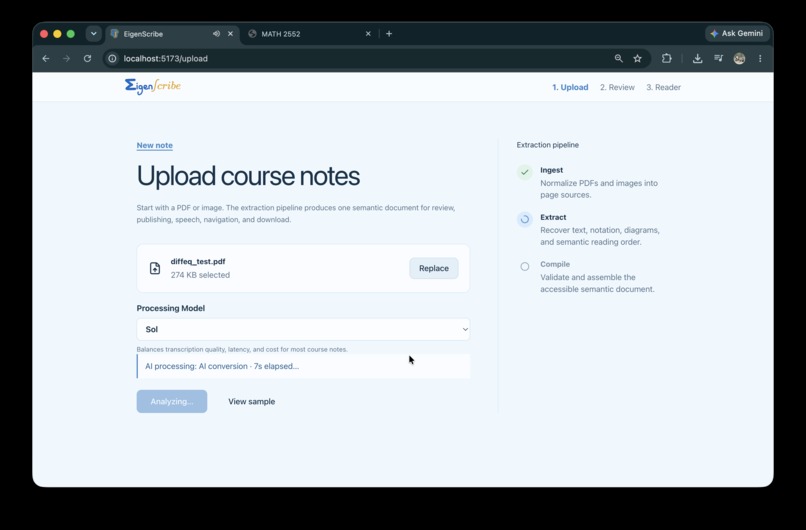
Upload material & select model
-
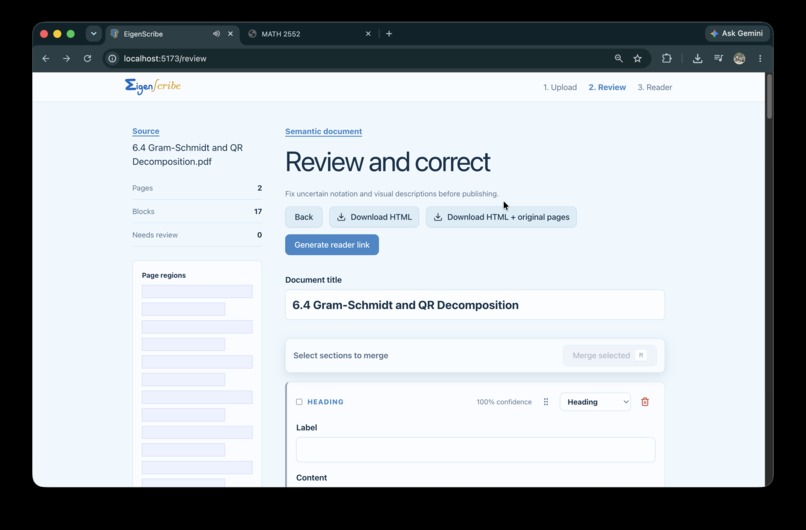
Reviewing page
-
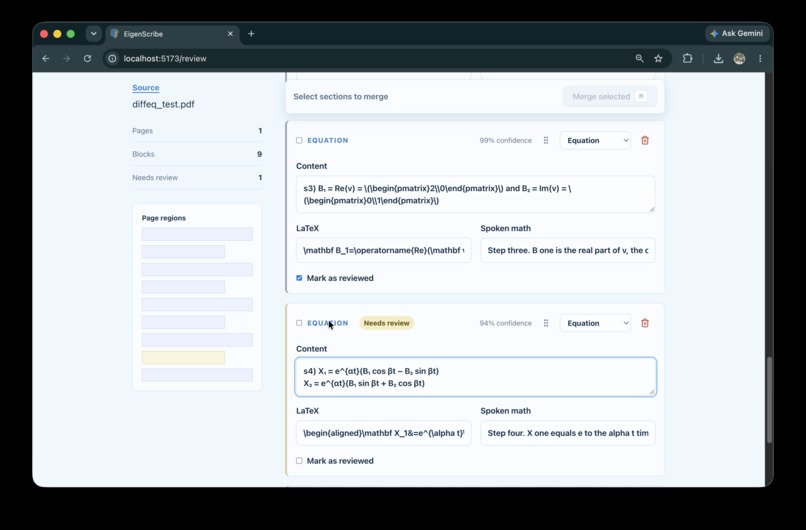
Edit and review/merge/order content
-
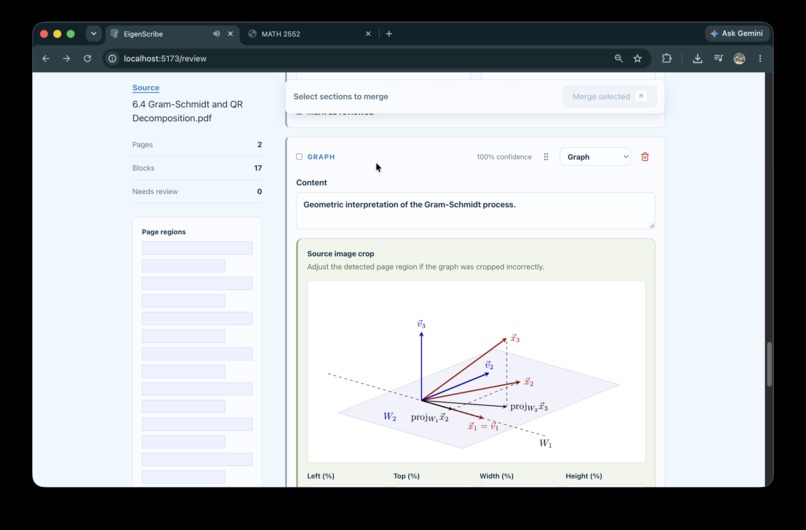
Crop to display graphs from the uploaded math material
-
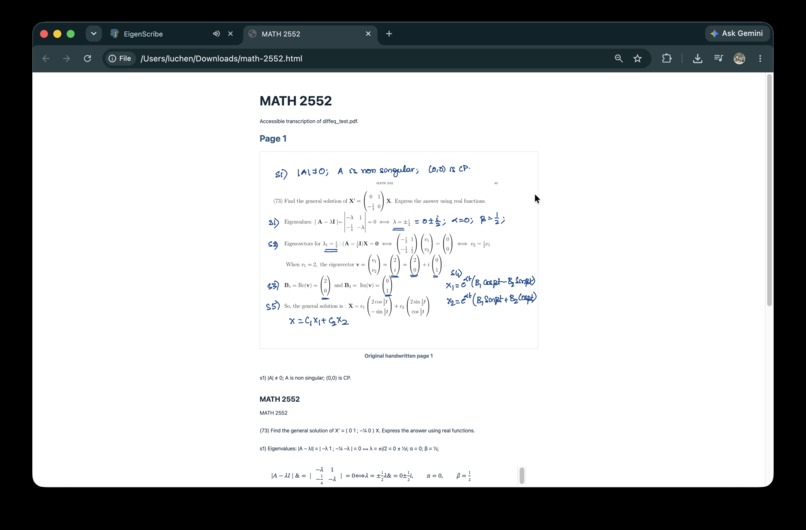
Generated accessible html with original notes included
-
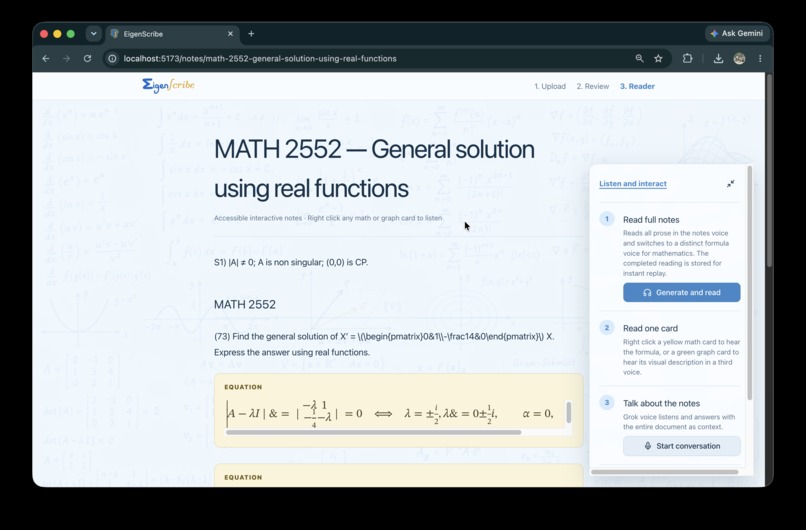
Generated voice interactable math notes
-
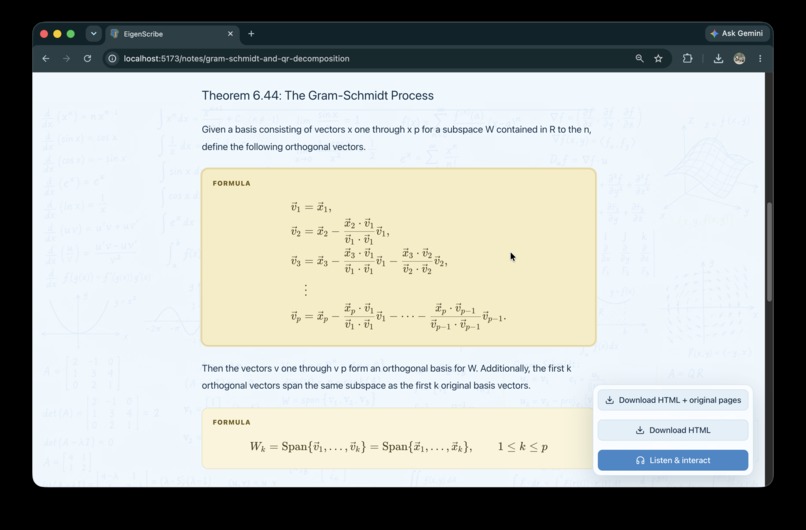
Formula click-to-read cards
-
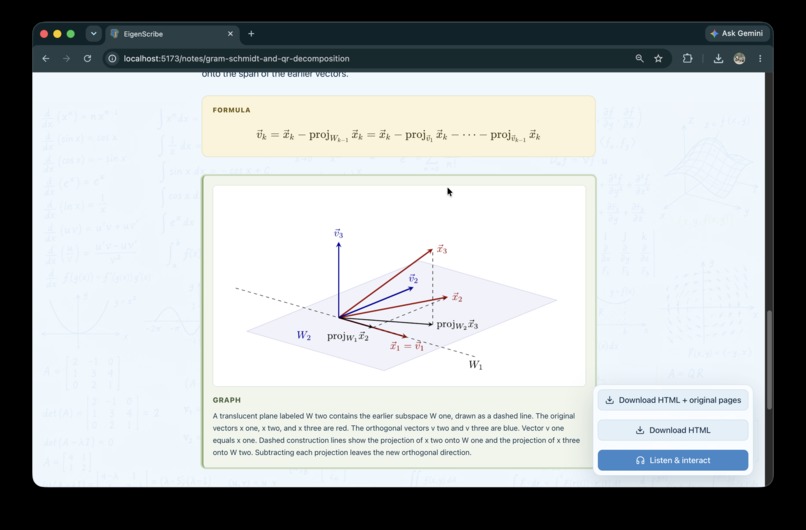
Graph display
-


Inspiration
Math is beautiful, we are all math lovers to some extent! However, the language of math can be difficult to make accessible.
A new Americans with Disabilities Act (ADA) digital accessibility rule requires public entities (Panda as a math TA has first hand experience with frustration not being able to post handwritten notes), and many course instruction teams across many academic institutions have spent much extra time in making years of course material.
For the majority of students, converting handwritten material into plain OCR text often removes structure. The arrow saying what the right-hand side variable is, or the circled pivot is often worth many words, but OCR ignores it in many cases.
Instructors are unable to post handwritten notes directly without them being accessible, so they remain unshared. I (Panda) as a math TA has felt the frustration first hand.
What it does
EigenScribe transforms handwritten or scanned mathematics into structured, reviewable, and interactive digital notes.
Step 1: Upload a PDF or image and choose an AI processing model. EigenScribe then analyzes the complete document to extract mathematical semantics we defined.
- Headings, paragraphs, examples, and annotations
- Equations and formulas
- Fractions, exponents, vectors, matrices, and aligned derivations
- Graphs, diagrams, labels, arrows, and color-coded emphasis
- The intended reading order and relationships between different parts of the page
Step 2: After processing, the instructor can review the result, edit text or LaTeX, change a block’s semantic type, reorder or merge sections, correct graph crops, and improve generated alt text before publishing.
Step 3: The reviewed document becomes a sharable interactive reader page that preserves the visual benefits of the original notes while offering additional ways to learn:
- Accessible mathematical structure and MathML
- Human-readable formula narration
- Separate voices for prose, mathematics, and graph descriptions
- Right-click-to-read equation and graph cards
- Full-document, multi-voice narration
- A note-aware Grok voice agent that can answer questions and respond to commands such as “read the numerator” or “go back to the previous formula”
- Browser speech as a development and reliability fallback
- Downloadable HTML for sharing outside EigenScribe
TLDR: EigenScribe reconstructs the semantics of a mathematical document so that students can navigate the same ideas through sight, sound, keyboard interaction, or assistive technology!
How we built it
EigenScribe uses a Python/FastAPI backend with a React, Next.js, and TypeScript frontend. Our processing pipeline:
- Validates and renders uploaded PDFs or images.
- Uses OpenAI, Gemini, or Grok to understand the document.
- Reconstructs semantic blocks such as paragraphs, equations, and graphs.
- Preserves confidence scores and alternate interpretations.
- Converts mathematical notation into LaTeX and accessible MathML.
- Lets instructors review everything before publishing. Grok provides text-to-speech, speech-to-text, and real-time conversation. Prose, formulas, and graph descriptions use different voices. Generated audio is cached so replaying content does not repeatedly consume API credits. And yes, there was some vibe-coding :|
Challenges we ran into
We initially considered using traditional CV and tried out tools such as Tesseract, but they failed completely. Our first attempts at using AI APIs also had very mixed (jumbled) results. Math text was also inconsistent in rendering.
We added more layers to the processing and experimented with different models and having more terminal logging outputs, and that got much better!
Accomplishments that we're proud of
We are very proud of all the reviewing and voice interaction features, especially Grok voice interaction and the fact that we were stumbling around for quite a while when things didn't work out! We believe the most innovative part is most certainly the voice interaction. And the UI looks so nice :D
What we learned
- AI API integration
- User-centric UI and UX design
- How to get our desired output from AI
- The capabilities of 2026 September AI coding agents and great ways to work with both humans and AI coding agents as a team!
What's next for EigenScribe
- Integration with mainstream screen readers and actual deployment
- More voice mode preferences (speed, voice preferences)
- 100% voice navigation and interaction, hands-free
- Better diagram and handwriting recognition, perhaps interactive diagrams too!
Built With
- chatgpt
- claude
- codex
- fastapi
- grok
- node.js
- python
- react
- typescript




Log in or sign up for Devpost to join the conversation.