-
-
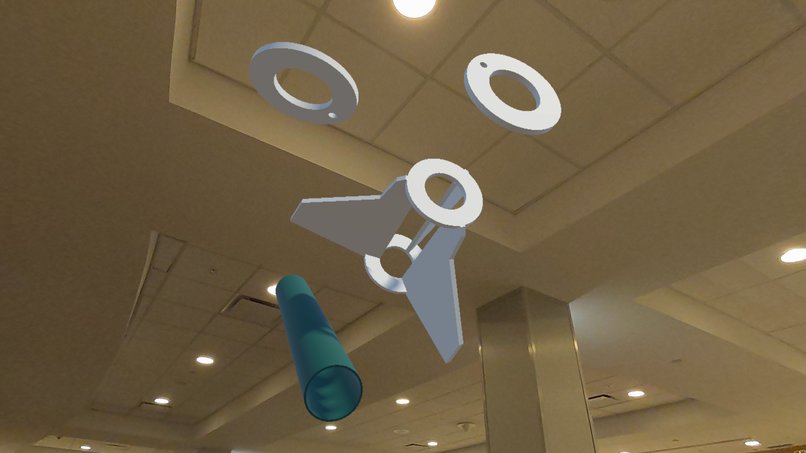
Expanded View of Sub-Assembly
-
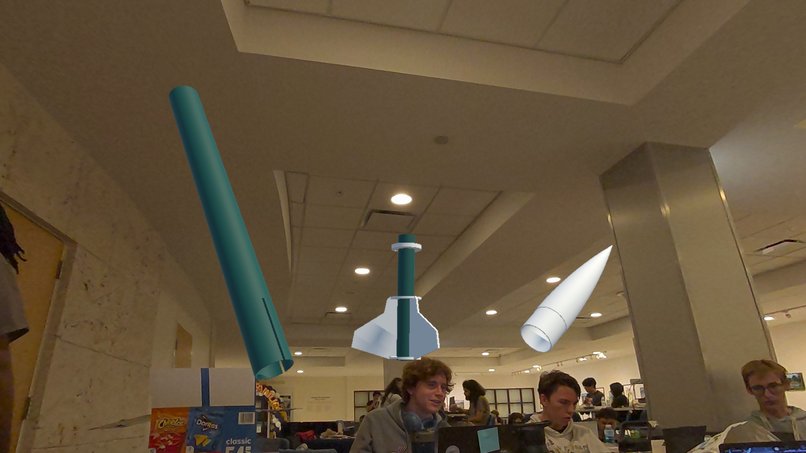
Assembly Parts in Free Space
-
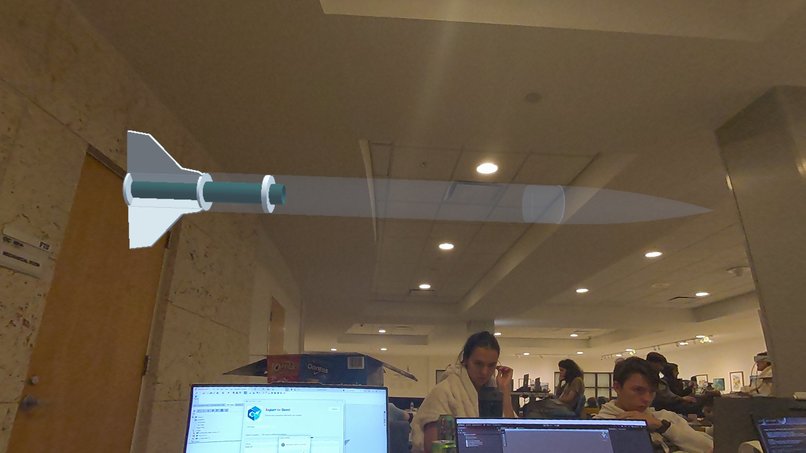
Isolated Bottom Sub-Assembly
-
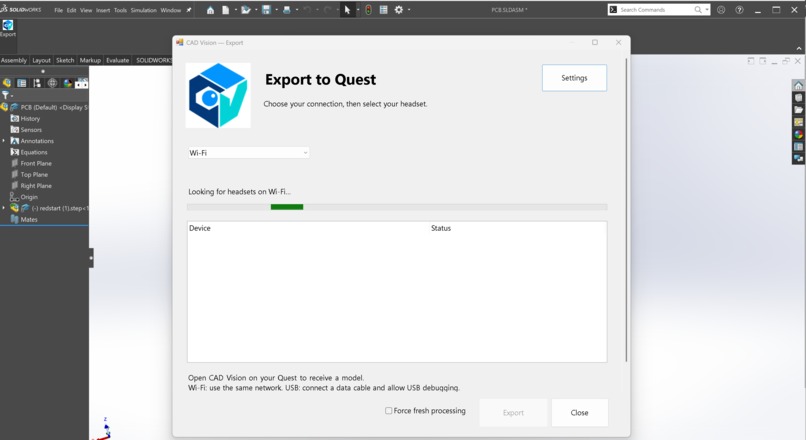
SolidWorks PlugIn
-
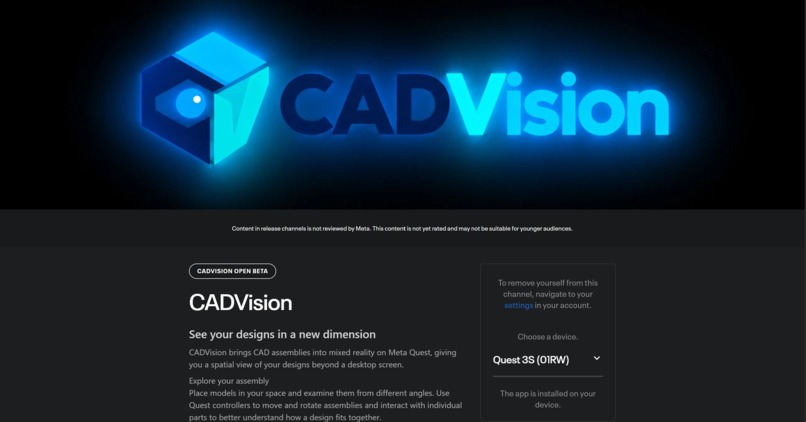
CADVision Beta Website
-
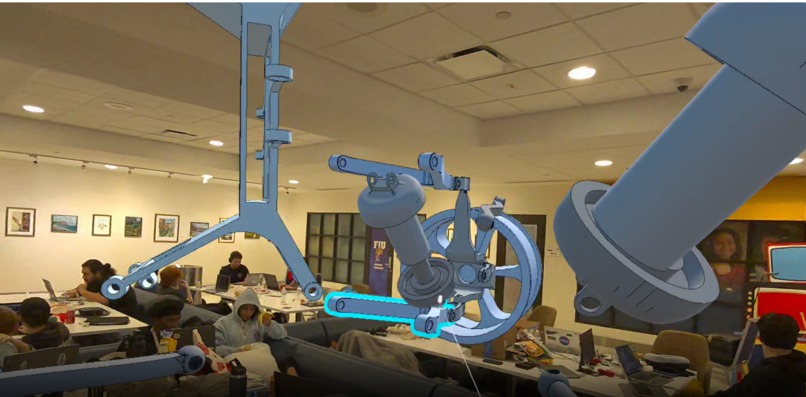
Expanded Car Assembly


Inspiration
Traditional CAD review is powerful, but it can be difficult to quickly communicate a complex assembly to someone who is not actively working inside the CAD environment. We wanted to make design review more intuitive by combining immersive 3D visualization with engineering-aware AI.
That idea became CADVision, a Unity-based design review platform, and CADEN AI, an engineering assistant that understands metadata exported from the CAD model and helps users inspect, analyze, and navigate the design.
Our goal was to create a workflow where an engineer could move from a SolidWorks assembly to an interactive 3D or VR review environment without manually rebuilding the model or separating all of its engineering information.
What it does
CADVision takes a SolidWorks assembly and converts it into two connected pieces of information:
- A GLB model containing the visual geometry, hierarchy, transforms, and appearance of the assembly.
- A metadata JSON file containing engineering information such as component hierarchy, materials, mass properties, mates, constraint state, custom properties, and other CAD-specific information when available.
The model is then loaded into Unity, where users can inspect the complete assembly, individual subassemblies, or individual parts.
CADEN AI works alongside the visualization layer and uses the engineering metadata to answer questions about the design and help identify relevant components. CADEN can request actions such as highlighting, isolating, hiding, showing, or focusing on specific parts of the assembly.
Instead of treating the AI as the source of engineering truth, CADVision separates deterministic engineering checks from AI interpretation. Known CAD information and calculated checks provide the evidence, while CADEN focuses on explaining that information and helping the user navigate the model.
How we built it
The system is divided into several independent components.
SolidWorks Export Pipeline
We designed a C# SolidWorks add-in that operates on the currently active assembly.
The add-in traverses the SolidWorks assembly hierarchy and extracts information for individual component occurrences, including:
- Part and subassembly hierarchy
- Component identifiers
- Source documents and configurations
- Material information
- Mass, volume, and center of mass
- Moments of inertia
- Suppression and fixed states
- Mate and constraint information
- Custom properties
At the same time, the assembly is exported as a GLB so the visual model can be loaded efficiently by Unity.
The result is a matched pair:
model.glb
metadata.json
Both files describe the same assembly from two different perspectives: the GLB provides the visualization, while the JSON provides the engineering context.
CADEN AI
We built Computer Aided Design Environment Network (CADEN) AI, a C# engineering assistant powered by Gemini API, directly into the Unity review environment. CADEN connects natural-language questions to structured engineering data and actions in the scene. Rather than passing the entire assembly into a chatbot, we give Gemini a set of tools backed by deterministic searches, hierarchy indexes, and a mechanical multigraph. The graph represents component occurrences as vertices and individual mates as edges, preserving multiple mate relationships between the same components. CADEN can:
- Find and inspect components: search by name, identifier, or property; navigate parent assemblies and nested subassemblies; and retrieve exported materials, mass, volume, center of mass, inertia, custom properties, and constraint information.
- Investigate mechanical relationships: identify connections between parts or assemblies, inspect mate types and endpoints, and trace paths through the exported mate network.
- Explain engineering findings: surface missing material assignments, under-defined, over-defined, or unsolvable constraint states, and unmated components and disconnected groups.
- Track review decisions: retrieve recorded issue evidence, revalidate findings, and record whether an issue is open, resolved, or intentionally ignored.
- Remember project context: persist design intent, requirements, and review notes locally, separately from the original CAD metadata.
- Control the visualization: select components, focus on parts or subassemblies, hide or show objects, detach components for inspection, reattach them, and reset their positions.
CADEN distinguishes missing information from a confirmed engineering condition. Its responses preserve the available evidence, and it reports incomplete coverage instead of treating an incomplete export as proof that a design is correct or broken. Intentional movement can be presented as a question for the engineer rather than automatically classified as a defect. Users can interact through the in-world chat panel or speak using controller input or a tracked-hand pinch gesture. ElevenLabs provides realtime speech recognition and streamed spoken responses, with live transcription, processing feedback, and concise answers designed for use during an immersive review.
Unity and XR
CADVision uses Unity as the visualization and interaction environment.
The GLB is imported at runtime and its hierarchy is mapped to CADVision's component identifiers from the metadata. This allows the application to distinguish between complete assemblies, nested subassemblies, and individual components even when multiple parts have similar names.
The application supports both a fully virtual environment and a mixed-reality passthrough, letting users examine an assembly in the virtual space or get a feel for how their models would look in the real world!
Users can interact with the models using both controller and hand-tracking features. Ray selection and contextual menus allow provide access to individual parts, subassemblies, and groups while two-handed motions allow for scaling and rotation.
The interface includes:
- Assembly navigation: enter a selected assembly to work with its children, then move back up through the hierarchy.
- Part and group manipulation: select individual components, build a multi-selection, and move selected objects together.
- Focus mode: emphasize a part, subassembly, or selection while rendering the surrounding model as ghosted reference geometry, preserving its spatial context.
- Detach and reattach: separate a component for inspection and return it to its assembly.
- Display controls: switch between shaded, shaded-with-edges, and wireframe views, and toggle selection outlines.
- Whole-model manipulation: reposition, rotate, and resize the complete assembly.
- Scoped resets: restore selected parts, the current assembly, all object sizes, or the entire model.
- Integrated CADEN access: show or hide the assistant, ask questions, view conversation history, and issue spoken commands that use the same manipulation service as the menus.
Not only that, but CADVision supports multiplayer hosting allowing for cooperative mechanical reviews between a team of engineers.


Log in or sign up for Devpost to join the conversation.