

Contract Testing
Contract testing proves that your running API still matches the spec you designed, rather than only that it returns 200. Link a test case to an endpoint and Routebase validates the live response against that endpoint's documented schema. It also warns you when the spec changes underneath an existing test.
Linking a test case to an endpoint
- Expand the test case and click Link to Spec.
- In the dialog, choose the API Specification, then pick the endpoint from the searchable list. Version (optional) narrows that list, as its hint says with "Filter endpoints by a specific version".
- Click Link Endpoint.
Linking does two things:
- Routebase stores a snapshot of the endpoint's contract together with the spec version it came from, covering path, method, request-body schema and response schemas. The snapshot is the baseline for drift detection.
- If the case has no schema check yet, a Schema Validation assertion is added automatically.
Linked cases show a badge with the endpoint's method and version, and hovering reveals the full target, such as "Linked to GET /users (1.0.0)". Click Unlink to remove the link. Linking requires the tests:write permission.
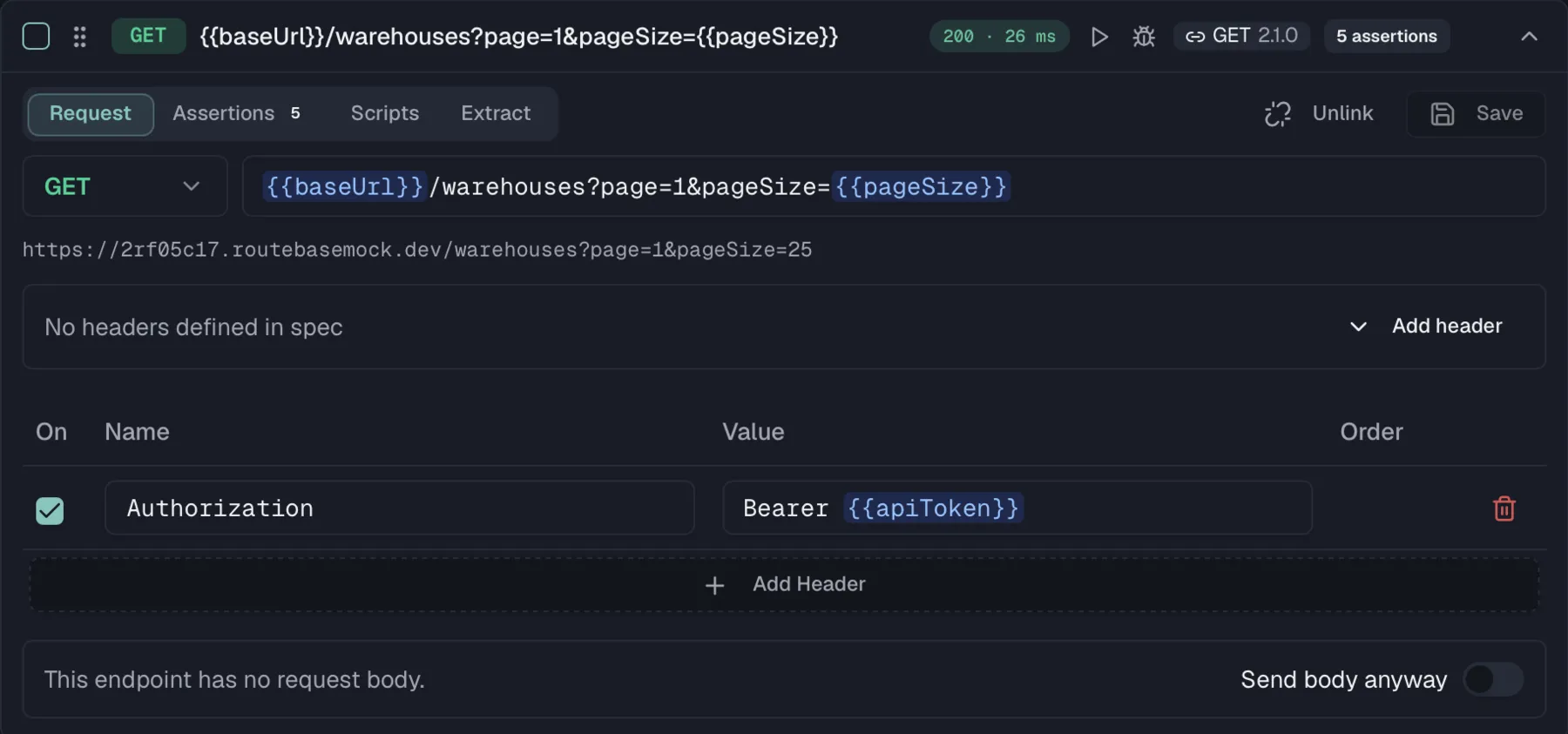
The Schema Validation assertion
Schema Validation is one of the assertion types in the assertions table. Unlike other assertions it needs no target or expected value, so the table shows it as auto and schema match. Its tooltip reads "Validates response against linked endpoint schema." When the case runs, the actual response body is validated against the linked endpoint's documented response schema. A mismatch fails the assertion, and the failure details appear in the assertion results like any other assertion.
This is the heart of contract testing. A field that changed type, a required property that went missing, or an undocumented shape all fail the run, even if the status code is still 200.
A documented response can be a sequential media type with an OpenAPI 3.2 item schema, such as application/jsonl or text/event-stream. The assertion then splits the body into its items and validates every item against that schema. A passing run reports the item count, and a failing item is named by its position, for example item[1].
Like any assertion, Schema Validation has an on/off checkbox, so you can keep the link and its drift detection while temporarily muting the schema check.
Pending: the endpoint isn't there yet
Design-first has a failure mode. Generate a suite from a fresh spec and it is red from its very first run, and it stays red until the service catches up. People get used to red, and that is exactly when the first real red gets missed.
The two cases are machine-distinguishable, so Routebase distinguishes them:
| What the environment did | Result |
|---|---|
| Nobody answered, whether through a refused connection, a timeout or a DNS failure | Pending, meaning not implemented yet |
It answered 404 on a path the contract says exists |
Pending, meaning not implemented yet |
| It answered, but wrongly, with a failed assertion or a body that does not match the schema | Failed, red, exactly as before |
A pending case gets its own amber Pending pill and its own counter next to the run summary. Most importantly, it does not fail the run. Your new suite is not red, it is pending. As endpoints land, cases move from pending to passed one by one, and the day something goes red it means something is actually wrong.
Two guards keep this from swallowing real failures:
- Only contract tests qualify. A hand-written case with no spec link that fails is simply failing, because Routebase has no business deciding what its author expected.
- A test that asked for what it got has passed. A negative test asserting Status Code equals
404is green rather than pending.
There is a third route into pending, from the contract side rather than the response. When the version an environment pins does not describe the linked endpoint at all, a run there reports the case as pending. That is the same statement as a 404 on a contractual path, established before the request goes out. The contract badge says so up front, reading "This environment is pinned to 1.2.0, which does not describe GET /users. A run here reports this case as pending." That route is deliberately narrowed to cases carrying a Schema Validation assertion. Without the narrowing, a case that only asserts status == 200, and is green against a running service, would turn pending because of a stale pin and drop out of the passed count.
Pending has a sibling. A case is reported as blocked when the target environment is marked read-only and the case's method writes. Nothing was sent, so it is neither a pass nor a failure either, and it gets its own muted badge and counter. See Test Suites for the read-only switch and what it refuses.
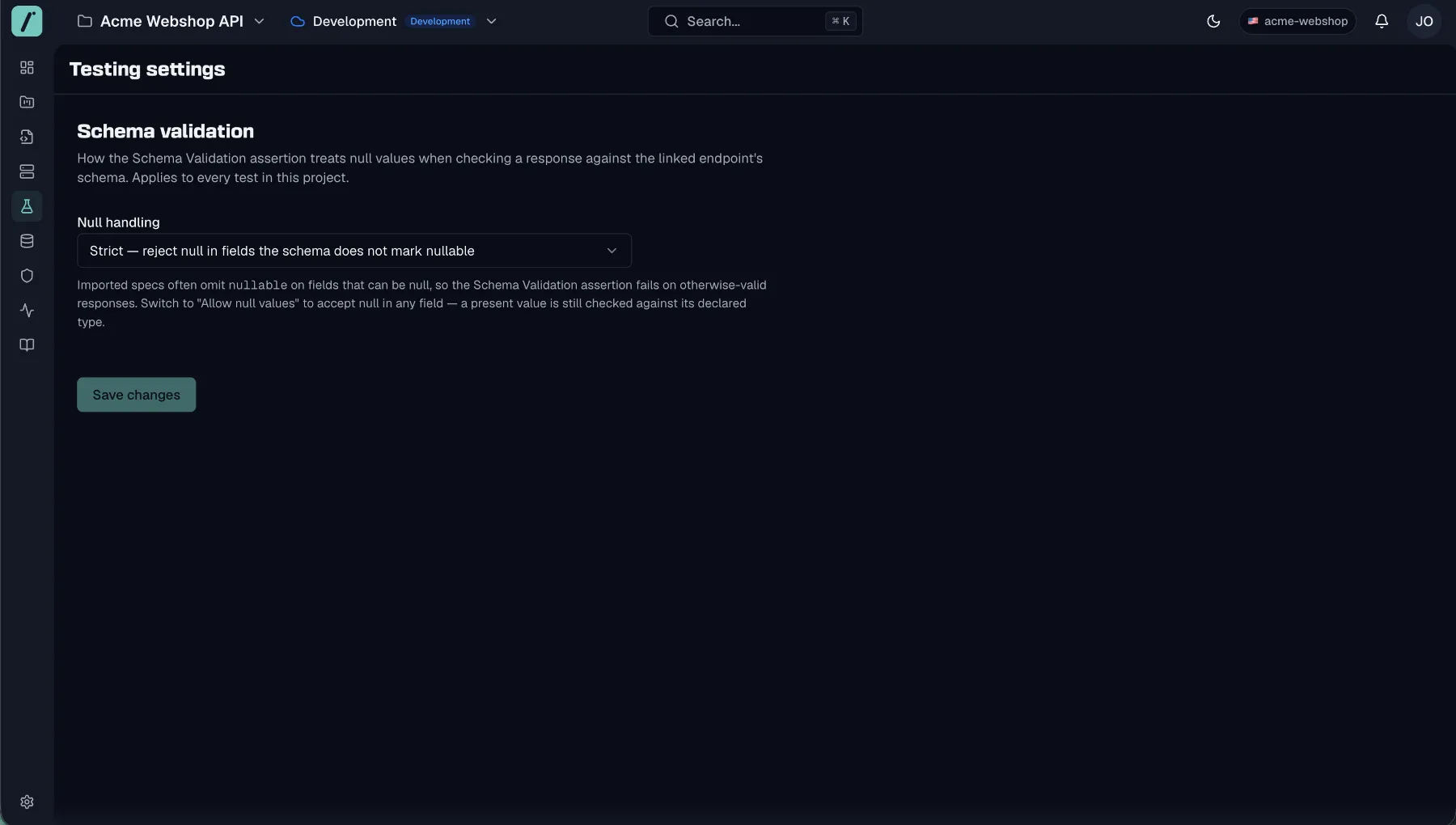
Null handling
Imported specs often omit nullable on fields that can legitimately return null. Under strict validation, the Schema Validation assertion then fails on otherwise-valid responses, because a null arrives where the schema never marked the field nullable.
The Testing settings page, opened from the bottom of the Test Runner sidebar, sets how schema validation treats null across the whole project, under Schema validation → Null handling:
| Mode | Behavior |
|---|---|
| Strict | Reject null in fields the schema does not mark nullable. |
| Allow null values | Accept null anywhere, while still type-checking every present value against its declared type. |
The setting applies to every test in the project. Switch to Allow null values when you validate against imported specs whose nullability is not fully annotated. Real contract violations still fail, without null noise drowning them out.
Generating contract tests from your spec
The Import button in the suite toolbar bulk-creates test cases from spec endpoints, and Test Suites covers the wizard flow. Each imported case comes with assertions derived from the endpoint's contract:
| Generated assertion | Based on |
|---|---|
| Status Code equals the documented success code | The endpoint's first 2xx response, falling back to 200 |
| Body exists | Whether the response defines content |
| Header Content-Type contains the documented media type | The response's content type |
JSON Path exists for required fields such as $.id |
Top-level required properties of the response schema, up to five of them |
| Latency (ms) < 5000 | A baseline performance guard |
Imported case names follow the endpoint, as in GET /users - List all users, and URLs use a {{baseUrl}} placeholder so the same case runs against any environment.
Schema drift detection
The snapshot taken at link time lets Routebase detect schema drift, which means the spec endpoint has changed since the test was linked. Whenever you open a linked test case, Routebase compares its snapshot against the latest published version of the endpoint. If they diverge, a banner appears at the top of the case editor, reading something like "Schema changed (linked: v1.0.0, current: v2.1.0)".
The banner lists the detected changes across path, method, request-body schema and response schemas, each with its old and new values. It also flags an endpoint that was removed entirely. Comparison ignores internal identifiers, so only meaningful contract changes count as drift.
Resolving drift
- Sync from Spec updates the test case to the current contract. The confirmation dialog spells out the consequences, because the case's URL, method and request body are updated to match the current spec endpoint. If the body changes you get a side-by-side Current and New diff before confirming, and manual edits to the body are overwritten. Syncing re-pins the snapshot to the latest published version, which clears the drift.
- Check against linked version is an optional toggle that compares the snapshot against the originally linked spec version instead of the latest one, which helps when diagnosing where a change was introduced.
Drift never fails a run by itself. It is an early warning that your test and your documentation have parted ways, so you can decide whether the spec change was intentional before consumers notice.
Contract coverage on the suite dashboard
The suite's Overview view includes a Contract Tests card summarizing the suite's contract health:
- Linked Tests counts how many cases are linked to spec endpoints.
- Coverage counts how many distinct endpoints those links cover.
- Schema Drift shows a warning count when linked cases have drifted.
Use it to spot suites that assert plenty of status codes but validate few actual contracts.
Related
- Test Suites — cases, assertions, runs, and results
- Endpoints — the operations your contract tests validate
- Schemas — the structures responses are validated against
- Versioning — how spec versions relate to linked tests
- Schema Drift — continuous drift monitoring in the Monitoring module
