See it in action
AI Logo Animation Examples — Static Logo In, Motion Out
Every clip is real, unedited output from our logo animation AI — different brands, different motion styles, all animated from a single static logo.
Real clips from our logo animation maker — 4-second renders straight from a static logo upload.
These six are a small sample. The logo animation examples page sorts every style by motion type and shows which ones hold up on text, line and badge logos. Need your mark turning as a solid object with real thickness? The 3D logo animation page has the rotation styles, the square framing, and the loop rules for it. Going into an email signature? The GIF logo maker page exports a small GIF that plays once and opens on your logo, even in Outlook versions that only show the first frame.
Will the animation still look like my logo?
It depends on the logo as much as on the style. Here is one style, particle assembly, on three kinds of logo, each rendered once with the current engine and not re-rolled.

Solid mark
Your fileResult

A spray of particles arcs around the stage and locks into the exact mark at about two seconds.

Combo mark
Your fileResult

Symbol and name assemble first. The two small lines only appear about two seconds in.

Thin line mark
Your fileResult

The drawing survived, the colors did not: dark teal on a light background ended as glowing cyan on navy.
See all 16 tests, four styles on four kinds of logo, in our logo animation examples.
Features
Everything You Need in One AI Logo Animation Maker
From cinematic reveals to social-ready loops, this AI logo animation maker turns a static mark into on-brand motion in about a minute.
Animated from your actual file
Your real logo, not a redraw
Your uploaded logo is the actual first frame, so the animation starts and ends on your real mark — shape, colors and proportions kept intact. No regenerating it from a prompt the way generic AI image tools do.


Reveal, morph, glow & more
Cinematic motion styles
Pick a curated motion style, or steer the reveal, lighting and camera yourself with a prompt.
Renders in about a minute
Lightning-fast motion
Go from static file to polished animation in roughly 60 seconds. No timeline, no keyframing — just a fast logo animation maker.
Export for every channel
Web, social & video ready
Download MP4, WebM or animated GIF in 16:9, 1:1 and 9:16 so your animated logo fits websites, reels, intros and ads.
Prompt-driven animation
Describe it, AI animates it
Tell the logo animation AI the motion, lighting and camera you want. Advanced video models turn your logo into brand-ready motion.
Up to 4K exports
Crisp at any size
Render in HD, 1080p or 4K with clean edges — ready for hero headers, big screens and high-DPI displays.
How it works
How to Animate a Logo with AI in 3 Steps
No After Effects, no designer — this logo animation maker takes you from a static file to a brand-ready animation in about a minute.
Upload your logo
Drop a PNG, JPG or WebP. Transparent backgrounds work best for clean motion.


Pick a style & prompt
Choose a motion style and aspect ratio, then describe the reveal, lighting and camera you want.
Export your animation
Preview, then download your animated logo as MP4, WebM or GIF — ready for web, social and video.
How is MorphLogo different from Canva or Renderforest templates?
Three ways to get a moving logo, and what each one actually gives you.
Template library
Examples: Canva, Renderforest, DanceLogo
Where the motion comes from
A preset animation; your logo replaces the placeholder
What you end up with
The same motion as everyone else who picked that template
General AI video model
Examples: Kling, Higgsfield
Where the motion comes from
Your prompt and your image
What you end up with
Unique motion, but you write the prompt and set up the frame yourself, and nothing is tuned for logos
MorphLogo
Where the motion comes from
Your logo file plus a motion style built and tested on logos
What you end up with
Motion generated for your mark and guided to land on your original logo
Templates are the right call when you want to fine-tune every keyframe by hand. MorphLogo is for when the logo you already have is the point.
Static logo. Cinematic motion.
MorphLogo's logo animation AI turns your static mark into brand-ready, cinematic motion. Upload your logo, pick a style, and export a logo animation in about a minute — start free with sign-up credits.
Logo Animation AI: FAQ
Everything you need to know about MorphLogo, the AI logo animation maker
Loved by brands and designers
Teams use MorphLogo's logo animation AI to turn static logos into brand-ready animated logos.
Emily Carter
Brand DesignerThis logo animation AI made our launch video in minutes.
Kenji Sato
Startup FounderThe best AI logo animation tool I've used — a polished intro in one afternoon.
Lily Nguyen
Social Media ManagerOur animated logo looks premium on every channel, especially 9:16 Reels.
Emily Carter
Brand DesignerThis logo animation AI made our launch video in minutes.
Kenji Sato
Startup FounderThe best AI logo animation tool I've used — a polished intro in one afternoon.
Lily Nguyen
Social Media ManagerOur animated logo looks premium on every channel, especially 9:16 Reels.
Latest from Our Blog
Tips, tutorials, and insights to help you get the most out of MorphLogo
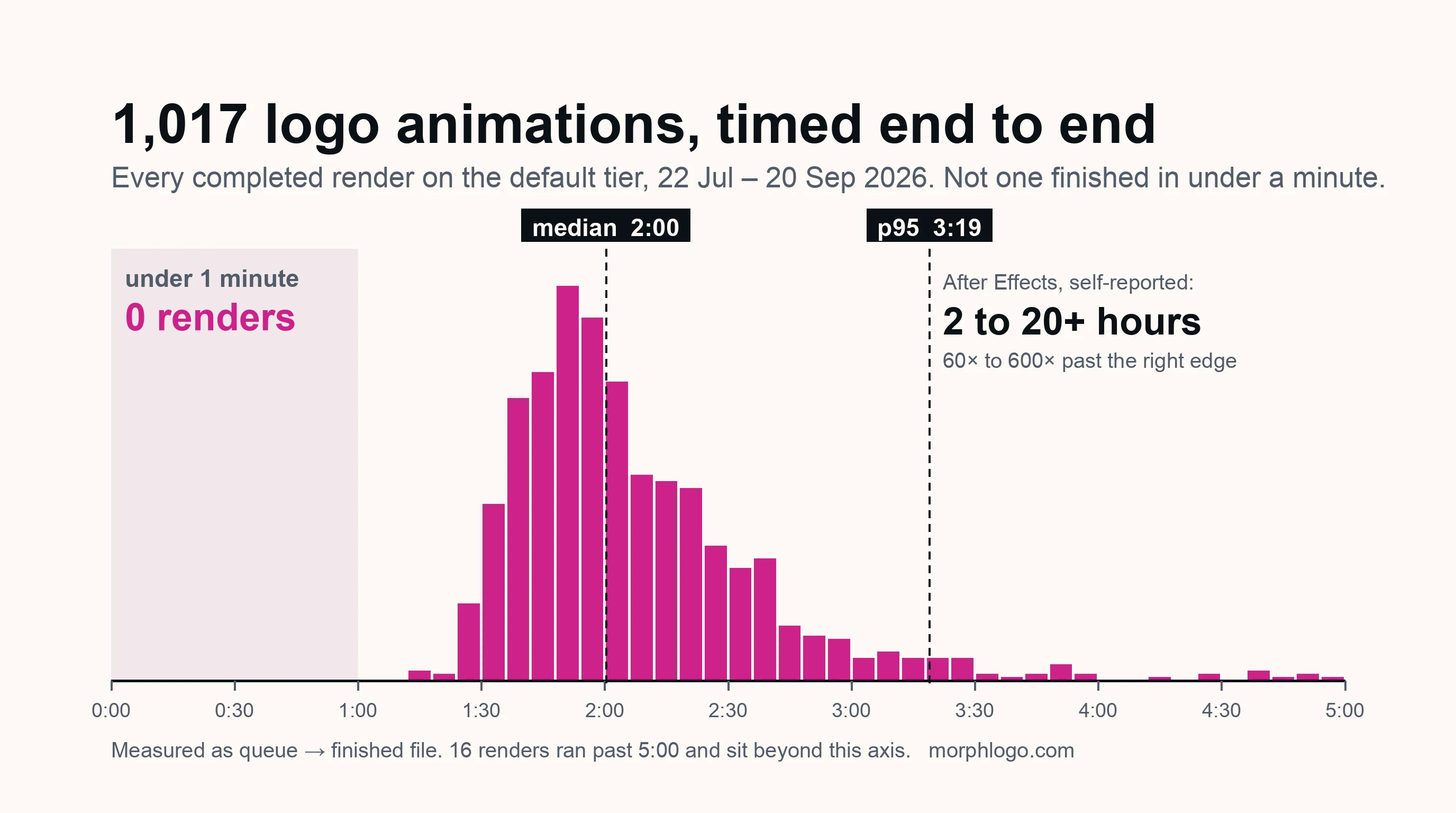
How Long Does It Take to Animate a Logo? Both Routes, Timed
Nobody answers this with a number. Here are both clocks: what working motion designers self-report for an After Effects build, and the full distribution of 1,017 measured AI renders — median 2 minutes, none under one.
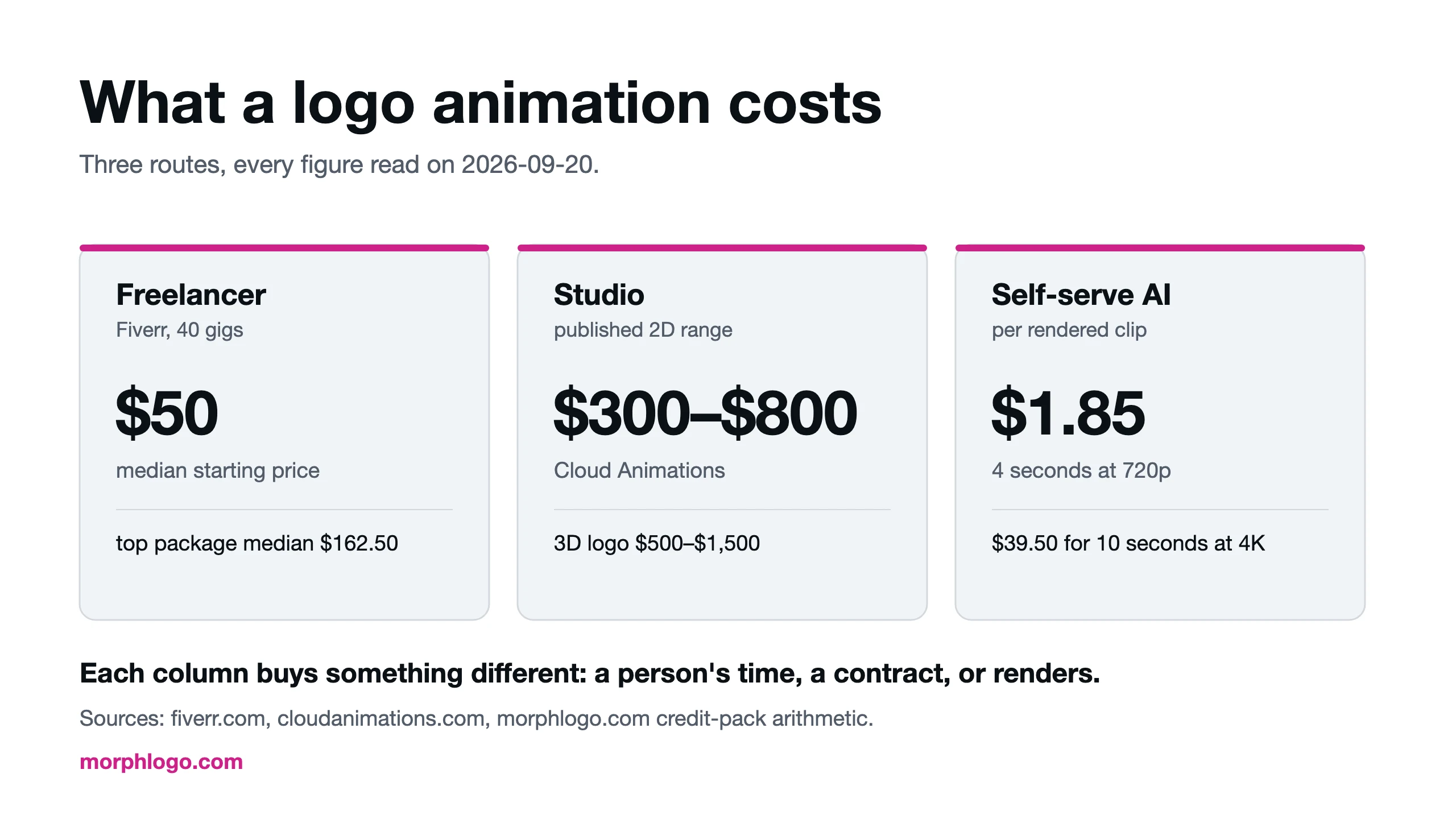
What Logo Animation Costs: Freelancer, Agency or Self-Serve
What a logo animation costs from a freelancer, a studio or a self-serve tool, broken down by deliverable: 40 Fiverr gigs priced on 2026-09-20, the real cost of every add-on, and published studio and day rates.
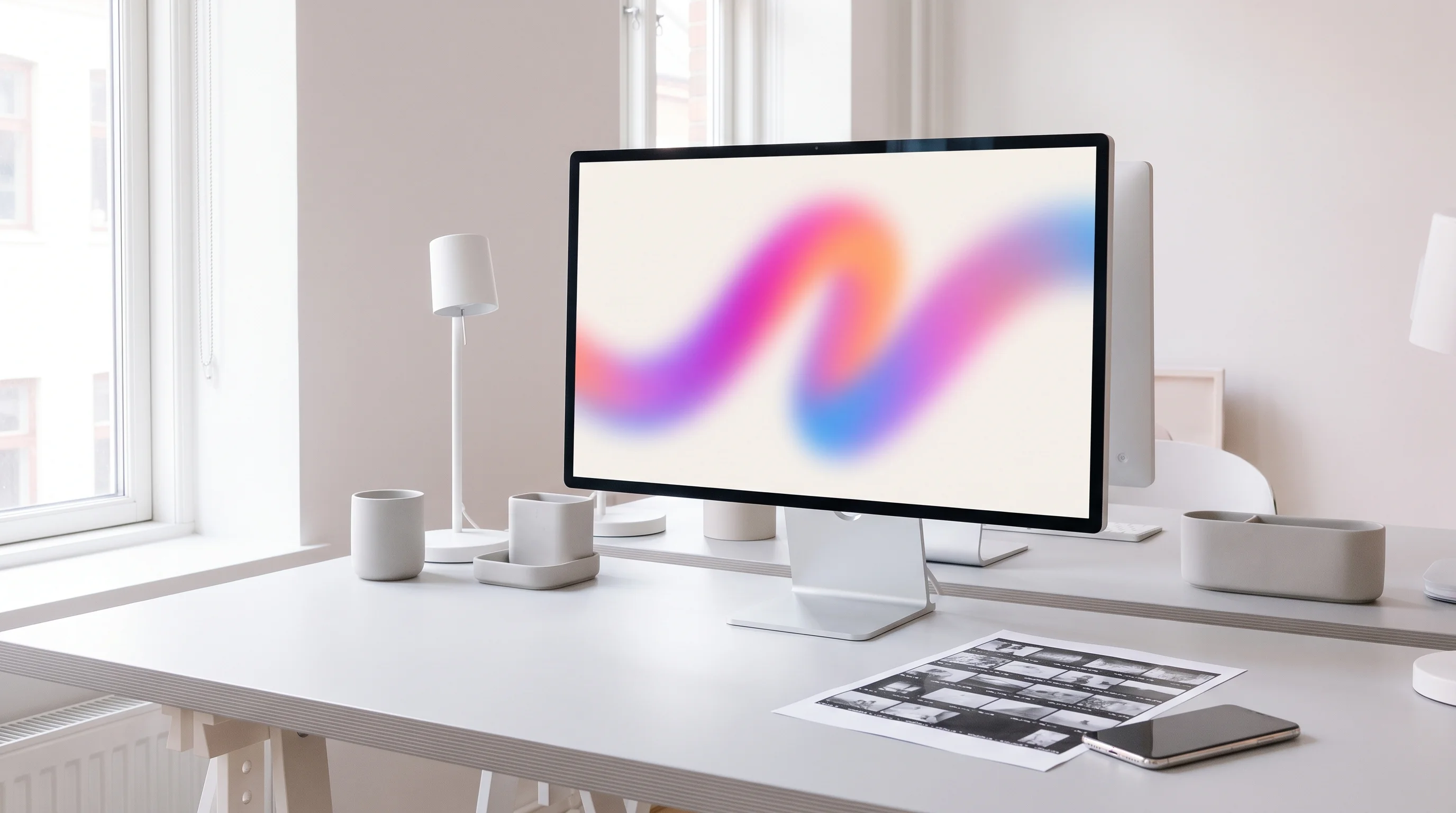
Animated Logo File Formats: MP4, GIF, WebM or Lottie?
Which animated logo file format to use where: MP4 for video, GIF for email, WebM or WebP for lighter web files, Lottie or SVG for vector UI, with sizes measured on 21 logo renders and a straight answer on transparent backgrounds.
