Introduction
The Three.js example shows how to integrate Motion with Three.js to create smooth 3D animations. We'll build a rotating cube that spins continuously in 3D space.
This tutorial uses Motion's animate function to create the rotation, and frame to run Three.js's render loop.
Get started
Install Motion and Three.js together:
npm install motion threeThen set up the basic HTML structure and Three.js scene:
<div id="three-container"></div>

<script type="module">
    import * as THREE from "three"

    const main = document.getElementById("three-container")
    const scene = new THREE.Scene()
    const camera = new THREE.PerspectiveCamera(
        25,
        main.offsetWidth / main.offsetHeight,
        0.1,
        1000
    )
    const renderer = new THREE.WebGLRenderer({ antialias: true, alpha: true })
    renderer.setPixelRatio(Math.min(devicePixelRatio, 2))
    renderer.setSize(main.offsetWidth, main.offsetHeight)
    main.appendChild(renderer.domElement)

    const geometry = new THREE.BoxGeometry()
    const material = new THREE.MeshPhongMaterial({ color: 0x4ff0b7 })
    const cube = new THREE.Mesh(geometry, material)
    const directionalLight = new THREE.DirectionalLight(0xffffff, 1.5)
    directionalLight.position.set(2, 2, 2)
    const light = new THREE.AmbientLight(0x404040, 3)
    scene.add(light)
    scene.add(directionalLight)
    scene.add(cube)

    camera.position.z = 5
</script>

<style>
    #three-container {
        width: 300px;
        height: 200px;
    }
</style>
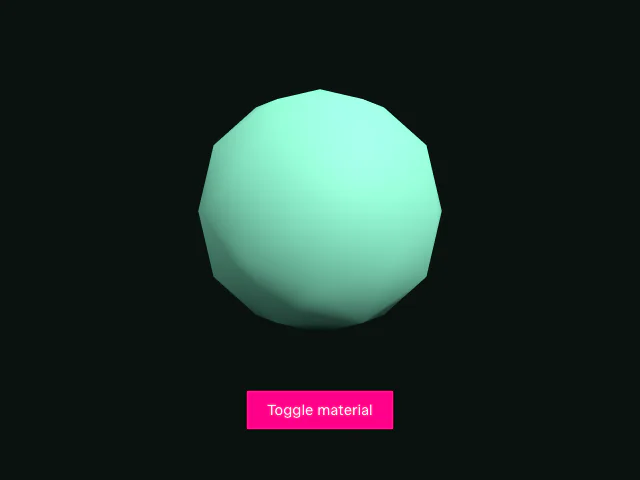
This creates a basic Three.js scene with a cube, lights, and camera. The cube is green (0x4ff0b7), and we've added both directional and ambient lighting to make it visible.
Let's animate!
Import from Motion
Add Motion to your imports:
import * as THREE from "three"
import { animate, frame } from "motion"
import { threeEffect } from "motion/three"
threeEffect ships inside the motion package under the motion/three entry point, so there's nothing extra to install.
Register the Three.js effect
Out of the box, animate treats a Three.js object as a bag of numbers. threeEffect from motion/three teaches it how meshes, materials and uniforms work. Register it once, before the first animation runs:
animate.addEffect(threeEffect)Now animate can target the cube directly, with the same x, y, z, rotateX, rotateY, rotateZ and scale shorthands as HTML elements. It reads the cube's current values, so there's no need for a from keyframe, and writes to Three.js during the preRender step of Motion's frameloop, just before each frame renders.
Set up the render loop
Three.js needs to continuously render frames to display animations. Motion's frame.render provides an optimized way to do this:
frame.render(() => renderer.render(scene, camera), true)The frame.render function takes two arguments: a callback to run on each frame, and a boolean indicating whether to keep the loop running. Setting it to true creates a persistent render loop that calls renderer.render(scene, camera) on every frame.
This pairs better with Motion than requestAnimationFrame because threeEffect writes its values in the preRender step, which always runs before render. Every frame Three.js draws sees a complete set of values.
Animate the cube
Now we can use Motion's animate function to rotate the cube:
animate(
    cube,
    { rotateY: 360, rotateZ: 360 },
    { duration: 10, repeat: Infinity, ease: "linear" }
)
The animate function animates the cube itself, rotating it 360 degrees on both the Y and Z axes. Three.js stores rotation in radians, but threeEffect reads and writes it in degrees to match rotate on the DOM, so there's no conversion to do. By setting repeat: Infinity, the animation loops forever. The linear easing ensures the rotation speed stays constant throughout the animation.
What makes this powerful is that this is the same animate function that animates DOM elements. The cube can sit in a sequence alongside HTML, be staggered as part of an array of meshes, or share a spring with a <div>. The same call also reaches material properties like color and opacity, shader uniforms and TSL uniform nodes. The Three.js docs cover each of these.
Conclusion
We've built a 3D rotating cube by combining Three.js with Motion. Registering threeEffect lets Motion's animate function target Three.js objects, materials and uniforms directly, and the frame API provides an efficient render loop that coordinates with Motion's animation system, ensuring smooth performance.