Blog
Updates from the Bitrig team


Guides
AI Context Window: Context Rot Explained
Why do AI coding agents get worse over time? Learn how context windows, context rot, and compaction work, plus simple ways to keep sessions focused longer.

Guides
Swift vs. SwiftUI: What’s the Difference?
Learn the difference between Swift and SwiftUI, how they work together in Apple apps, and what beginners should learn first when building an iPhone app.
Guides
What Is CloudKit? Apple’s Backend Explained
Learn what CloudKit is, how its private, shared, and public databases work, what it costs, and when it makes sense for your first Apple app as a beginner.

Guides
What Is TestFlight? Beta Testing for Beginners
TestFlight is Apple’s service for beta testing apps before launch. Learn how builds, tester groups, external review, and the 90-day limit work

Guides
App Store Small Business Program: Pay 15% Not 30%
The App Store Small Business Program cuts Apple’s commission from 30% to 15%. See who qualifies, how the $1M limit works, and how to enroll step by step
Guides
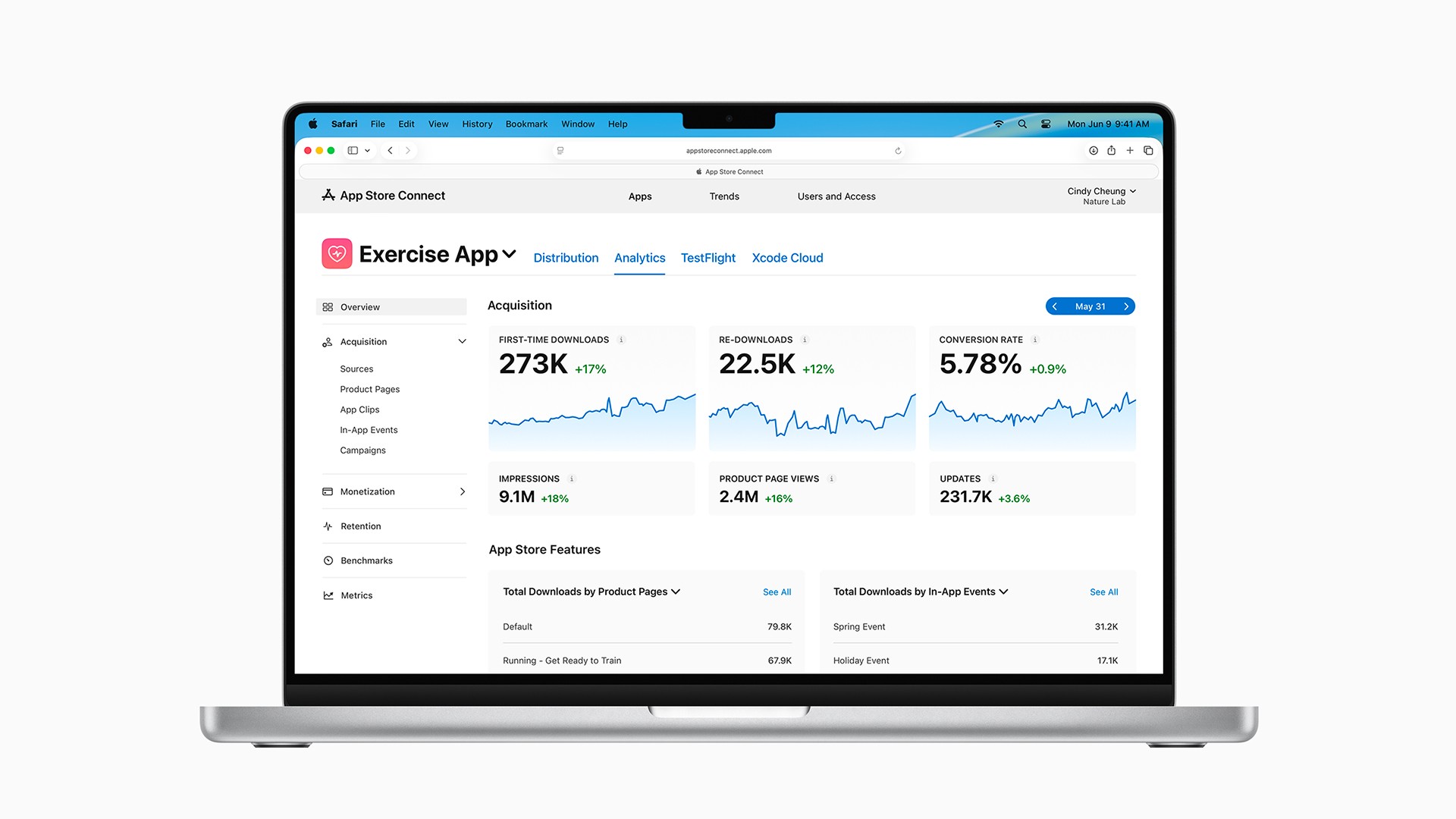
App Store Optimization: Get More App Downloads
Learn how App Store Optimization uses keywords, screenshots, ratings, and promotion to rank higher and get more app downloads (beginner's guide).

Releases
Take Bitrig’s New 3D Simulators for a Spin
The best interactions in Apple’s software aren’t just about adding new functionality. They’re also deeply satisfying to use. That’s the spirit behind Bitrig’s new 3D simulators.

Releases
Bitrig Can Now Publish Your Apps to the App Store
Set up your app record, archive and upload builds, manage your App Store listing, capture screenshots, and submit for review. All without leaving Bitrig.

Releases
A New Look for Bitrig
Introducing a new logo and wordmark, new app icons for Bitrig and Bitrig Remote, updated typography, and more.

Releases
Bitrig Now Lets You Review Diffs and Edit Your Code
More easily review Bitrig’s work, make your own changes, and keep moving without jumping out to another tool.

Releases
Bitrig Can Now Use and Test the Apps It Builds
Bitrig can now look at your app, interact like a user, and fix what it finds. The result is less back-and-forth and higher quality apps.

Releases
Join Us for Bitrig Hacks and Bitrig Bash at WWDC26
Bitrig is turning one during WWDC26. To celebrate, we’re hosting a hackathon and a party. We’d love for you to come.

Releases
Bitrig Now Builds Shortcuts and App Intents
Make your app’s most important actions and content available from Shortcuts, Siri, and Spotlight. Let people put your app to work in ways you never imagined.
Releases
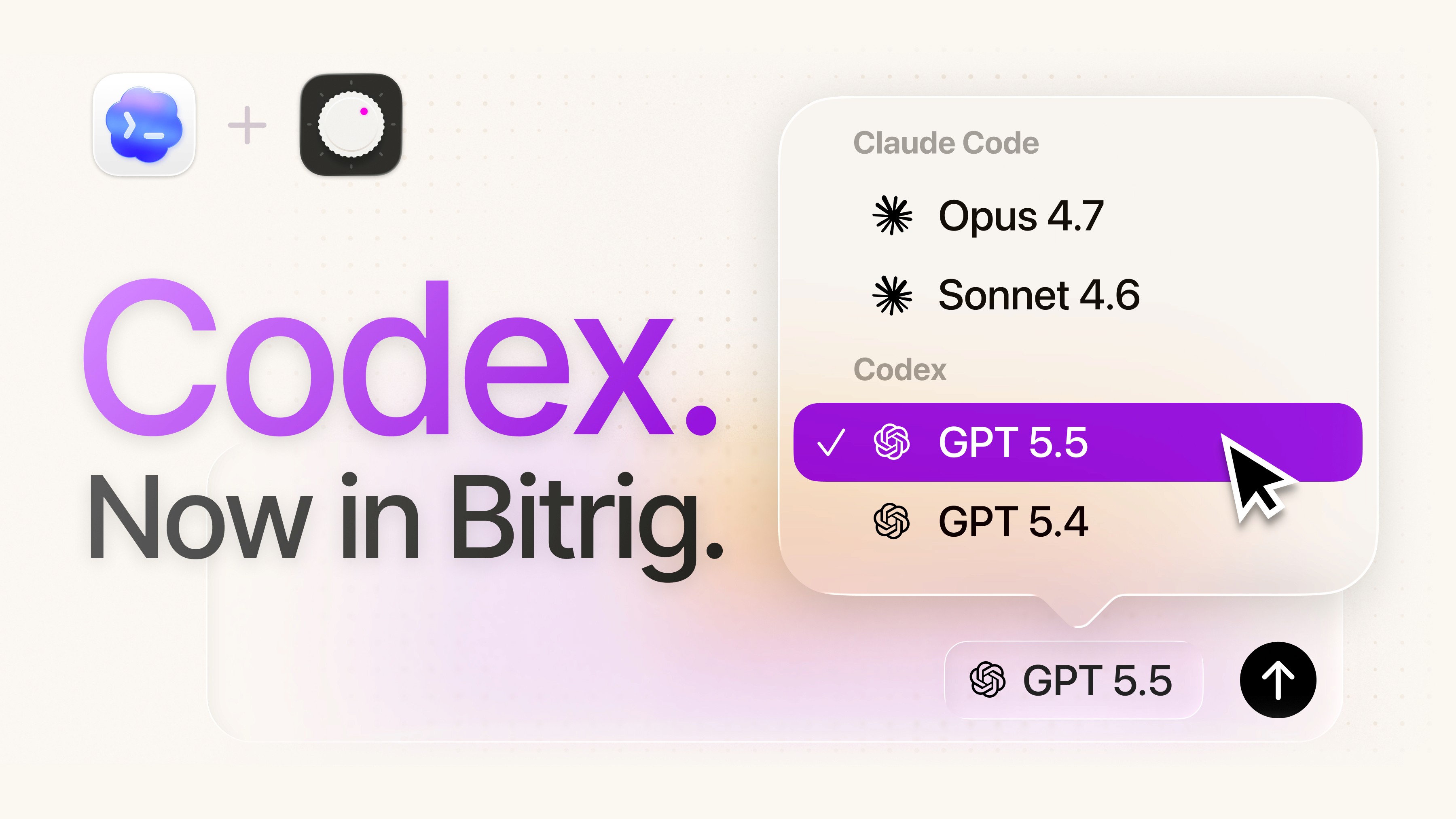
Bitrig Now Lets You Use Codex and Your Own AI Subscription
Build with Codex or Claude Code. Connect your ChatGPT or Claude subscription.

Releases
Bitrig Now Builds Widgets, Live Activities, and Controls
Let the character of your app escape its icon and become part of the device itself.

Releases
Bitrig Now Builds iPad Apps
Bitrig can now build native Swift iPad apps with full access to the iPadOS SDK, including rich multi-column layouts, Apple Pencil, and multiple windows.

Releases
Celebrating Apple’s 50th: Bitrig Now Builds Mac Apps
Bitrig can now build native Swift Mac apps. We're doubling the free tier for a limited time to celebrate Apple's 50th anniversary.

Releases
Meet the new Bitrig Mac app
Bitrig is now available for the Mac!

Releases
App Showcase: Black Lens
Find out how one developer used Bitrig to make a selfie app for blind and low-vision users.

Releases
Bitrig’s Swift Interpreter: From Code to Bytecode
How Bitrig's interpreter converts Swift constructs into bytecode.

Releases
Bitrig Can Now Build Apps with CloudKit Backends
With Bitrig, you can build an app that runs on every Apple platform. Doing that well means keeping your users’ data up to date on all of their devices.

Guides
Icon Composer: How to Make a Liquid Glass App Icon
Learn how Icon Composer turns simple layered artwork into a polished Liquid Glass app icon, with practical design tips for iPhone, iPad, Mac, and Apple Watch.

Guides
Client vs. Server: How Mobile Apps Actually Work
Most apps split the work between a client on the device and a server online. Learn when your app needs a backend and the simplest ways to add one.

Guides
What Is App Store Connect? A Beginner’s Guide
App Store Connect is Apple’s hub for publishing and managing apps. App Review, TestFlight, purchases, analytics, reviews, and updates explained for beginners.

Guides
Apple Ads Beginner’s Guide: Using the $100 Credit
Apple Ads (formerly Apple Search Ads) puts your app at the top of App Store search. Learn Basic vs. Advanced and how to spend the $100 credit wisely

Guides
Apple Developer Program: Free vs. Paid Explained
You can build iOS apps for free, but the App Store requires the $99/year Apple Developer Program. Here’s what free and paid include and when to upgrade.

Releases
Bitrig Adds Subscription, In-App Purchase, and RevenueCat Support
Bitrig now automates App Store Connect and RevenueCat, so you can add subscriptions, get paid, and get back to building.

Releases
Bitrig Now Builds Apple TV and Vision Pro Apps
Bitrig now makes it easy to build native Swift apps for every Apple platform, from the smallest screen on your wrist to the biggest screen in your home.

Releases
Try Bitrig’s New, More Powerful Free Plan
Take Bitrig for a genuine test drive and experience our vision for the future of app development.

Releases
Bitrig Remote Can Now Install and Distribute Your Apps
Install apps directly on your Home Screen and publish builds to TestFlight from the iPhone in your pocket.

Releases
Bitrig Now Lets You Build with Apple’s New Betas
Bitrig can now build with the beta Xcode and SDKs announced at WWDC. Install the beta alongside your stable Xcode and start exploring what’s newly possible.

Releases
Bitrig Now Lets You Select to Edit in the Simulator
Spend less time describing what’s on the screen. Point directly at the parts of your interface you want to change.

Releases
Meet Bitrig Remote for iPad
Finally, a professional app development environment for iPad.

Releases
Bitrig Now Works with Xcode Projects from GitHub
Connect your GitHub account and import your existing Xcode projects. Bitrig builds, tests, and runs your app, commits your changes, and syncs with GitHub.

Releases
Bitrig Now Builds Apple Watch Apps
Bitrig can now build native Apple Watch apps. Your most personal computer deserves software made just for you.

Releases
Meet Bitrig Remote
Bitrig Remote brings the power of Bitrig Mac and Bitrig Agent back to iPhone.

Releases
Meet Bitrig Agent
The same simple Bitrig, now powered by a professional-grade iOS development stack.

Releases
App Showcase: Urban Fieldwork
Meet Rob, a geography teacher and subject matter expert with three apps on the App Store.
Releases
Bitrig’s Swift Interpreter: From Expressions to APIs
How Bitrig’s interpreter represents expressions and extracts APIs from the SDK.
Releases
Building Bitrig's Swift Interpreter for Swift in Swift
Bitrig uses a Swift interpreter to render apps. How does it work?
Guides
AI Context Window: Context Rot Explained
Why do AI coding agents get worse over time? Learn how context windows, context rot, and compaction work, plus simple ways to keep sessions focused longer.
Releases
Bitrig Can Now Build Apps with CloudKit Backends
With Bitrig, you can build an app that runs on every Apple platform. Doing that well means keeping your users’ data up to date on all of their devices.
Guides
Swift vs. SwiftUI: What’s the Difference?
Learn the difference between Swift and SwiftUI, how they work together in Apple apps, and what beginners should learn first when building an iPhone app.
Guides
Icon Composer: How to Make a Liquid Glass App Icon
Learn how Icon Composer turns simple layered artwork into a polished Liquid Glass app icon, with practical design tips for iPhone, iPad, Mac, and Apple Watch.
Guides
What Is CloudKit? Apple’s Backend Explained
Learn what CloudKit is, how its private, shared, and public databases work, what it costs, and when it makes sense for your first Apple app as a beginner.
Guides
Client vs. Server: How Mobile Apps Actually Work
Most apps split the work between a client on the device and a server online. Learn when your app needs a backend and the simplest ways to add one.
Guides
What Is TestFlight? Beta Testing for Beginners
TestFlight is Apple’s service for beta testing apps before launch. Learn how builds, tester groups, external review, and the 90-day limit work
Guides
What Is App Store Connect? A Beginner’s Guide
App Store Connect is Apple’s hub for publishing and managing apps. App Review, TestFlight, purchases, analytics, reviews, and updates explained for beginners.
Guides
App Store Small Business Program: Pay 15% Not 30%
The App Store Small Business Program cuts Apple’s commission from 30% to 15%. See who qualifies, how the $1M limit works, and how to enroll step by step
Guides
Apple Ads Beginner’s Guide: Using the $100 Credit
Apple Ads (formerly Apple Search Ads) puts your app at the top of App Store search. Learn Basic vs. Advanced and how to spend the $100 credit wisely
Guides
App Store Optimization: Get More App Downloads
Learn how App Store Optimization uses keywords, screenshots, ratings, and promotion to rank higher and get more app downloads (beginner's guide).
Guides
Apple Developer Program: Free vs. Paid Explained
You can build iOS apps for free, but the App Store requires the $99/year Apple Developer Program. Here’s what free and paid include and when to upgrade.
Releases
Take Bitrig’s New 3D Simulators for a Spin
The best interactions in Apple’s software aren’t just about adding new functionality. They’re also deeply satisfying to use. That’s the spirit behind Bitrig’s new 3D simulators.
Releases
Bitrig Adds Subscription, In-App Purchase, and RevenueCat Support
Bitrig now automates App Store Connect and RevenueCat, so you can add subscriptions, get paid, and get back to building.
Releases
Bitrig Can Now Publish Your Apps to the App Store
Set up your app record, archive and upload builds, manage your App Store listing, capture screenshots, and submit for review. All without leaving Bitrig.
Releases
Bitrig Now Builds Apple TV and Vision Pro Apps
Bitrig now makes it easy to build native Swift apps for every Apple platform, from the smallest screen on your wrist to the biggest screen in your home.
Releases
A New Look for Bitrig
Introducing a new logo and wordmark, new app icons for Bitrig and Bitrig Remote, updated typography, and more.
Releases
Try Bitrig’s New, More Powerful Free Plan
Take Bitrig for a genuine test drive and experience our vision for the future of app development.
Releases
Bitrig Now Lets You Review Diffs and Edit Your Code
More easily review Bitrig’s work, make your own changes, and keep moving without jumping out to another tool.
Releases
Bitrig Remote Can Now Install and Distribute Your Apps
Install apps directly on your Home Screen and publish builds to TestFlight from the iPhone in your pocket.
Releases
Bitrig Can Now Use and Test the Apps It Builds
Bitrig can now look at your app, interact like a user, and fix what it finds. The result is less back-and-forth and higher quality apps.
Releases
Bitrig Now Lets You Build with Apple’s New Betas
Bitrig can now build with the beta Xcode and SDKs announced at WWDC. Install the beta alongside your stable Xcode and start exploring what’s newly possible.
Releases
Join Us for Bitrig Hacks and Bitrig Bash at WWDC26
Bitrig is turning one during WWDC26. To celebrate, we’re hosting a hackathon and a party. We’d love for you to come.
Releases
Bitrig Now Lets You Select to Edit in the Simulator
Spend less time describing what’s on the screen. Point directly at the parts of your interface you want to change.
Releases
Bitrig Now Builds Shortcuts and App Intents
Make your app’s most important actions and content available from Shortcuts, Siri, and Spotlight. Let people put your app to work in ways you never imagined.
Releases
Meet Bitrig Remote for iPad
Finally, a professional app development environment for iPad.
Releases
Bitrig Now Lets You Use Codex and Your Own AI Subscription
Build with Codex or Claude Code. Connect your ChatGPT or Claude subscription.
Releases
Bitrig Now Works with Xcode Projects from GitHub
Connect your GitHub account and import your existing Xcode projects. Bitrig builds, tests, and runs your app, commits your changes, and syncs with GitHub.
Releases
Bitrig Now Builds Widgets, Live Activities, and Controls
Let the character of your app escape its icon and become part of the device itself.
Releases
Bitrig Now Builds Apple Watch Apps
Bitrig can now build native Apple Watch apps. Your most personal computer deserves software made just for you.
Releases
Bitrig Now Builds iPad Apps
Bitrig can now build native Swift iPad apps with full access to the iPadOS SDK, including rich multi-column layouts, Apple Pencil, and multiple windows.
Releases
Meet Bitrig Remote
Bitrig Remote brings the power of Bitrig Mac and Bitrig Agent back to iPhone.
Releases
Celebrating Apple’s 50th: Bitrig Now Builds Mac Apps
Bitrig can now build native Swift Mac apps. We're doubling the free tier for a limited time to celebrate Apple's 50th anniversary.
Releases
Meet Bitrig Agent
The same simple Bitrig, now powered by a professional-grade iOS development stack.
Releases
Meet the new Bitrig Mac app
Bitrig is now available for the Mac!
Releases
App Showcase: Urban Fieldwork
Meet Rob, a geography teacher and subject matter expert with three apps on the App Store.
Releases
App Showcase: Black Lens
Find out how one developer used Bitrig to make a selfie app for blind and low-vision users.
Releases
Bitrig’s Swift Interpreter: From Expressions to APIs
How Bitrig’s interpreter represents expressions and extracts APIs from the SDK.
Releases
Bitrig’s Swift Interpreter: From Code to Bytecode
How Bitrig's interpreter converts Swift constructs into bytecode.
Releases
Building Bitrig's Swift Interpreter for Swift in Swift
Bitrig uses a Swift interpreter to render apps. How does it work?
Releases
Bitrig Can Now Build Apps with CloudKit Backends
With Bitrig, you can build an app that runs on every Apple platform. Doing that well means keeping your users’ data up to date on all of their devices.
Releases
Bitrig Adds Subscription, In-App Purchase, and RevenueCat Support
Bitrig now automates App Store Connect and RevenueCat, so you can add subscriptions, get paid, and get back to building.
Releases
Bitrig Now Builds Apple TV and Vision Pro Apps
Bitrig now makes it easy to build native Swift apps for every Apple platform, from the smallest screen on your wrist to the biggest screen in your home.
Releases
Try Bitrig’s New, More Powerful Free Plan
Take Bitrig for a genuine test drive and experience our vision for the future of app development.
Releases
Bitrig Remote Can Now Install and Distribute Your Apps
Install apps directly on your Home Screen and publish builds to TestFlight from the iPhone in your pocket.
Releases
Bitrig Now Lets You Build with Apple’s New Betas
Bitrig can now build with the beta Xcode and SDKs announced at WWDC. Install the beta alongside your stable Xcode and start exploring what’s newly possible.
Releases
Bitrig Now Lets You Select to Edit in the Simulator
Spend less time describing what’s on the screen. Point directly at the parts of your interface you want to change.
Releases
Meet Bitrig Remote for iPad
Finally, a professional app development environment for iPad.
Releases
Bitrig Now Works with Xcode Projects from GitHub
Connect your GitHub account and import your existing Xcode projects. Bitrig builds, tests, and runs your app, commits your changes, and syncs with GitHub.
Releases
Bitrig Now Builds Apple Watch Apps
Bitrig can now build native Apple Watch apps. Your most personal computer deserves software made just for you.
Releases
Meet Bitrig Remote
Bitrig Remote brings the power of Bitrig Mac and Bitrig Agent back to iPhone.
Releases
Meet Bitrig Agent
The same simple Bitrig, now powered by a professional-grade iOS development stack.
Releases
App Showcase: Urban Fieldwork
Meet Rob, a geography teacher and subject matter expert with three apps on the App Store.
Releases
Bitrig’s Swift Interpreter: From Expressions to APIs
How Bitrig’s interpreter represents expressions and extracts APIs from the SDK.
Releases
Building Bitrig's Swift Interpreter for Swift in Swift
Bitrig uses a Swift interpreter to render apps. How does it work?
Releases
Take Bitrig’s New 3D Simulators for a Spin
The best interactions in Apple’s software aren’t just about adding new functionality. They’re also deeply satisfying to use. That’s the spirit behind Bitrig’s new 3D simulators.
Releases
Bitrig Can Now Publish Your Apps to the App Store
Set up your app record, archive and upload builds, manage your App Store listing, capture screenshots, and submit for review. All without leaving Bitrig.
Releases
A New Look for Bitrig
Introducing a new logo and wordmark, new app icons for Bitrig and Bitrig Remote, updated typography, and more.
Releases
Bitrig Now Lets You Review Diffs and Edit Your Code
More easily review Bitrig’s work, make your own changes, and keep moving without jumping out to another tool.
Releases
Bitrig Can Now Use and Test the Apps It Builds
Bitrig can now look at your app, interact like a user, and fix what it finds. The result is less back-and-forth and higher quality apps.
Releases
Join Us for Bitrig Hacks and Bitrig Bash at WWDC26
Bitrig is turning one during WWDC26. To celebrate, we’re hosting a hackathon and a party. We’d love for you to come.
Releases
Bitrig Now Builds Shortcuts and App Intents
Make your app’s most important actions and content available from Shortcuts, Siri, and Spotlight. Let people put your app to work in ways you never imagined.
Releases
Bitrig Now Lets You Use Codex and Your Own AI Subscription
Build with Codex or Claude Code. Connect your ChatGPT or Claude subscription.
Releases
Bitrig Now Builds Widgets, Live Activities, and Controls
Let the character of your app escape its icon and become part of the device itself.
Releases
Bitrig Now Builds iPad Apps
Bitrig can now build native Swift iPad apps with full access to the iPadOS SDK, including rich multi-column layouts, Apple Pencil, and multiple windows.
Releases
Celebrating Apple’s 50th: Bitrig Now Builds Mac Apps
Bitrig can now build native Swift Mac apps. We're doubling the free tier for a limited time to celebrate Apple's 50th anniversary.
Releases
Meet the new Bitrig Mac app
Bitrig is now available for the Mac!
Releases
App Showcase: Black Lens
Find out how one developer used Bitrig to make a selfie app for blind and low-vision users.
Releases
Bitrig’s Swift Interpreter: From Code to Bytecode
How Bitrig's interpreter converts Swift constructs into bytecode.
Releases
Bitrig Can Now Build Apps with CloudKit Backends
With Bitrig, you can build an app that runs on every Apple platform. Doing that well means keeping your users’ data up to date on all of their devices.
Releases
Take Bitrig’s New 3D Simulators for a Spin
The best interactions in Apple’s software aren’t just about adding new functionality. They’re also deeply satisfying to use. That’s the spirit behind Bitrig’s new 3D simulators.
Releases
Bitrig Adds Subscription, In-App Purchase, and RevenueCat Support
Bitrig now automates App Store Connect and RevenueCat, so you can add subscriptions, get paid, and get back to building.
Releases
Bitrig Can Now Publish Your Apps to the App Store
Set up your app record, archive and upload builds, manage your App Store listing, capture screenshots, and submit for review. All without leaving Bitrig.
Releases
Bitrig Now Builds Apple TV and Vision Pro Apps
Bitrig now makes it easy to build native Swift apps for every Apple platform, from the smallest screen on your wrist to the biggest screen in your home.
Releases
A New Look for Bitrig
Introducing a new logo and wordmark, new app icons for Bitrig and Bitrig Remote, updated typography, and more.
Releases
Try Bitrig’s New, More Powerful Free Plan
Take Bitrig for a genuine test drive and experience our vision for the future of app development.
Releases
Bitrig Now Lets You Review Diffs and Edit Your Code
More easily review Bitrig’s work, make your own changes, and keep moving without jumping out to another tool.
Releases
Bitrig Remote Can Now Install and Distribute Your Apps
Install apps directly on your Home Screen and publish builds to TestFlight from the iPhone in your pocket.
Releases
Bitrig Can Now Use and Test the Apps It Builds
Bitrig can now look at your app, interact like a user, and fix what it finds. The result is less back-and-forth and higher quality apps.
Releases
Bitrig Now Lets You Build with Apple’s New Betas
Bitrig can now build with the beta Xcode and SDKs announced at WWDC. Install the beta alongside your stable Xcode and start exploring what’s newly possible.
Releases
Join Us for Bitrig Hacks and Bitrig Bash at WWDC26
Bitrig is turning one during WWDC26. To celebrate, we’re hosting a hackathon and a party. We’d love for you to come.
Releases
Bitrig Now Lets You Select to Edit in the Simulator
Spend less time describing what’s on the screen. Point directly at the parts of your interface you want to change.
Releases
Bitrig Now Builds Shortcuts and App Intents
Make your app’s most important actions and content available from Shortcuts, Siri, and Spotlight. Let people put your app to work in ways you never imagined.
Releases
Meet Bitrig Remote for iPad
Finally, a professional app development environment for iPad.
Releases
Bitrig Now Lets You Use Codex and Your Own AI Subscription
Build with Codex or Claude Code. Connect your ChatGPT or Claude subscription.
Releases
Bitrig Now Works with Xcode Projects from GitHub
Connect your GitHub account and import your existing Xcode projects. Bitrig builds, tests, and runs your app, commits your changes, and syncs with GitHub.
Releases
Bitrig Now Builds Widgets, Live Activities, and Controls
Let the character of your app escape its icon and become part of the device itself.
Releases
Bitrig Now Builds Apple Watch Apps
Bitrig can now build native Apple Watch apps. Your most personal computer deserves software made just for you.
Releases
Bitrig Now Builds iPad Apps
Bitrig can now build native Swift iPad apps with full access to the iPadOS SDK, including rich multi-column layouts, Apple Pencil, and multiple windows.
Releases
Meet Bitrig Remote
Bitrig Remote brings the power of Bitrig Mac and Bitrig Agent back to iPhone.
Releases
Celebrating Apple’s 50th: Bitrig Now Builds Mac Apps
Bitrig can now build native Swift Mac apps. We're doubling the free tier for a limited time to celebrate Apple's 50th anniversary.
Releases
Meet Bitrig Agent
The same simple Bitrig, now powered by a professional-grade iOS development stack.
Releases
Meet the new Bitrig Mac app
Bitrig is now available for the Mac!
Releases
App Showcase: Urban Fieldwork
Meet Rob, a geography teacher and subject matter expert with three apps on the App Store.
Releases
App Showcase: Black Lens
Find out how one developer used Bitrig to make a selfie app for blind and low-vision users.
Releases
Bitrig’s Swift Interpreter: From Expressions to APIs
How Bitrig’s interpreter represents expressions and extracts APIs from the SDK.
Releases
Bitrig’s Swift Interpreter: From Code to Bytecode
How Bitrig's interpreter converts Swift constructs into bytecode.
Releases
Building Bitrig's Swift Interpreter for Swift in Swift
Bitrig uses a Swift interpreter to render apps. How does it work?
Guides
AI Context Window: Context Rot Explained
Why do AI coding agents get worse over time? Learn how context windows, context rot, and compaction work, plus simple ways to keep sessions focused longer.
Guides
Icon Composer: How to Make a Liquid Glass App Icon
Learn how Icon Composer turns simple layered artwork into a polished Liquid Glass app icon, with practical design tips for iPhone, iPad, Mac, and Apple Watch.
Guides
Client vs. Server: How Mobile Apps Actually Work
Most apps split the work between a client on the device and a server online. Learn when your app needs a backend and the simplest ways to add one.
Guides
What Is App Store Connect? A Beginner’s Guide
App Store Connect is Apple’s hub for publishing and managing apps. App Review, TestFlight, purchases, analytics, reviews, and updates explained for beginners.
Guides
Apple Ads Beginner’s Guide: Using the $100 Credit
Apple Ads (formerly Apple Search Ads) puts your app at the top of App Store search. Learn Basic vs. Advanced and how to spend the $100 credit wisely
Guides
Apple Developer Program: Free vs. Paid Explained
You can build iOS apps for free, but the App Store requires the $99/year Apple Developer Program. Here’s what free and paid include and when to upgrade.
Guides
Swift vs. SwiftUI: What’s the Difference?
Learn the difference between Swift and SwiftUI, how they work together in Apple apps, and what beginners should learn first when building an iPhone app.
Guides
What Is CloudKit? Apple’s Backend Explained
Learn what CloudKit is, how its private, shared, and public databases work, what it costs, and when it makes sense for your first Apple app as a beginner.
Guides
What Is TestFlight? Beta Testing for Beginners
TestFlight is Apple’s service for beta testing apps before launch. Learn how builds, tester groups, external review, and the 90-day limit work
Guides
App Store Small Business Program: Pay 15% Not 30%
The App Store Small Business Program cuts Apple’s commission from 30% to 15%. See who qualifies, how the $1M limit works, and how to enroll step by step
Guides
App Store Optimization: Get More App Downloads
Learn how App Store Optimization uses keywords, screenshots, ratings, and promotion to rank higher and get more app downloads (beginner's guide).
Guides
AI Context Window: Context Rot Explained
Why do AI coding agents get worse over time? Learn how context windows, context rot, and compaction work, plus simple ways to keep sessions focused longer.
Guides
Swift vs. SwiftUI: What’s the Difference?
Learn the difference between Swift and SwiftUI, how they work together in Apple apps, and what beginners should learn first when building an iPhone app.
Guides
Icon Composer: How to Make a Liquid Glass App Icon
Learn how Icon Composer turns simple layered artwork into a polished Liquid Glass app icon, with practical design tips for iPhone, iPad, Mac, and Apple Watch.
Guides
What Is CloudKit? Apple’s Backend Explained
Learn what CloudKit is, how its private, shared, and public databases work, what it costs, and when it makes sense for your first Apple app as a beginner.
Guides
Client vs. Server: How Mobile Apps Actually Work
Most apps split the work between a client on the device and a server online. Learn when your app needs a backend and the simplest ways to add one.
Guides
What Is TestFlight? Beta Testing for Beginners
TestFlight is Apple’s service for beta testing apps before launch. Learn how builds, tester groups, external review, and the 90-day limit work
Guides
What Is App Store Connect? A Beginner’s Guide
App Store Connect is Apple’s hub for publishing and managing apps. App Review, TestFlight, purchases, analytics, reviews, and updates explained for beginners.
Guides
App Store Small Business Program: Pay 15% Not 30%
The App Store Small Business Program cuts Apple’s commission from 30% to 15%. See who qualifies, how the $1M limit works, and how to enroll step by step
Guides
Apple Ads Beginner’s Guide: Using the $100 Credit
Apple Ads (formerly Apple Search Ads) puts your app at the top of App Store search. Learn Basic vs. Advanced and how to spend the $100 credit wisely
Guides
App Store Optimization: Get More App Downloads
Learn how App Store Optimization uses keywords, screenshots, ratings, and promotion to rank higher and get more app downloads (beginner's guide).
Guides
Apple Developer Program: Free vs. Paid Explained
You can build iOS apps for free, but the App Store requires the $99/year Apple Developer Program. Here’s what free and paid include and when to upgrade.
