 Claude
 ChatGPT
 Codex
Codex OpenCode
 OpenClaw
 Gemini
AI agents
Work through MCP or API with the same workspace context as your team.
One social media workspace built for both people and AI agents. Use the dashboard, MCP, or API to work with the same accounts, calendars, approvals, analytics, and publishing across 10 networks.


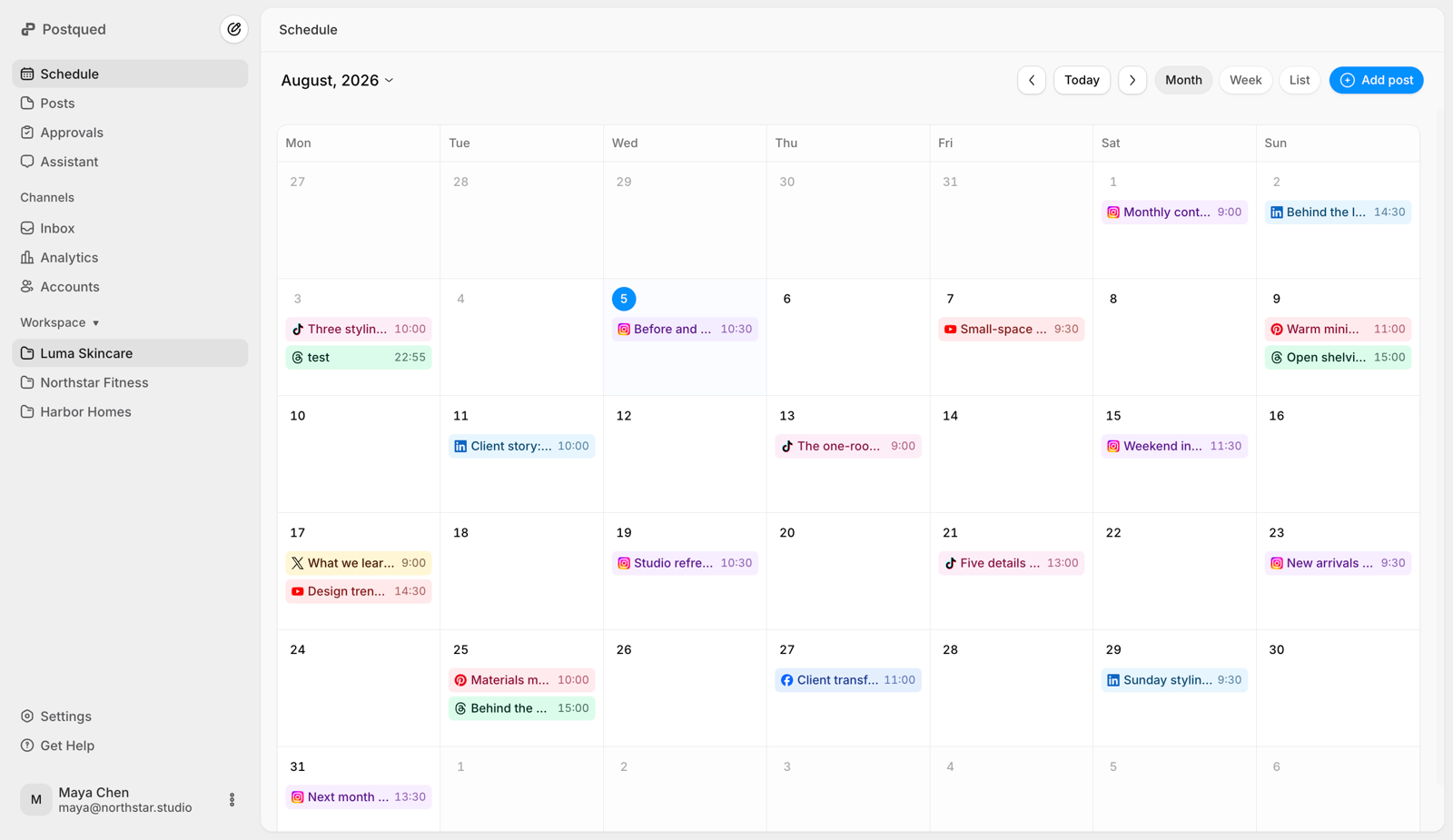
Connect Claude through MCP to work with your Postqued accounts, calendars, approvals, analytics, and publishing permissions.
Okay. I’ll publish it to every connected account.
Loaded tools, used Postqued through MCP
 List connected accounts
list_connected_accountsUpload imageupload_media · social-post.jpgPublish postpublish_post · 10 accountsDone. It’s live on all 10 connected networks.
Okay. I’ll publish it through Postqued now.
Loaded tools, used Postqued through MCP
List connected accountslist_connected_accountsUpload imageupload_media · social-post.jpgPublish postpublish_post · 10 accountsDone. It’s live on all 10 connected networks.
Okay. I’ll run this through the Postqued MCP tools.
Loaded tools, used Postqued through MCP
List connected accountslist_connected_accountsUpload imageupload_media · social-post.jpgPublish postpublish_post · 10 accountsDone. It’s live on all 10 connected networks.
Okay. I’ll use Postqued to publish it everywhere.
Loaded tools, used Postqued through MCP
List connected accountslist_connected_accountsUpload imageupload_media · social-post.jpgPublish postpublish_post · 10 accountsDone. It’s live on all 10 connected networks.
Okay. I’ll send it through your Postqued workspace.
Loaded tools, used Postqued through MCP
List connected accountslist_connected_accountsUpload imageupload_media · social-post.jpgPublish postpublish_post · 10 accountsDone. It’s live on all 10 connected networks.
Okay. I’ll publish it through your connected Postqued accounts.
Loaded tools, used Postqued through MCP
List connected accountslist_connected_accountsUpload imageupload_media · social-post.jpgPublish postpublish_post · 10 accountsDone. It’s live on all 10 connected networks.
tools/list62 tools availabletools/callClient → serverCallToolResultServer → clienttools/call{
"workspaceId": "ws_luma"
}isError: falseResult returned to the model
/publish200 OK{
"workspaceId": "ws_luma",
"contentIds": ["media_8f2a91"],
"targets": [
{ "platform": "instagram", "accountId": "acc_ig", "intent": "publish", "caption": "Fresh space, fresh ideas.", "dispatchAt": null },
{ "platform": "linkedin", "accountId": "acc_li", "intent": "publish", "caption": "Fresh space, fresh ideas.", "dispatchAt": null }
]
}{
"publishId": "pub_8f2a91",
"status": "pending",
"targets": 2
}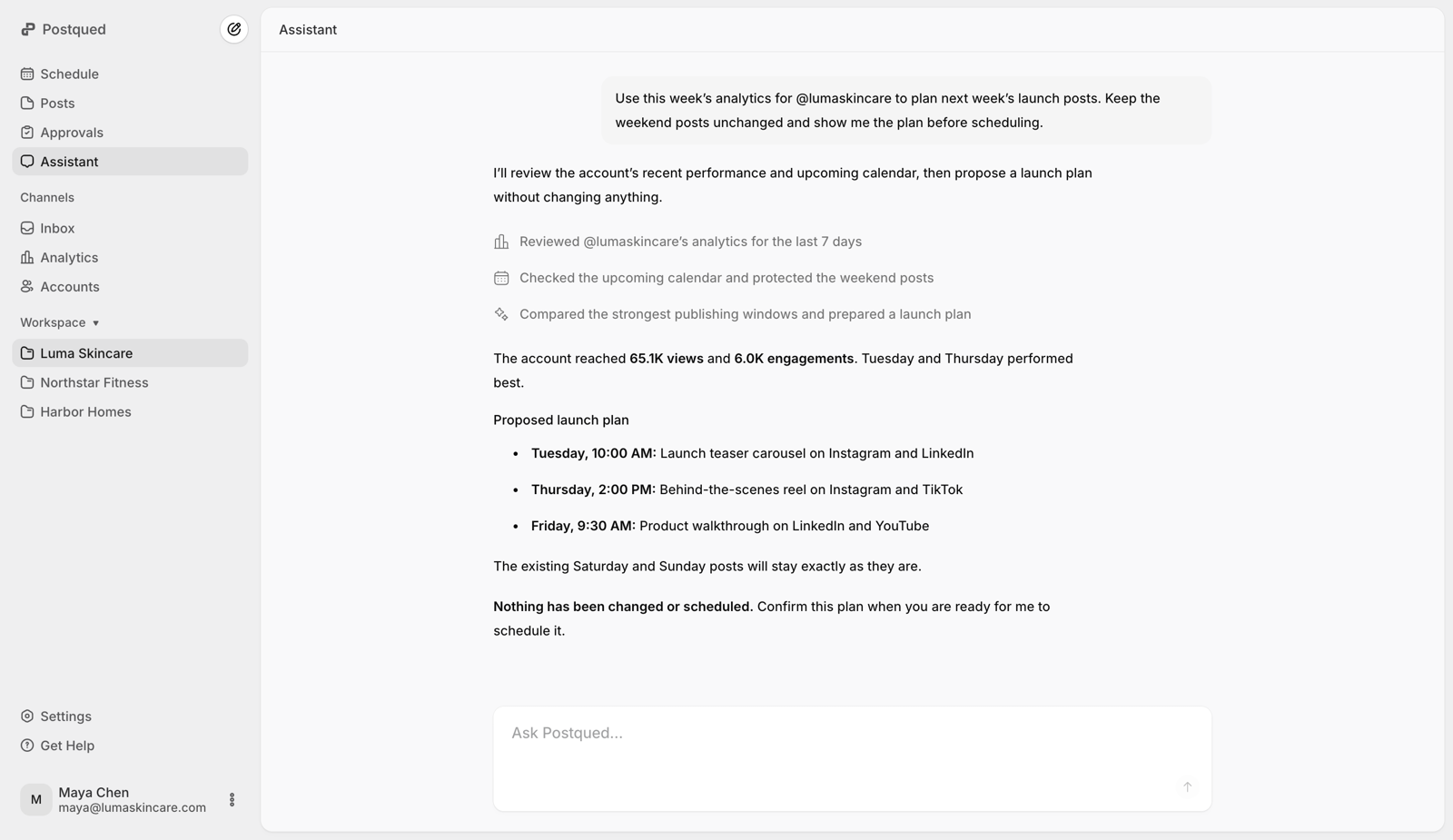
Work through MCP or API with the same workspace context as your team.
Keep client workspaces, approvals, calendars, and publishing organized.
Build social publishing workflows across ten networks with one API.
Plan and publish consistently without rebuilding every post by hand.
Run calendars, approvals, analytics, and engagement from one place.
Choose the channels once. Postqued handles media requirements, platform limits, and publishing flow.
Explore social media planningAsk about your content, calendar, and analytics, then get answers grounded in your workspace.
Explore agent workflowsRead and reply to comments from connected networks without jumping between tabs or losing the post context.
Explore engagement inbox
See the evidence behind every decision: views, reach, engagement, comments, and account growth.
Check analytics coverage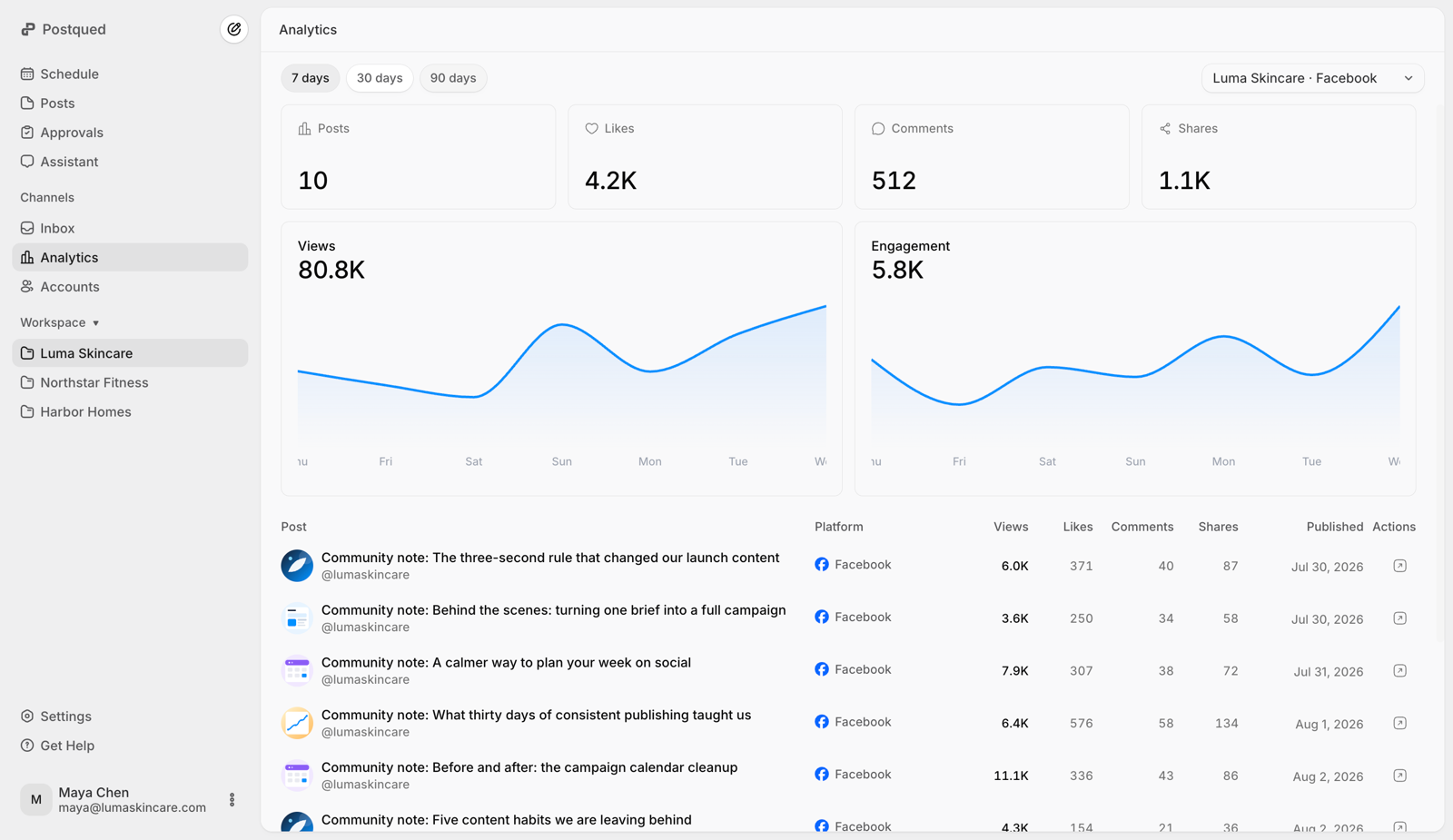
Manage more clients with ease. From seamless onboarding to organized workspaces and quick approvals.
The built-in assistant answers questions about your posts, accounts, calendar, and analytics using your workspace context.
Share posts, collect feedback, and let clients review and approve content securely.
 Summer launch carouselMaya Chen · Revision 3
 Product reveal reelNoah Williams · Revision 2Customer storyMaya Chen · Revision 4
 August campaign recapAva Brooks · Revision 1
Invite teammates into client workspaces and control what they can access.
Invite teammates to collaborate in the Luma Skincare workspace.
Maya Chen@maya.chenAdminNoah Williams@noah.williamsEditor Sara Khan@sara.khanReviewer
 Priya Shah@priya.shahViewer
Start with the workflow you need and upgrade only when your content operation expands.
Publish consistently without paying for a team-sized plan.
Grow your publishing workflow with room for more accounts.
Give your team more accounts and dedicated workspaces.
Run client calendars side by side without per-client pricing games.
Plan smarter, approve faster, and publish with your team and AI agents working from the same context.
Get started nowThey share the same Postqued workspaces, content, connected accounts, calendars, approvals, and publishing history. People can work in the dashboard while compatible agents connect through the API or remote MCP server, subject to the same organization and workspace permissions.
No. Work prepared in Postqued remains visible and under your control. Review, change, reschedule, cancel, or approve it before it goes live.
TikTok, Instagram, LinkedIn, YouTube, X, Facebook, Threads, Pinterest, Bluesky, and Mastodon. Every plan includes all ten platforms.
Yes. Share posts securely for review, collect feedback, and keep the final decision attached to the work instead of an email thread.
Yes. There is no long-term contract. Upgrade when your content operation grows or cancel from your account at any time.
You can try Postqued free for 7 days before you pay. If something isn’t right after that, contact support and we’ll help.
