
A JavaScript Map holds key-value pairs and similar to Hash Map or Dictionary in other languages. Preserves the original insertion order. Supports any type, including objects and primitives, as keys or values. This feature allows for efficient data retrieval and manipulation.
- Internally use Hashing that makes time complexities of operations like search, insert and delete constant or O(1) on average.
- Only Unique Keys are allowed, if we insert the same key with a different value, it overwrites the previous one.
- It is always recommended to use Maps over Objects when we have frequent insert and delete operations.
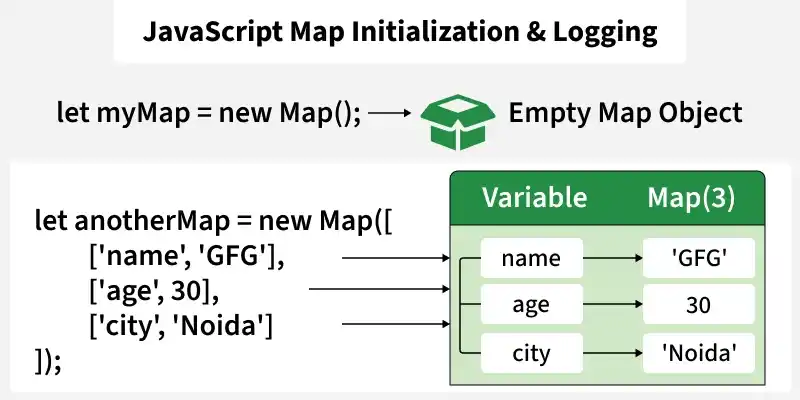
let myMap = new Map();
let anotherMap = new Map([
    ['name', 'GFG'],
    ['age', 30],
    ['city', 'Noida']
]);
console.log(anotherMap);
Output
Map(3) { 'name' => 'GFG', 'age' => 30, 'city' => 'Noida' }
Creating a Map
Map() constructor allows two ways to create a Map in JavaScript.
- Passing an Array to new Map().
- Create a Map and use Map.set().
Properties of JavaScript Map
- set(key, val) : set(key, val) adds or updates an element with a specified key and value.
- get(key) : get(key) returns the value associated with the specified key.
- has(key) : has(key) returns a boolean indicating whether an element with the specified key exists.
- delete(key) : delete(key) removes the element with the specified key.
- clear() : clear() removes all elements from the Map.
- size : size returns the number of key-value pairs in the Map.
// Create a new Map
const myMap = new Map();

// 1. set(key, value)
myMap.set('name', 'GFG');
myMap.set('age', 25);
myMap.set(1, 'One');

console.log(myMap);


// 2. get(key)
console.log(myMap.get('name'));
console.log(myMap.get('age'));
console.log(myMap.get(1));
console.log(myMap.get('invalidKey'));

// 3. has(key)
console.log(myMap.has('name'));
console.log(myMap.has('address'));
console.log(myMap.has(1));

// 4. delete(key)
myMap.delete('age');
console.log(myMap.has('age'));
console.log(myMap);

// 5. clear()
myMap.clear();
console.log(myMap); // Output: Map {}

console.log(myMap.size);

myMap.set('a', 1);
myMap.set('b', 2);
console.log(myMap.size);
console.log(myMap);
Output
Map(3) { 'name' => 'GFG', 'age' => 25, 1 => 'One' }
GFG
25
One
undefined
true
false
true
false
Map(2) { 'name' => 'GFG', 1 => 'One' }
Map(0) {}
0
2
Map(2) { 'a' => 1, 'b' => 2 }
Advantages of Using Maps
- Key order: Maps remember the insertion order of the keys.
- Performance: Inserting and retrieving elements from a Map are generally faster than objects, especially when the number of elements is large.
- Any type of key: Unlike objects, Map keys can be of any data type, including functions, objects, and primitive types.
Also Check:
DSA Problems On Map
- Most Frequent Element
- Count distinct elements in every window of size K
- Check if two arrays are equal or not
- 2 Sum – Count Pairs with target sum
- Count all pairs with absolute difference equal to K
- Check If Array Pair Sums Divisible by K
- Max distance between two occurrences in array
- Subarray with Given Sum – Handles Negative Numbers
- Remove minimum elements such that no common elements exist in two arrays
- 3 Sum – Count all triplets with target sum
- Longest Subarray with Sum Divisible by K
- Longest Subarray having Majority Elements Greater than K
