How to stream NASA Artemis II launch live on iPhone, iPad, Mac & Apple TV

NASA's Artemis II launch will be streamed live on April 1 through NASA+ and partner platforms. Here's how iPhone, iPad, Mac, and Apple TV users can catch the history-making launch.
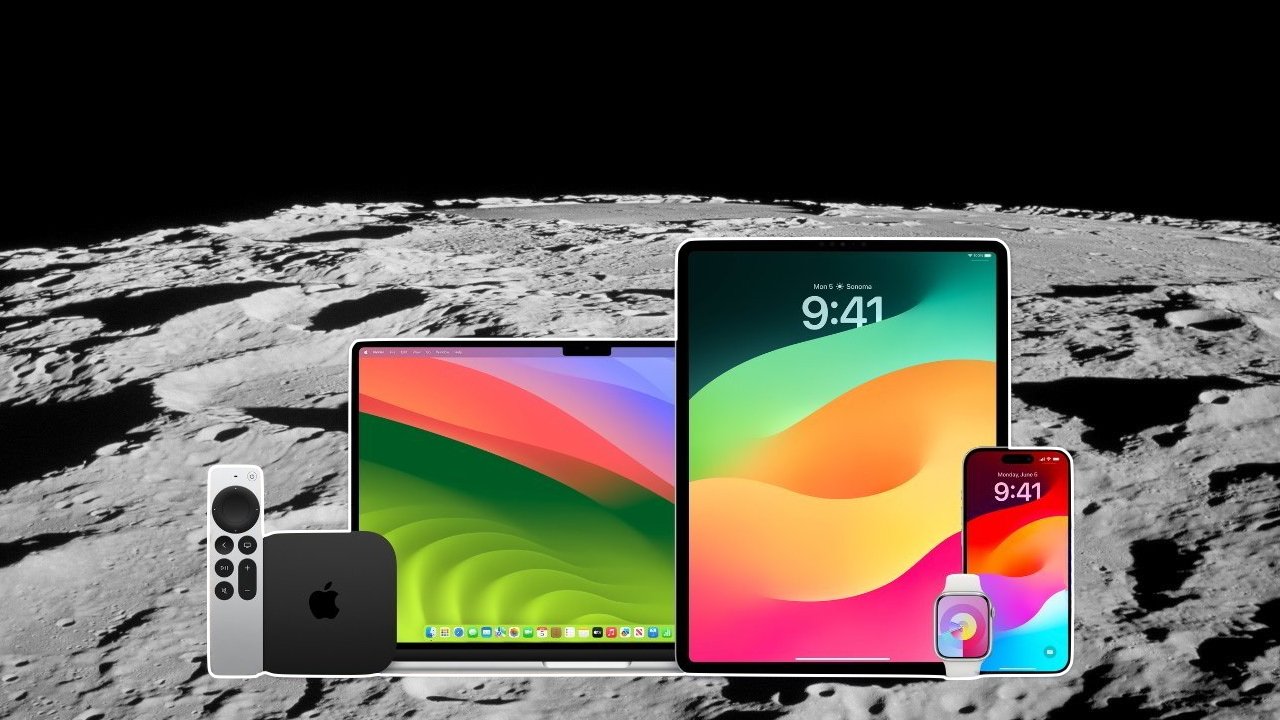
How to watch the Artemis II launch
Coverage begins at 12:50 p.m. Eastern time. NASA is targeting liftoff at 6:24 p.m. and directs viewers to NASA+ as the primary broadcast path.
NASA built its distribution around its own streaming stack, then added YouTube and other platforms as secondary options. The approach makes clear which feeds are most likely to hold up during a high-demand event.
Use NASA+ on iPhone, iPad, Mac, or Apple TV
NASA+ is the official and most reliable way to watch the Artemis II launch on Apple devices. The service is free, ad-free, and available through the NASA app or a web browser.
On iPhone and iPad, the NASA app provides a direct path to the live stream and scheduled events. On Mac, Safari handles the same stream through NASA's web player, which uses standard video formats that work cleanly across Apple hardware.
Apple TV provides the best setup for long viewing sessions by eliminating AirPlay. Running the NASA app natively avoids device reliance, reducing dropped connections and battery interruptions.
NASA supports notifications inside its app, which can alert viewers when coverage goes live or resumes after a hold. The feature helps during launches, where timing often shifts and coverage windows expand.
The NASA app supports iPhone, iPad, iPod touch, Apple TV, and Apple Vision devices. It requires iOS or iPadOS 15.6, tvOS 17.6, and visionOS 1.0 or later.
Set up YouTube as a backup stream
NASA distributes its live coverage through YouTube as a secondary channel, and it's one of the easiest fallback options on Apple devices. The YouTube app runs across iPhone, iPad, Mac, and Apple TV, so switching streams stays quick.
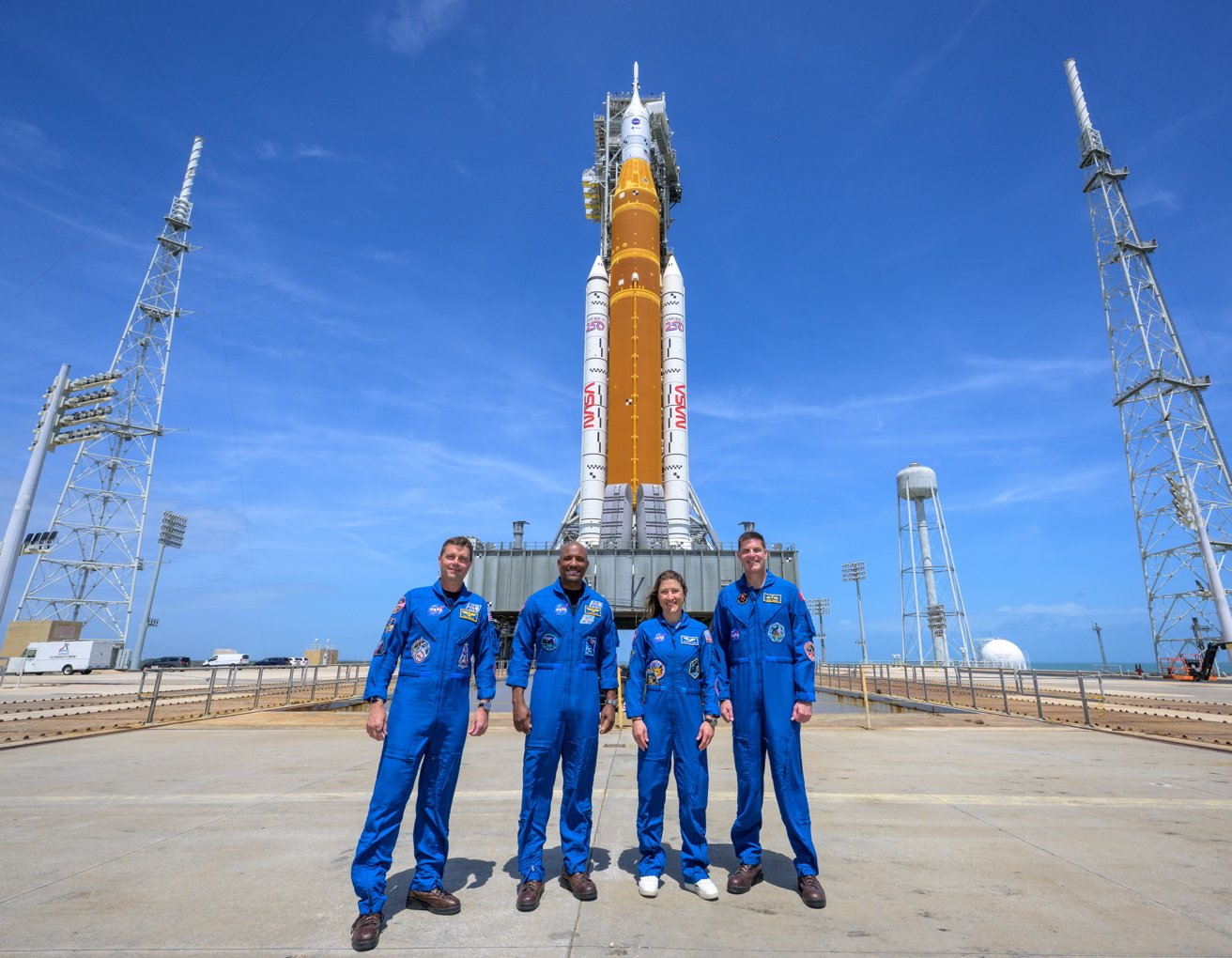
From left, NASA astronauts Reid Wiseman, Artemis II commander; Victor Glover, Artemis II pilot; Christina Koch, Artemis II mission specialist; and CSA (Canadian Space Agency) astronaut Jeremy Hansen, Artemis II mission specialist. Image credit: NASA/Bill Ingalls
Large audiences often push platforms hard, and YouTube's infrastructure can handle that load more smoothly than smaller services. Regional restrictions and network filtering can still get in the way, which adds some unpredictability.
NASA+ avoids most of those issues because it operates as the agency's direct feed. Viewers get a more controlled and consistent experience by keeping both options ready.
Setting up both streams in advance creates a simple failover plan. If one stalls, the other is already open and ready without scrambling during countdown.
Use Safari as a universal fallback
Safari, the most flexible option on Apple devices, accesses all official streams without apps. NASA Live, the central schedule page, links to NASA+, YouTube, and other platforms, reflecting real-time updates.
Keeping NASA Live open in a tab gives you a single source for timing changes, delays, or scrubs. Launch coverage often shifts, and NASA updates that page to reflect current conditions.
Safari also becomes the default path for streams like ESA Web TV, which don't have dedicated Apple TV apps. In those cases, AirPlay from an iPhone, iPad, or Mac brings the stream to a larger screen.
How to watch on Apple TV using AirPlay
AirPlay fills the gap when a native app is not available or when switching between sources. Apple devices can stream video directly to Apple TV as long as both devices share the same Wi-Fi network.
Streaming video through AirPlay is more stable than full screen mirroring because it sends the video stream, not the entire display. Native Apple TV apps provide the best overall experience for reliability and quality.
AirPlay remains a solid fallback when a native app isn't available or convenient.
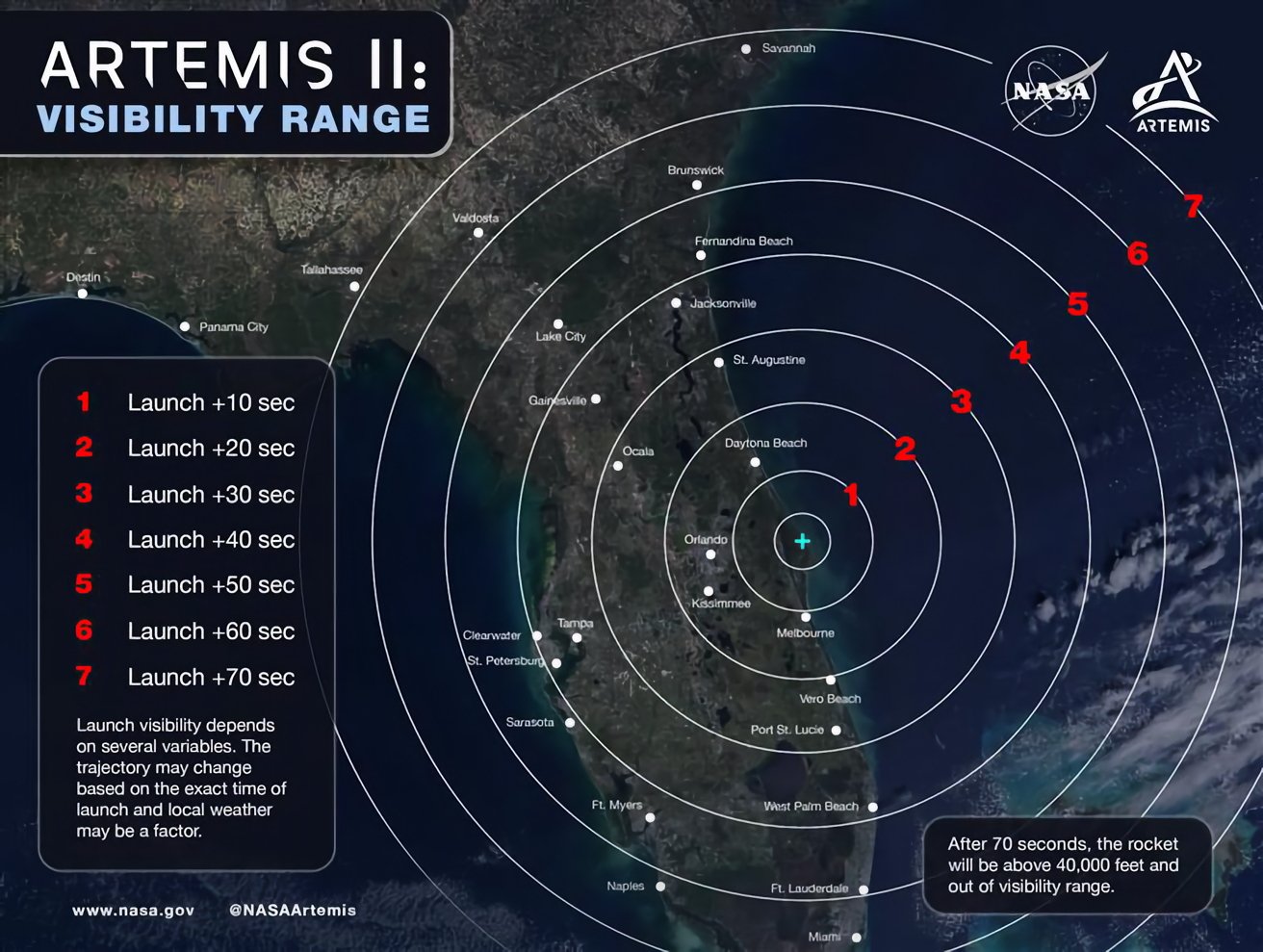
This map shows where the Artemis II launch will be visible to skywatchers in Florida and southern Georgia. Image credit: NASA
Network quality becomes the limiting factor in this setup. Weak Wi-Fi or congestion can introduce stutter, which is why native apps on Apple TV remain the preferred option for major events.
The practical takeaway is simple -- open NASA+ and keep YouTube ready as a backup. Viewers should confirm everything before coverage begins so the only thing left to do is watch the launch.
What the Artemis II launch will accomplish
The goal of NASA's Artemis program is returning astronauts to the Moon and establishing a sustained human presence. The long-term goal is preparing for crewed missions to Mars.
The effort builds on international partnerships and focuses on regions like the lunar south pole, where water ice could support future exploration.
Artemis II specifically is a crewed test flight of NASA's Orion spacecraft, sending astronauts around the Moon and back to Earth without landing, similar to the Apollo 8 mission that took the famous Earthrise photo almost 58 years ago. As with the Apollo 8 mission, Artemis II's mission is designed to validate life support systems, navigation, and deep-space operations before a later mission attempts a lunar landing.
The flight marks the first time humans will travel beyond low Earth orbit since that Apollo era that ended in 1972. NASA sees it as a critical step toward shifting from short-term missions to a sustained human presence beyond Earth.
Read on AppleInsider
