Dashboard Widget
HTML Forms Premium automatically adds an easy to reference widget to the WordPress dashboard. This dashboard widget lists your active forms, shows how many submissions are unread, and the total number of submissions.
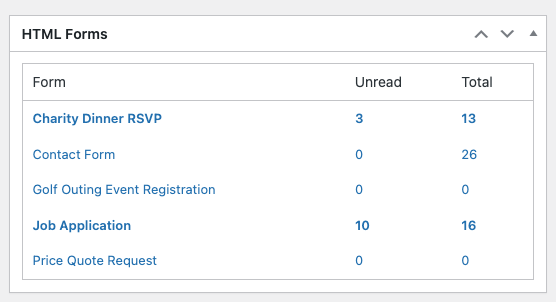
The dashboard widget is enabled by default. You, or your other admin users, can hide it manually if they choose by using the built-in Screen Options feature on the WordPress dashboard.
Related Posts from Our Knowledge Base
HTML Forms comes with built-in form validation, but you can add your own as well with WordPress filters.
You can dynamically insert variables in your form templates. These variables will be replaced with the form is shown to users.
