
Flask is a lightweight Python web framework used to build web applications and APIs. It provides the essential tools required for web development while keeping the structure simple and flexible. Flask is widely used by beginners and developers for building scalable web apps.
Features of Flask:
- Built-in Development Server: Allows to run and test applications locally without extra setup.
- Routing Support: Easily maps URLs to specific functions using decorators.
- Template Engine (Jinja2): Helps create dynamic HTML pages with reusable templates.
- Extension Support: Integrates with extensions like Flask-SQLAlchemy for added functionality.
- RESTful Request Handling: Provides tools to handle HTTP methods like GET, POST, PUT and DELETE.
- Debug Mode: Automatically reloads the server and shows errors during development.
Installation in Windows
Step 1: Check Python Installation
Before installing Flask, ensure that Python is properly installed on your system. Run the following command in the Command Prompt:
python --version

Step 2: Install Flask
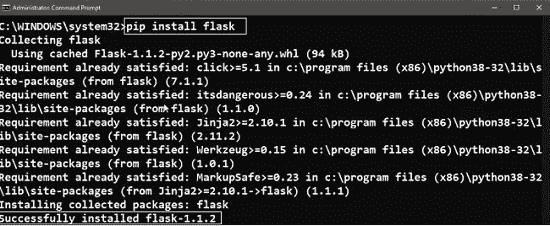
Open the Command Prompt and run the following command to install Flask with its required dependencies:
pip install flask

Step 3: Verify Installation
After installation, to confirm that Flask has been installed correctly. Open the Python shell and try importing Flask:
import flask
If no error appears, Flask is installed successfully.
Installation in Linux
Step 1: Check Python Installation
Run the following command in the Terminal to verify if Python is install in your system or not:
python3 --version
Step 2: Install Flask
Run the following command in the terminal to install Flask with its required dependencies:
pip3 install flask
Step 3: Verify Installation
Open the Python shell and try importing Flask to verify if Flask is installed correctly:
python3
>>> import flask

