
Function-Based Views (FBVs) in Django are Python functions used to handle web requests and send back web responses.
- Each FBV is linked to a specific URL and controls what happens when that URL is visited.
- Every view function receives an HttpRequest object from the browser.
- The view returns an HttpResponse, which can be HTML, a redirect, or an error page.
- FBVs provide a clear and straightforward way to define application logic.
Function-Based List View
Consider a project named 'geeksforgeeks' having an app named 'geeks'. After setting up the project and app, let's create a function-based List View to display instances of a model. First, define the model whose instances will be displayed through this view.
In geeks/models.py:
from django.db import models

# declare a new model with a name "GeeksModel"
class GeeksModel(models.Model):

    # fields of the model
    title = models.CharField(max_length = 200)
    description = models.TextField()

    # renames the instances of the model with their title name
    def __str__(self):
        return self.title
After creating this model, we need to run two commands listed below in order to create Database for the same:
python manage.py makemigrations
python manage.py migrate
Now, create instances of this model using the Django shell by running the following command in the terminal:
python manage.py shell
And enter the following commands:
>>> from geeks.models import GeeksModel
>>> GeeksModel.objects.create( title="title1", description="description1")
>>> GeeksModel.objects.create(title="title2", description="description2")
>>> GeeksModel.objects.create(title="title3", description="description3")
Next, register the model to view it and its data in the Django admin panel.
To manage your data through the Django Admin interface, administrative privileges are needed. By default, no user is created, so superuser account must be created. Run the following command in your terminal:
python manage.py createsuperuser
In geeks/admin.py:
from django.contrib import admin
from .models import GeeksModel
# Register your models here.
admin.site.register(GeeksModel)
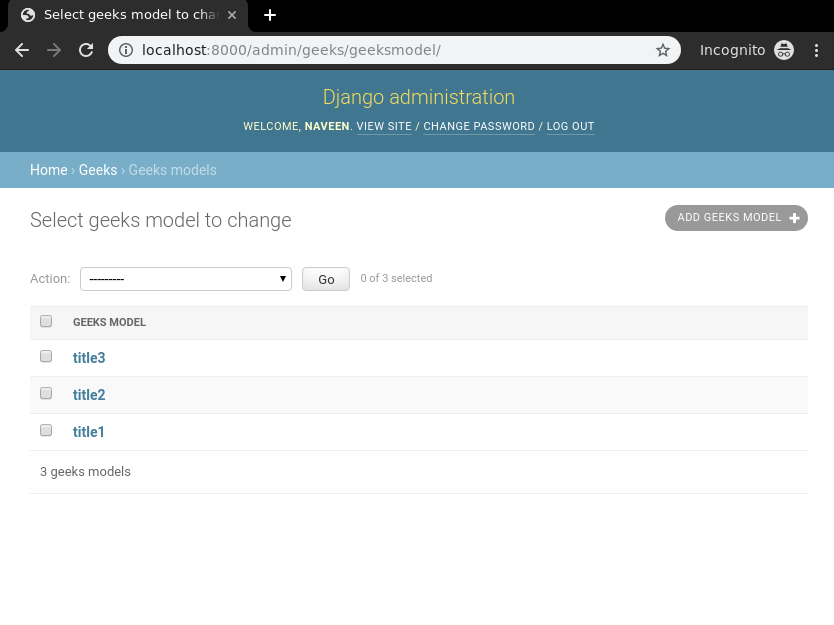
With the backend setup complete, verify that instances have been created by visiting: http://localhost:8000/admin/geeks/geeksmodel/
Create a view and template to display and handle the form. Templates are HTML files used to display data.
In geeks/views.py:
from django.shortcuts import render
from .models import GeeksModel

def list_view(request):
    # dictionary for initial data with field names as keys
    context ={}

    # add the dictionary during initialization
    context["dataset"] = GeeksModel.objects.all()
    return render(request, "list_view.html", context)
Map the view to a specific URL so that Django knows which function to execute when a user visits a link.
from django.urls import path
# import the view from views.py
from .views import list_view

urlpatterns = [
    path('', list_view, name='list_view'),
]
Create a template in geeks/templates/list_view.html:
<div class="main">

    {% for data in dataset %}

    {{ data.title }}<br/>
    {{ data.description }}<br/>
    <hr/>

    {% endfor %}

</div>
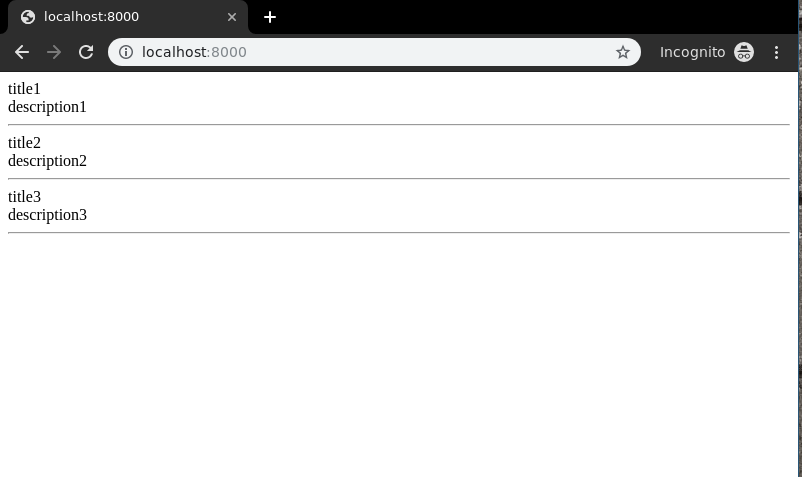
Visit: http://localhost:8000/
Similarly, function based views can be implemented with logics for create, update, retrieve and delete views.
Django Function Based Views - CRUD Operations
Function-Based Views in Django also support CRUD operations (Create, Retrieve, Update and Delete), allowing you to interact with database models to perform common web application tasks.
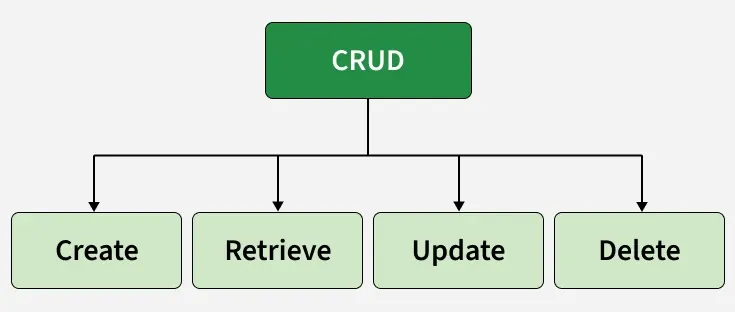
- Create: create or add new entries in a table in the database.
- Retrieve: read, retrieve, search, or view existing entries as a list (List View) or retrieve a particular entry in detail (Detail View)
- Update: update or edit existing entries in a table in the database
- Delete: delete, deactivate, or remove existing entries in a table in the database
These operations power common features like user management, blog posts, and product catalogs, making Function-Based Views essential for building dynamic web applications.
