 Liquid Web
 In the world of web servers, NGINX and Apache are two of the most common applications you’ll encounter. If your use case fits, one or both can help you build and scale a powerful, fast, high-traffic web application for your business. NGINX and Apache are versatile enough to install on any server, including VPS, dedicated servers, and bare metal.
But before jumping into different setups and tech stacks, let’s explore the differences between Apache and NGINX.
Which one is faster? Which one is easier to configure? How does each server work?
NGINX and Apache have different architectures, configurations, and performance capabilities. How do they stack up against each other? We take an in-depth look at both solutions and compare how they measure up against each other.
Read on to discover how each server application works and what to pick for your project.
Key NGINX and Apache points
- Apache and NGINX are the two most popular web servers widely used for hosting applications and websites.
- Apache uses a process-driven model, creating a new process or thread for each request, while NGINX uses an event-driven, asynchronous architecture, which is more efficient in handling high concurrency.
- NGINX is better suited for static content and high-traffic websites, while Apache is ideal for environments requiring extensive customization and dynamic content handling.
- Both servers can work together in a hybrid setup, where NGINX handles static content and acts as a reverse proxy, while Apache handles dynamic content.
Here’s what we’ll cover:
- NGINX vs Apache: An overview
- Feature comparisons of Apache and NGINX
- When to choose NGINX vs Apache
- How to use Apache and NGINX together
- Final thoughts: NGINX vs Apache — the best web server for your business
NGINX vs Apache: An overview
NGINX and Apache are two premier choices of server software. Apache uses a process-driven architecture, and a single thread handles each connection request, while NGINX uses asynchronous event-driven architecture.
But what’s their history, how did they come into existence, and which is best for your business?
Apache
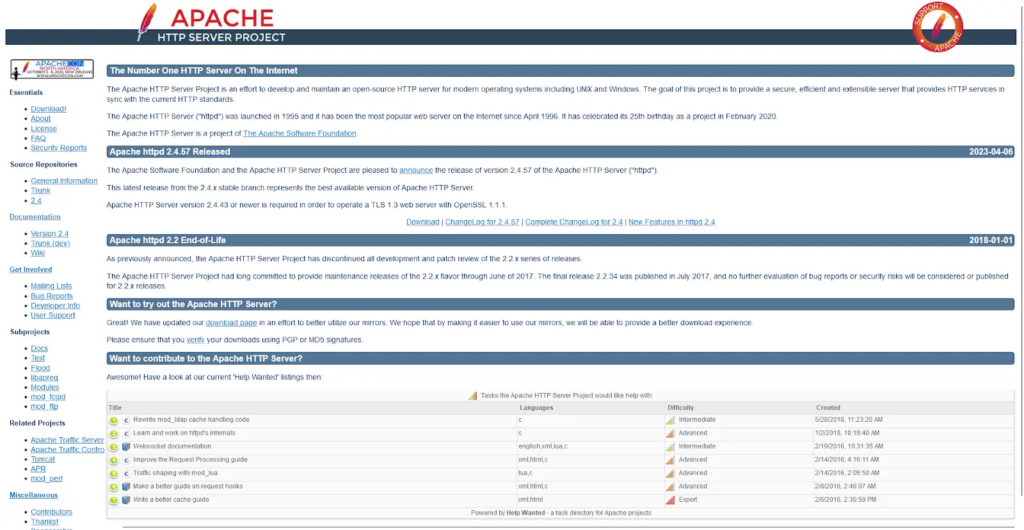
Apache, also known as the Apache HTTP Server, is an industry-standard open source web server software developed and maintained by the Apache Software Foundation. It’s one of the most popular choices for web server software, powering nearly 29% of all websites with known web servers.
The Apache web server uses a process-driven architecture that creates a new thread for each new request.
It was first released in 1995 under the Apache License and has evolved into a dominant web server in the industry. If you’re a web developer, you’ve likely come across Apache as part of the LAMP (Linux, Apache, MySQL, and PHP) tech stack, allowing you to build fast and responsive websites and applications.
Because of its unique capabilities, Apache has been a popular server software since 1995, benefiting from years of development, documentation, and integrated support from multiple complementary projects.
Apache is a robust, stable, and reliable web server known for its rich history. It boasts a long history of development and maintenance that keeps it stable with the help of an active global community of developers and users who play a significant role in its development.
It’s also a versatile solution for web servers. For instance, it supports multiple scripting languages (e.g., PHP, Python, and Perl) and runs on major operating systems like Windows and macOS. Also, all major Linux distributions come with Apache pre-installed, making web app deployment seamless.
Another key feature of Apache is its modular architecture that allows administrators to turn features on and off when needed. You can also extend its functionality using custom modules and functions that tune the server to meet your unique needs.
Pros
- An open source solution available to individuals and organizations for free
- Supports third-party modules, plugins, and extensions which enhance its functionality
- A flexible and reliable server software with a robust testing and development track record
- Community support from its active user base
- Offers root access to server configurations; non-privileged users can edit permissions using the .htaccess file
- Ideal for shared hosting environments
Cons
- Resource-intensive software that may consume more CPU and memory than alternatives
- May not be ideal for delivering static content due to its resource-intensive nature
- Complex configuration due to its multiple functions
- No support for asynchronous processing
NGINX
NGINX (pronounced as engine-x) is a web server that uses asynchronous event-driven architecture to deliver content to clients.
It was first created in 2002 and later released to the public in 2004 by Igor Sysoev, a Russian developer who wanted a solution to the C10k problem — the challenge of handling 10,000 or more simultaneous connections on a web server. NGINX now powers almost 34% of all websites with known web servers.
Much like Apache, NGINX is an open source project which can be freely used, modified, and distributed.
NGINX’s non-blocking, event-driven architecture makes it an ideal solution for processing multiple requests. It works by creating one controller process and multiple worker processes. The controller keeps everything running, but each worker handles the tasks.
Because each process is asynchronous, worker processes can execute multiple requests without blocking other requests. Despite multiple processes, NGINX uses low memory, which enhances efficiency. This makes NGINX ideal for high-traffic websites, giving it an advantage over other web servers.
However, NGINX still shares some similarities with Apache. For instance, NGINX can handle HTTP, HTTPS, HTTP/2, and WebSocket file systems, as well as SSL/TLS termination. You can also use NGINX as a reverse proxy that distributes client requests across multiple servers.
Beyond that, NGINX is ideal for load balancing and caching, WebSockets, and URL rewriting, which allows the administrator to modify incoming requests and permit or restrict access.
NGINX is dynamic, with plenty of extension modules providing extra website functionality. Moreover, it comes native to all major Linux and Unix operating systems. Although it can be installed on Microsoft Windows, it may be less efficient, especially when scaling or dealing with UDP authentication.
Pros
- Asynchronous and event-driven architecture makes NGINX ideal for multiple concurrent requests
- Ideal for high-traffic servers
- Can be used as a reverse proxy server
- Low memory footprint with efficient CPU and memory usage
- Easy to configure and use, even for beginners
- Active community support and documentation
Cons
- Limited support for the Windows operating system
- No native support for dynamic content, and uses proxy requests on all dynamic content to a backend server before serving it to the client
- Leans heavily on the use of external third-party modules
Feature comparisons of Apache and NGINX
Apache and NGINX are popular server software options for building high-performance websites. However, they differ in approach. Let’s explore each web server application and see which option best serves your needs.
| Feature | Apache | NGINX |
|---|---|---|
| Architecture | Processes data closer to the source. | Relies on centralized data centers. |
| Performance | Low latency, suitable for real-time processing. | Higher latency, more suitable for non-time-sensitive tasks. |
| Security | Localized scalability. | Vast, network-wide scalability. |
| Configuration | Vulnerable to local outages. | More consistent availability, strong redundancy measures. |
| Platform support | Windows, Linux, macOS. | Optimized for Linux/macOS. |
| Memory usage | Higher resource usage under heavy load. | Efficient CPU & memory usage; minimal resources needed. |
| Modules | Dynamic module loading. | Compile modules at build-time. |
| Interpretation | File-based. | URI-based. |
| Customer support | Docs, community forums, online support. | Docs, live chat, community forums. |
1. Architecture
The architecture of server software refers to its internal mechanisms and layout that determine how it handles connections, web requests, and user traffic. Think of Apache’s and NGINX’s architecture as the inner workings of a car engine and how each component helps them deliver the best service.
Apache
As mentioned earlier, Apache, by default, uses a process-driven architecture, and a single thread handles each connection request — a thread being the shortest flow of instructions a scheduler can handle.
However, Apache comes with a couple of potential downsides. Heavy resource consumption and a lack of support for asynchronous processing can slow down your server, increasing page load times and sometimes leading to website outages.
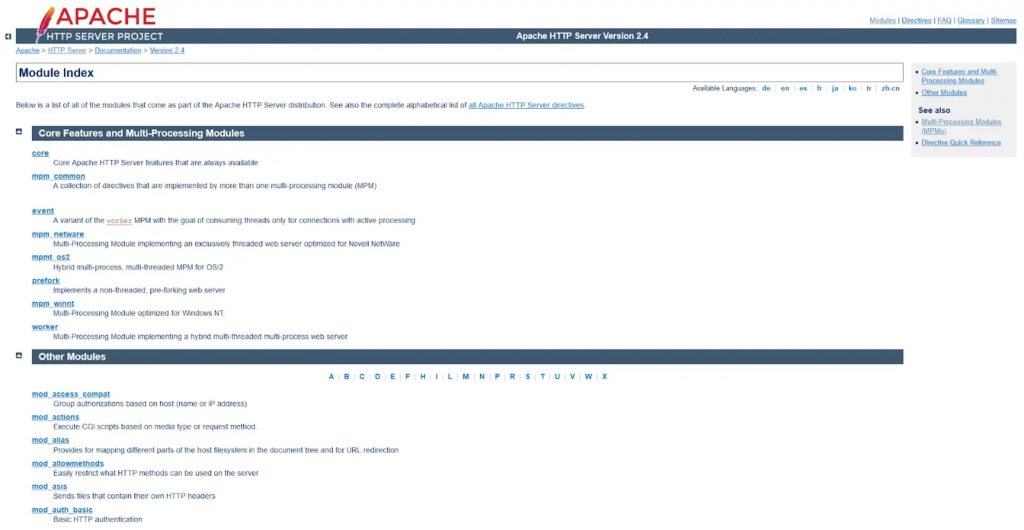
Apache cleverly resolves these problems using multi-processing modules (MPMs) that accept and respond to server requests. As a user, you can pick any of the three main MPMs to optimize your server, but you can only load one MPM at a time.
The MPMs in Apache 2.4 are:
- mpm_worker: The worker MPM creates multiple threads with each process, and each thread can handle a connection request. Your system can now serve multiple threads at once and scale better because each thread in the MPM needs fewer resources than a single process.
- mpm_event: This MPM is much like the worker MPM but handles keep-alive connections too. It sets aside threads to keep certain connections alive while allocating running requests to other threads. This way, keep-alive requests don’t slow down the entire system. This makes the event MPM the most resource-efficient option in the Apache server.
- mpm_prefork: These are unthreaded MPMs where each child process can only handle a single request at a time. Once the requests exceed a specified amount, server performance suffers severely, and scaling with this MPM becomes problematic. The prefork MPM is ideal for stability and compatibility.
NGINX
NGINX’s architecture is asynchronous and event-driven, which means it can handle multiple simultaneous connections within a single process. It does so by running a single controller process and several child processes.
This type of architecture makes NGINX ideal for scalability because it can efficiently distribute client requests across processes, even on low-power systems.
The controller process performs high-level operations that read and interpret configuration files, bind to ports, and form child processes.
Child processes are crucial to NGINX’s operations, and they fall into three categories:
- Worker processes: Handle thousands of concurrent HTTP connections and eliminate the need for new processes or threads. Worker processes run independently, creating worker connections that handle a single request thread. They also read and write content to the server disks and communicate with upstream servers.
- Cache loader processes: These processes load the disk cache into the shared memory used by other worker processes. They only run once after NGINX starts.
- Cache manager processes: Keep cached data within configured limits and check it periodically to cut the oldest-accessed data.
NGINX may be your best bet if your website has high traffic levels, like an ecommerce store or cloud storage services.
Verdict: Although Apache has multi-processing modules to support multiple processes, NGINX’s asynchronous event-driven architecture wins. NGINX is better for high traffic and scalability. However, Apache‘s architecture means it can handle stable projects that need more compatibility.
2. Performance (static vs dynamic content)
Next is a performance comparison between NGINX and Apache on content delivery (i.e., dynamic and static content delivery). Dynamic content changes depending on a user’s behavior, interests, and selections. On the other hand, static content is served directly to the webpage without any modifications.
Apache
Apache uses a file-based approach to deliver static content, a function any of its MPMs can deliver. Beyond that, it excels as a dynamic content delivery server software. It relies only on its internal components and integrates a unique programming language processor into each worker instance.
You can activate the language processor in each module using Apache’s loadable modules. That way, an Apache server can run dynamic content within the server without needing external software support.
NGINX
NGINX delivers static files faster than Apache due to its asynchronous architecture. That makes it the ideal server software for static web content. However, it falls short when delivering dynamic content.
Since NGINX doesn’t feature a built-in capability to process dynamic content, it will use an external process for execution. It must wait for external software to process and return decoded content before sending it back to the browser. This means more administrator configuration requirements.
Verdict: Both Apache and NGINX excel when delivering static content, but Apache is ideal for dynamic content. NGINX doesn’t natively process dynamic content and may need an external processor across a protocol it can accommodate.
3. Security
Security is another critical consideration to make when choosing between Apache and NGINX. Both server systems are secure, but they approach security in different ways.
Apache
Over the years, Apache has been a secure software for HTTPD server connections. However, you can still configure the server for more security.
Apache uses three configuration settings to thwart a denial-of-service (DoS) attack:
- TimeOut: Defines the amount of time — 60 seconds by default — the server waits before failing a request.
- KeepAliveTimeout: Manages how long an Apache server connection stays open for a new request.
- RequestReadTimeout: Cuts connections with users who send requests slower than expected.
NGINX
Right out of the box, NGINX offers rate-limiting capabilities, which manage the incoming request rate. NGINX breaks the connection if its rate value exceeds or falls below typical browser activity. Its unique architecture also protects upstream servers from too many requests — a symptom of distributed denial-of-service (DDoS) attacks.
You can also configure NGINX to deny access to specific IP addresses, bandwidth, and subrequests. Beyond that, NGINX supports Transport Layer Security (TLS) and Secure Sockets Layer (SSL) protocols.
Verdict: Both Apache and NGINX offer exceptional security features for your needs. However, you may need extra security measures to protect your website from malicious attacks.
4. Configuration (distributed vs centralized)
Distributed configuration allows you to define settings at multiple levels, often in specific folders or directories. In contrast, centralized configuration keeps everything in one main file, making it easier to manage but potentially less flexible.
Apache
Apache uses a distributed configuration system, allowing you to place .htaccess files in specific directories. This lets you modify settings at the directory level without needing access to the main server configuration file.
While this flexibility can be helpful in shared hosting environments or for developers making quick changes, it comes with some downsides. Every time a request is made, Apache checks for .htaccess files in each directory along the request path, which can slow down performance. Additionally, if these files aren’t properly secured, they can introduce security risks.
NGINX
NGINX uses a centralized configuration model. All settings are defined in a single main configuration file, making the system more streamlined and efficient. Because NGINX doesn’t check for configuration files at the directory level, it can offer better performance and fewer potential security vulnerabilities.
However, this centralized approach also means that NGINX doesn’t provide the same level of granular control at the directory level, which might be a limitation in environments where you need distributed configuration.
Verdict: Apache is more flexible; you can configure it using .htaccess files. This allows you to configure directories separately from the rest of the server files. NGINX isn’t as flexible, which makes it faster and more efficient than Apache.
5. Platform support
A server’s compatibility with different platforms can affect its performance on specific systems and the flexibility it offers to developers and administrators.
Apache
Apache is widely known for its broad platform support. It’s available on most major operating systems, including Windows, Linux, and macOS. Its compatibility with such a wide range of platforms makes it a versatile choice, especially in environments that require cross-platform support.
NGINX
NGINX is primarily optimized for Unix-like systems, such as Linux and macOS. It does offer support for Windows, but performance on that operating system tends to be less efficient compared to its performance on Linux.
Verdict: Both Apache and NGINX offer robust platform support, but Apache stands out for its versatility across a broader range of operating systems, including Windows, Linux, and macOS. This makes Apache a better choice for environments that require consistent cross-platform functionality.
6. Memory usage
The next comparison is how much processing power (CPU) and memory (RAM) each web server consumes while handling incoming requests. The more efficient the server is with its CPU and memory, the better it can manage high traffic without adding strain on system resources.
Apache
Apache tends to consume more CPU and memory, especially when the traffic load is heavy. Since it uses a process- or thread-based model, it creates a brand-new process or thread for each incoming request. As traffic increases, the number of processes or threads grows, leading to higher memory usage and more CPU cycles.
This can cause Apache to require a significant amount of system resources in high-traffic environments, potentially affecting performance and leading to slower response times if the server becomes overwhelmed.
NGINX
NGINX is much more efficient in terms of CPU and memory usage. Thanks to its event-driven, non-blocking architecture, NGINX can handle thousands of simultaneous connections with minimal memory and CPU.
Instead of creating new processes or threads for each request, NGINX efficiently manages many connections within a single thread, reducing its resource footprint.
Verdict: NGINX’s event-driven, non-blocking architecture allows it to handle high traffic with minimal resource consumption. This makes it a better choice for servers that need to manage large traffic volumes efficiently.
7. Modules
Modules are add-ons or extensions that enhance the server’s functionality. They allow administrators to enable features like URL rewriting, SSL support, or running server-side scripts such as PHP.
Apache
Apache is known for its extensive module system. It supports a wide variety of pre-built and third-party modules, such as mod_rewrite for URL manipulation, mod_ssl for enabling SSL/TLS encryption, and mod_php for handling PHP scripts directly.
You can load these Apache modules dynamically, making the server more flexible when it comes to customization.
NGINX
NGINX also uses a modular approach, but you must compile its modules into the server at build time. This means you can’t dynamically load modules on NGINX after installing them, making customization slightly less flexible than Apache.
Verdict: Apache offers greater flexibility with its dynamic module system, which allows administrators to enable or disable modules as needed. This makes it more adaptable to changing requirements.
8. Interpretation (file vs URI-based)
File-based interpretation treats the request as a direct reference to a file on the server, while URI-based interpretation looks at the request as a more abstract resource identifier.
Apache
Apache primarily uses file-based interpretation. When a request is made, Apache treats it as a file path and searches for the corresponding file on the server.
This approach is more intuitive, especially when serving local files, such as HTML, images, or scripts, because the request directly corresponds to a file structure. However, this method can be less efficient in some cases, particularly when dealing with complex routing.
Apache can also handle URI-based interpretation, but it’s generally not recommended in certain instances because it adds complexity and can introduce inefficiencies.
NGINX
NGINX uses URI-based interpretation by default. This means it processes requests based on the URI rather than searching for a file path on the server.
This approach is faster and more efficient, especially when serving static content or acting as a reverse proxy, as it eliminates the need to constantly check the file system for each request.
Verdict: Apache’s file-based interpretation makes it intuitive for serving local files and simpler setups, while NGINX’s URI-based interpretation provides better performance and efficiency. So, if you want more efficient resource handling and faster request processing, NGINX’s URI-based approach has the advantage.
9. Customer support
Support is an essential factor to consider when choosing a web host. And whether your preferred server software offers reliable support for performance optimization is essential to know before choosing a system.
Apache
Apache has a trove of information and documentation covering all its key aspects. The Apache website offers release notes, manuals, guides, tutorials, and other information that can help you use Apache better.
Beyond that, you can also access its community on Stack Overflow and Freenode IRC networks, where other users can help you troubleshoot common problems.
NGINX

There are also plenty of community forums that cover NGINX issues, where developers offer advice and tips to new and seasoned users. One such forum is on their website, but there are many others across social media and the internet.
NGINX also offers plenty of learning resources on its website, including documentation, webinars, datasheets, and blog posts. You can also access dedicated support from the NGINX team via live chat. The customer support team can assist you in setting up or troubleshooting your installation.
Verdict: NGINX and Apache offer multiple support options that can help you address any concerns about your server. But unlike Apache, NGINX offers live chat from its team, which can be a useful tool for users who need direct interaction to deploy or install NGINX software.
When to choose NGINX vs Apache
The choice between NGINX and Apache often comes down to the specific needs of your website or application. Here are some common use cases for each:
Apache use cases
- Small to medium-sized websites: Apache is well-suited for smaller websites that don’t need to handle massive traffic.
- Need for extensive customization: Apache is ideal if your project requires extensive customization.
- Preference for .htaccess files: Apache is the better choice for environments where directory-level configuration with .htaccess is preferred or necessary.
NGINX use cases
- High-traffic websites and applications: NGINX is designed to handle high loads efficiently, making it ideal for enterprise websites or apps.
- Need for reverse proxy or load balancing: NGINX is the best option if you’re looking for built-in reverse proxying or load balancing.
- Optimizing for static content performance: NGINX’s speed and efficiency make it a top choice for enterprise websites that serve a lot of static content.
Ready to start using NGINX or Apache and need a website host?
Check out Liquid Web’s versatile hosting plans.
How to use Apache and NGINX together
Combining Apache and NGINX lets you benefit from NGINX’s speed and efficiency in handling static files and heavy traffic and Apache’s flexibility and support for dynamic content processing.
With that in mind, here are some common scenarios where you can combine both servers:
- Using NGINX as a reverse proxy server for Apache: In this setup, NGINX sits in front of Apache and routes incoming traffic to the Apache server. NGINX handles the initial client requests, manages connections, and improves performance by offloading tasks like SSL termination and caching. This setup allows Apache to focus on processing dynamic content.
- Using Apache for dynamic content and NGINX for static content: You can configure NGINX to serve static assets like images, CSS, and JavaScript, while Apache handles dynamic content such as PHP or Python scripts. This approach optimizes resource usage by assigning each server the tasks it handles best, leading to faster load times and improved scalability.
Final thoughts: NGINX vs Apache — the best web server for your business
When considering the ideal server software for your project, NGINX and Apache are two stellar options. Their architecture differs, using different mechanisms to achieve the same goal. Apache uses process-driven architecture, whereas NGINX uses asynchronous, event-driven architecture.
Although these two software options may seem like competitors at first glance, they work more efficiently together. NGINX brings its lightweight capabilities to the forefront, whereas Apache provides powerful support for dynamic content.
By letting NGINX do the sorting while Apache does the processing, you take advantage of the strengths of each to the benefit of your website and its users.
At Liquid Web, we offer up-to-date versions of NGINX and Apache, providing you with two top-notch options for your server setup.
And if you wish to be in full control of your web server, check out Liquid Web’s range of WordPress hosting, which includes WordPress VPS and dedicated WordPress hosting.
