-
-
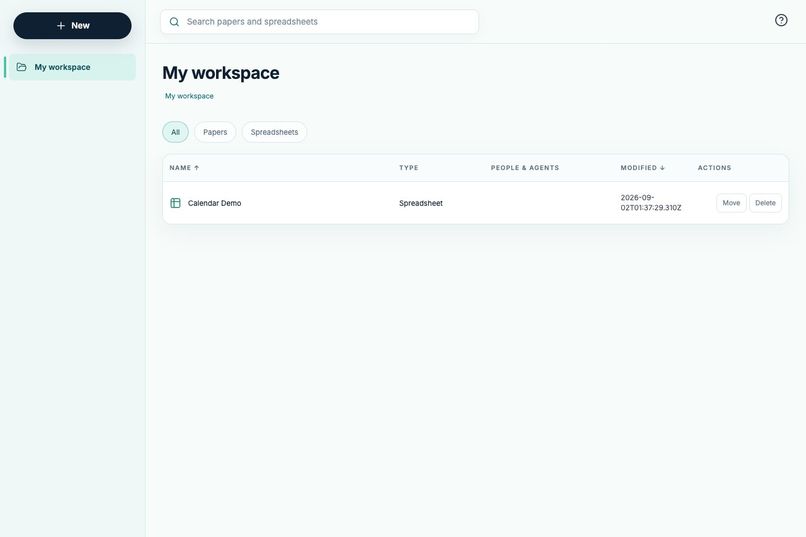
One workspace for people and agents. Organize Papers and Spreadsheets in the same live, browser-based workspace
-
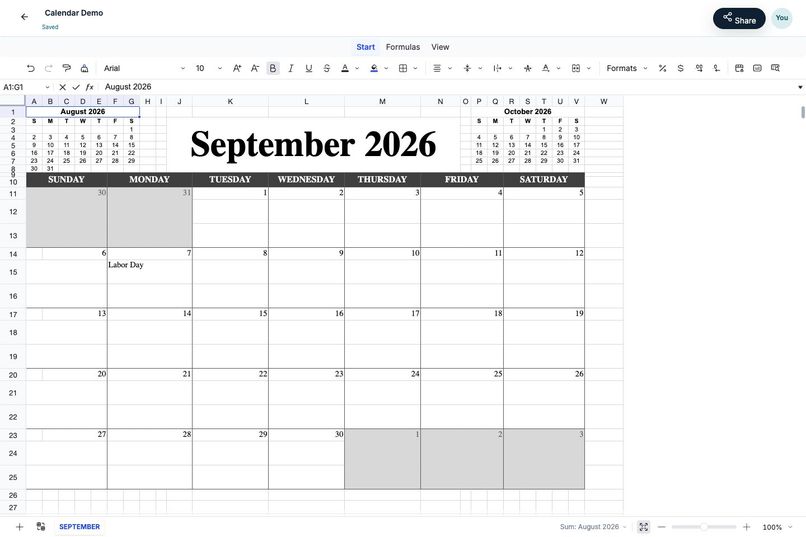
Flockdoc exposes workbook structure, ranges, formulas, formatting, and sheet operations through WebMCP.
-
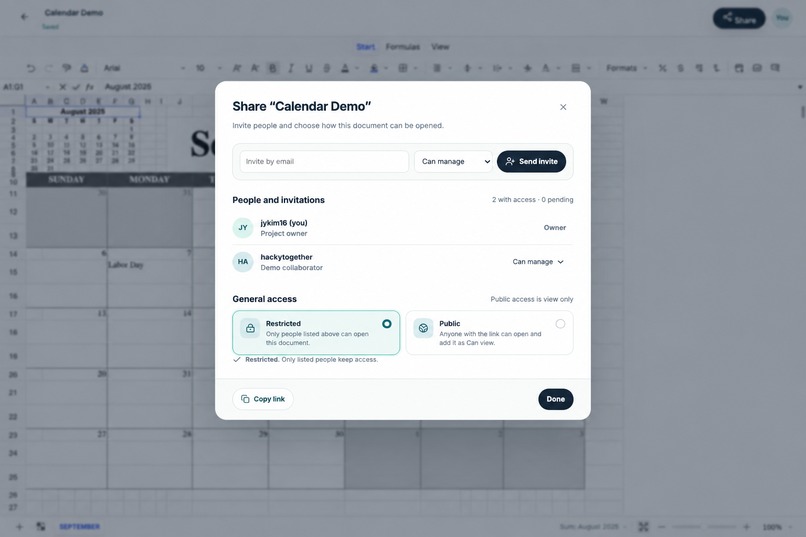
Document roles and sharing remain part of the product experience while agents receive context-appropriate tools.


Inspiration
Flockdoc began with a frustration I repeatedly encountered while using ChatGPT to create schedules for my family
I liked creating a visual calendar with ChatGPT, but iteration happened at the wrong level of abstraction. When using ChatGPT with images, it would generate a file that I could not edit. Alternatively, if it used Google Sheets, the agent was limited with a set of point and click tools.
Even a small request (change a cell value, restyle a header, add one column, or update a single section) could turn into another complete file-generation cycle with images. If I used Sheets, it would be painful watching ChatGPT stumbling to make the most simple edits on the page. The model did not have a structured way of reading or editing the spreadsheet, so it usually meant it was easier for me to just make the edits myself.
Ultimately, I want my agent to be able to collaborate with me on the same document at the speed and accuracy I expect from coworkers.
That idea became Flockdoc, a collaborative workspace for Documents and Spreadsheets where people use a familiar visual editor while agents interact with the same live application through WebMCP.
What it does
Flockdoc lets people create, organize, share, and edit documents in a browser-based workspace. Its spreadsheet editor exposes structured WebMCP tools that allow an agent to understand and modify the workbook currently open on the page.
An agent can:
- inspect the workbook and discover its worksheets;
- read a targeted range, including values, formulas, styles, merges, and dimensions;
- write values and formulas into a precise A1 range;
- format cells without rewriting their contents;
- merge cells and adjust rows or columns;
- create, rename, reorder, or remove worksheets; and
- read the edited range again to verify the result.
Flockdoc also exposes workspace-level tools for listing, creating, renaming, moving, and safely trashing documents.
The important difference is that the agent is not manufacturing a replacement workbook somewhere else. It is operating on the same spreadsheet the person can see and edit.
A person can define the goal and apply judgment where it matters. The agent can handle repetitive structure, formulas, formatting, and bulk changes. The person can then refine the result manually and ask for another targeted change without starting over.
Why WebMCP
Spreadsheets are especially difficult for agents to operate through ordinary visual automation. A grid may contain hundreds of similar-looking cells, hidden formulas, merged regions, formatting, and multiple worksheets. Clicking based on coordinates is slow and fragile, while passing entire files back and forth discards the live context of the application.
WebMCP gives Flockdoc a typed, page-defined interface to the editor’s real capabilities.
Instead of guessing which visible cell corresponds to a request, an agent can call read_range for Budget!A1:F20. Instead of regenerating a workbook, it can call write_range to update only the required cells, format_range to apply presentation changes, and then read the range again to confirm the outcome.
This makes the interaction more accurate, auditable, and efficient. It also lets Flockdoc expose only the tools appropriate to the current context. For example, users with view-only access receive inspection tools but not mutation tools.
WebMCP turns the application itself into the source of truth.
How I built it
I built Flockdoc as a React and TypeScript application using Vite. The spreadsheet and rich-text editing surfaces are powered by Univer.
When the browser provides document.modelContext, Flockdoc registers two contextual groups of tools:
- Workspace tools for document lifecycle operations such as listing, creating, renaming, moving, and trashing flockdocs.
- Spreadsheet tools that are registered while a workbook editor is mounted and operate directly through Univer’s workbook and range APIs.
Each tool has a JSON schema, a focused description, input validation, and structured results. Spreadsheet writes use explicit A1 ranges and rectangular JSON matrices. Inputs are bounded, worksheet names are validated, range dimensions must agree with the supplied data, and tool failures are returned as useful errors rather than silently corrupting the workbook.
Tool registration follows the page lifecycle. Spreadsheet tools appear when the editor is mounted and are removed with an AbortController when the user leaves it. Read-only users receive only read_me, inspect_workbook, and read_range.
Flockdoc also includes real-time collaboration infrastructure, operation-based spreadsheet synchronization, Yjs CRDT updates for Papers, durable revision recovery, checkpoints, sharing roles, and recoverable deletion. The frontend is deployed through AWS CloudFront and integrated into the existing Flockfly platform.
Challenges
The first challenge was choosing the right tool granularity. One giant “update spreadsheet” tool would have recreated the same whole-file problem I was trying to solve. Very small cell-by-cell tools, however, would require excessive calls and make common tasks tedious. A1 ranges became the useful middle ground: precise enough to limit changes, but expressive enough for meaningful operations.
Another challenge was preserving spreadsheet semantics. A cell is more than its displayed value. It may contain a formula, style, merge relationship, row height, or column width. Reading and writing those properties independently was necessary to support targeted edits without damaging unrelated parts of the workbook.
Permissions were also important. An agent should not become a path around application authorization. Flockdoc derives its WebMCP capabilities from the same editing context used by the human interface, so view-only access does not expose mutation tools.
What I learned
I learned that designing tools for agents is just like building multi-user applications. Real-time collaboration required separating durable operations from full snapshots. Replacing entire workbook snapshots during live edits caused refresh flicker, revision conflicts, and the risk of overwriting newer work. Moving to operation-based synchronization and explicit recovery checkpoints made collaboration much more predictable.
I found that synchronous collaboration with agents creates a magical experience that feels similar to having a human collaborator working alongside you. The same enhancements that make human collaboration delightful do the same for agent-to-human collaboration.
Built With
- amazon-web-services
- codex


Log in or sign up for Devpost to join the conversation.