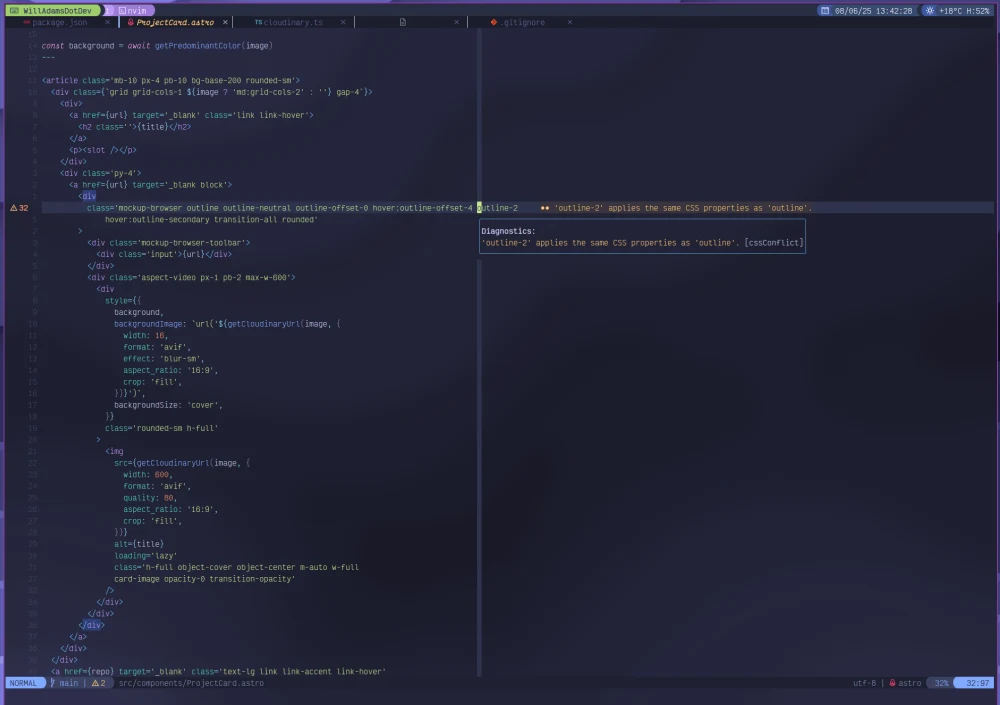
My config for Nvim using native LSP with some sane defaults and settings, mainly aimed at web development with Python and Lua ready to go.
git clone https://github.com/bushblade/nvim.git ~/.config/nvimLazy will install all plugins, you may then need to quit and restart to get everything running correctly. Mason will install language servers and formatters.
Everything about which languages your setup supports lives in one place: lua/languages.lua. Edit that file and restart Nvim — Mason installs any newly added servers automatically.
- Turn a language server on/off — each entry has
lsp = "server_name". Addenabled = falseto keep it installed but not enabled (likegoplstoday); delete the line to switch it back on. - Add a new language — add an entry, e.g.
elixir = { lsp = "elixirls", parsers = { "elixir" } }. - Treesitter highlighting — list parser names in
parsers. Parsers that aren't tied to a language (comment,regex, …) live insupport_parsersin the same file. - Formatting — filetypes listed in
web_ftsare formatted by your project Toolchain (Biome, or prettierd — decided per project by lua/toolchain.lua). Lua formats with stylua and Python with autopep8 regardless. - A few servers only run in some projects (biome, eslint, jsonls, tailwindcss).
Those are listed in
project_servers: always installed, enabled per project.
The config uses LuaSnip paired with rafamadriz/friendly-snippets for VS Code style snippets, loaded by blink.cmp. You can add your own snippets to the config snippets directory . You'll also need to edit the snippets/package.json to be able to load your snippets in the correct file type. One test snippet is included as an example.
- /lazy/lazy.nvim - Plugin manager
- neovim/nvim-lspconfig - LSP
- folke/lazydev.nvim - Lua LSP goodies for editing this config
- nvim-telescope/telescope.nvim - Fuzzy find anything
- nvim-treesitter/nvim-treesitter - Language parsing for highlighting and more
- nvim-treesitter/nvim-treesitter-textobjects - Text objects based on syntax
- nvim-lualine/lualine.nvim - Status line
- nvim-tree/nvim-web-devicons - Icons
- Saghen/blink.cmp - Auto completions, suggestions and imports
- L3MON4D3/LuaSnip - Snippet engine
- rafamadriz/friendly-snippets
- moyiz/blink-emoji.nvim - Emoji completions
- kylechui/nvim-surround - Surround pairs mappings
- numToStr/Comment.nvim - Vim style commenting
- windwp/nvim-ts-autotag - HTML/JSX auto tags
- windwp/nvim-autopairs - Auto bracket and quote pairs
- stevearc/conform.nvim - Formatting
- lewis6991/gitsigns.nvim - Git status in the sign column
- leafOfTree/vim-matchtag - Highlight matching tag in HTML/JSX
- folke/flash.nvim - Navigate with search labels, enhanced character motions, and Treesitter integration
- nvim-tree/nvim-tree.lua - File tree
- JoosepAlviste/nvim-ts-context-commentstring - Comment strings that adapt to the code context (JSX, Vue templates)
- folke/tokyonight.nvim - Theme
- folke/trouble.nvim - Show the problems in your code
- folke/which-key.nvim - Keymap helper
- folke/todo-comments.nvim - Highlight and search project todos and notes
- catgoose/nvim-colorizer.lua - Display the colour of your hex/rgb/hsl value
- akinsho/bufferline.nvim - Buffers in tabs
- delphinus/vim-firestore - Syntax highlighting and completion for Firebase rules
- rmagatti/auto-session - Session management
- goolord/alpha-nvim - Dashboard
- mbbill/undotree - Undo tree
- j-hui/fidget.nvim - UI for lsp progress
- christoomey/vim-tmux-navigator - Navigate between splits; wired up to use Herdr panes instead of Tmux
- williamboman/mason.nvim - Installing language servers and formatters
