Close
0%
0%

Openterface KeyMod: Pocket Phone-to-HID Console

Turn your phone into a USB/Bluetooth HID keyboard and mouse for fast local control when a full keyboard and mouse aren’t at hand.

Similar projects worth following
Openterface KeyMod is a compact USB and Bluetooth HID emulator that turns a phone into a portable keyboard and trackpad. It’s built for those moments when a device has video output but input access is inconvenient, such as kiosks, signage players, set-top boxes, mini PCs, and lab rigs. KeyMod presents itself to the target as a standard HID keyboard and mouse, so the target stays clean and typically requires no software installation. The focus is fast, reliable local input for short tasks like setup, verification, recovery, and troubleshooting. This Hackaday.io page documents our prototype progress, validation checklist, and the areas we’re still tuning (profiles, pointer feel, Bluetooth workflows). Feedback is welcome.

Pocket Input, Zero Fuss
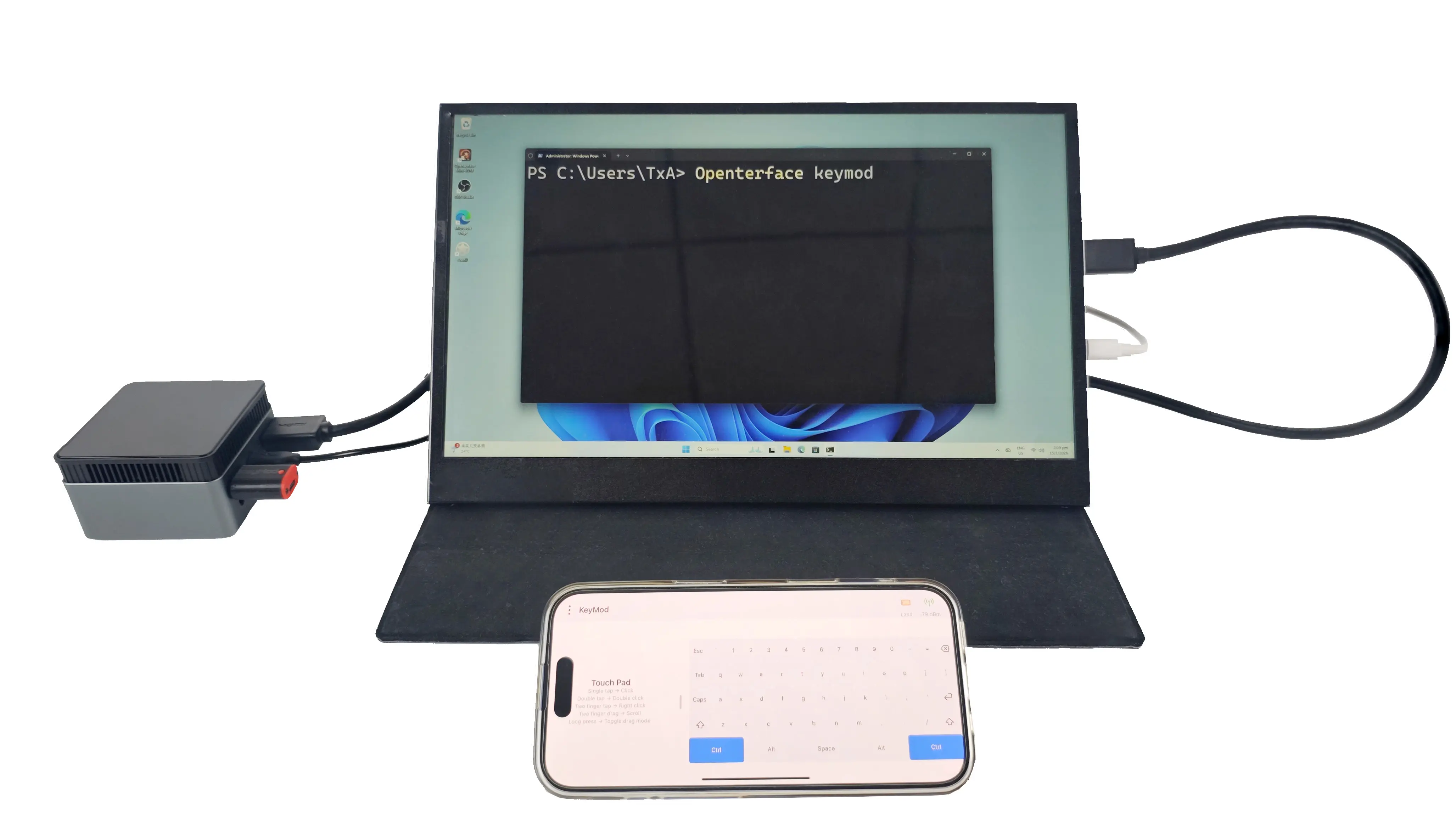
When you run into a device with video output but no convenient keyboard and mouse, you don’t want a complicated setup. You want input now. Openterface KeyMod is built for those moments. It turns the phone already in your pocket into a portable keyboard and trackpad, and delivers standard HID input to the target over USB or Bluetooth.
Image

Use Your Phone as Your Keyboard and Trackpad
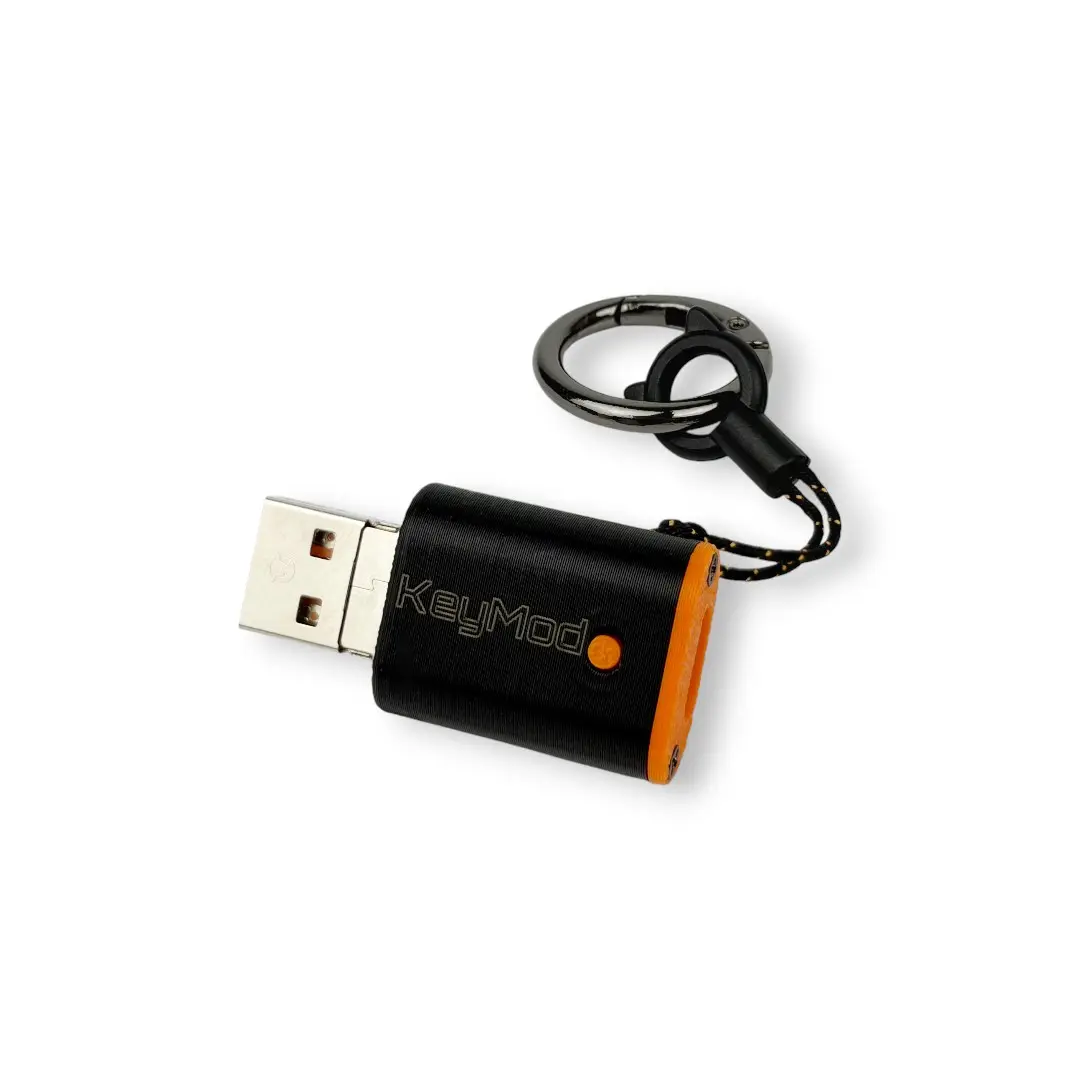
KeyMod is a compact, phone-driven HID emulator. To the target, it looks like a regular keyboard and mouse. That means you can type, click, and navigate without installing anything on the target device.
Image

Where KeyMod Shines
KeyMod is designed for practical, on-the-go local control, especially when input access is inconvenient:

  • kiosks and digital signage players

  • set-top boxes and smart TV devices

  • mini PCs used as utility machines

  • lab rigs and test benches

  • on-site troubleshooting and demos

Plug In and Go
A quick workflow we validate on every prototype:

  1. Connect KeyMod to the target via USB (or use Bluetooth when appropriate).

  2. Open the KeyMod app on your phone.

  3. Type, click, and navigate as if a keyboard and mouse were connected.

  4. Switch a profile for hotkeys, shortcuts, or simple macro-style triggers.

Profiles Make It a Tool, Not a Toy
The real productivity gain comes from profiles. Instead of hunting for keys or retyping the same sequences, you can switch layouts for common tasks like setup, troubleshooting, or maintenance. We’re still refining what a “good” profile system looks like, and community feedback is a big part of that process.

Hardware Options in Development
To keep KeyMod practical across different devices, we’re planning two connector variants:

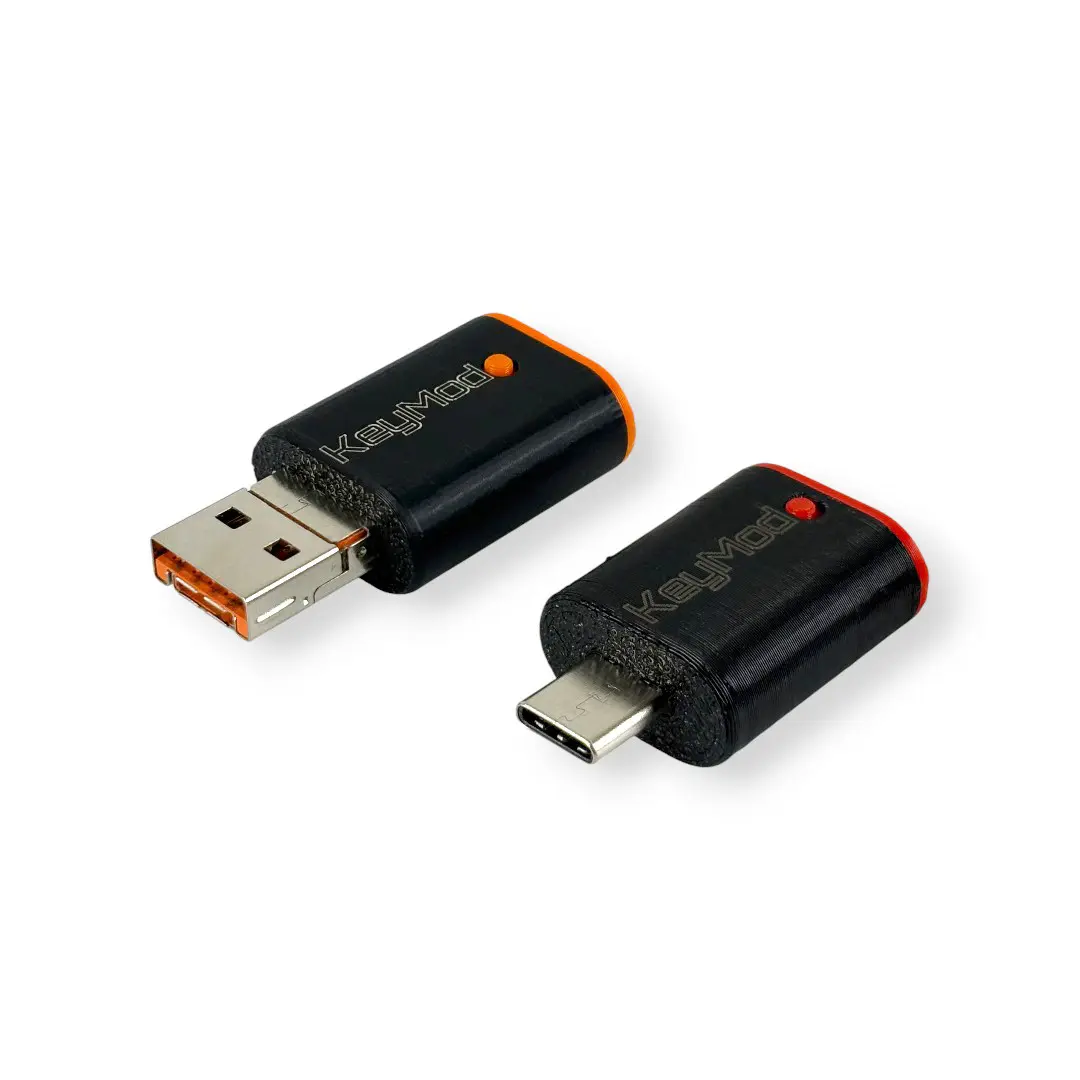
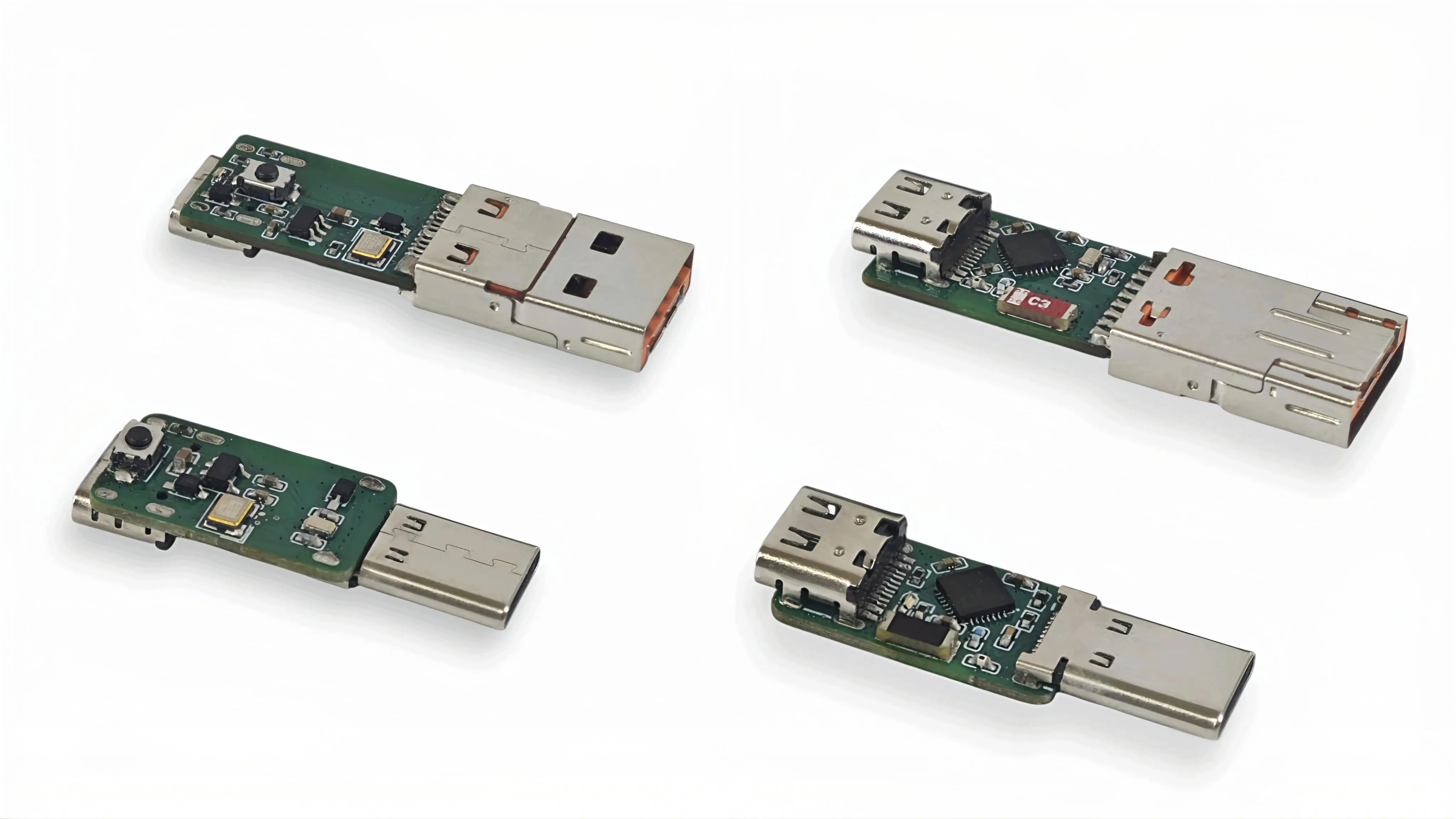
  • 2-in-1 connector version: flip-up USB Type-A + USB Type-C for broad compatibility

  • USB Type-C version: dedicated Type-C plug for modern devices and cleaner cable routing

    Image

A Small Teaser: Voice-to-Input (Experimental)
AI is showing up everywhere in daily workflows. We’re exploring whether a pocket input tool can benefit from it too. One early direction is voice-to-input, where spoken phrases in different languages could be converted into text and typed on the target through HID. This is prototype-level exploration and will evolve based on real use cases.

Open Source Direction
KeyMod is being developed as open hardware and open software. As the project evolves, we plan to publish schematics, PCB files, firmware, software, and BOM so the community can learn from it and build on it.
Image

Follow Updates
Crowd Supply updates: https://www.crowdsupply.com/techxartisan/openterface-keymod
  • Turn Your Phone Into a Keyboard, Mouse, and SSH Console

    TechxArtisan9 hours ago 0 comments

    Most phones already have a touchscreen, software keyboard, wireless connectivity, and enough processing power to serve as a capable control surface. The difficult part is getting that input into another machine when it is sitting at a BIOS screen, has no keyboard attached, or is not connected to the same network.

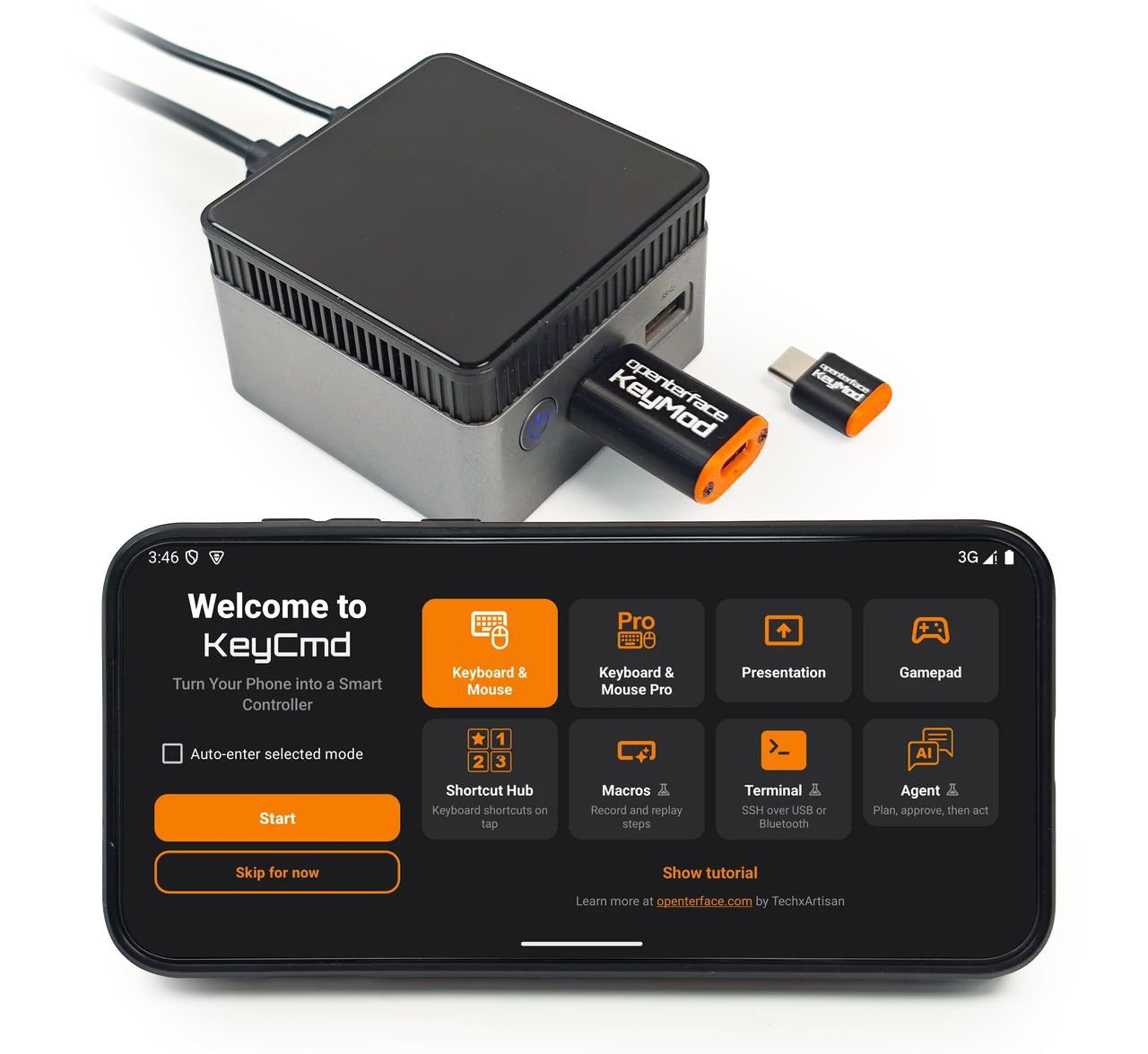
    We developed Openterface KeyMod to bridge that gap. It is a pocket-sized USB device that plugs into the computer, server, kiosk, or single-board computer being controlled. The companion KeyCmd app runs on a phone and communicates with KeyMod over Bluetooth Low Energy. KeyMod Plus also offers an optional wired USB link for higher-bandwidth sessions.

    The phone does not need to pair directly with the target machine. Instead, KeyMod presents familiar USB interfaces to it, while KeyCmd changes the phone into the control surface needed for the job.

    Image

                                              Plug KeyMod into the target, open KeyCmd, and choose the control mode you need.

    How the Connection Works

    The basic workflow is straightforward:

    1. Plug KeyMod into the machine you want to control.
    2. Open KeyCmd on an Android or iOS phone.
    3. Connect to KeyMod over BLE, or use the wired option available with KeyMod Plus.
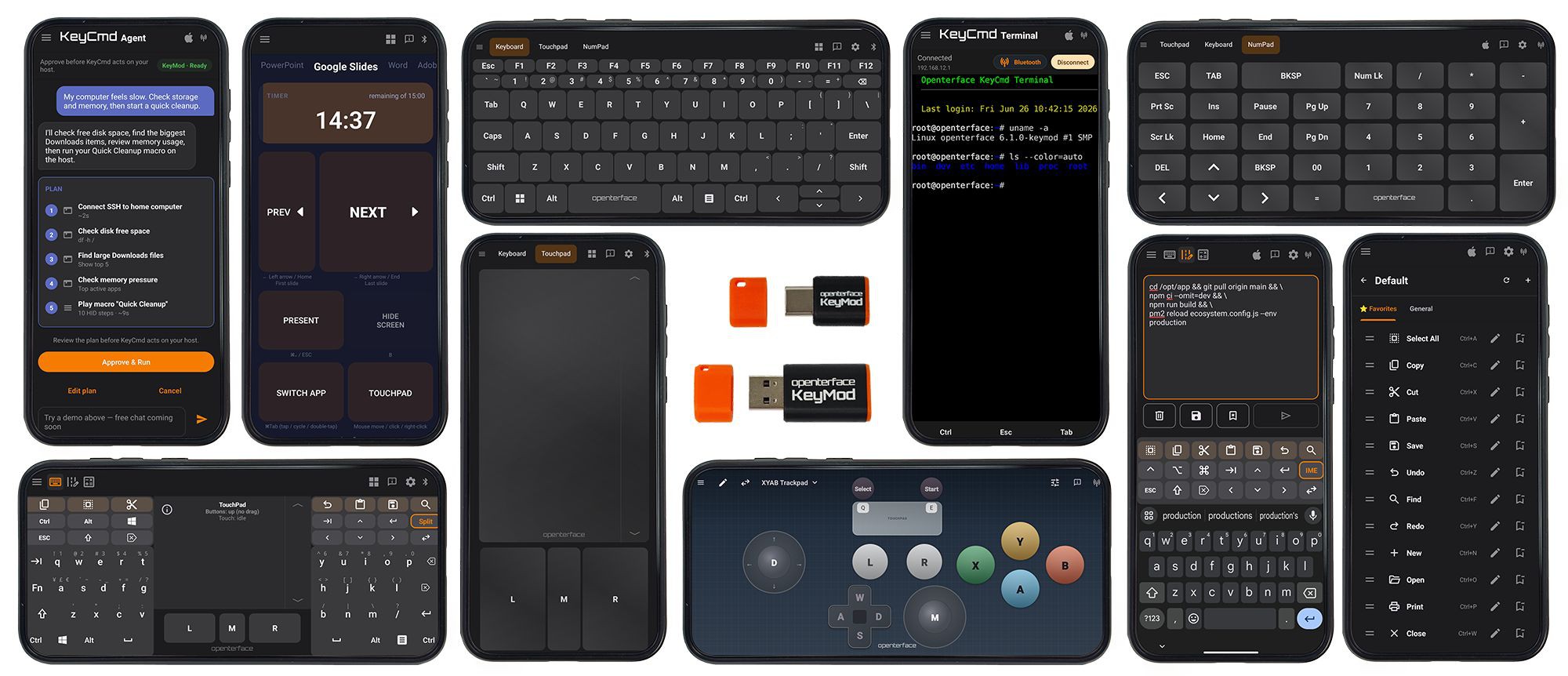
    4. Select a keyboard, touchpad, terminal, presentation, macro, or game-control layout in the app.

    In other words: KeyCmd on the phone ↔ KeyMod ↔ target machine.

    KeyMod is powered by the target’s USB port, so it does not need a battery. It is also important to distinguish it from a video KVM: KeyMod handles input and a direct data link, but it does not capture the target’s display.

    Image

                  KeyCmd changes the phone interface for keyboard, touchpad, shortcuts, macros, presentations, games, and terminal access.

    Two USB Functions at the Same Time

    At the firmware level, KeyMod operates as a USB composite device with two main functions:

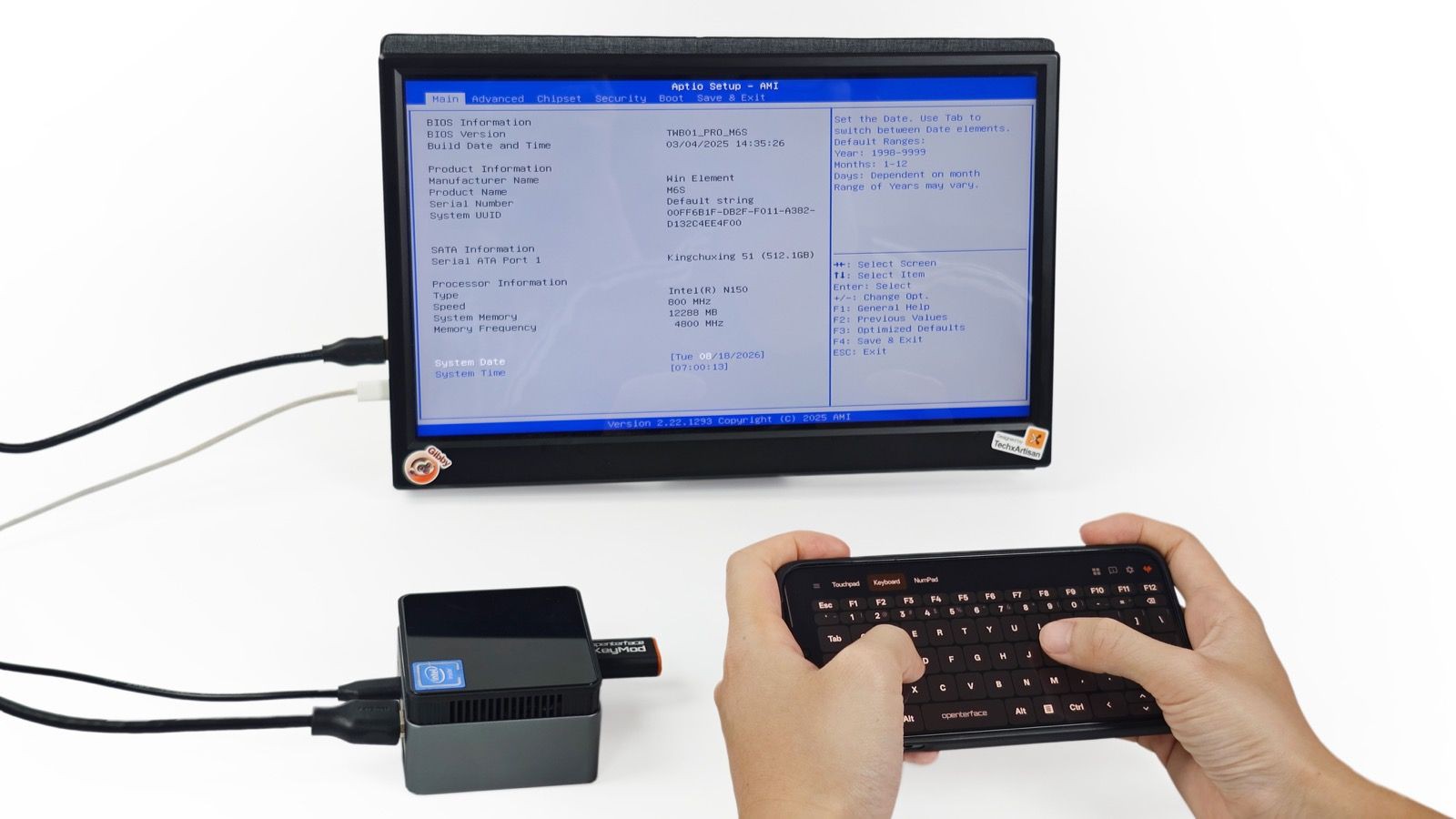
    • USB HID keyboard and mouse: The target sees standard input hardware rather than a proprietary remote-control application. On systems that accept regular USB keyboard and mouse input, this also allows control before the operating system loads, including many BIOS and UEFI environments.
    • USB CDC-ECM network interface: On supported macOS and Linux targets, KeyMod creates a direct point-to-point network link without requiring the target to join a Wi-Fi network or use a separate Ethernet port.

    Both functions can remain active together. A user can move the pointer or type through HID, then open an SSH session over the direct network link without reconnecting the dongle.

    Windows network-bridge support requires RNDIS and is still under development. The HID keyboard and mouse functions do not depend on this network interface.

    Image

       Because the target sees a standard USB HID device, KeyMod can provide keyboard input at a BIOS screen without target-side software.

    More Than a Phone Keyboard

    KeyCmd changes its layout according to the task instead of trying to fit every control onto one screen.

    The standard Keyboard & Mouse mode includes a software keyboard, touchpad, modifier keys, navigation controls, and a numpad. KM Pro adds tools for longer or repeated input.

    Compose & Send, for example, lets a user draft and check a command or configuration snippet on the phone before sending it to the target as a sequence of keystrokes. This is useful when normal clipboard sharing is unavailable.

    Macros provide reusable key sequences with adjustable timing, repeat, and scheduling controls. Shortcut Hub applies a similar idea to application-specific layouts for tools such as KiCad, Blender, Fusion 360, Photoshop, and VS Code.

    The app can also act as a Presentation remote. Its current Gamepad mode provides customizable on-screen controls for keyboard-driven games and emulators. These controls are mapped to keyboard and mouse events rather than native...

    Read more »

  • KeyMod Update: Help Us Pick a Connector

    TechxArtisan04/07/2026 at 03:22 0 comments

    We have been continuing to refine KeyMod, and one small detail is still under active testing: the connector direction.

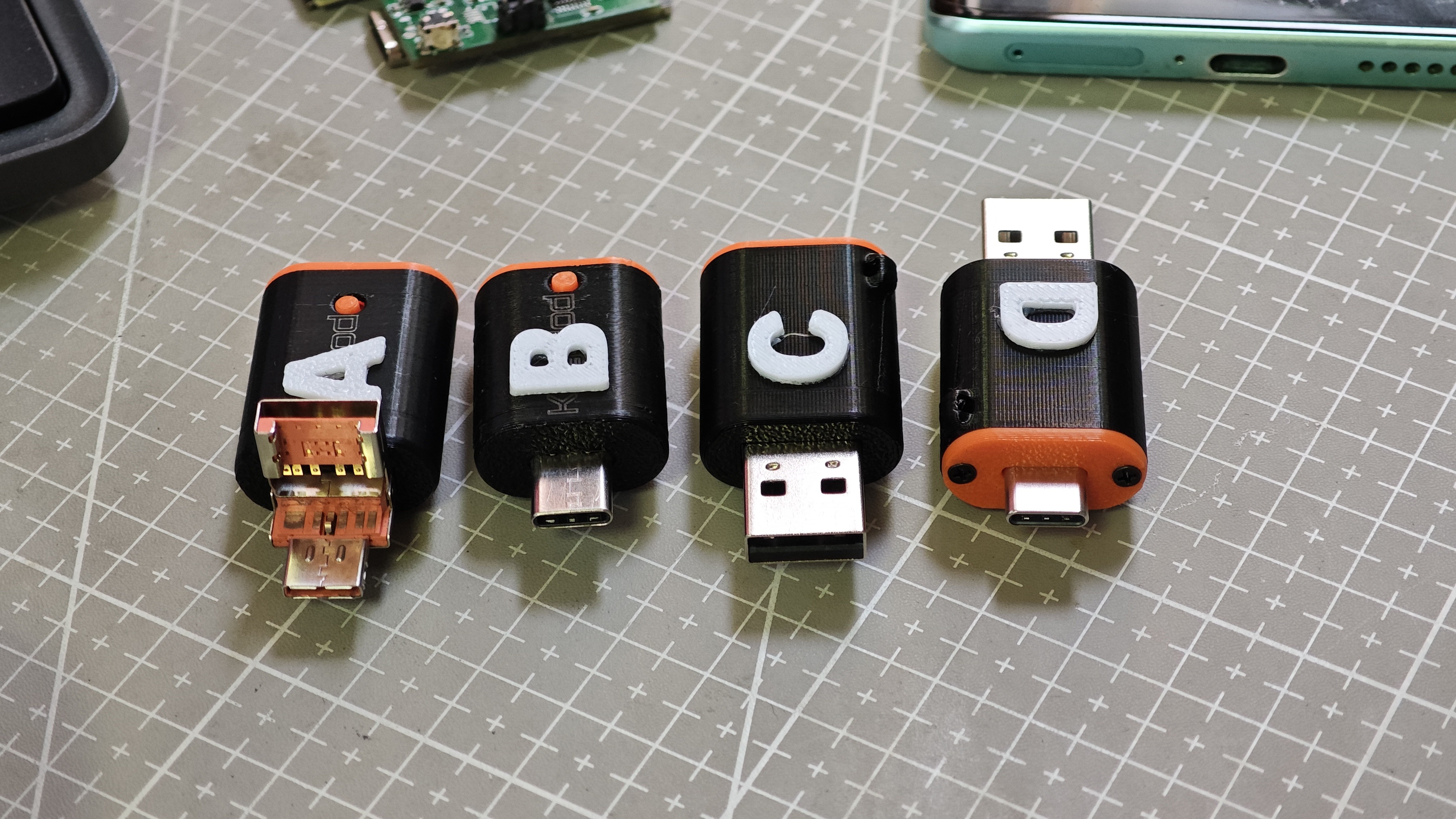
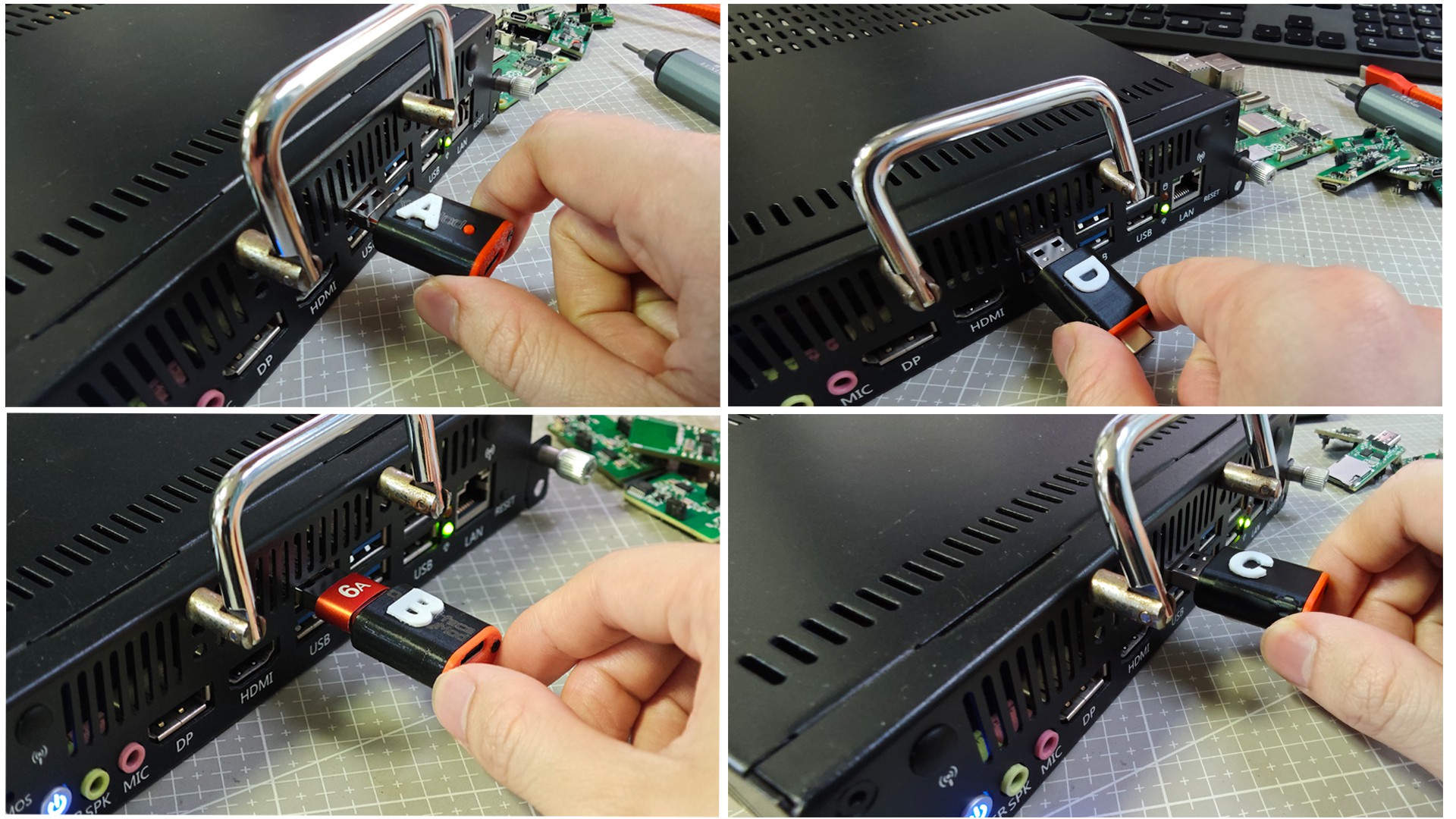
    In this round, we made and tested four prototype versions, labeled A / B / C / D.

    Image
                                                                      Prototype options A, B, C, and D

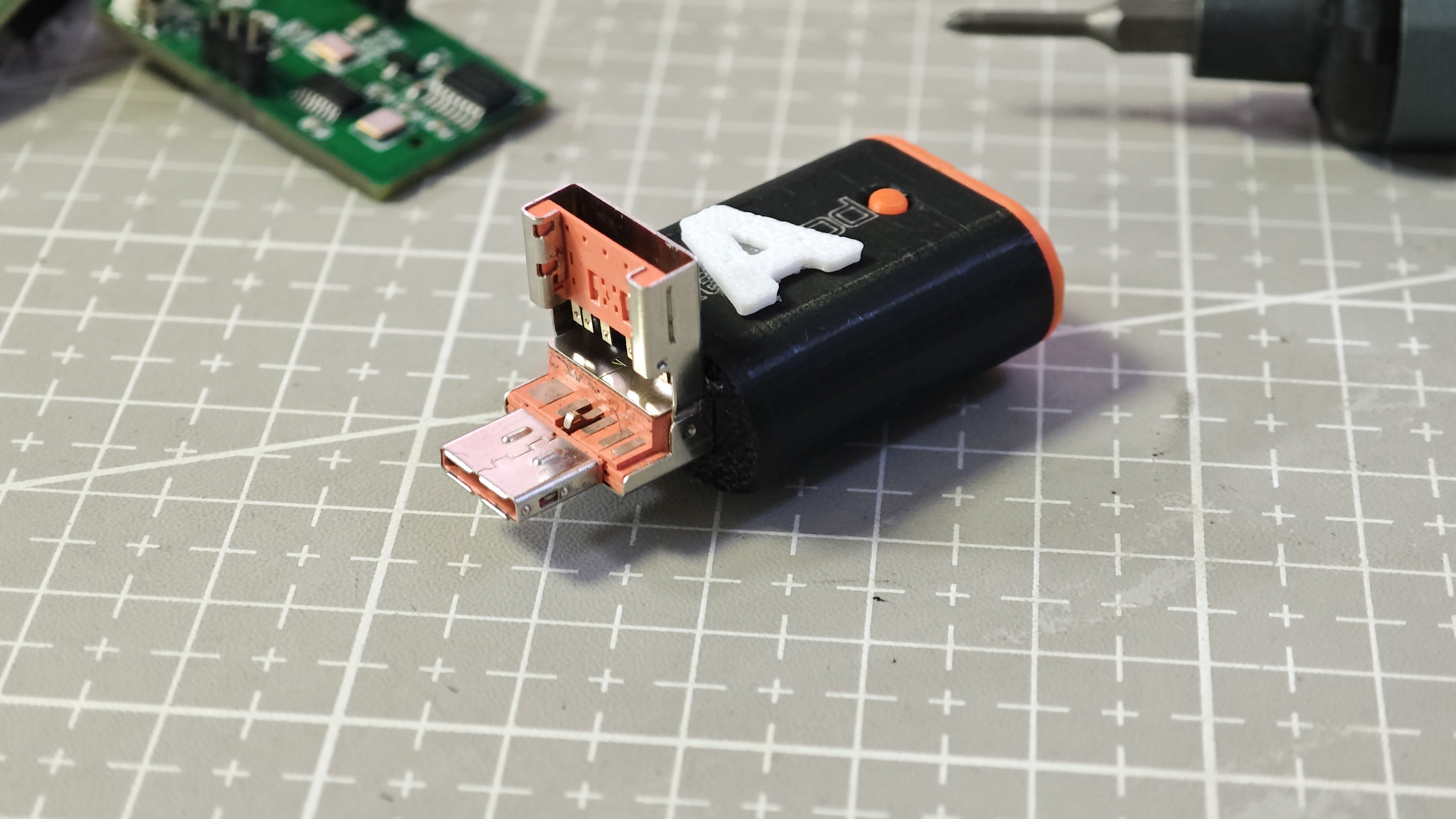
    Alongside the overall comparison, we also looked more closely at the physical details of the prototypes.

    Image
                                                                               Prototype detail view

    At first glance, the differences seem minor. But once we started using them in real setups, it became clear that even a small directional change can affect daily usability quite a bit.

    What we are looking at includes:

    • how naturally the adapter plugs into a phone or laptop
    • how much space it takes in a compact setup
    • how easy it is to grip and remove
    • how comfortable it feels during repeated daily use
    • whether it feels smooth or slightly awkward over time

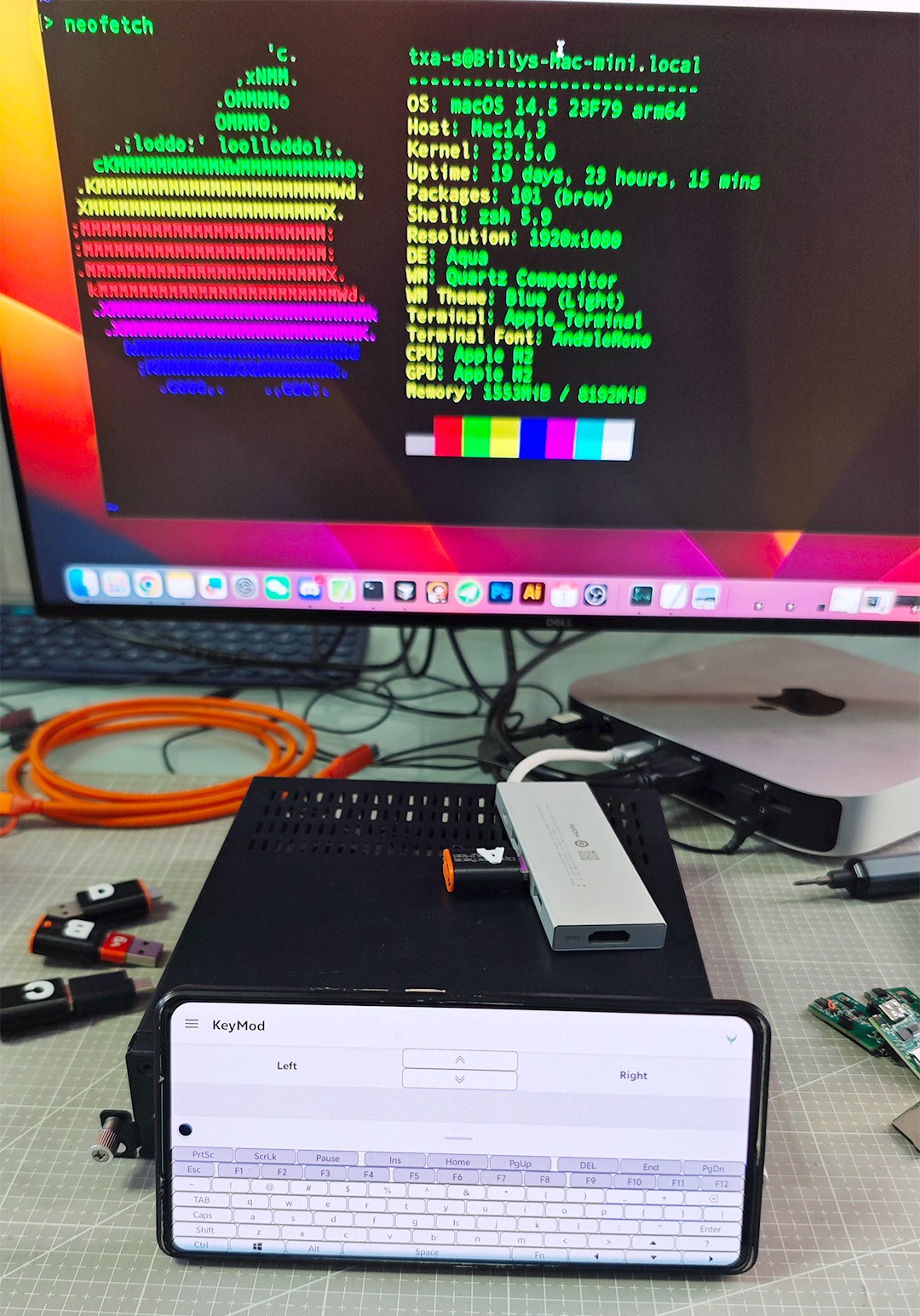
    To evaluate this, we tested the prototypes in a practical bench setup, including phone based control, direct device connection, and quick side by side comparison during normal workflow use.

    Image
                                                                  KeyMod test setup in daily use evaluation

    This stage is not only about whether the connector works electrically. It is also about whether it feels right in actual use.

    That is really the question behind this round of testing. A hardware detail that seems tiny on paper can become the kind of thing users notice every single time they plug in and unplug the device.

    We also compared how each direction behaves in real plug in scenarios. This gave us a better sense of which version feels more intuitive, which one creates less obstruction, and which one may be more comfortable in long term everyday use.

    Image
                                                                              Real use plug in comparison

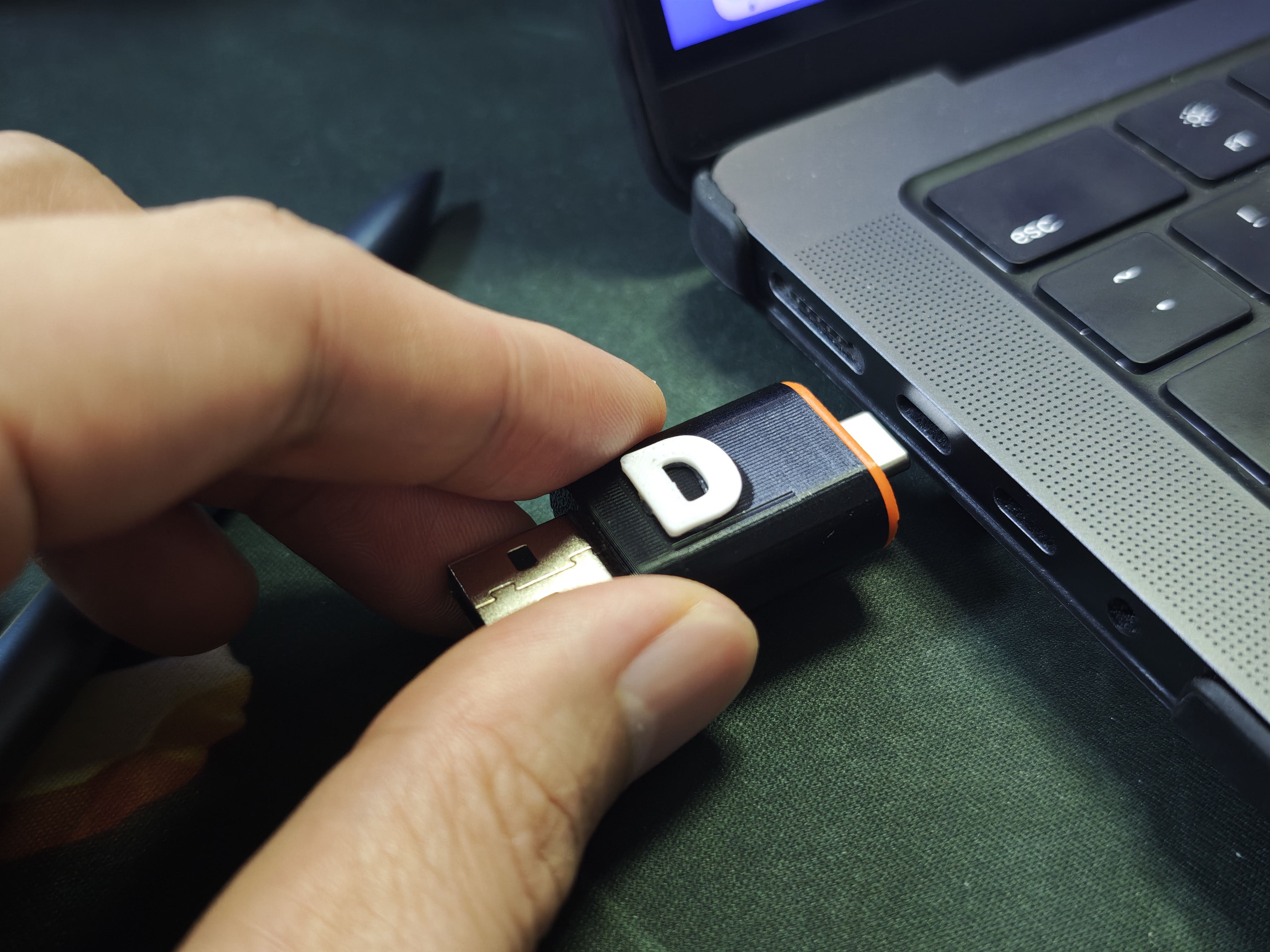
    Another thing we paid close attention to was laptop side connection experience, especially clearance and plug in comfort in tighter port layouts.

    Image
                                                                 Checking clearance and plug in comfort

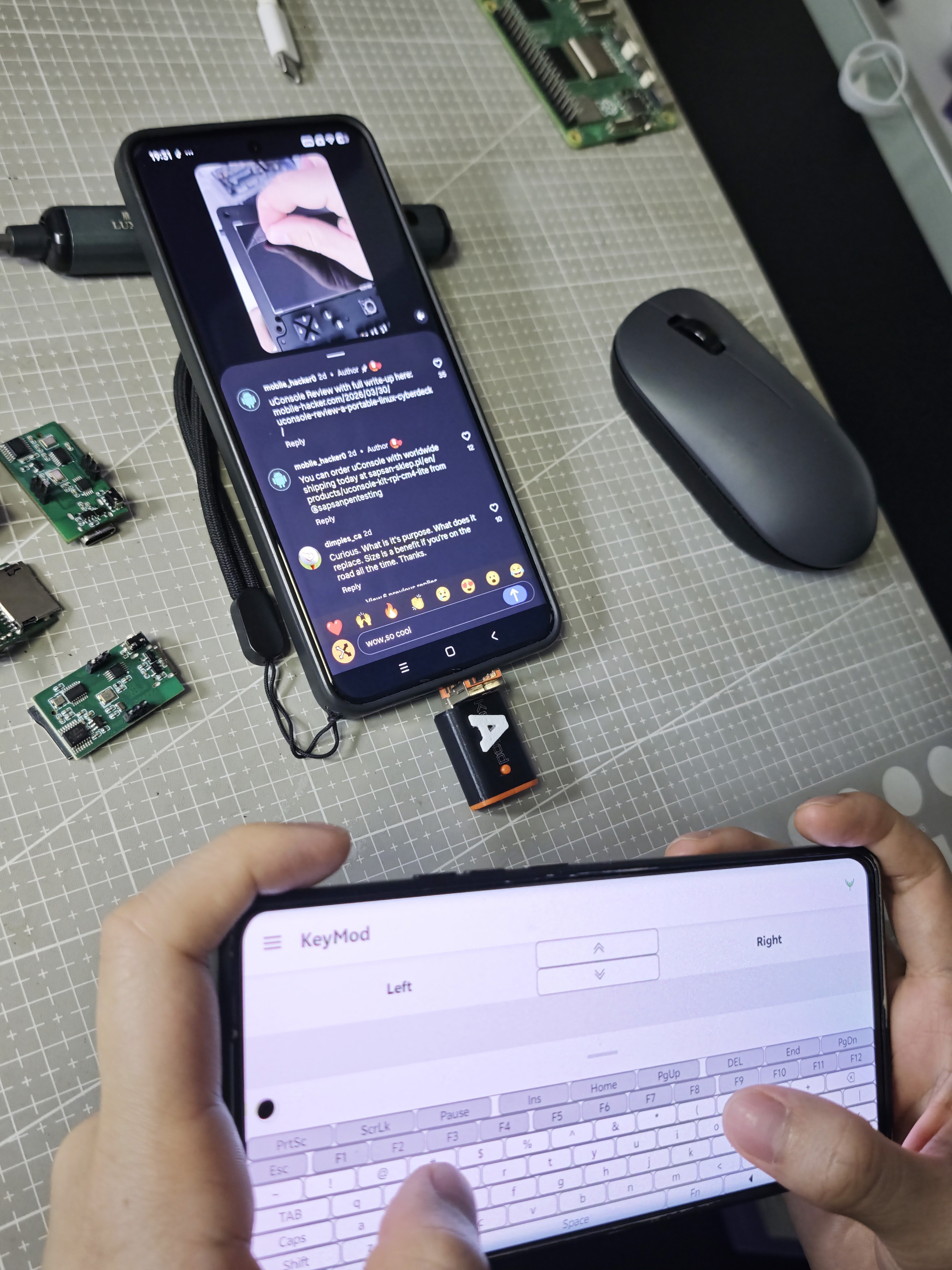
    Because KeyMod is meant to support practical local control, we want the final connector choice to feel natural in real workflows rather than becoming a repeated small annoyance.

    Image
                                                                     KeyMod in practical local control use

    We have not finalized the direction yet, so this is still part of the evaluation process.

    If you want to follow the project, the prelaunch page is here:

    KeyMod on Crowd Supply

    We would also really appreciate outside input while we compare these options. You can vote here:

    Connector format vote

    We would love to know:

    • Which version looks the most practical to you?
    • Which one seems least annoying in daily use?
    • Which one would you personally choose?

  • Prototype workflow and validation checklist

    TechxArtisan03/05/2026 at 07:55 0 comments

    • Verified: USB HID typing + pointer input from phone UI
    • Current tuning: pointer feel, profile UX, reconnection behavior
    • Next: refine connector variants (2-in-1 and USB-C) and publish more build notes
    • Looking for feedback: which “quick local input” scenarios matter most (kiosk, signage, lab rigs, rack mini PCs)?

View all 3 project logs

Enjoy this project?

Share

Discussions

Similar Projects

Does this project spark your interest?

Become a member to follow this project and never miss any updates

Image