Image

Screen Recorder & Video Editor for macOS

Screen Recorder & Video Editor for macOS

Create beautiful movies from your screen.

Record your screen capture screenshots edit multiple scenes animate text images and captions add music and export stunning product videos in minutes.

One-time purchase

Screen record

Screenshot capture

Video edit

Motion design

4K export

macOS 15+

Roudy Hermez

"I was looking for a screen recorder when Solt announced Screen Movie. I trust his work and love the products he builds, so I bought it without even checking the features first"

Zaid Altukhi

"Screen Movie has become one of my favourite tools for creating screen recordings quickly. It combines recording and the essential editing tools in one simple workflow, which means I can create polished tutorials and demos without having to rely on several different apps.”

Roudy Hermez

"I was looking for a screen recorder when Solt announced Screen Movie. I trust his work and love the products he builds, so I bought it without even checking the features first"

Zaid Altukhi

"Screen Movie has become one of my favourite tools for creating screen recordings quickly. It combines recording and the essential editing tools in one simple workflow, which means I can create polished tutorials and demos without having to rely on several different apps.”

Image

Everything you need to create a great Screen Movie

Record, edit, animate, and polish your screen with powerful tools designed to turn simple captures into beautiful, cinematic videos.

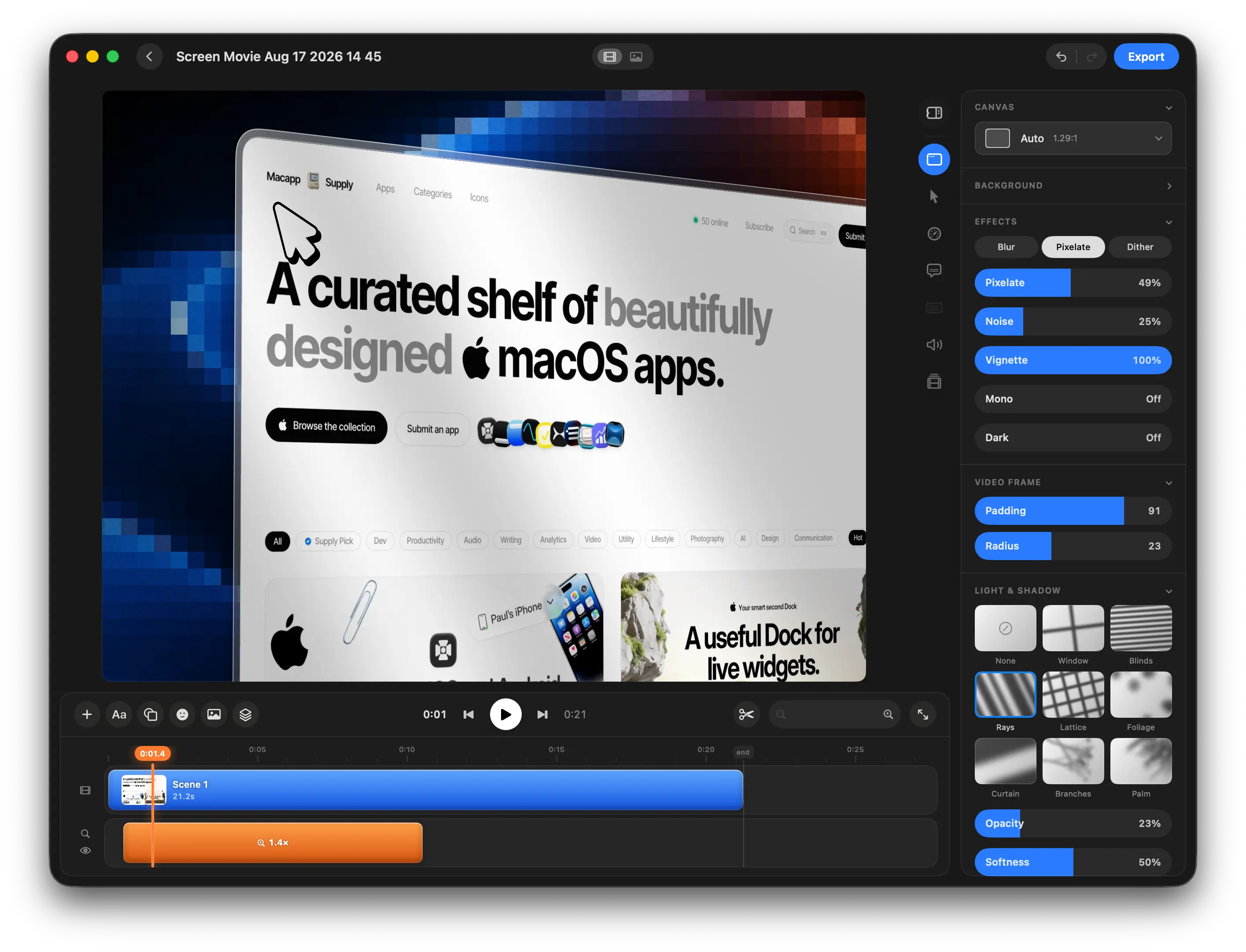
Edit Everything on One Simple Timeline

Arrange scenes, trim clips, cut sections, and manage your entire movie from one clean and intuitive timeline.
Image

Create beautiful movies from your screen.

Record, edit, and bring your screen to life with cinematic motion, auto zoom, animated text, screenshots, music, and 40+ motion templates — all in one native macOS app.
Image

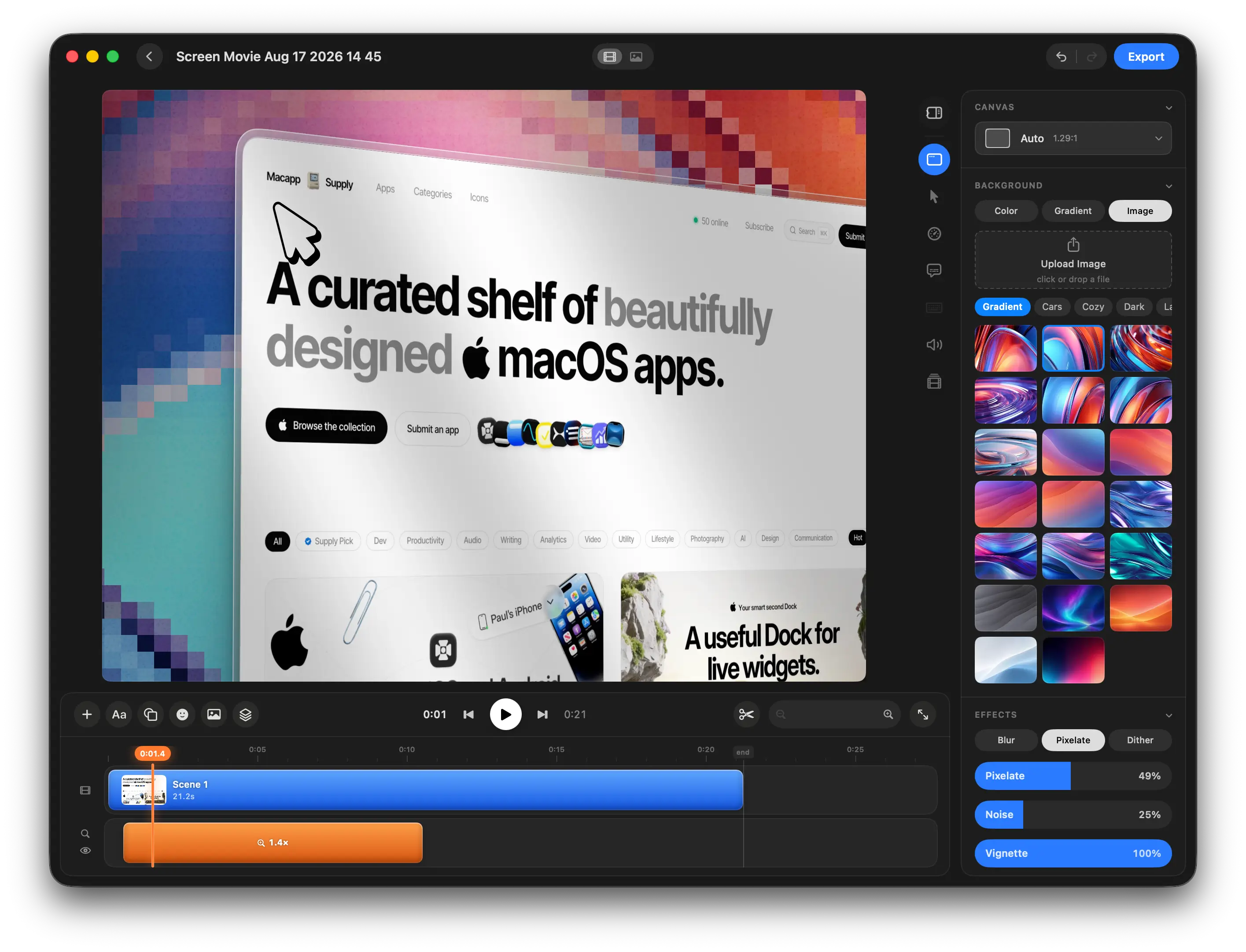
Customize Backgrounds, Effects, and Every Detail

Choose from beautiful backgrounds, gradients, images, and effects, or create your own custom look for every scene.

Image

Background.Supply

Animated Shader Backgrounds

Add smooth, living shader gradients that subtly move and bring more depth, color, and energy to your scenes.
Image

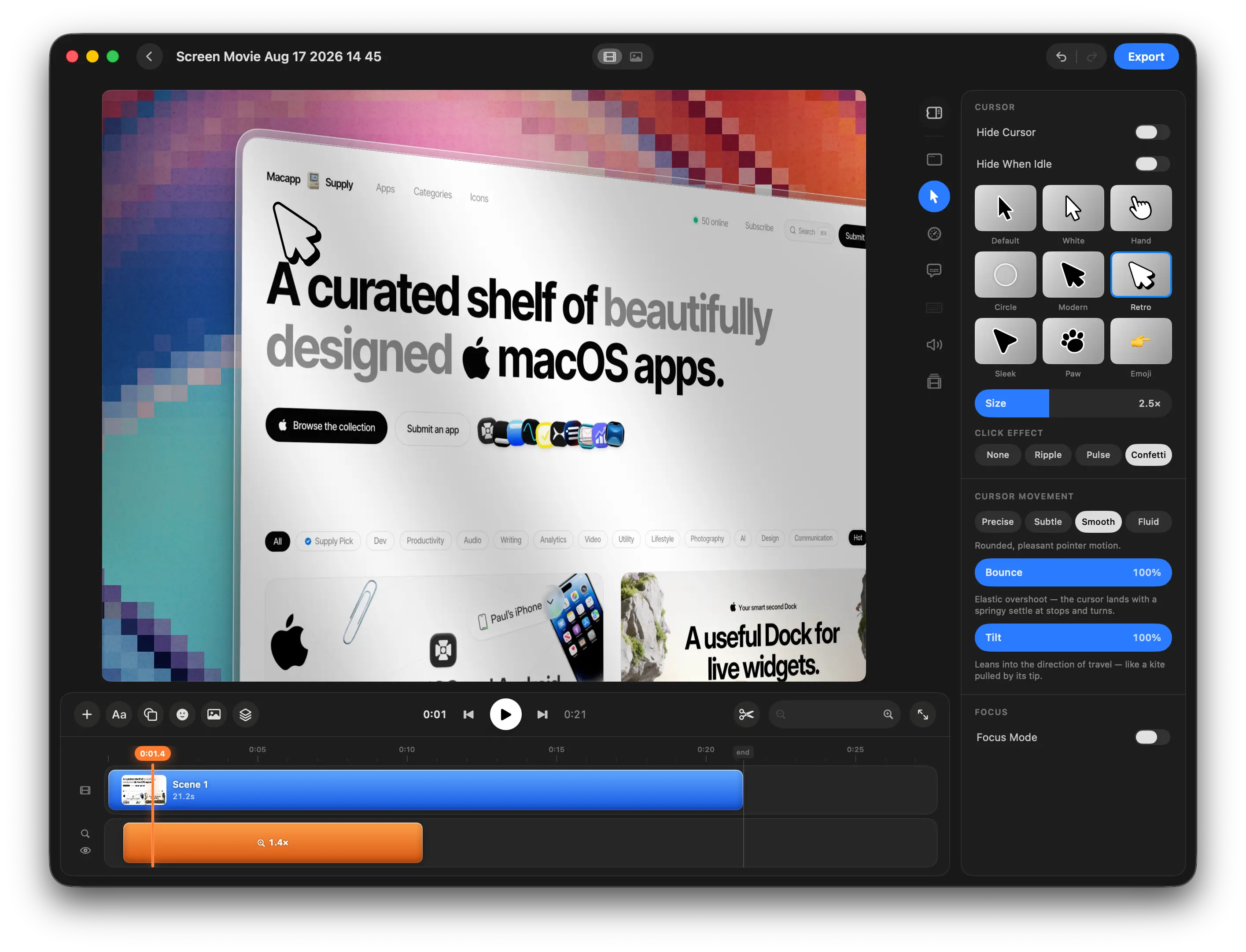
Perfect Your Cursor, Motion, and Size

Customize cursor size, style, movement, and motion effects to make every interaction clear, smooth, and easy to follow.

Image

Add Light, Shadow, and Cinematic Depth

Use lighting, overlays, shadows, and depth effects to create richer, more atmospheric, cinematic-looking screen recordings.

Multi-Camera Recording

Record your screen and up to two cameras at the same time using your built-in camera, an external camera, iPhone, or iPad. Each camera is added as a separate editable track in the timeline.
Image

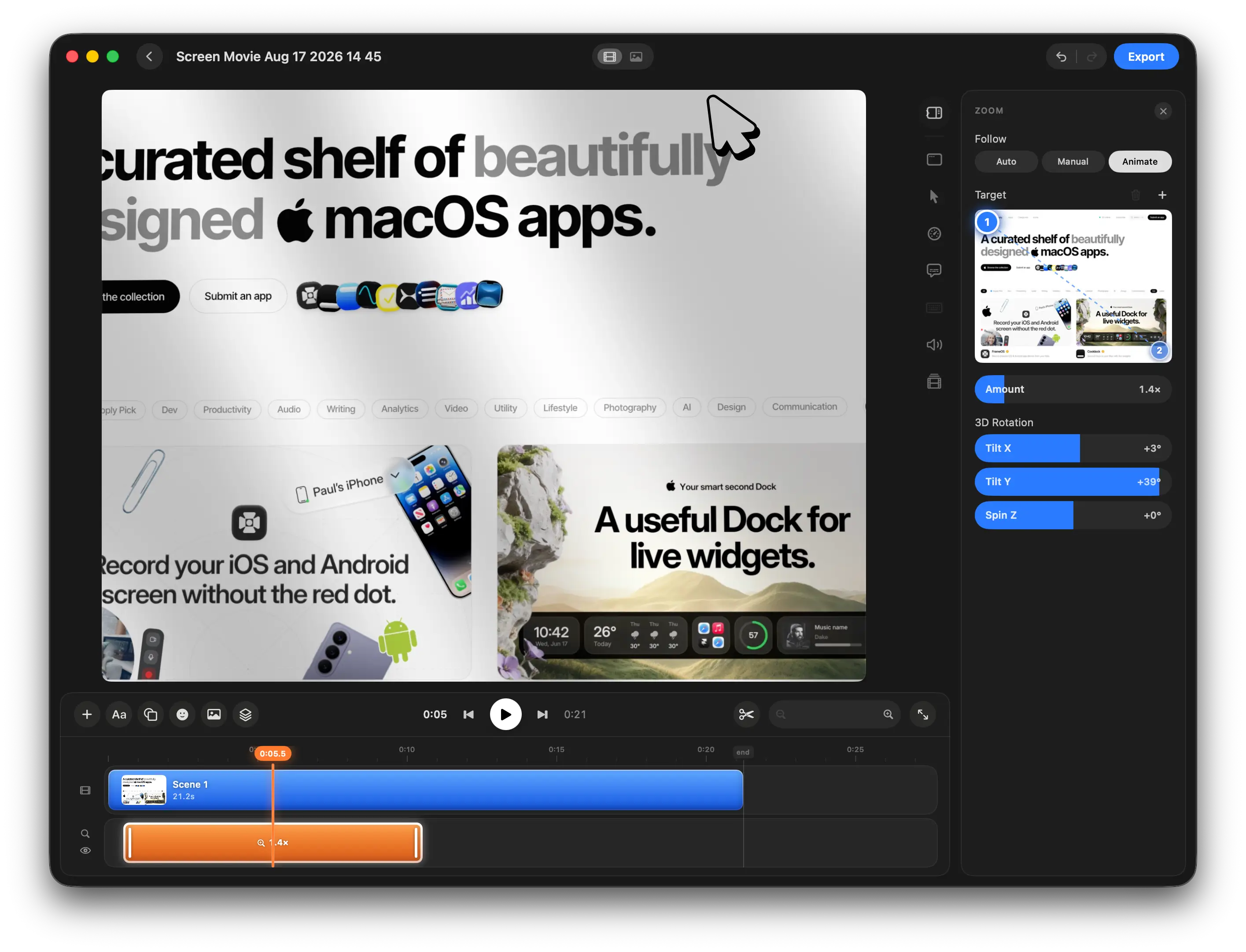
Create Cinematic Motion Around Your Screen

Set motion and zoom targets with keyframes, automatically follow the cursor, and add 3D rotation for smooth, cinematic screen movements.

Create Stunning Motion in Seconds

Choose from 40+ motion design presets, drop in your images or videos, customize every detail, and add polished animations directly to your timeline in seconds.
Image

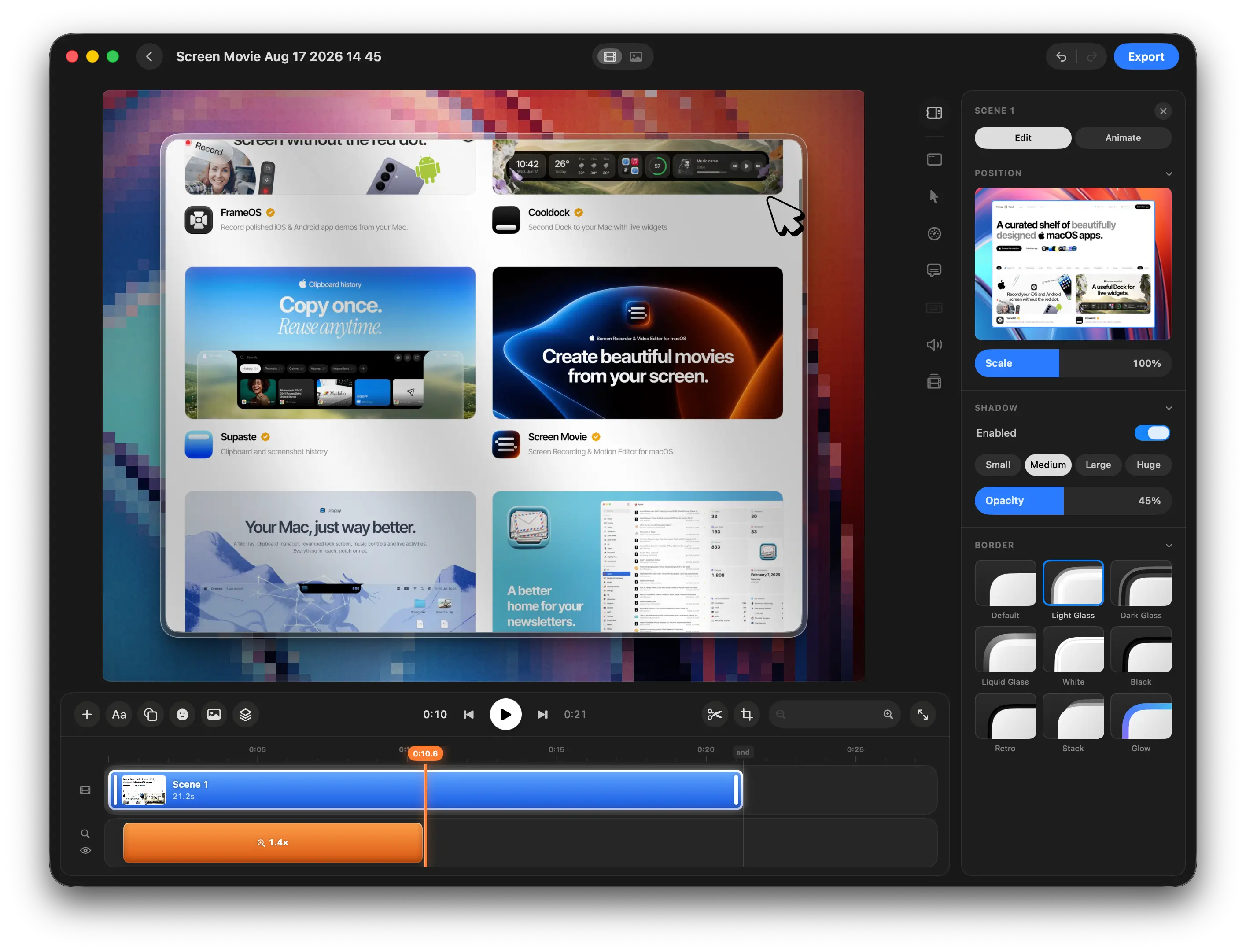
Shape Every Frame with Custom Borders

Customize corner radius, borders, spacing, and frame styles to give your screen recordings a polished, distinctive look.

Pekka Gaiser

"Screen Movie is the first screen capture app that I’ve ended up actually using. It sits at the exact sweet spot between complexity and simplicity that makes capturing a clip almost frictionless and my social feeds look much better for it. Highly recommended!"

Eric Havelka

"I’m really enjoying Screen Movie so far — it’s honestly one of the coolest tools I’ve found for creating polished screencasts. I especially love how easy it is to combine different screen recordings and visual elements.


I just discovered the text animations as well, and they’re really great!"

Craig Paterson

"Screen Movie is a well thought-out app with excellent screen capture and recording options which are beautifully integrated into macOS. There are some really nice built-in background graphics and motion clips making it very straightforward to get professional looking results in minutes, not hours."

Pekka Gaiser

"Screen Movie is the first screen capture app that I’ve ended up actually using. It sits at the exact sweet spot between complexity and simplicity that makes capturing a clip almost frictionless and my social feeds look much better for it. Highly recommended!"

Eric Havelka

"I’m really enjoying Screen Movie so far — it’s honestly one of the coolest tools I’ve found for creating polished screencasts. I especially love how easy it is to combine different screen recordings and visual elements.


I just discovered the text animations as well, and they’re really great!"

Craig Paterson

"Screen Movie is a well thought-out app with excellent screen capture and recording options which are beautifully integrated into macOS. There are some really nice built-in background graphics and motion clips making it very straightforward to get professional looking results in minutes, not hours."

More than just screen recording

Capture your screen, shape every scene, add motion, sound, captions, and effects — all without leaving the app.

Screen Recording

Record your display, an app window, or a selected area — and capture screenshots too.

Camera Recording

Record your camera alone or with your screen, with a bubble that follows your cursor.

Camera Layouts

Fullscreen, corner overlay, side-by-side, and follow layouts — positioned anywhere you like.

Audio Recording

Record your voice from the microphone alongside system audio playing on your Mac.

Recording Notes

Keep notes and talking points ready while you record.

Keystroke Display

Automatically show pressed keys and shortcuts in your video.

Simple Timeline

Arrange, trim, cut, and edit everything in one timeline.

Text Overlays

Add and animate customizable text anywhere in your video.

Images & Elements

Drop images and media onto your timeline, plus emojis, shapes, and colors.

Music

Music Add background music and adjust it directly in your project.

Automatic Captions

Transcribe speech and automatically generate captions for your video.

Cursor Effects

Customize your cursor, smooth its motion, highlight clicks, and spotlight the area around it.

Backgrounds

Choose from a collection of ready-made backgrounds or use your own image or color.

Gradients

Create colorful mesh gradients or build your own simple gradient backgrounds.

Motion & Zoom

Auto-zoom into key moments, set keyframes, follow your cursor, and use 40+ motion presets.

…more is coming

Start Anything Right from the Notch

A native macOS notch experience for instantly starting display, window, area, camera, voiceover, or screenshot captures—and quickly reopening your recent recordings.

Screen record

Screenshot

Video edit

Voice over

Motion design

3D rotation

Cursor motion

Local first

Animated texts

Animated shapes

Effects

Animations

Recording notes

One price.
Lifetime access.

One-time payment. No subscription.
Get lifetime access to Screen Movie on your Mac.

Get in early. Pay less. 🥳

Try it risk-free. If Screen Movie doesn’t fit your workflow, email us within 14 days and we’ll refund your purchase.

$39

$79

Limited offer for early users 🥳

85 spots left before the price increases to $49

One-time payment

14-day money-back guarantee

Lifetime updates included

All features unlocked from day one

Native macOS app

1 device license

Secure checkout by Polar.sh, powered by Stripe. Prices are in USD, excluding VAT and may vary by location.

Image

Frequently Asked Questions

What is Screen Movie?
Is Screen Movie a subscription?
Are lifetime updates included?
Is Screen Movie fully local?
Does Screen Movie upload my recordings?
How are payments handled?
How do I get my license after purchase?
What does a 1 Device license mean?
What happens if I replace my Mac?
Do I need an internet connection to use Screen Movie?
Do I own the videos I create?
Is there a money-back guarantee?

Frequently Asked Questions

What is Screen Movie?
Is Screen Movie a subscription?
Are lifetime updates included?
Is Screen Movie fully local?
Does Screen Movie upload my recordings?
How are payments handled?
How do I get my license after purchase?
What does a 1 Device license mean?
What happens if I replace my Mac?
Do I need an internet connection to use Screen Movie?
Do I own the videos I create?
Is there a money-back guarantee?

Frequently Asked Questions

What is Screen Movie?
Is Screen Movie a subscription?
Are lifetime updates included?
Is Screen Movie fully local?
Does Screen Movie upload my recordings?
How are payments handled?
How do I get my license after purchase?
What does a 1 Device license mean?
What happens if I replace my Mac?
Do I need an internet connection to use Screen Movie?
Do I own the videos I create?
Is there a money-back guarantee?
Image

Supaste app for macOS

Copy once.
Reuse anytime.

Copy once.
Reuse anytime.

Clipboard history

Supaste saves your clipboard and screenshots in a beautiful visual history, automatically grouped by type, app, and custom categories, so you can search, find, and paste anything back in seconds.
Image

Cooldock app for macOS

A useful Dock for live widgets.

A useful Dock for live widgets.

Your smart second Dock

Cooldock brings music, todos, events, weather, search, stats, quick actions, and more useful widgets into one beautiful live dock beside your original Mac Dock.