Log inSign up
Matt Kane 🦋 @mk.gg
20.8K posts
Matt Kane 🦋 @mk.gg profile banner
@ascorbic

Matt Kane 🦋 @mk.gg

@ascorbic
Frameworks at @cloudflare ☁️ Astro core maintainer 🚀 Prev Netlify, Gatsby. Made Unpic. 🦋 bsky.app/profile/mk.gg 🌳 unpic.pics
Imber
mk.gg
Joined November 2007
3,517
Following
4,069
Followers
RepliesRepliesRepostsRepostsMediaMedia

Log in or sign up for X

See what’s happening and join the conversation

Continue with phone
or
Log in with username or email
Terms·Privacy·Cookies·Accessibility·Ads Info·© 2026 X Corp.
  • Pinned
    @ascorbic
    Matt Kane 🦋 @mk.gg
    @ascorbic
    Nov 2, 2024
    I'm going to try and spend less time here. You'll find me over there:
    Image
    Matt Kane (@mk.gg)
    From bsky.app
  • @ascorbic
    Matt Kane 🦋 @mk.gg
    @ascorbic
    Oct 31, 2024
    🦋
    2
  • @ascorbic
    Matt Kane 🦋 @mk.gg
    @ascorbic
    Oct 31, 2024
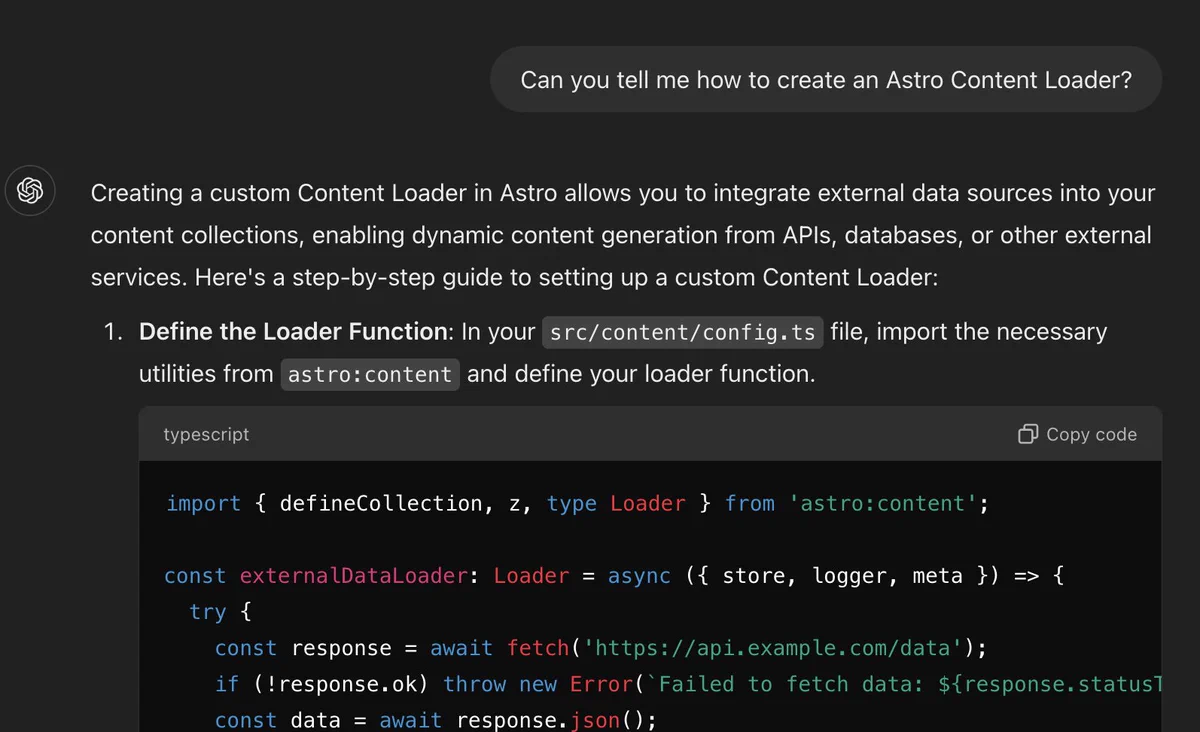
    It seems ChatGPT Search solves the problem of out-of-date API knowledge. I asked it how to build an Astro content loader (a beta feature). Regular ChatGPT hasn't a clue. Enable search and it gives a perfect answer.
    Can you tell me how to create an Astro Content Loader?
ChatGPT said:
ChatGPT

Creating an Astro Content Loader is all about building a mechanism to load content (like markdown files) into your Astro project dynamically, where Astro itself doesn’t natively provide a built-in content layer (yet). Here’s a straightforward guide to creating your own:
    Creating a custom Content Loader in Astro allows you to integrate external data sources into your content collections, enabling dynamic content generation from APIs, databases, or other external services. Here's a step-by-step guide to setting up a custom Content Loader:

    Define the Loader Function: In your src/content/config.ts file, import the necessary utilities from astro:content and define your loader function.

    typescript

import { defineCollection, z, type Loader } from 'astro:content';

const externalDataLoader: Loader = async ({ store, logger, meta }) => {
  try {
    const response = await fetch('https://api.example.com/data');
    if (!response.ok) throw new Error(`Failed to fetch data: ${response.statusText}`);
    const data = await response.json();
  • @ascorbic
    Matt Kane 🦋 @mk.gg
    @ascorbic
    Oct 29, 2024
    🦕💚🚀
    @deno_land
    Deno
    @deno_land
    Oct 29, 2024
    Building an Astro project has become even simpler with Deno 2 👇️ deno.com/blog/build-ast…
    1
  • @ascorbic
    Matt Kane 🦋 @mk.gg
    @ascorbic
    Oct 24, 2024
    So, what about this DX then?
    Astro.session.set('cart', cart)
    7
Advertisement
Advertisement